
Minecraft Discs
Minecraft Java mod. Downloads from the MC Java Mods app on Android.
⬇ Download on CurseForge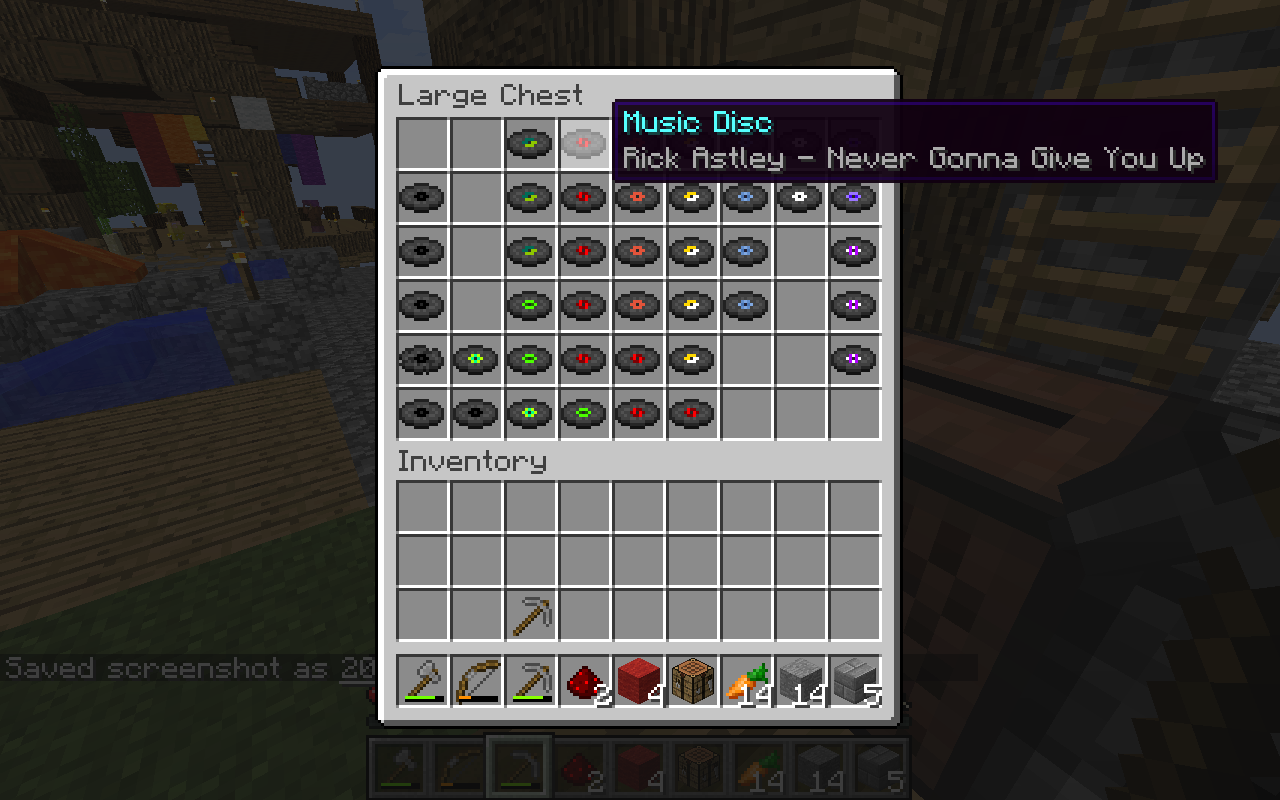
Minecraft Discs
Dynamically loaded custom music discs based on YouTube videos. Requires building your resource pack by downloading YouTube videos. See here for an automated mcdisc resource pack builder.
For Minecraft 1.12. Requires Forge ModLoader.
See the code on Github.
Setup
- Copy the latest mcdisc release jar to your mods directory.
- Define your own disc list. See sample-disc-config.json for a syntax example.
- Each custom disc requires a YouTube URL. (Those are used to build your resource pack.)
- Edit your forge configuration to use your custom disc list, either by editing manually the
config/mcdisc.cfgfile or from theMods Optionsmenu inside the game.- The disc list location can either be an URL, (starting with
http://orhttps://), or a file path. - For local files, the default directory is your
.minecraftdirectory. For instance, settingdisc-list.jsonas your disc location will cause the mod to load discs from.minecraft/disc-list.json. - Do not use
~in the file location on Linux or MacOS, as that seems to cause issues. - By default, the disc list is set to this repository's sample-disc-config.json.
- The disc list location can either be an URL, (starting with
- Build your resource pack. (See here). You will not be able to play your custom discs without the resource pack.
For multiplayer setups, repeat all steps 1-4 for the server and all clients.
Configuration
DISC_LIST_LOCATION: Disc list json file location. Can an URL or a file.SPAWN_DISCS_IN_CHESTS: Add custom discs in dungeons, temples, mineshafts.CREEPERS_DROP_CUSTOM_DISCS: Creepers should drop custom discs when slain by skeletons.SHOULD_CACHE_DISC_LIST: Load the disc list once in memory, to reduce disc/http access. (Better to leave this on!)
Using custom textures
By default, custom discs reuse vanilla minecraft textures. You can define custom textures by adding a "texture" property to your discs in your disc-list.json. (See here) for an example. You then need to define your new textures in a resource pack, either as a standalone resource pack, or by bundling them with your sound resource pack built at step 4. (Note that you do not need to define textures in a resource pack if you are reusing vanilla minecraft textures. e.g. "minecraft:diamond")
The pack should have the following structure : ( Example Here)
/assets
  /mcdisc
    /models
      /item
        my-texture.json
  /minecraft
    /textures
      /items
        my_texture.png
my-texture.json should contain the following :
{
  "parent": "minecraft:item/generated",
  "textures": {
    "layer0": "minecraft:items/my_texture"
  }
}
- Edition: Minecraft Java
- File type: .jar
- How to install: Install the matching mod loader (Forge, Fabric or NeoForge) for your Minecraft version. → Download the .jar. → Put it in the .minecraft/mods folder and launch that loader profile.
- Where to get it: Opens on CurseForge — not every file is mirrored on our own servers.
Install steps are the general flow for this file type — How to install Minecraft Java mods & modpacks walks through it step by step.
- Ships as mcdisc-1.12.1-1.2.jar — drop this file into the mods folder
- Download size: 21 KB
- Download link checked 3 Nov 2026 — working
These come from our own check of the pack file, not from the source page.