
E-Vaporate
Minecraft Java mod. Downloads from the MC Java Mods app on Android.
⬇ Download on CurseForgeE-Vaporate is a mod made for the modding competition ModOff 2. The mod allows you to create vape juices in a blender from all types of food and vape it instead of eating the food.
How to use:
1. Add your favorite food to the blender (Can be any eatable food).

2. Add a bucket of water to the blender.

3. Add a redstone signal that lasts 30 ticks or more (Not stone button).
//minecraft.curseforge.com/projects/e-vaporate/settings/" rel="noopener nofollow" target="_blank">https://minecraft.curseforge.com/projects/e-vaporate/settings/[img]https:/i.imgur.com/rtvtHWh.gif[/img]" alt="" />
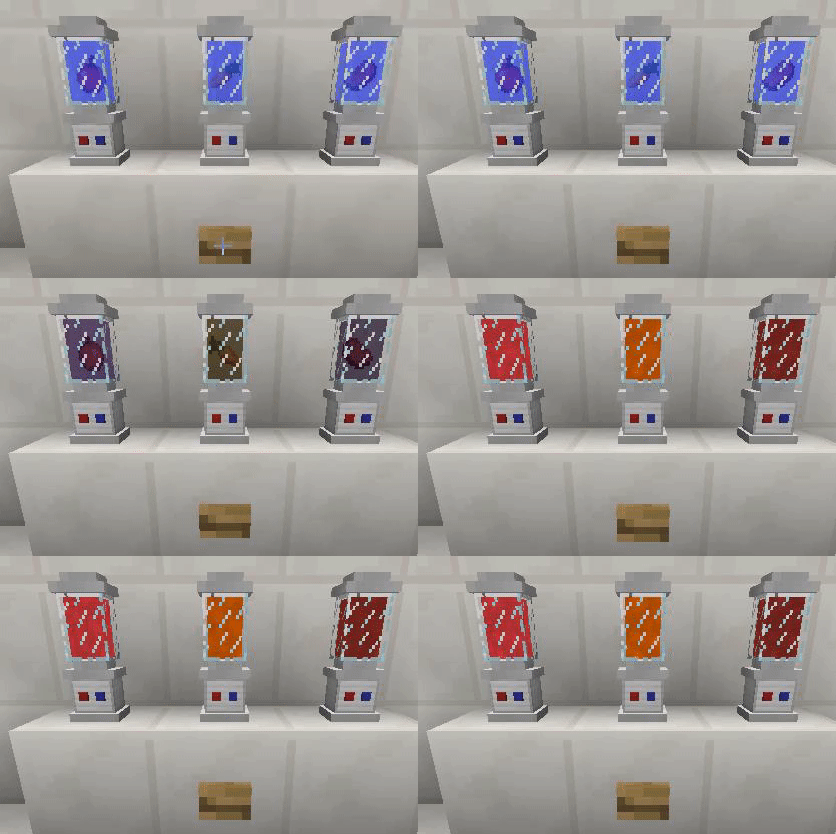

4. Grab your vape and click the blender with the vape juice inside and you are good to go!

Remember you need to be hungry to be able to use the vape.

The vape liquid gives you as many charges as the amount of items you insert into the blender. The maximum stack size a blender can take is 64 and the max amount of charges in the vape is also 64. The vape also grabs the hunger and saturation value from the food with a 1:1 ratio.


The mod also comes with Limited Edition Steampunk Vape and Limited Edition Steampunk Blender for the duration of ModOff 2.

- Edition: Minecraft Java
- File type: .jar
- How to install: Install the matching mod loader (Forge, Fabric or NeoForge) for your Minecraft version. → Download the .jar. → Put it in the .minecraft/mods folder and launch that loader profile.
- Where to get it: Opens on CurseForge — not every file is mirrored on our own servers.
Install steps are the general flow for this file type — How to install Minecraft Java mods & modpacks walks through it step by step.
- Ships as E-Vaporate-4.20.69.jar — drop this file into the mods folder
- Download size: 134 KB
- Download link checked 13 Oct 2026 — working
These come from our own check of the pack file, not from the source page.