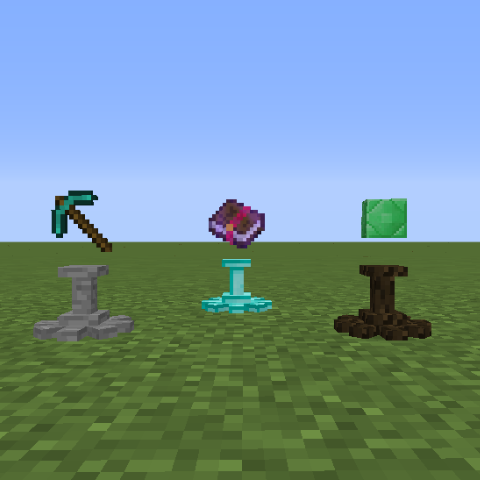
Display is an mod that lets you make a Display block to display your items on.
All items work, even items from other mods.
Multiple types of Displays for decoration purposes as well.
Features:
- Right click the Display to place and retrieve items.
- Shift right click to stop the item from rotating. Depending on what side of the display you click the item will be positioned towards you.
- Items don't lose any data so all items are safe for usage. Unless the mod item specifically does not want things like this to happen.
- Craft the Display Configurator to change the position of the items on the display
- Shift+Right click with the Display Configurator and change the Axis mode.
Crafting recipe:
Normal Display recipe

Every display type that derives from a block uses that block

Every display type that derives from an ore derives from its processed ore. So quartz & iron ingot etc

The Item Configurator:

Picture:


Current Displays:
- Normal Display (Stone)
- Obsidian
- Dirt
- Sand
- Gravel
- Wood
- Gold
- Iron
- Diamond
- Quartz
Modpack use:
You can place this mod in all your modpacks, private or public.
Discord:
Quick facts
- Edition: Minecraft Java
- File type: .jar
- How to install: Install the matching mod loader (Forge, Fabric or NeoForge) for your Minecraft version. → Download the .jar. → Put it in the .minecraft/mods folder and launch that loader profile.
- Where to get it: Opens on CurseForge — not every file is mirrored on our own servers.
Install steps are the general flow for this file type — How to install Minecraft Java mods & modpacks walks through it step by step.
Verified by MCModsHub
- Ships as Display-1.2.4.jar — drop this file into the mods folder
- Download size: 41 KB
- Download link checked 1 Sept 2026 — working
These come from our own check of the pack file, not from the source page.