Liquid Enchanting
Minecraft Java mod. Downloads from the MC Java Mods app on Android.
⬇ Download on CurseForge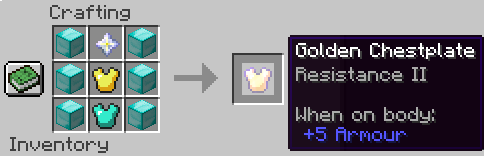
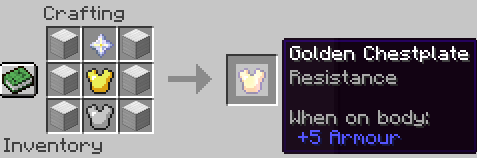
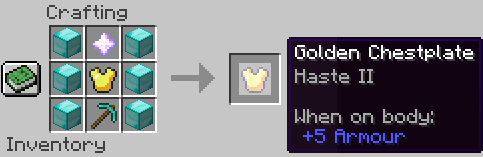
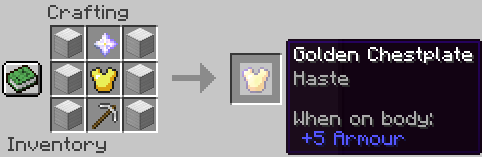
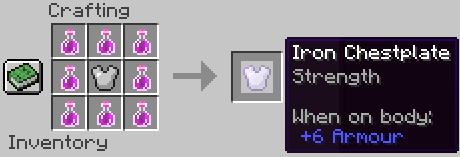
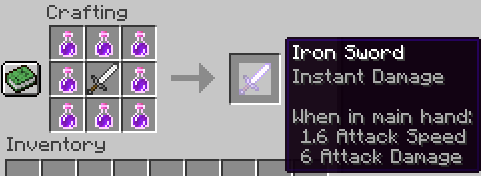
Welcome to Liquid Enchanting! The mod that lets you enchant your armor and swords with potions!
How does it work?
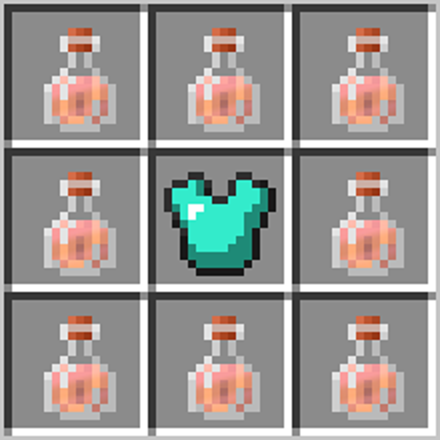
Potions or nether stars can be crafted together with armor, tools or weapons using the crafting table. When this newly potion infused armor is worn, the player receives that potion effect for as long as they wear the armor. For swords, the potion effect is applied to the hit entity for 10 seconds. Supported modes:
- Any armor can be enchanted, and will apply the effect to the player as long as that armor is worn (including Elytra).
- Shields can be enchanted, and will apply the effect to the player when held in the Main or Offhand.
- Projectiles fired from Bows / Crossbows will apply the effect from the BOW onto the target on successful hit.
Cross-Mod Compatibility
Available in 1.12 Versions
Potions, tools and armor from other mods can also be used with this mod! Cross-tested against the following, will likely work with others:
- Armor Expansion
- Tinkers / Constructs Armory
- Extra Alchemy
- PotionCore
- PotionCraft
By default, combined potions are disabled, as that seems OP to me. Though if you really want it, see the configuration section to enable them.
Known limitations / Incompatibiliies
The following modded items can be "enchanted", but will not apply the potion effect correctly. Instead, they apply their effect as melee.
- Tinkers Shurikens.
- Spartan Weaponry Crossbows.
- Tinkers crossbow bolts (Enchant the crossbow to get the effect, not the bolt).
- Thermal Foundation shields.
Crafting
The crafting recipes for this mod are very simple:
Place your piece of armor / sword in the central slot of a crafting table, and surround with potions of your choice.
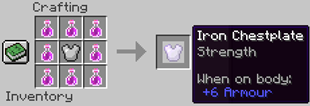
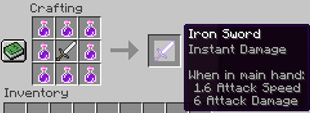
All potions must be of the same type, and must be either the base or extended strength varieties. Extended duration potions will not work in these crafting recipes.
NB: If you're using Minecraft 1.7 or 1.8, you must use potions from the brewing stand, NOT the creative inventory.
Adding / Removing Effects
Only one potion effect can be stored at a time, unless using a mod that supports combined potions. To change the effect on an item, put the item back in a crafting grid, and repeat the crafting recipe with your desired potion. To completely remove an effect, use water bottles in place of potions.
Configuration
This mod comes with a config file, which is auto-generated when the mod is first run. Configuration options are:
- Duration of effect when hitting an entity.
- Allowing combined potions to be crafted onto items (default disabled)
- Allowed instant effects to be crafted onto armor (default disabled, hilarious when enabled)
- Disabling specific potions with their registry name.
Enchanting / Naming
This mod co-exists with the vanilla and custom enchanting systems. Items that are already enchanted or damaged can be used as ingredients, and these potion infused items can be used in the vanilla enchanting tables. If used in conjunction with another enchanting mod, modded enchantments should also be transferred between items.
- Edition: Minecraft Java
- File type: .jar
- How to install: Install the matching mod loader (Forge, Fabric or NeoForge) for your Minecraft version. → Download the .jar. → Put it in the .minecraft/mods folder and launch that loader profile.
- Where to get it: Opens on CurseForge — not every file is mirrored on our own servers.
Install steps are the general flow for this file type — How to install Minecraft Java mods & modpacks walks through it step by step.
- Ships as liquidenchanting-1.12.2_v6.jar — drop this file into the mods folder
- Download size: 56 KB
- Download link checked 22 Sept 2026 — working
These come from our own check of the pack file, not from the source page.