
Inventory Vehicles
Java mod listed for Minecraft 1.16–1.17. Downloads from the MC Java Mods app on Android.
A mod that adds some items to Minecraft which have the shape of a car and with some fuel in inventory you can use them to travel faster and do some stuff…
I don't know my version or loader
Inventory Vehicles
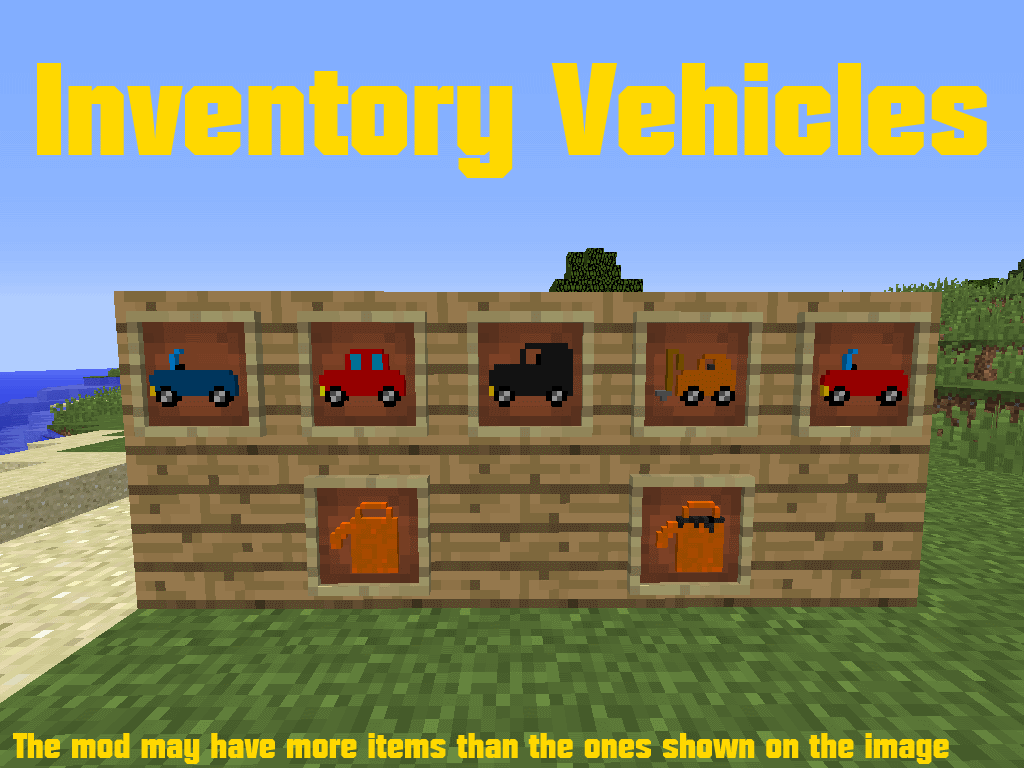
Inventory Vehicles is a mod that adds vehicle items which give you potion effects when giving them fuel. I left this mod in late 2018 and I've decided to make the mod again from scratch to make it available for 1.16.5 and 1.17 (If possible)
Textures are revamped. Some items were removed, like all the gasoline related stuff, and added a new block called "Carjack" to repair vehicles.

Mods like JEI are highly recommended to check recipes
Can I do X with your mod?
Except reuploading the mod to other sites, you can review it, use it in your server, your modpack, share it with your friends, whatever you want.
Note: 1.12.2 version won't update any longer.
This mod was made with and thanks to MCreator
Old Description (1.12.2):

Tired of vehicle mods with HD models and textures that can be very laggy for you, your Minecraft or your computer? Don't worry, Inventory Vehicles will solute that. This mod adds items that can act as vehicles, you can use them by right-clicking them with enough fuel in your inventory. Some of them give you extra abilities to perform actions even better.
Vehicle Parts
First of all, you should create the parts of the car before assembling your future vehicle. You should craft the engine, tires and steer. You will also need a fuel can to fill it up with fuel and use them to power your vehicles.
These are some of the craftings:
Car Tire
These are the legs for the vehicle, most of the vehicles will need 2 only to be usable.

Engine V1
This is the main engine, used for most craftings. There is an upgrade explained down below

Empty Fuel Can
You need a fuel can to save some fuel to power the vehicle

Fill the fuel can
You also will need to keep the fuel inside to power the vehicle

Steer
This item is needed for most vehicle models and its use is to drive with the vehicle

Engine V2
This is an upgrade for the previous engine and is needed to craft some vehicle models

Medical Bed
This item is only for the crafting of the ambulance.

Golden Shield
This item is only for the crafting of the police car and the military truck

Horse Leg
This is only for the crafting of the horse

Reinforced Iron
This is only for the crafting of the submarine

Vehicle Models
There are many different vehicle models, some of them can be dyed with some colors, and also each one has different abilities.
Basic Car

This will give you a normal red car. This will apply to you Speed II. It can be dyed blue, black, white and green.
Lorry

This will give you a red lorry. It will apply to you Speed I and Resistance II. This vehicle can be dyed blue, black, white and green.
Racecar

This will give you a red racecar. It will apply to you Speed III and Weakness I. This can be dyed blue, black, white and green.
Bulldozer

This will give you a bulldozer. It will apply to you Speed I, Haste II and Resistance I. It can't be dyed.
Ambulance

This will give you a bulldozer. It will apply to you Speed II and Regeneration II. It can't be dyed
Yellow Submarine

This will give you a yellow submarine. It will apply to you Speed I, Resistance I and Water Breathing II. It can't be dyed
Horse

This will give you a brown horse. It will apply to you Speed II, Jump Boost III, and Weakness I. It only can be dyed white with some black spots.
Police Car and Military Truck


Both will apply to you Speed II, Strenght III, and Resistance II. They can't be dyed.
Space Rocket

This will apply to you Levitation V. It can't be dyed.
Oil and gasoline (Inventory Vehicles v1.3.0)
You have learned that coal can be used for powering vehicles but there is another way to power vehicles, a new fossil fuel.

Oil Ore is a new rare ore that appears all around the world from the layer 48 to the layer 4. This will give you the ore block, so you will need to smelt it in a furnace and it will give you an oil pellet.

To transform oil pellets into gasoline that can be used by cars to drive them, you should use an "oil conversor" crafted like this:

This is the aspect in-game of the "oil conversor":

To make the "oil conversor" work, you should place before a hot source below it. Mostly anything related to lava and fire will work. For example, you can use torches, lava, fire, jack o' lanterns.
Depending on the source there are more probabilities to be consumed. Afterward, you have to rightclick with the oil pellet in your main hand and the gasoline will drop at the top of the conversor.

Lava is the most efficient hot source with a small 2% of probability to be consumed
The torch is the less efficient hot source with a big 50% of probability to be consumed
You can use as hot source the next items:
- Lava
- Fire
- Torch
- Redstone Torch
- Glowstone
- Jack O' Lantern
- Flowing Lava
Then you can use the gasoline to refill cans, gasoline is 18 times better than coal.

Extra Items
You can also craft some asphalt to create roads for cars, they can be dyed also white and yellow:

You can also craft car keys, they are useless in-game but it gives you an achievement. You can use it in-game for whatever:

Screenshots


YouTube Videos & Reviews
Thanks to Mr.Bigcheesecake for this review (English):
Thanks to ANTONIcra for this review (Spanish):
Thanks to CraftStones for this installation tutorial (English):
Thanks to HelldogMadness for this review (Spanish):
Thanks to Smader10 for this review (Spanish):
FAQ
Can I put this mod in my modpack?
Yes, you can, I'm glad to see my mod in your modpack. Only make sure all the authors of the mods you use are credited in the modpack, including me if this mod is in your modpack
Can I use this mod in my server?
Yes, you can. If your server is public to unknown people, make sure to credit me :D
Can I do a review of this mod?
Of course, you can do that :D
Can I support you?
The best way you can support me is posting a reply to this mod, making a review, reporting issues and suggesting stuff. I want to hear new ideas!
Special Thanks
- Thanks to my family and friends for their help in my life
- Thanks to all the people who reviewed this mod in a video
- Thanks to MCreator for being a good program to create mods and the one I used to create this
- And finally and most importantly, thank you for reading this and playing with the mod.
This mod was made with and thanks to MCreator
- Edition: Minecraft Java
- File type: .jar
- Minecraft versions listed: 1.17.1, 1.16.5
- How to install: Install the matching mod loader (Forge, Fabric or NeoForge) for your Minecraft version. → Download the .jar. → Put it in the .minecraft/mods folder and launch that loader profile.
- Where to get it: Opens on CurseForge — not every file is mirrored on our own servers.
Install steps are the general flow for this file type — How to install Minecraft Java mods & modpacks walks through it step by step.
- Ships as inventoryvehicles-1.12.2-1.3.0.jar — drop this file into the mods folder
- Download size: 349 KB
- Download link checked 13 Oct 2026 — working
These come from our own check of the pack file, not from the source page.