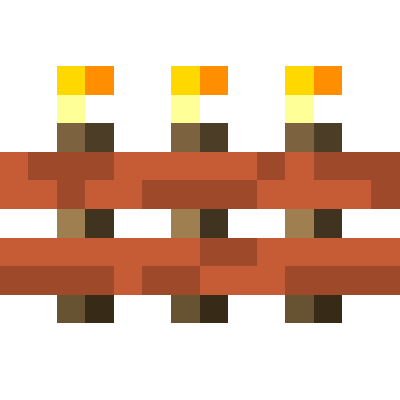
Torch Bandolier
Java mod listed for Minecraft 1.16–1.21. Downloads from the MC Java Mods app on Android.
I don't know my version or loader
Introduction
Torch Bandolier adds an item that stores a large number of torches and can place them. This is currently just like the one from Silent's Gems 2, but I thought it deserved its own mod.

How To Use
Crafting
(1.14.x) The recipe above now crafts an empty torch bandolier. Craft an empty torch bandolier with a supported torch to set the type. The mod supports vanilla torches and Silent Gear stone torches by default. Mods could add additional types. Possible torch bandoliers and recipes should show up in JEI. Completely empty a torch bandolier (see "Extracting Torches" below) to reset it to an empty torch bandolier.
(1.12.2) Only vanilla torches are supported, so there is no need to set the torch type.
Placing Torches
Just right-click as if you were holding a stack of torches. This will place a torch, assuming the bandolier has any. No torches are consumed if the player is in creative mode.
Extracting Torches
(1.14.x) Place the torch bandolier in a crafting grid to extract torches a stack at a time. This will disable auto-fill mode so the bandolier won't just reabsorb the torches.
(1.12.2) Sneak and left-click to throw out a stack of torches. You may want to disable auto-fill first...
Auto-Fill
Torch bandoliers will occasionally search the player's inventory for torches to absorb. You can disable this by sneaking and using (shift + right-click) the torch bandolier. The tooltip of the torch bandolier will tell you whether auto-fill is currently on or off.

- Edition: Minecraft Java
- File type: .jar
- Minecraft versions listed: 1.21, 1.21.1, 1.20.6
- How to install: Install the matching mod loader (Forge, Fabric or NeoForge) for your Minecraft version. → Download the .jar. → Put it in the .minecraft/mods folder and launch that loader profile.
- Where to get it: Opens on CurseForge — not every file is mirrored on our own servers.
Install steps are the general flow for this file type — How to install Minecraft Java mods & modpacks walks through it step by step.
- Ships as TorchBandolier-1.14.2-1.0.0+2.jar — drop this file into the mods folder
- Download size: 31 KB
- Download link checked 22 Sept 2026 — working
These come from our own check of the pack file, not from the source page.