Stackable
Minecraft Java mod. Downloads from the MC Java Mods app on Android.
⬇ Download on CurseForgeThis mod is the spiritual successor to StacksOnStacks.
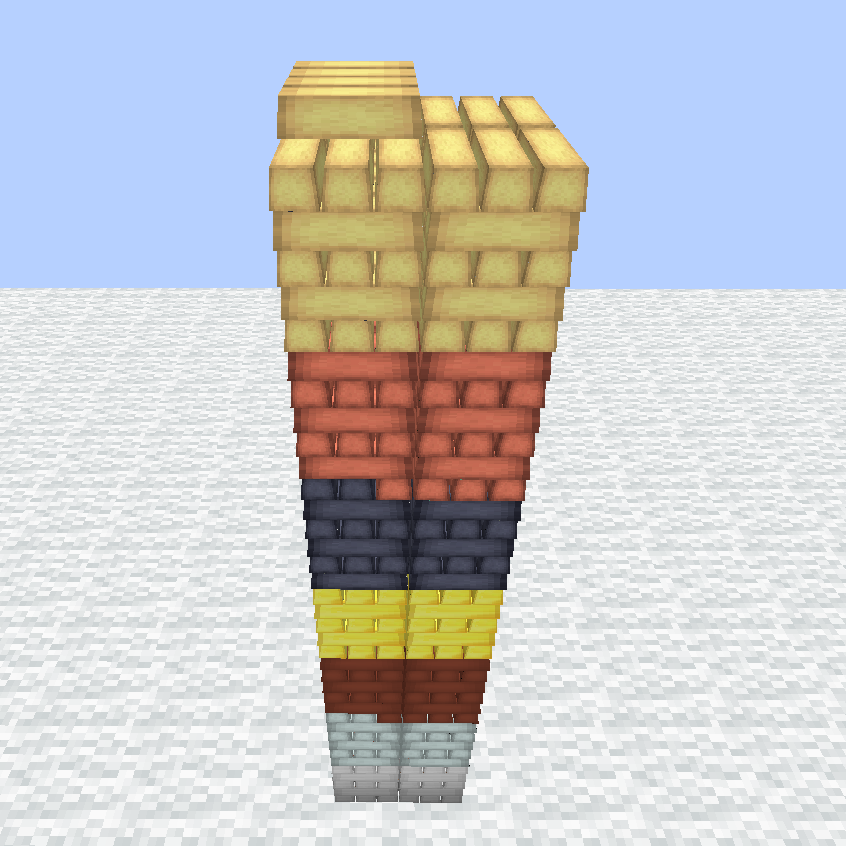
With this mod you can build piles of items in your world.
There a 2 types of piles:
Ingot Pile for ingots

and Any Pile which accepts any item.

____________________
To place a pile, press key P (configurable) while holding an item in your main hand.
If you hold an ingot, an Ingot Pile will be placed. Otherwise it's an Any Pile.
It should work with any ingot that is registered in the ore dictionary.
If an ingot is not registered ,you can add it manually in the config.
____________________
Pile Stick - A stick you can change properties of a pile with.
Right-click on a pile to change properties
Right-click anywhere to change the mode of the stick.
To adjust the number of the stick open your inventory, hover over the stick and use the scroll wheel. (-1 to remove the property)
Persistence - If enabled the pile can't be emptied. It will stay with one item at least
Black/White - Change between blacklist and whitelist
Black+ - Add items to blacklist
Black- - Remove items from blacklist
White+ - Add items to whitelist
White- - Remove items from whitelist
Minimum - Set minimum amount for an item
Maximum - Set maximum amount for an item
Move - Move the pile to another location
To adjust item-related properties (blacklist, whitelist,...) put the relevant item right next to the stick into your hotbar.
____________________
Hoppers, pipes and storage systems can interact with the bottom block a pile.

____________________
The amount of items per block and visual items per item are configurable.
____________________
- Left-Click: Extract one item from the pile.
- Left-Click+Shift: Extract an entire stack from the pile.
- Right-Click: Insert held stack into the pile.
- Right-Click+Ctrl: Insert one item from held stack into the pile.
- Right-Click with empty hand: Insert every item from your inventory that equals the item, the player is looking at, into the pile.

- Edition: Minecraft Java
- File type: .jar
- How to install: Install the matching mod loader (Forge, Fabric or NeoForge) for your Minecraft version. → Download the .jar. → Put it in the .minecraft/mods folder and launch that loader profile.
- Where to get it: Opens on CurseForge — not every file is mirrored on our own servers.
Install steps are the general flow for this file type — How to install Minecraft Java mods & modpacks walks through it step by step.
- Ships as stackable-1.12.2-1.2.1.jar — drop this file into the mods folder
- Download size: 72 KB
- Download link checked 13 Oct 2026 — working
These come from our own check of the pack file, not from the source page.