Maze Maker Potion Effects
Minecraft Java mod. Downloads from the MC Java Mods app on Android.
⬇ Download on CurseForge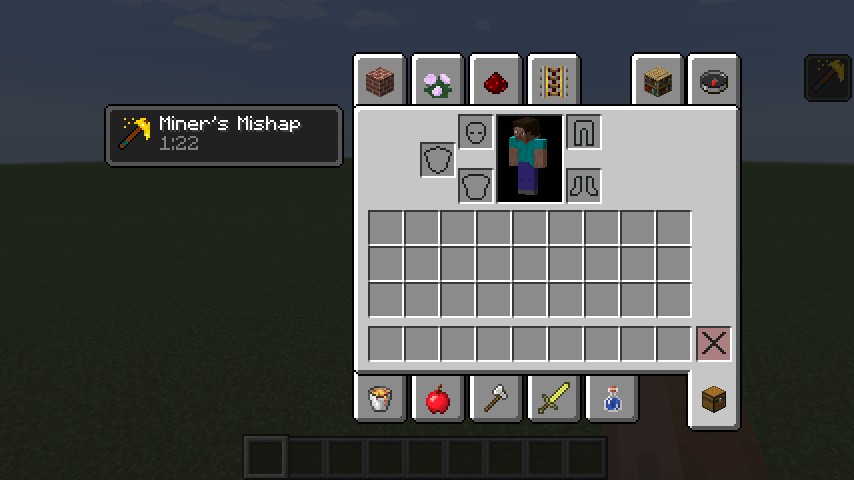
Installing
Download it and put it in your mods folder.
There are two separate parts to this mod, you do not have to use both!
General Info
If you do not want to put a roof on your maze, or do not want to put a player in gamemode 2 because it is a maze that generates as part of a mod, there is not much you can do to stop them from cheating especially if you use vanilla blocks that can be easily broken.
This mod adds two new potion effects to stop players from building and breaking blocks. They are unobtainable without additional mods or cheating. They are even not in creative because this mod is meant to be a supportive mod for others and not stand alone. They do not affect players in creative.
There is an English and Spanish translation. (The Spanish might have errors)
I will probably not update this much except for 1.13.
Potions
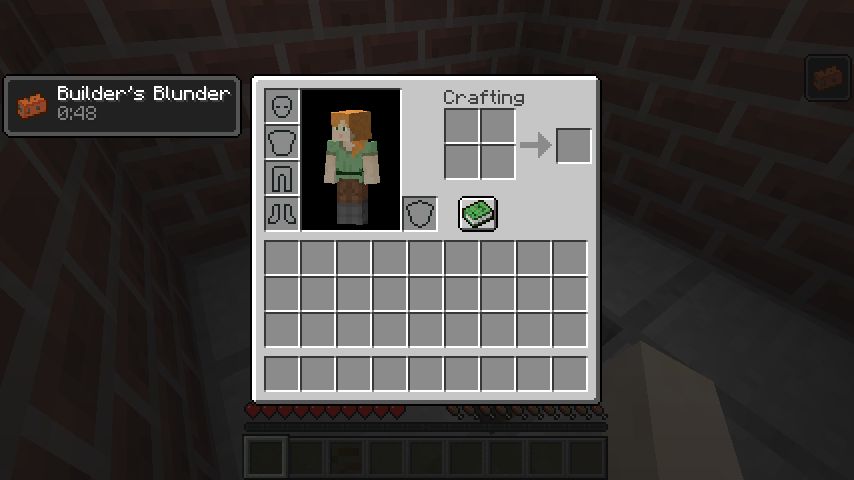
Builder's Blunder
It stops players from placing blocks. They can still use buckets, redstone, chests, ect... They can not hoe, light fire, ect... There is a visual glitch where the block is removed from the inventory, or the tool is damaged. Opening a chest, or moving the item in your inventory fixes it.
Miner's Mishap
It stops players from breaking blocks. It even works on ones like torches that can be broken with mining fatigue on. It does not mess with attack, or attack speed like mining fatigue does. Chests keep their contents when attempted to be broken; however, a beacon must have an item input again.
Mod Packs
Yes! This is one of the things this is meant for. I would prefer if you told me, but that is not required.
Use With Other Mods
Give players the effects however you please. Please do not repost it. Instead refer people here. I would like to know who is using this for their mods, but I can not force you to tell me.
Special Thanks to the Following
Youtube tutorials for teaching me java
TextCraft and Paint.net for the icons
Friends on discord (RedstoneTim, SmellyModder) for helping with bugs
- Edition: Minecraft Java
- File type: .jar
- How to install: Install the matching mod loader (Forge, Fabric or NeoForge) for your Minecraft version. → Download the .jar. → Put it in the .minecraft/mods folder and launch that loader profile.
- Where to get it: Opens on CurseForge — not every file is mirrored on our own servers.
Install steps are the general flow for this file type — How to install Minecraft Java mods & modpacks walks through it step by step.
- Ships as Builder's Blunder 1.0.0.jar — drop this file into the mods folder
- Download size: 213 KB
- Download link checked 13 Oct 2026 — working
These come from our own check of the pack file, not from the source page.