ModsJava
A7 Armor Auras
Minecraft Java mod. Downloads from the MC Java Mods app on Android.
⬇ Download on CurseForge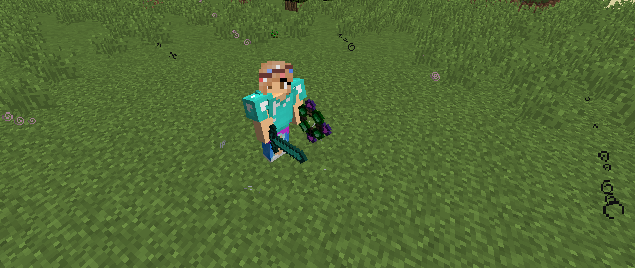
Aura Charms
- Activate when held
- Apply a negative effect to nearby mobs and players.
- The effect depends on the charm crafted
- The radius is configurable
Inner Aura Charms
- Activate when held
- Apply a positive effect to the player
- The effect depends on the charm crafted
Armor Auras
- All charms can be added to armor in an anvil
- Duplicate effects are not allowed (i.e. Poison 1 and Poison 2 are not compatible)
- Charms added to armors are only activated when an Aura Activator is held by the player
- Different armor types can hold different amounts of aura charms. This is configurable.
- It costs 30 XP levels to apply a charm to armor. This is configurable
Effects and Level Limits Each effect can be upgraded to a certain level. These are NOT configurable.
- Slowness - 3
- Weakness - 3
- Poison - 2
- Wither - 2
- Nausea - 1
- Speed - 3
- Strength - 2
- Resistance - 3
- Regeneration - 2
- Haste - 1
- Luck - 1
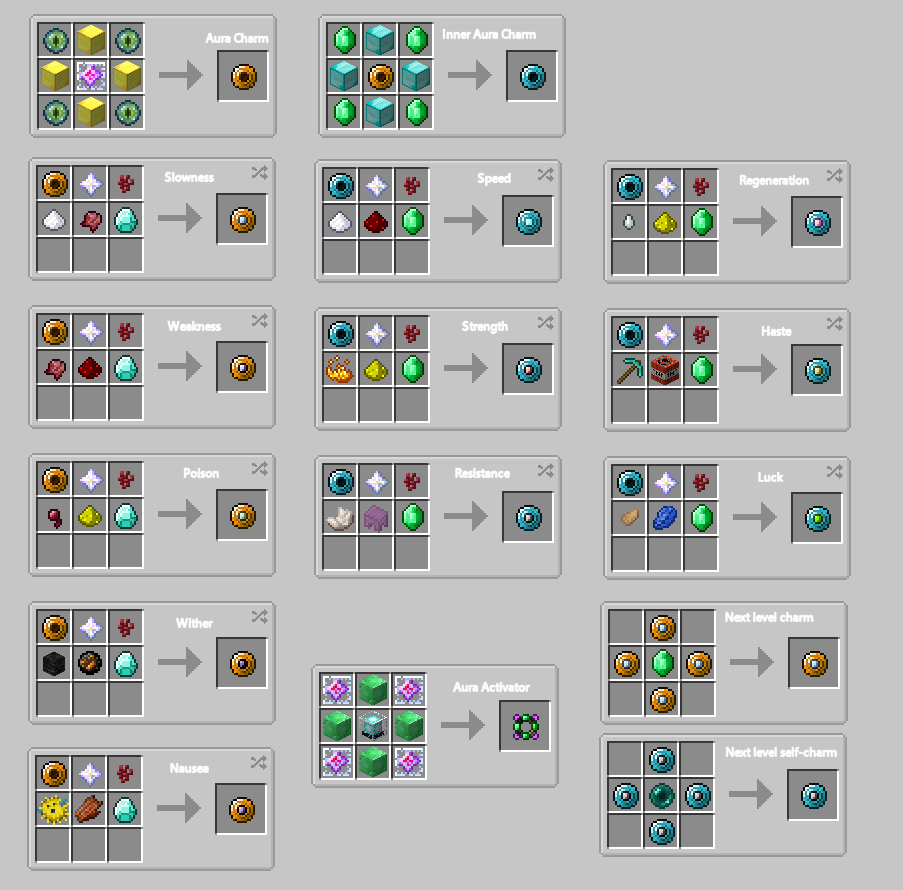
See images for crafting recipes.
The crafting recipes for all items can be disabled in the config file. This can be useful for mod packs and servers.
All items are designed to be end-game content.
Tool tips are localization/translation friendly!
Quick facts
- Edition: Minecraft Java
- File type: .jar
- How to install: Install the matching mod loader (Forge, Fabric or NeoForge) for your Minecraft version. → Download the .jar. → Put it in the .minecraft/mods folder and launch that loader profile.
- Where to get it: Opens on CurseForge — not every file is mirrored on our own servers.
Install steps are the general flow for this file type — How to install Minecraft Java mods & modpacks walks through it step by step.
File checked by MCModsHub
- Ships as a7armorauras-1.2.jar — drop this file into the mods folder
- Download size: 51 KB
- Download link checked 13 Oct 2026 — working
These come from our own check of the pack file, not from the source page.