GamemodeOverhaul
Java mod listed for Minecraft 1.16–1.21. Downloads from the MC Java Mods app on Android.
[FORGE AND FABRIC] Adds back many commands and their arguments that were removed in 1.13+ ! Works on the client or server!
I don't know my version or loader


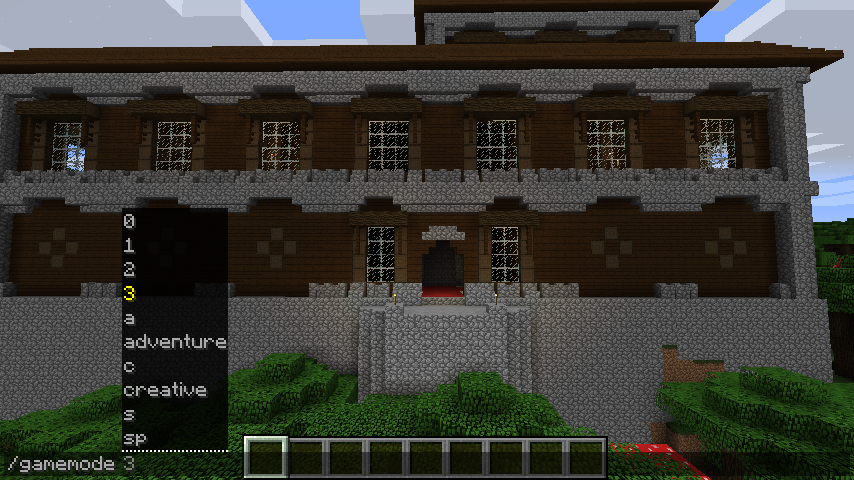


In 1.13+ have you typed '/gamemode 1' only for it to return an error? This mod fixes that!
This mod works on the client and server!
Features:
- 100% configurable
- Enable the commands that you want, and disable the ones you don't!
- Allows you to use those magical gamemode numbers (and letters!) again
- Ex. '/gamemode sp' - Changes your gamemode to spectator mode
- Ex. '/gamemode 2' - Changes your gamemode to adventure mode
- Adds a new command: '/gm' same as '/gamemode' but shorter
- Ex. '/gm c' - Changes your gamemode to creative mode
- Ex. '/gm 0' - Changes your gamemode to survival mode
- Adds a 4 other commands: '/gm*' same as '/gm *' but even shorter! :o
- Ex. '/gmc' - Changes your gamemode to creative mode
- Ex. '/gms' - Changes your gamemode to survival mode
- Note: Doesn't allow numbers
- Adds support for '/defaultgamemode'
- Ex. '/defaultgamemode 1' - Changes the world's default gamemode to creative mode
- Ex. '/defaultgamemode s' - Changes the world's default gamemode to survival mode
- Adds a new command: '/dgm' same as '/defaultgamemode' but shorter
- Ex. '/dgm c' - Changes the world's default gamemode to creative mode
- Ex. '/dgm 0' - Changes the world's default gamemode to survival mode
- Allows you to use numbers in '/difficulty' again
- Ex. '/difficulty 1' - Changes the world's difficulty to normal mode
- Ex. '/difficulty 0' - Changes the world's difficulty to peaceful mode
Examples:
/gamemode

/gm

/defaultgamemode

/dgm

/difficulty

This mod is for MinecraftForge 1.13+
And for fabric on 1.14+
- Edition: Minecraft Java
- File type: .jar
- Minecraft versions listed: 1.21.1, 1.21, 1.20.6
- How to install: Install the matching mod loader (Forge, Fabric or NeoForge) for your Minecraft version. → Download the .jar. → Put it in the .minecraft/mods folder and launch that loader profile.
- Where to get it: Opens on CurseForge — not every file is mirrored on our own servers.
Install steps are the general flow for this file type — How to install Minecraft Java mods & modpacks walks through it step by step.
- Ships as GamemodeOverhaul-1.14.3-1.4.0.1.jar — drop this file into the mods folder
- Download size: 33 KB
- Download link checked 13 Oct 2026 — working
These come from our own check of the pack file, not from the source page.