
ModsJava
ZenScroll
Minecraft Java mod. Downloads from the MC Java Mods app on Android.
⬇ Download on CurseForge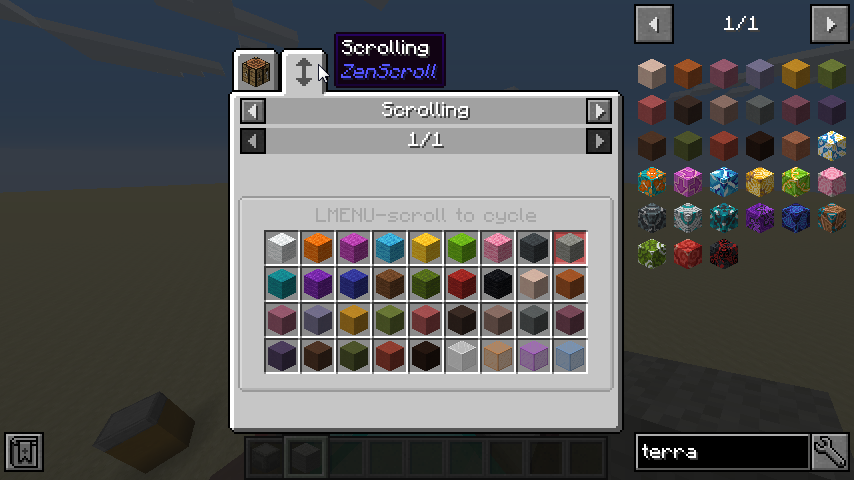
With ZenScroll, modpack authors can use CraftTweaker to create "scroll groups". You can cycle between items in a scroll group by holding down the modifier key (default ALT) and scrolling the mouse wheel.

To learn more about how to create scroll groups, check my Github readme. Here are a few examples:
import mods.zenscroll.ZenScroll;

ZenScroll.add(<minecraft:apple>, <minecraft:gravel>, <minecraft:dirt>);
ZenScroll.add(<minecraft:wool:*>);
ZenScroll.add(<minecraft:stained_hardened_clay:*>);
But wait, there's more:
var glasses = ScrollGroup.of(<minecraft:stained_glass:*>, <minecraft:stained_glass_pane:*>);
glasses.copyTag(); //retain any nbt tags when you scroll
ZenScroll.add(glasses);

//scroll apples into cookies but not the other way around (contrived example :D)
ZenScroll.add(<minecraft:apple>).processor(
  function(prev as IItemStack, next as IItemStack) {
    return <minecraft:cookie>;
  }
)
Questions? Comments? Just lonely? Join me on Discord: https://quat1024.github.io/discord/
Quick facts
- Edition: Minecraft Java
- File type: .jar
- How to install: Install the matching mod loader (Forge, Fabric or NeoForge) for your Minecraft version. → Download the .jar. → Put it in the .minecraft/mods folder and launch that loader profile.
- Where to get it: Opens on CurseForge — not every file is mirrored on our own servers.
Install steps are the general flow for this file type — How to install Minecraft Java mods & modpacks walks through it step by step.
File checked by MCModsHub
- Ships as zenscroll-1.4.0.jar — drop this file into the mods folder
- Download size: 37 KB
- Download link checked 13 Oct 2026 — working
These come from our own check of the pack file, not from the source page.