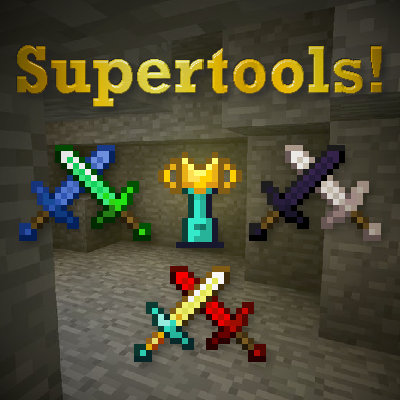
SuperTools
Java mod listed for Minecraft 1.16–1.21. Downloads from the MC Java Mods app on Android.
I don't know my version or loader


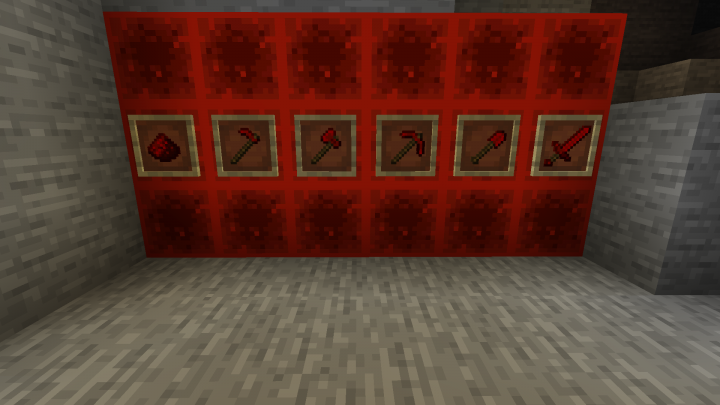


Super Tools adds new Tools and Armors from existing materials in Minecraft!
You can post Suggestions & Bug Reports in the Comments or on GitHub!
_____________________________________________________________________________________________________________________
Items:
- Adarum
Tools:
- Lapis
- Quartz
- Obsidian
- Redstone
- Emerald
- Copper
- Super Tools
- Cups
- A bag of Bonemeal
- Sickles
Armor:
- Emerald
- Lapis
- Quartz
- Obsidian
- Copper
Descriptions of the new tools:
- Redstone tools are very fast, but they've got almost no durability.
- Emerald tools are almost the same as diamond, but they are a bit faster and do more damage.
- Obsidian tools got more durabilty than diamond, but they are a bit slower.
- Quartz tools got less durability and are slower than diamond, but therefore you will get better enchantments on low levels.
- Lapis tools have a bit more durability than stone, same mining speed
as iron, but also you will get better enchantments on low levels. - Copper tools have a a durabilitiy of 200 and the same mining level as iron.
- Sickles are available for every old & new tool material. They have a 3x3 working area and will cut every grass, plants and crops with one click. Unlinke the Super Tools, they will only take one damage for each click. (Only works in Survival Mode!)
Descriptions of the new armor sets:
- Obsidian and Emerald armors give you full armor points.
- Lapis armor only gives you 5 1/2 armor points.
- Copper armor gives you 6 1/2 armor points.
- Obsidian and quartz armor gives you fire resistance when you have a full set of them.
- Obsidian also gives you a slowness Level 2 effect & Resistance when you have a full set
- Quartz armor gives you 7 1/2 armor points which is equal to the iron armor
Descriptions of the super tools:
- Tools that add endgame content and are better than diamond!
- All are repairable with diamonds
- Are crafted with Blaze Rods, Gold Ingots, Diamonds & the new material Adarum (Except for the Special Cup which also requires a Nether Star & The Bag of Bonemeal which is crafted with leather and a bone block --> Crafting Recipes are in the screenshots)
- The Bag of Bonemeal is like the normal bonemeal, but with 100 uses
- The Super -Pickaxe,-Shovel and Hoe have a 3x3 working area.
- The Super Axe will chop down whole trees with one log block destroyed (Max. 64 blocks at once and should work with trees of other mods, as long as the log blocks have "log" in their tag)
- The Super Sword gives the target you hit a glowing, weakness and poison effect for 3 seconds.
- The Cups are both multi-tools (Axes, Swords, Pickaxes and Shovels in a single tool)
- The Cup ignites the targets you hit for 5 seconds
- The Special Cup gives the targets you hit a wither effect and a glowing effect for 5 seconds.
- The Super Sickle works with Left & Right Click and cuts a 9x9 area of plants.
- All Super Tools have a main durability of 2000, execept for the normal Cup which has a durability of 1700
We hope that you will enjoy Super Tools! We will keep working on this mod and will keep it always up to date!
-TheLuigiplayer & KG20
___________________________________________________________________________________________________________________________________________
How to Install:
- 1. Choose the run command in the system menu and type in %appdata%
- 2. Open the .minecraft folder
- 3. Go to the mods subfolder (Create one, if you don't have it)
- 4. Put the downloaded SuperTools file into the mods folder
***Please note that you need Forge Version until 1.20.x and NeoForge for newer versions!***
Video Install Guide - by CraftStones:
Permissions:
- you are allowed to use this mod in a modpack and configure it as you like.
- you are allowed to add Support for Super Tools in your own Mod or Ressource Pack.
- you are allowed to post screenshots/videos showcasing this mod.
- you may repost/rehost this mod, but when you do, the download and credits have to refer to the Curseforge page and it's initial creators. (KG20 & TheLuigiplayer)
- you may use the source code to play around with it and use it privatly with your friends however you aren't allowed to publish your changed version.
Languages:
Supported Languages:
English US - by KG20
German DE - by KG20
Brazilian Portuguese PT_BR - by louiswdg
If your language isn't supported already, but you would like to support us, you can submit official translations for your language on GitHub! We will give you credit aswell.
- 1. Make a GitHub Account if you don't have one already
- 2. Go here: https://gitlab.com/lamaZGS/lamodZ/supertools/-/issues and click on "New Issue"
- 3. Choose the template "translation"
- 4. Now you can replace the original, english names with your translations
________________________________________________________________________________________________________________________________________
If you want something like this mod for fabric use Vanilla Toolsets by Draylar1 instead.
Other Official Modpages:


Mod Reviews:
English:
Spanish:
- Edition: Minecraft Java
- File type: .jar
- Minecraft versions listed: 1.21, 1.21.1, 1.20.1
- How to install: Install the matching mod loader (Forge, Fabric or NeoForge) for your Minecraft version. → Download the .jar. → Put it in the .minecraft/mods folder and launch that loader profile.
- Where to get it: Opens on CurseForge — not every file is mirrored on our own servers.
Install steps are the general flow for this file type — How to install Minecraft Java mods & modpacks walks through it step by step.
- Ships as SuperTools-0.6.jar — drop this file into the mods folder
- Download size: 218 KB
- Download link checked 22 Sept 2026 — working
These come from our own check of the pack file, not from the source page.