IconExporter
Java mod listed for Minecraft 1.16–1.21. Downloads from the MC Java Mods app on Android.
I don't know my version or loader
This mod requires the Cyclops Core library!
Come talk to us in #iconexporter on the Cyclops Discord server!
This mod exports all item and block icons to PNG files.
This is a client-side mod, and should only be used a single time if you want to create an export of all icons in the game.
Notable features:
- Iterates over all items in the item registry, and will consider all possible item variants.
- Processes both vanilla and modded items.
- Outputs PNG images with transparent backgrounds.
- Can output images in any size.
- Metadata of items and fluids can be optionally exported via /iconexporter exportmetadata
- Filter exports by mod (id or regex)
How to use:
- Start the game with IconExporter installed client-side.
- Run the
/iconexporter exportcommand. (Optionally, the image size can be passed, defaults to64) - Wait until all icons are rendered. (can be stopped by pressing Escape)
- Find all icons in
icon-exports-x64in your Minecraft directory. (Next to yourscreenshotsdirectory.)
File structure: <modid>__<itemid>__<metadata>[__<NBT>].png
For example:
integrateddynamics__cable__0.pngminecraft__dropper__0.pngminecraft__lingering_potion__0__{Potion__"minecraft__strong_leaping"}.png
Optionally, NBT tags can be hashed (MD5) in file names when the fileNameHashTag config option is enabled.
This is useful when you have items with large NBT tags that result in very long file names.
If enabled, an auxiliary txt file will be created with the same base name containing the full tag contents.
For example:
minecraft__potion__0__d4272645c61d50de18ce399e7093de8f.pngminecraft__potion__0__d4272645c61d50de18ce399e7093de8f.txt
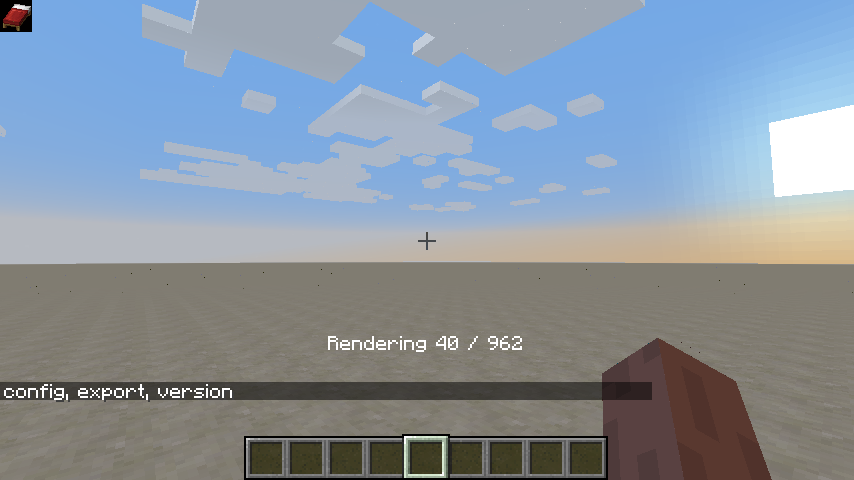
Progress is shown while rendering icons:

Support us via the referral code cyclops when renting a server at Bisect Hosting, and get 25% off your first month!

If you like this mod, consider supporting me on Patreon!
- Edition: Minecraft Java
- File type: .jar
- Minecraft versions listed: 1.21.1, 1.21.11, 1.21.10
- How to install: Install the matching mod loader (Forge, Fabric or NeoForge) for your Minecraft version. → Download the .jar. → Put it in the .minecraft/mods folder and launch that loader profile.
- Where to get it: Opens on CurseForge — not every file is mirrored on our own servers.
Install steps are the general flow for this file type — How to install Minecraft Java mods & modpacks walks through it step by step.
- Ships as IconExporter-1.12.2-1.1.0.jar — drop this file into the mods folder
- Download size: 32 KB
- Download link checked 13 Oct 2026 — working
These come from our own check of the pack file, not from the source page.