ModsJava
SaveTools
Java mod listed for Minecraft 1.16. Downloads from the MC Java Mods app on Android.
I don't know my version or loader
Open the Minecraft launcher and look at the profile you play on — it names both, like fabric-loader-1.21.4. The version also shows in the bottom-right corner of the game's main menu.
No loader in the profile name? Then it's plain Minecraft, and these mods won't run — you need Fabric or NeoForge installed first.
Don't break your valuable tool.
SaveTools 2.0+ Requires Cloth Config
How it works (Above 2.0)
- Client only.
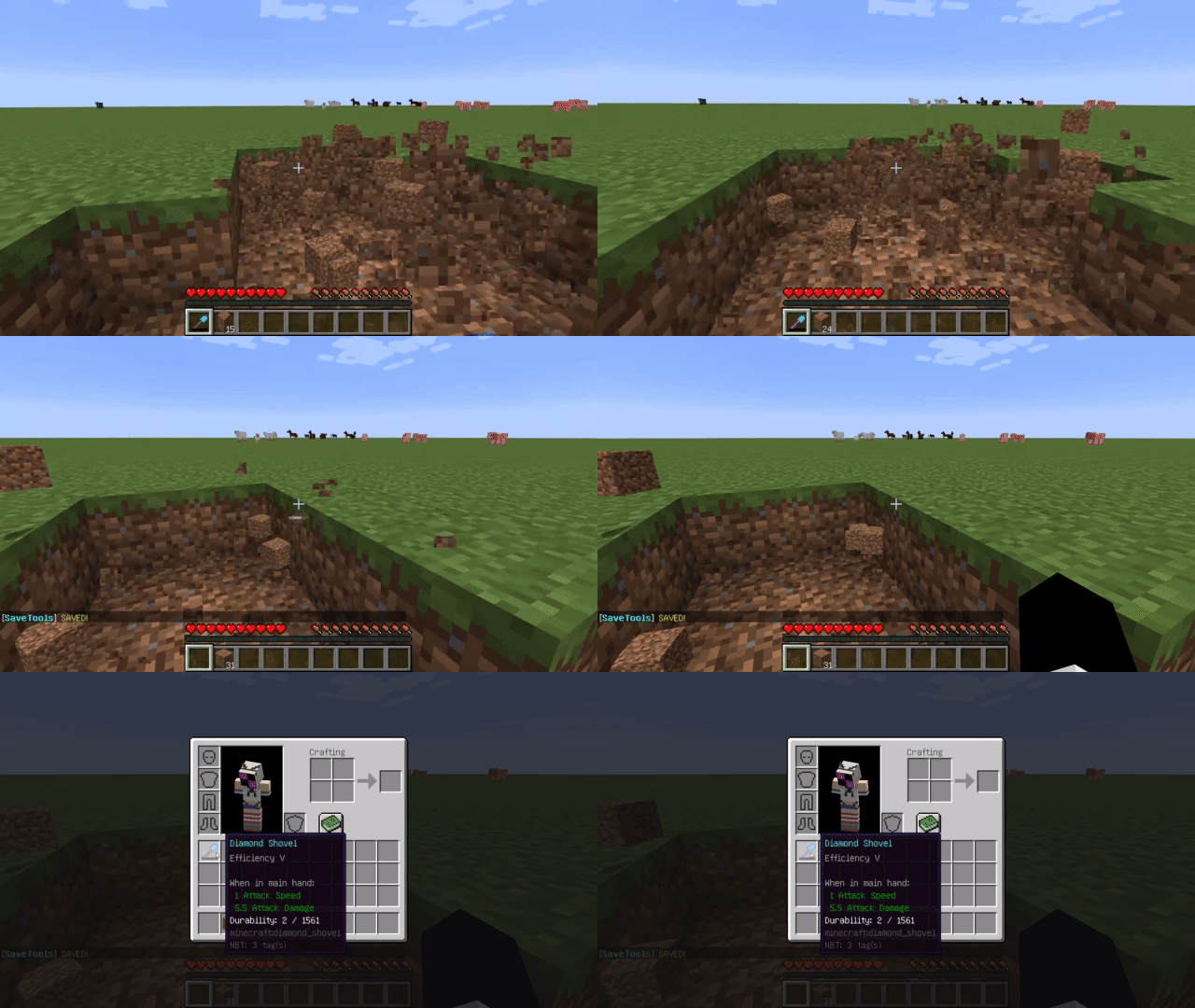
- When you use a tool that is almost broken, it automatically switches to another item.
- Various configurations, enchanted only, item filters and more.
Keys (Above 2.0)
- Disable (Default B)
- Open Config GUI (Default NONE)
FAQ
My tools have been destroyed
Server or client lag, asynchronization, custom tick intervals, etc. can cause it to not work.
When you are playing with a high ping server and doing instant mining, it is recommended to adjust the thresholds.
Does it support 1.12 and below?
There is Inventory Tweaks
Future
- Refill tools.
- Save the armor.
- The above is disabled by default.
- Preventing the use of tools without swapping items.
- Fabric.
Contacts

Quick facts
- Edition: Minecraft Java
- File type: .jar
- Minecraft versions listed: 1.16.3, 1.16.2
- How to install: Install the matching mod loader (Forge, Fabric or NeoForge) for your Minecraft version. → Download the .jar. → Put it in the .minecraft/mods folder and launch that loader profile.
- Where to get it: Opens on CurseForge — not every file is mirrored on our own servers.
Install steps are the general flow for this file type — How to install Minecraft Java mods & modpacks walks through it step by step.
File checked by MCModsHub
- Ships as savetools-1.15.2-1.1.0.jar — drop this file into the mods folder
- Download size: 9 KB
- Download link checked 13 Oct 2026 — working
These come from our own check of the pack file, not from the source page.