
Smooth Entity Light
Minecraft Java mod. Downloads from the MC Java Mods app on Android.
⬇ Download on CurseForge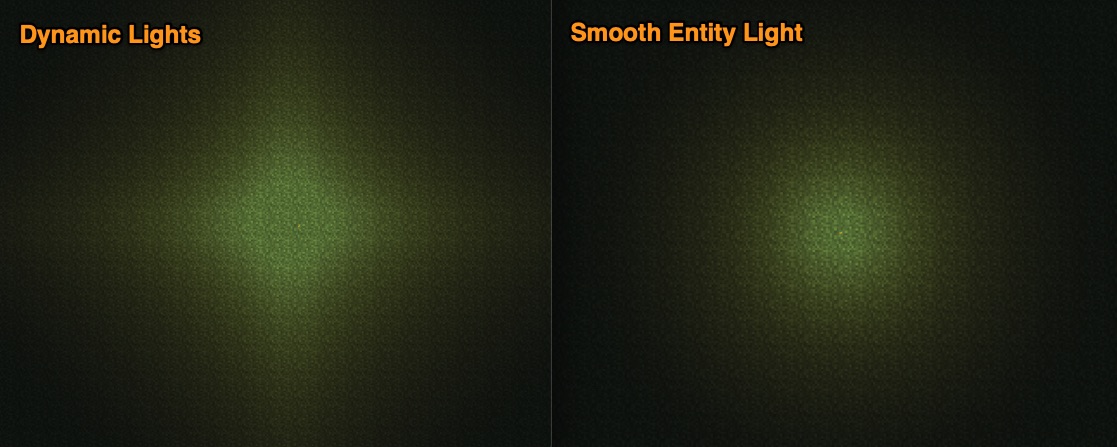

Notes: This mod's config file is called "sel.cfg" or "sel-client.toml"
Ensure Java can allocate at least 2GB or RAM before running Smooth Entity Light
Re-designed approach for version 4!!
Atomic Strykers's Dynamic Lights has been the de-facto standard entity light system since the dawn of modded Minecraft. However, during testing of my new mod pack, Edge of Death, I noticed the light from the player's hand held torch gives off a sort of "popping" effect as the player moves (see gif below). I tested this against Optifine's system and noticed their implementation does not have the same issue. However, we cannot access Optifine via CurseForge but I also noticed a problem with their implementation where their dynamic light can pass straight through solid blocks! This mod addresses all these issues in a very efficient way. In addition, the entities are ticked using Java's Parallel Streams so if you have multiple cores in your CPU (and who doesn't these days?) this mod will run faster!
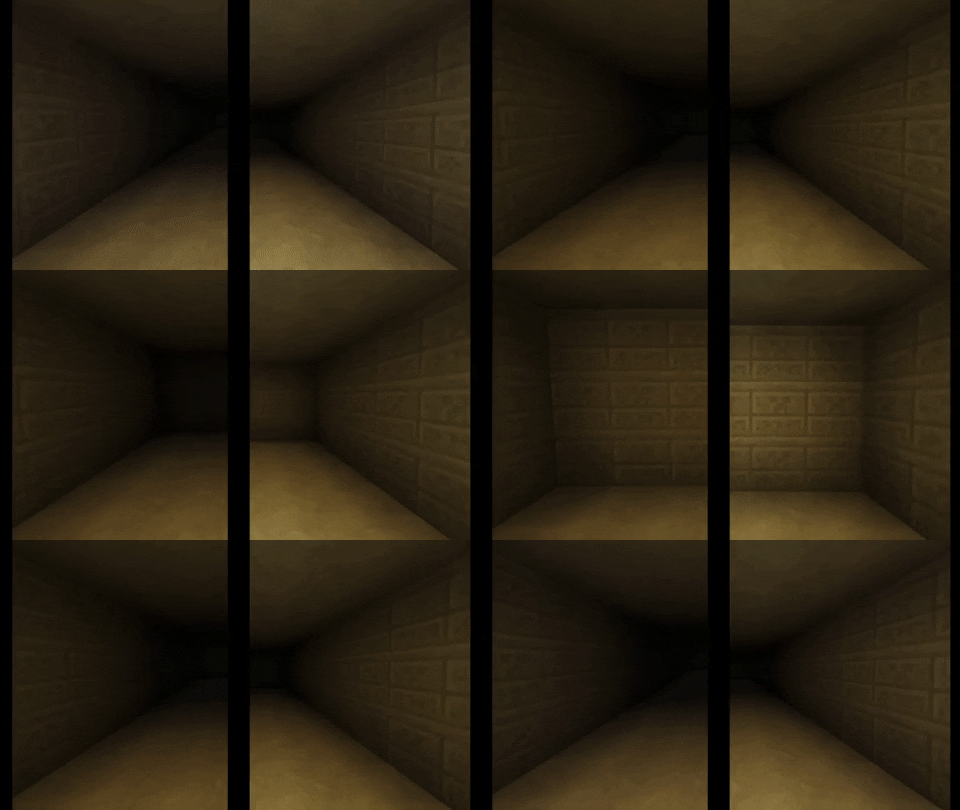
Also, on my journey through the source code I noticed that a technique called "Quad Flipping" has never been implemented by Minecraft. I took the opportunity to fix that (see the images below for an explanation).
Compatibility
Fully compatible with Phosphor (Forge)
Not compatible with Optifine. It does not crash, but you will get unexpected behaviour if you try it.
Similar Mods (you only need Smooth Entity Lights if neither of these fit your purpose)
- Atomic Stryker's Dynamic Lights
- Optifine (which also includes a type of Dynamic Lights)
Summary of goodness:
- Smooth lighting (no popping from moving entity lights)
- Brightness depends on straight line distance from source (not number of block-hops)
- Light gives off a circular brightness (instead of the Minecraft "diamond" pattern)
- Light obeys Minecraft Block Opaque values (light cannot travel through solid blocks)
- Brightness is only re-calculated when an entity moves or changes (fast)
- Entity Light is held as a third light-map (over SkyLight and BlockLight) and cached in memory against the Chunk for quick rendering
- Entity's are ticked once every frame (for smooth lighting) but the ticks execute in a dedicated Thread.
- New In-Game config (no need to ever edit a text file)
v4 Design
The chunk meshes are uploaded to the memory on-board your GPU every time a chunk is re-built. This is why vanilla lighting updates occur so infrequently (once per chunk update). This is normally good because both building a chunk and vanilla lighting updates are expensive and slow. What this mod does is hold a cache of light values in normal RAM and update those in real time and then (roughly) every frame simply update those values into the correct places in the chunk meshes directly in the GPU RAM. This allows light values in the scene to be updated frequently without re-building the entire scene or chunk. The mesh didn't move, only the light!
Torchlight / Flashlight / Floodlight
The item is configurable and defaults to Eye of Ender, but it casts a cone of light in the direction you are looking.
Quad Flipping
This is how Minecraft has always looked (all quads rendered in the same orientation causes dodgy shadows):

Flipping the Quads, depending on brightness at the corners, causes the shadows to be rendered slightly more correctly:

Shadows from Blocks
One reason why you might prefer Smooth Entity Lights instead of Optifine:

A torch in a box with Optifine's Dynamic Lights (leave a comment when you can see the problem):

Below: Left is Smooth Entity Light. Right is Dynamic Lights. This shows the removal of the "popping" effect that was the original motivation for this mod.
The "shape" of light given off by Dynamic Lights and Smooth Entity Light is different. The following image demonstrates that difference. Consider which shape you want when deciding which Mod to include in your pack.

In-game configuration
While in creative, use the following commands to update the config file.
- /sel hand 0 - to set the currently held item to emit no light
- /sel hand 15 - to set the currently held item to emit full light (changing the number to any whole number between 1 and 15 will change the amount of light this item emits)
- /sel water - toggles whether the currently held item is "waterproof". i.e. is not extinguished by water
- /sel flood - toggles whether the currently held item behaves like a flood-light / flashlight
License
Modpack authors are free to use the Smooth Entity Light mod's binary distribution as downloaded from CurseForge/Twitch with no additional permission required.
- Edition: Minecraft Java
- File type: .jar
- How to install: Install the matching mod loader (Forge, Fabric or NeoForge) for your Minecraft version. → Download the .jar. → Put it in the .minecraft/mods folder and launch that loader profile.
- Where to get it: Opens on CurseForge — not every file is mirrored on our own servers.
Install steps are the general flow for this file type — How to install Minecraft Java mods & modpacks walks through it step by step.
- Ships as SmoothEntityLight-3.0.0-MC1.7.10.jar — drop this file into the mods folder
- Download size: 184 KB
- Download link checked 23 Sept 2026 — working
These come from our own check of the pack file, not from the source page.