ModsJava
Cobblemon Pokestops Mod (1.21.1) – Claim Free Items and Heal Your Team
Java mod listed for Minecraft 1.21. Downloads from the MC Java Mods app on Android.
⬇ Download
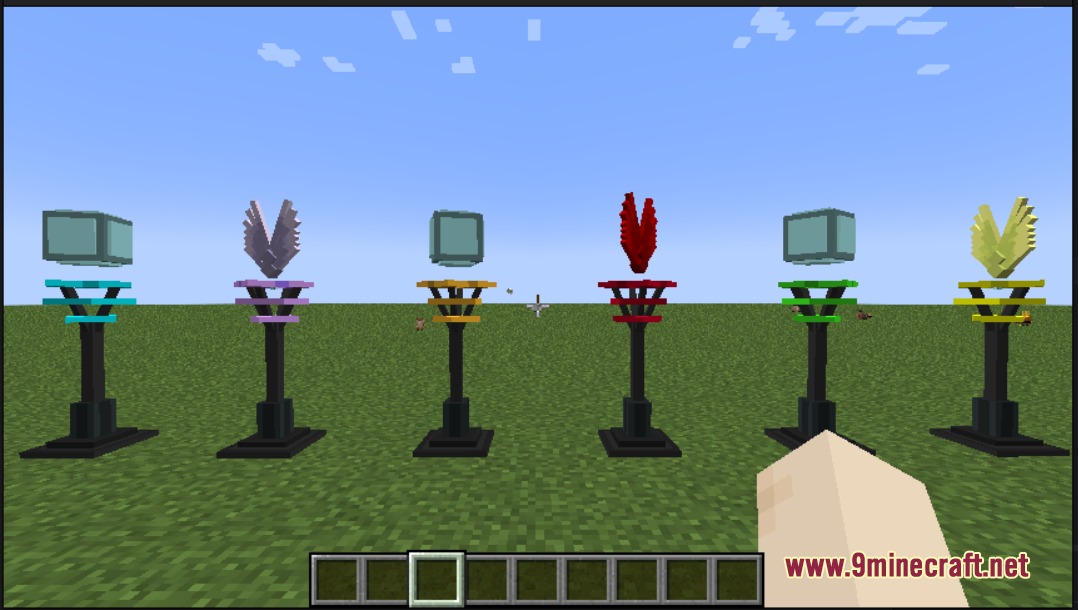
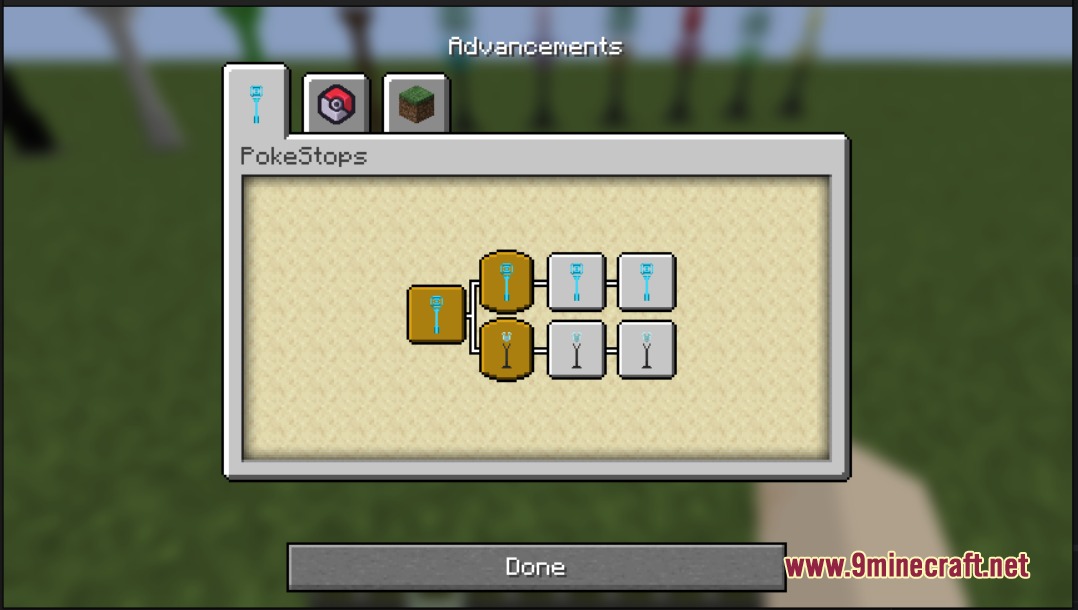
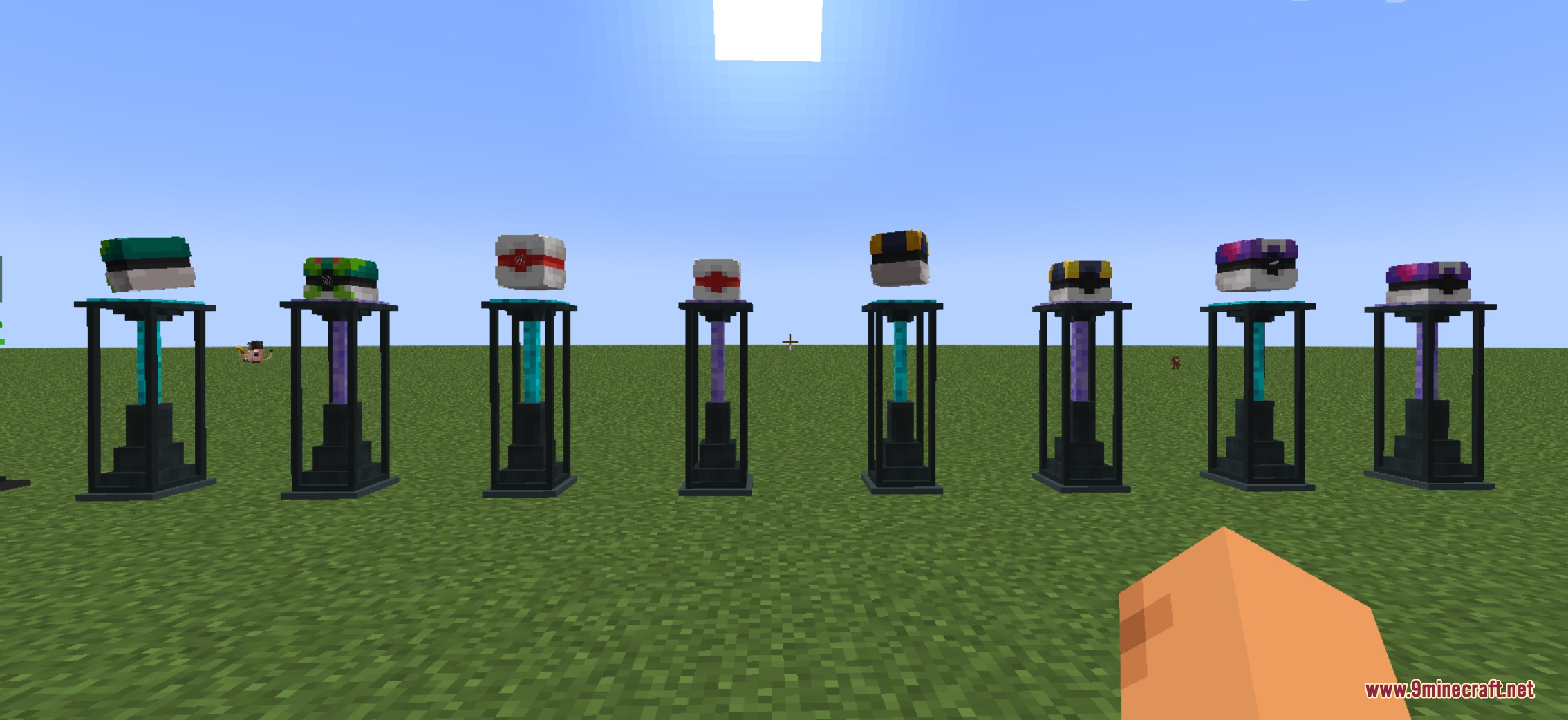
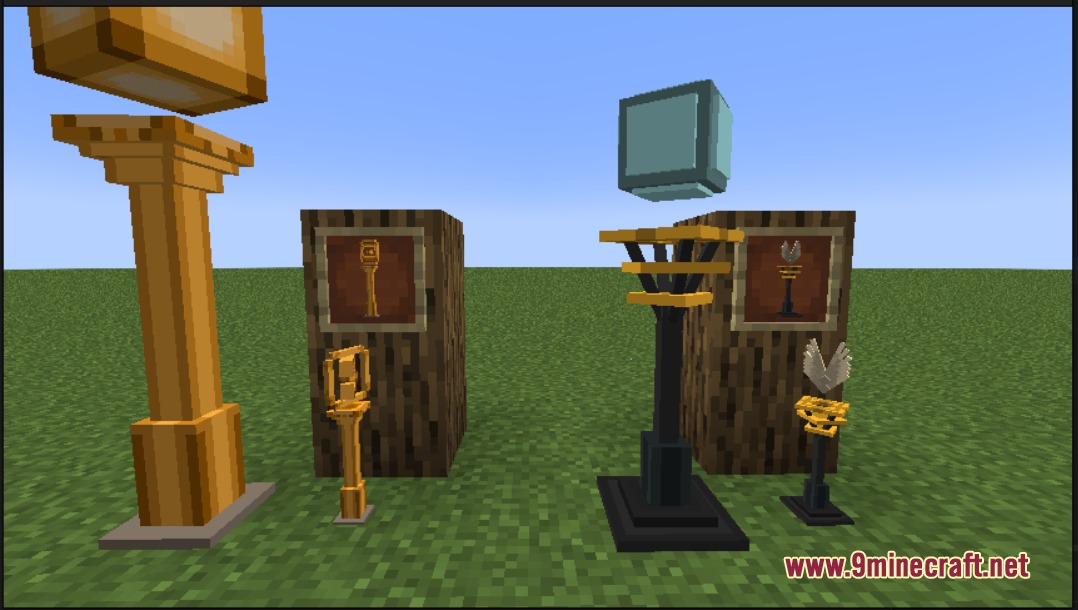
Cobblemon Pokestops Mod adds Pokemon GO style rest spots to Cobblemon. It places colorful stops around your world that give out free items and heal your team while you explore different biomes.
Features:
- Spawns different types of item stations across many biomes in your world.
- Gives you free random items when you click on a station.
- Makes you wait a few minutes before you can use the same station again.
- Adds special cosmetic trophies you can place in item frames or builds.
- Rewards you with a trophy after you use a specific type of station 500 times.
Pokestop Types:
- Standard Stop: Comes in blue, gold, green, and black colors with a 5-minute timer.
- Winged Stop: Features a winged design in blue, gold, or green with a 5-minute timer.
- Pokeball Stop: Looks like giant Park, Premier, Ultra, or Master balls and gives items every 5 minutes.
- Healing Stop: Heals your entire Pokemon team with a 10-minute wait time between uses.
Configuration:
enabled: Set this to false in the metrics.properties file to stop sending anonymous usage data.
How to Use:
- Explore your world to find stations spawning naturally in different biomes.
- Walk up to a station and interact with it to get items or heal your team.
- Wait for the cooldown timer to finish before interacting with that exact station again.
- Check your advancements menu to track your progress toward unlocking trophies.
Screenshots:
Cobblemon Pokestops Mod Download Links
Quick facts
- Edition: Minecraft Java
- File type: .jar
- Minecraft version listed: 1.21.1
- How to install: Install the matching mod loader (Forge, Fabric or NeoForge) for your Minecraft version. → Download the .jar. → Put it in the .minecraft/mods folder and launch that loader profile.
- Where to get it: In MC Java Mods, or directly above on this page.
Install steps are the general flow for this file type — How to install Minecraft Java mods & modpacks walks through it step by step.
File checked by MCModsHub
- Downloads as 412767.mcaddon
- Download size: 446 KB
- Download link checked 25 Sept 2026 — working
- Mirrored on our own servers — the download does not depend on the original host
These come from our own check of the pack file, not from the source page.