ModsJava
Bounty Craft Mod (1.20.1) – Accept Daily Bounties From Villagers for Rare Loot
Java mod listed for Minecraft 1.20. Downloads from the MC Java Mods app on Android.
⬇ Download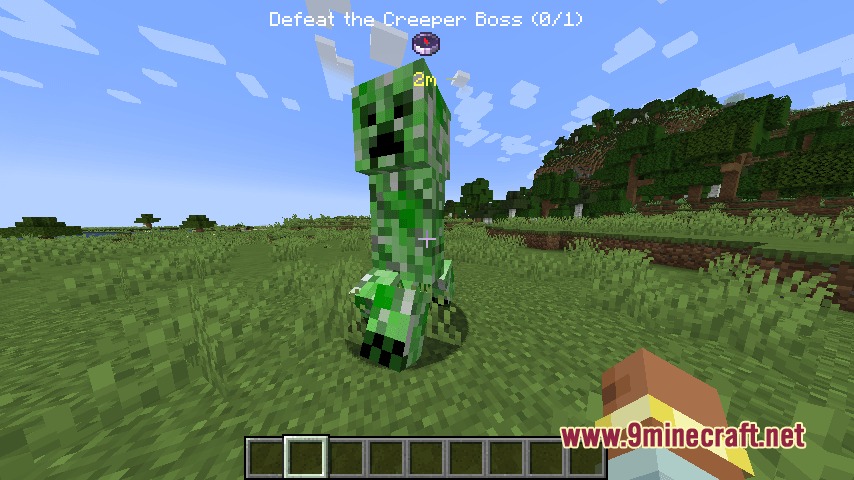
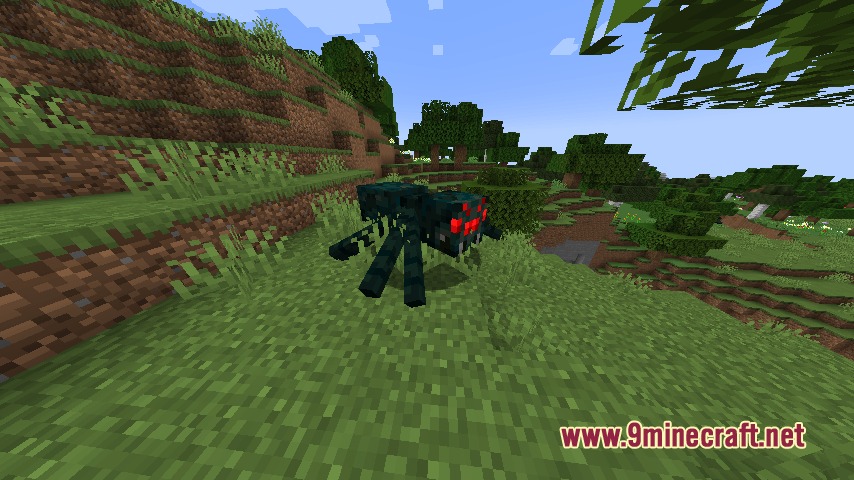
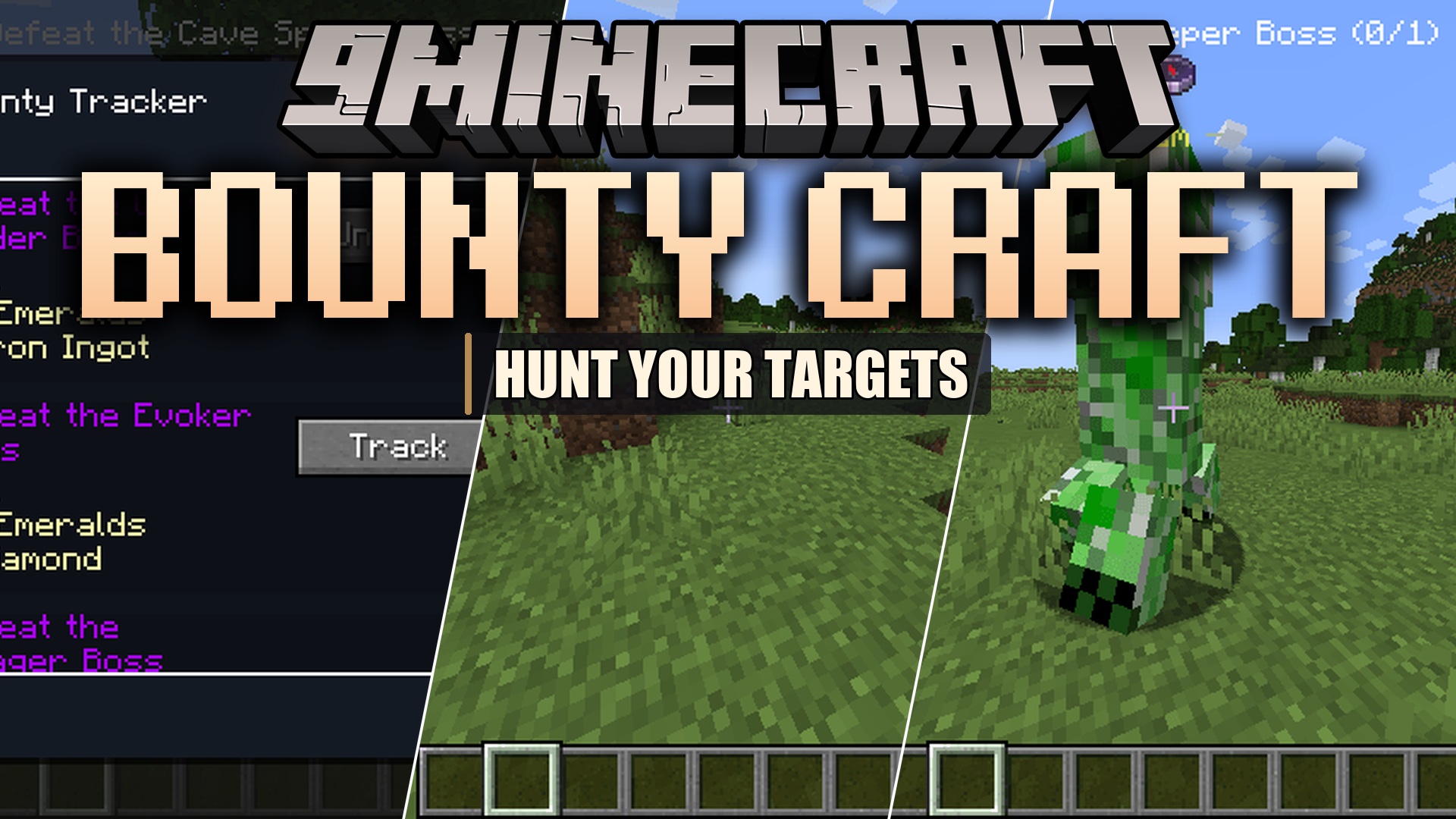
Bounty Craft Mod adds daily quests to your standard villager trades. This mod lets you accept monster hunts and exploration tasks directly from any villager in your world. You can track your progress, hunt down giant boss mobs, and earn emeralds or rare loot for your hard work. It gives you a fun reason to travel around the map and fight enemies without changing the basic feel of the game.
Features:
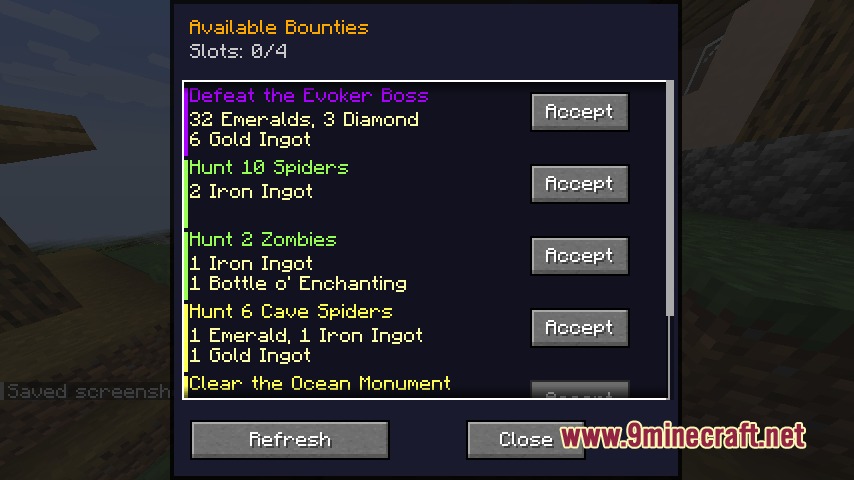
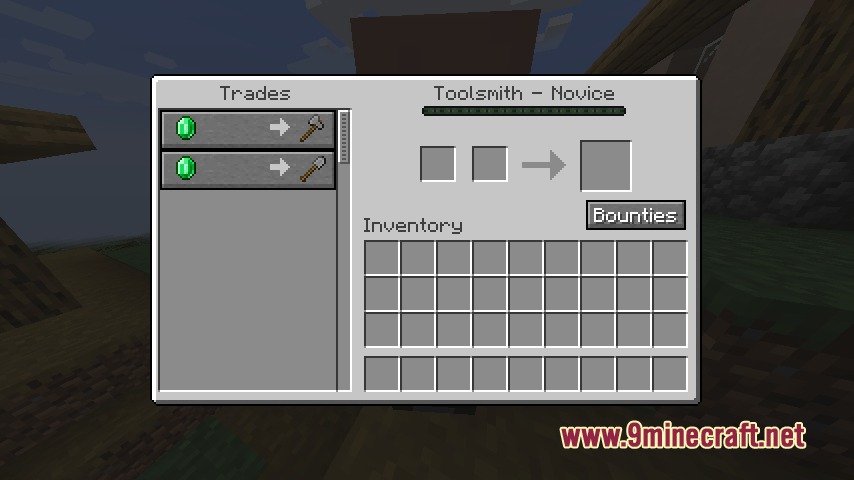
- Daily Quests: Villagers offer new contracts every day that you can accept from a button in their trade menu.
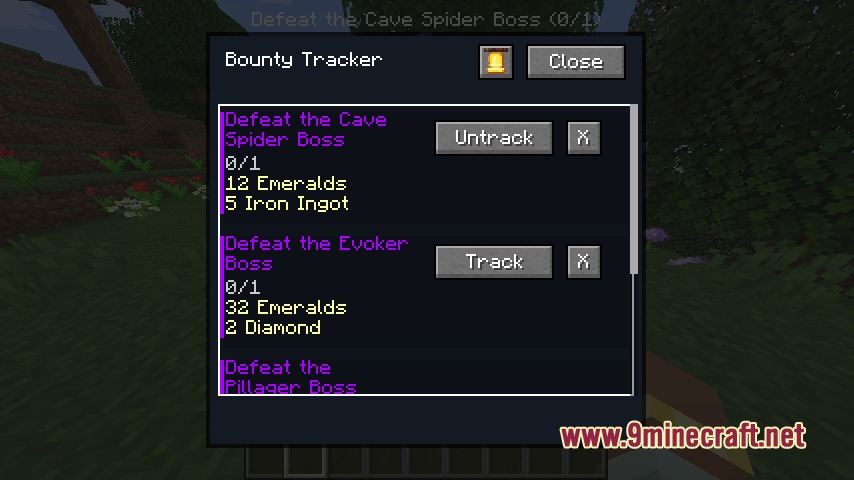
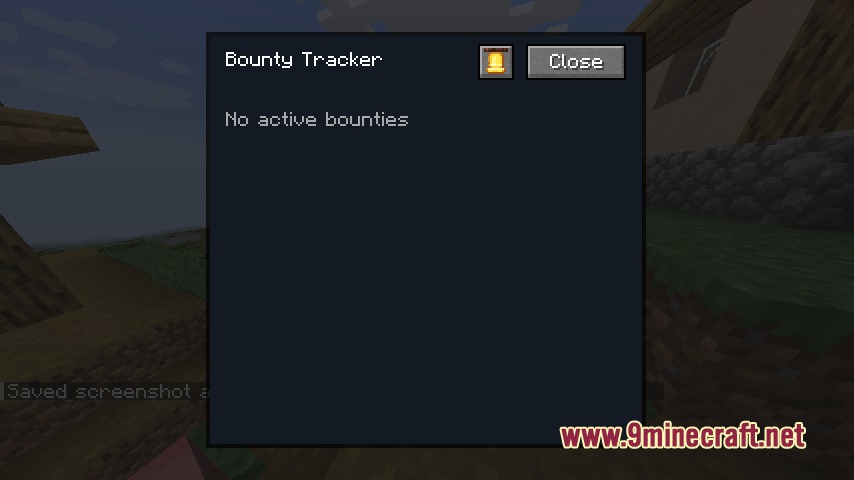
- Tracker Menu: Press a key to open a screen where you can view your active tasks, claim rewards, or drop quests you do not want to finish.
- Boss Hunts: Spawns giant, tougher versions of normal enemies with double health at specific spots for you to fight.
- Players can hold up to four active bounties at the exact same time.
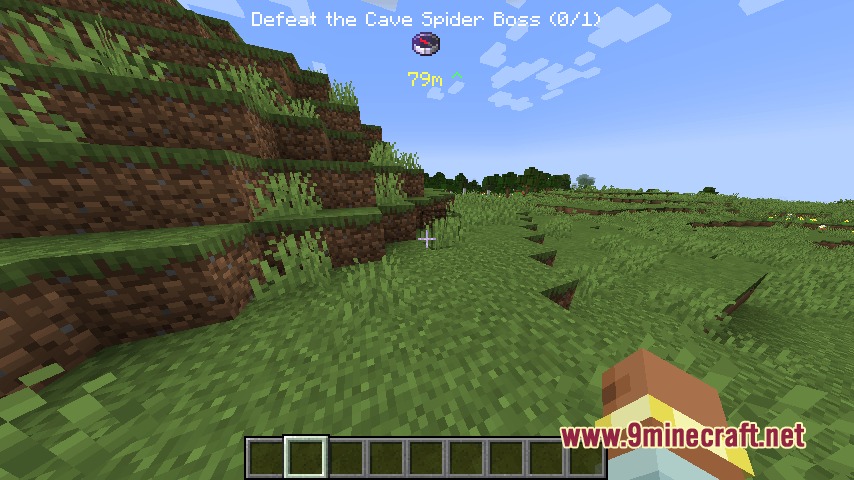
- Adds a special compass tool that points you right to your target so you never get lost.
- Explore tasks send you to find specific buildings like Pillager Outposts or Ocean Monuments.
- Rewards you with emeralds, standard items, and rare enchanted books when you finish a job.
- Works in the Nether dimension so you can hunt monsters in the lava wastes.
- Keeps your quest progress safe even if your character dies during a fight.
- Counts indirect kills, meaning you still get credit if your target falls off a cliff or burns in fire.
How to Use:
- Right-click any villager to open their normal trading screen.
- Click the new bounties button inside the menu to accept up to four daily contracts.
- Press the J key to open your tracker menu.
- Select an active bounty in the menu to turn on your compass and see how far away the target is.
- Complete the task and open the tracker menu again to claim your loot.
Screenshots:
Bounty Craft Mod Download Links
Quick facts
- Edition: Minecraft Java
- File type: .jar
- Minecraft version listed: 1.20.1
- How to install: Install the matching mod loader (Forge, Fabric or NeoForge) for your Minecraft version. → Download the .jar. → Put it in the .minecraft/mods folder and launch that loader profile.
- Where to get it: In MC Java Mods, or directly above on this page.
Install steps are the general flow for this file type — How to install Minecraft Java mods & modpacks walks through it step by step.
File checked by MCModsHub
- Downloads as 412779.mcaddon
- Download size: 206 KB
- Download link checked 25 Sept 2026 — working
- Mirrored on our own servers — the download does not depend on the original host
These come from our own check of the pack file, not from the source page.