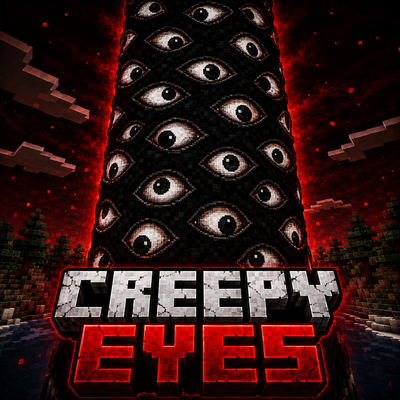
Creepy Eyes
A slow burn horror mod. The occasional jump scare that's more creepy than jumpy. See what happens when you die as a vessel...
⬇ Download on CurseForgeThe author built this one for Minecraft 26.40. On other versions it may install and then do nothing.
A slow-burn horror experience for Minecraft Bedrock.
Overview
I keep seeing PNG horror mods that jump scare you like crazy and insta kill you. It feels like once you have a few too many installed it is overwhelming to deal with. Which they are scary in their own ways, this one is different. This is a slower and more creepy style mod. Theres still a jumpscare, but you won't instantly die. Its more about something strange is going on that feels odd. It builds over time. You feel like you are being watched and once caught, something looks through your eyes...
Features
- Slow-burn horror gameplay
- Stalking AI with escalating behavior
- Multi-level Affliction system
- World events caused by Affliction
- Screen effects tied to Affliction
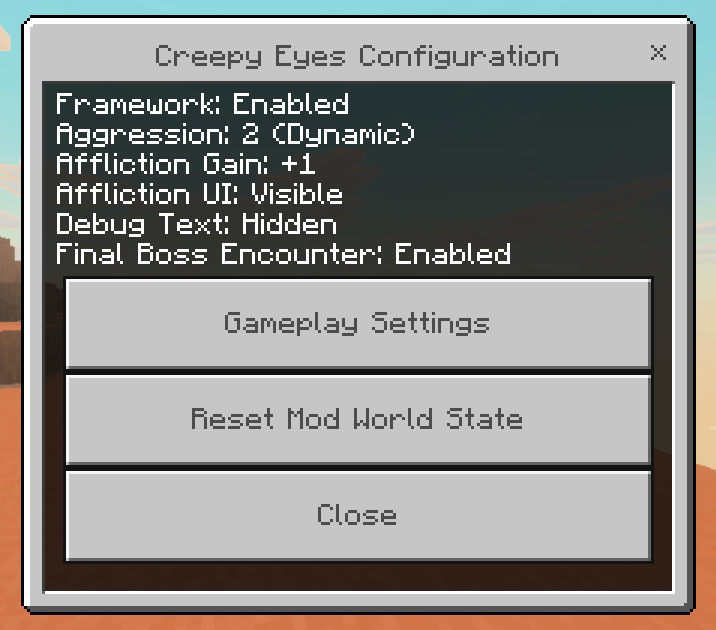
- Configurable settings
- Multiplayer compatible
- Vanilla-friendly design
More info in spoilers section
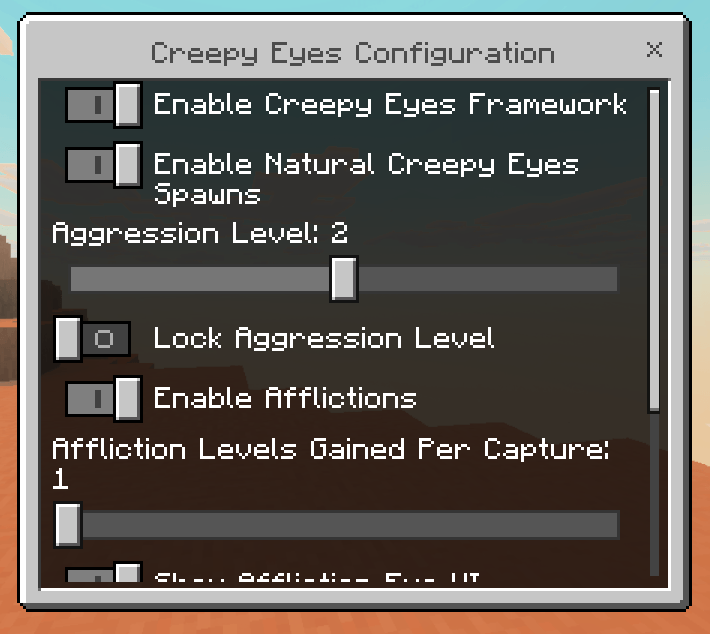
Configuration
A configuration file is included to customize the experience.
Options include things such as:
- Spawn frequency
- Difficulty
- Audio
- Visual effects
- Debug settings
- Other gameplay values
This allows the add-on to be adjusted from a more subtle horror experience to a much more active one.
⚠ Spoilers
The following sections explain how the major gameplay systems work.
The Main Entity
The primary creature patrols the world looking for players.
When it spots someone, it will stop and stare. Looking away before the countdown finishes allows it to resume patrolling. If the countdown completes—or if the creature is attacked—it begins chasing its target.
This is configureable based on Aggression.
Level 1 Agression: You must stare at each other for about 7 seconds before he chases. if you look away before countdown ends he does not chase.
Level 2 Aggression: You only need to look at him once and the countdown begins, then he chases regardless if you look back at him or not.
Level 3 Aggression: He only needs to see you to begin cooldown then chase.
This aggression level is also adjusted in game during gameplay naturally, as once the final boss spawns it sets aggression to level 3.
Affliction
Being caught applies an Affliction instead of immediately ending the encounter.
The Affliction has five levels. Each time you're caught, it becomes stronger until it is cured.
Higher Affliction levels increase the frequency of paranormal events.
Removing the Affliction
The Affliction is not permanent and can be cured at any stage.
You can remove it by using any of the following:
- Eating a Spider Eye
- Drinking any potion brewed with a Spider Eye
- Drinking any potion brewed with a Fermented Spider Eye
A small pop up appears giving you a hint something will happen if you consume it for related items. Once the necessary item is consumed, it immediately clears 1 Affliction level. You need to keep consuming to remove each affliction level you are affected by. Once you do, it stops any related visual or gameplay effects, but will still naturally spawn creepy eyes by default as long as mod is active. (Currently death also removes affliciton but I will have a config setting to change if you want this or not, as hitting affliciton 5 can be a bit hard if you keep dying.)
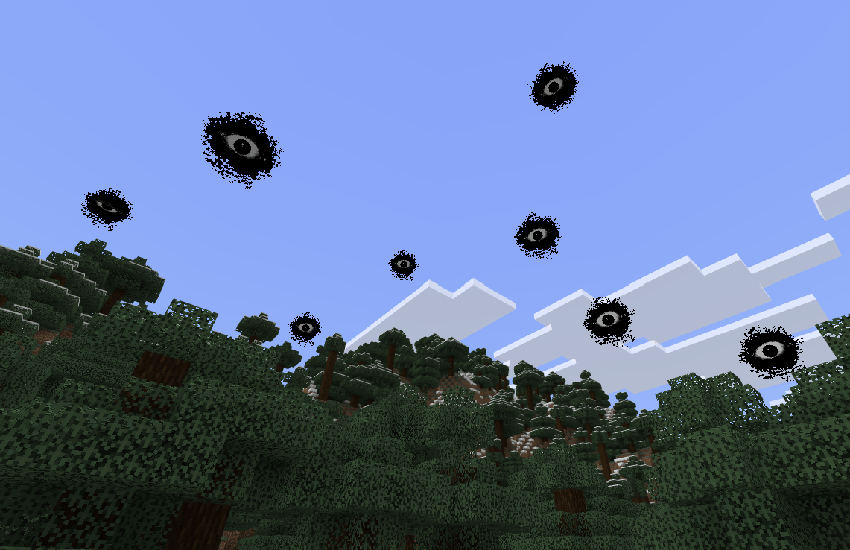
Eyes in the World
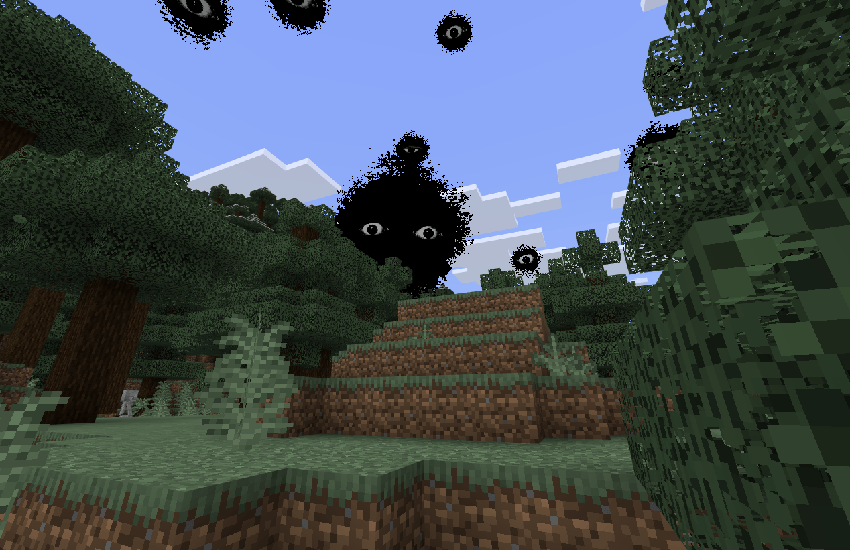
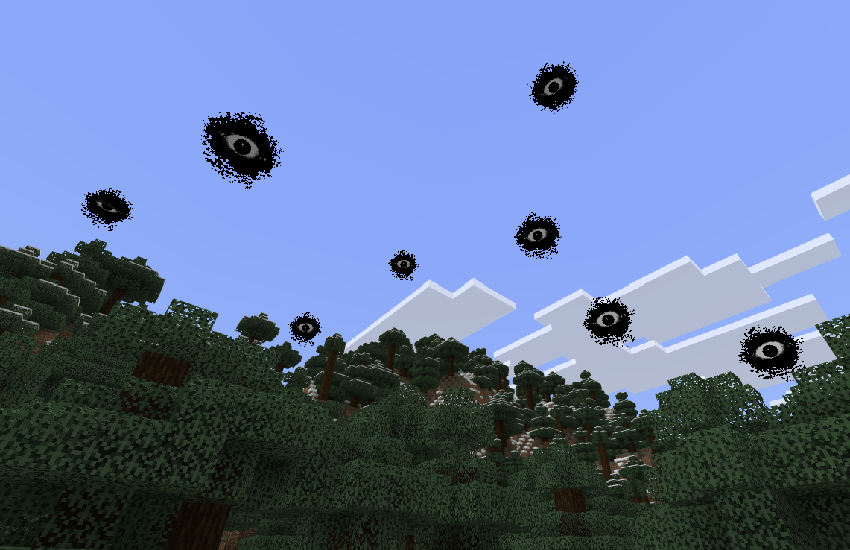
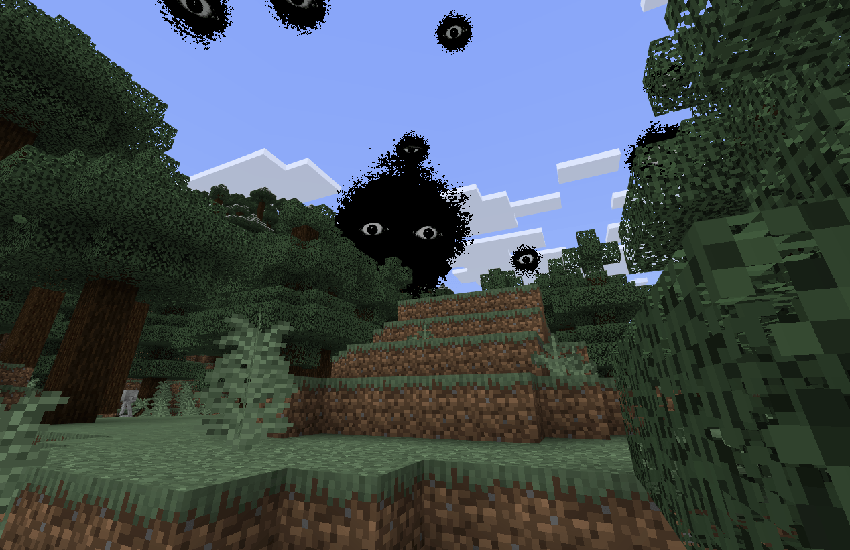
As Affliction increases, mysterious eyes begin appearing throughout the world.
These eyes become more common with each Affliction level and act as a visual reminder that something is watching.
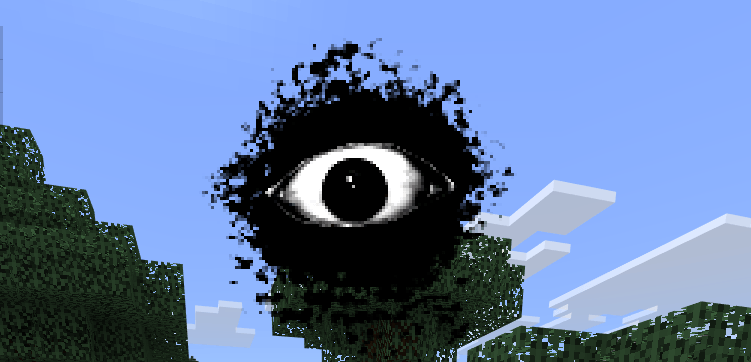
Eyes on the Screen
While afflicted, eyes will occasionally appear directly on the player's screen.
These become more frequent at higher Affliction levels and are accompanied by sound effects and other visual feedback.
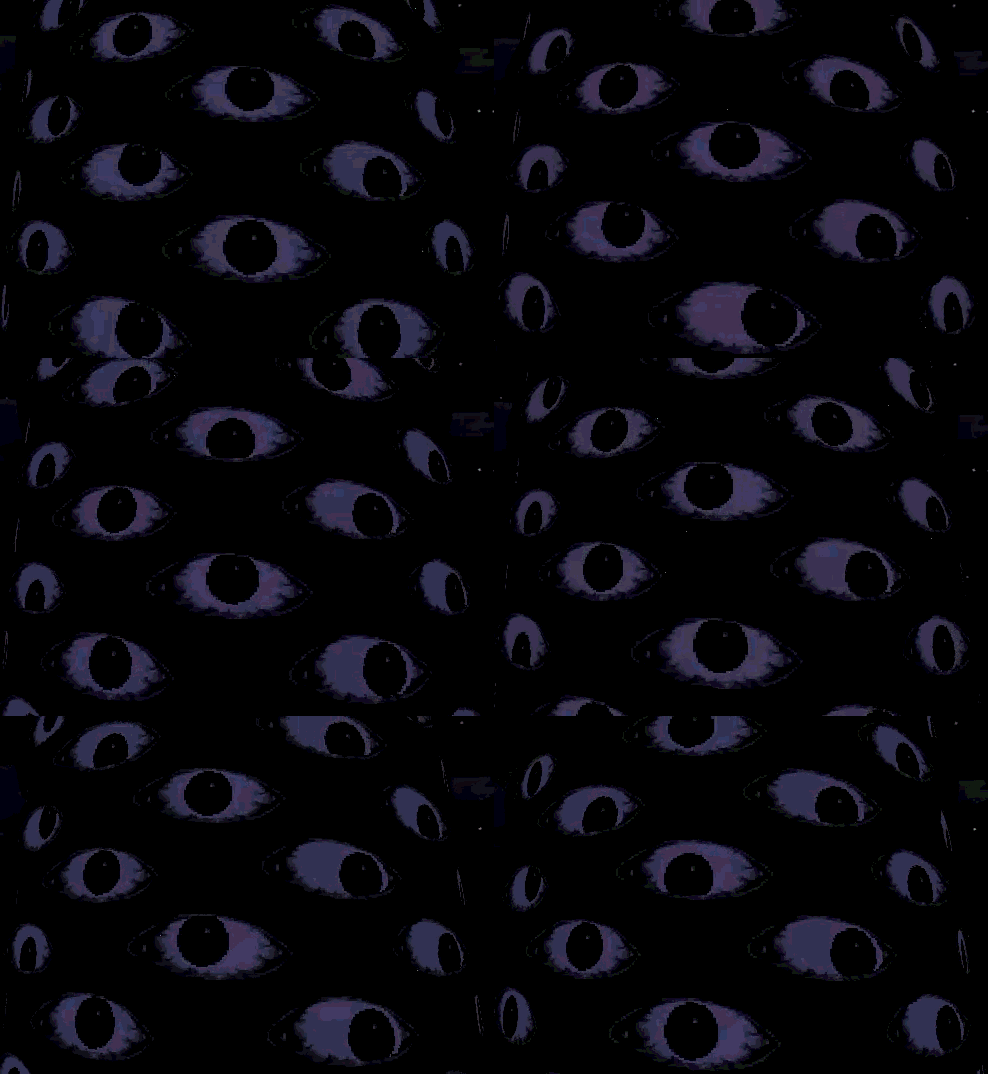
Final Boss
If a player dies while at Affliction Level V, the Affliction creates the final boss directly at their death location.
IMPORTANT NOTE!!! It will DESTORY all blocks in a cylander shape around your death location and rise until it reaches a surface area then stop. It deletes stones and other less valuble blocks, but will KEEP ores, like diamond to coal. If this lags for you let me know and I can try adjusting it. It was lagging far too much with stone as much as I wanted to not actually delete the blocks. So in a way it works as a chunk miner if you are clever lol. Also it drops all the xp at the bottom too. Im keeping it in for now since its kinda cool in this way.
Only one final boss can exist in the world at a time.
This encounter is intended to be the end-game challenge of the add-on.
The final boss will spawn on your dead body and slowly move up, destroyed all blocks above it until it reachs a safe area it can exist.
Its has 100,000 HP and will drop 9 blocks of netherite as a reward for killing it plus some experience.
Creature Design
The creature was created using an AI-assisted workflow.
Instead of generating a creature from a text prompt, custom textures, eyes, and visual elements were created first and then used as the foundation for generating many different creature concepts. Those concepts were refined over multiple iterations until arriving at the final design used in the add-on.
End Spoilers
Known Limitations
- Some visual effects may differ between devices.
- Performance may vary depending on hardware.
- Mods that replace player UI may interfere with some effects.
- Future updates may change or expand existing mechanics.
- For the painful one - Yes, visibility above the final boss is TRASH. in fact, visibility for all entities is total trash and its very frustrating, I completely acknowledge it. If you have suggestions for how to increase this im all ears. I know that other mods like wither storm has a special custom visibility system to make sure you can see it far away. That was beyond the scope of this project. However Im still looking for ways to make something like that system for future updates.
- The UI eyes were initially set to blink and looked way more alive. The Creepy Eyes post chase screen also blinked and the text rapidly changed. After tesing on mobile I had to remove it, as it was basically unplayable from lag. I think there are other ways to achieve it but I found it was acceptable for now. Please let me know what you think.
Compatibility
Creepy Eyes is designed to work alongside most Bedrock add-ons.
It does not replace vanilla gameplay systems and should generally be compatible with:
- Furniture mods
- Structure mods
- Biome mods
- Quality of life add-ons
- Most gameplay expansion packs
Add-ons that heavily modify mob AI, spawning, or the player HUD may cause conflicts.
NO special experiements or Beta APIs are needed! This should plug and play into anyworld as far as I've tested. Please let me know if you run into issues.
Creepy Eyes Developer Commands
Creepy Eyes
Important note!!! There is an in game config menu, this will let you control your current world. The codes below are for people who want spawn things in for videos or whatever else, start with the config menu. Theres even an option to just turn off the mod here if you dont want to uninstall it.
These are all script-event commands currently included in Release 1. Cheats and command permissions must be enabled.
Developer commands can alter afflictions, remove entities, trigger the boss, and modify the environment. Use a test world when experimenting.
Configuration
Open configuration menu
/scriptevent creepyeyes:configOpens the in-game menu for aggression, affliction gain, UI, debug text, natural spawning, the final boss, and resetting the mod.
Creepy Eyes Entity
Spawn Creepy Eyes
/scriptevent creepyeyes:spawnImmediately spawns Creepy Eyes near the player using the selected spawn mode.
Remove all Creepy Eyes
/scriptevent creepyeyes:clearRemoves all regular Creepy Eyes and sky eyes, clears stale chases, and resets the natural spawn timer.
Check natural-spawn status
/scriptevent creepyeyes:spawn_statusDisplays the current spawn mode, whether a spawn is scheduled, and the time remaining before the next attempt.
Spawn Modes
Show current spawn mode
/scriptevent creepyeyes:spawn_modeUse ground spawning
/scriptevent creepyeyes:spawn_mode groundUse sky spawning
/scriptevent creepyeyes:spawn_mode skyThe selected mode affects natural and developer-triggered Creepy Eyes spawns.
Aggression
Show current aggression
/scriptevent creepyeyes:aggressionSet aggression level
/scriptevent creepyeyes:aggression 1
/scriptevent creepyeyes:aggression 2
/scriptevent creepyeyes:aggression 3
Higher aggression changes behavior such as stare countdowns and natural spawn frequency.
Eye-Touched Affliction
Apply Eye-Touched
/scriptevent creepyeyes:tagApplies the Eye-Touched affliction to the executing player.
Remove Eye-Touched completely
/scriptevent creepyeyes:untagRemoves the main affliction tag, every affliction level, and any active affliction UI.
Set Eye-Touched to Level 5
/scriptevent creepyeyes:level5Immediately sets the executing player to Affliction Level 5.
Dying at Level 5 can trigger the All Seeing Pillar encounter when the final boss is enabled.
Show affliction status
/scriptevent creepyeyes:affliction_statusDisplays whether the player is tagged, the current affliction level, whether a symptom is active, and the next scheduled symptom.
Test the single-eye symptom
/scriptevent creepyeyes:affliction_testApplies the required test state and immediately runs the floating single-eye symptom.
Test the sleep jumpscare
/scriptevent creepyeyes:sleep_scare_testForces the Eye-Touched bed nightmare sequence without waiting for its normal random roll.
All Seeing Pillar
Spawn the boss directly
/scriptevent creepyeyes:boss_spawnImmediately spawns the All Seeing Pillar near the executing player.
Test the complete emergence sequence
/scriptevent creepyeyes:boss_emergeStarts the boss below the executing player and performs its terrain-cutting emergence toward the surface.
This command can break terrain. Test it in a copied world.
Remove every Pillar without defeating it
/scriptevent creepyeyes:boss_clearImmediately removes every active All Seeing Pillar. This is intended for cleanup and testing.
Defeat every Pillar normally
/scriptevent creepyeyes:boss_killKills every active All Seeing Pillar through its normal defeat path, including configured rewards and post-boss effects.
Show boss tracking status
/scriptevent creepyeyes:boss_tracking_statusDisplays the current boss detection/tracking validation range.
Boss Iris Testing
These commands override the All Seeing Pillar’s iris behavior.
Automatic tracking
/scriptevent creepyeyes:test autoReturns the boss to normal automatic player tracking.
Force idle animation
/scriptevent creepyeyes:test idleKeeps the irises in their idle wandering animation, even when a player is nearby.
Force iris center
/scriptevent creepyeyes:test centerForce irises right
/scriptevent creepyeyes:test rightForce irises left
/scriptevent creepyeyes:test leftForce irises up
/scriptevent creepyeyes:test upForce irises down
/scriptevent creepyeyes:test downRun the complete iris test cycle
/scriptevent creepyeyes:test cycleCycles through center, right, center, left, center, up, center, down, and automatic tracking.
Sound Testing
Use:
/scriptevent creepyeyes:sound_test <cue>Available sound cues:
/scriptevent creepyeyes:sound_test spawn
/scriptevent creepyeyes:sound_test patrol
/scriptevent creepyeyes:sound_test detected
/scriptevent creepyeyes:sound_test countdown
/scriptevent creepyeyes:sound_test chase
/scriptevent creepyeyes:sound_test retaliation
/scriptevent creepyeyes:sound_test contact
/scriptevent creepyeyes:sound_test jumpscare
/scriptevent creepyeyes:sound_test affliction
/scriptevent creepyeyes:sound_test sky_spawn
/scriptevent creepyeyes:sound_test sky_look
/scriptevent creepyeyes:sound_test cure
/scriptevent creepyeyes:sound_test death
Running the command without a cue displays the available sound-test options:
/scriptevent creepyeyes:sound_test
About the Project
Creepy Eyes is made by a father-and-son team that enjoys creating Minecraft add-ons together.
The idea started because we wanted a different type of horror experience. Many horror mods focus on constant jump scares or instant deaths. We wanted something slower that builds tension over time and lets players discover its mechanics naturally.
The project also wouldn't have been possible without AI assistance. AI helped generate and refine creature concepts while all gameplay systems, scripting, balancing, and overall direction were designed by us.
- Edition: Minecraft Bedrock
- File type: .mcpack or .mcaddon
- Minecraft version listed: 26.40
- How to install: Download the .mcpack or .mcaddon file. → Open it — Minecraft imports it. → In your world: Behavior Packs → Available → Activate, then the same under Resource Packs.
- Where to get it: Opens on CurseForge — not every file is mirrored on our own servers.
Install steps are the general flow for this file type — How to install Minecraft Bedrock addons & mods walks through it step by step.
- Pack type: .mcaddon — behaviour and resource pack in one file
- Manifest requires Minecraft 1.21.90 or newer
- Complete pack — everything it depends on is inside the file
- Download size: 5.3 MB
- Download link checked 23 Sept 2026 — working
These come from our own check of the pack file, not from the source page.