
Smart Item Highlight
Java mod listed for Minecraft 26.x. Downloads from the MC Java Mods app on Android.
⬇ Download on Modrinth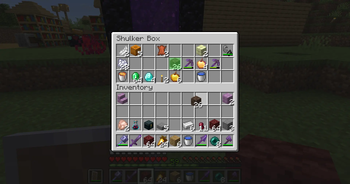
Smart Item Highlight
Smart Item Highlight is a lightweight client-side Fabric mod that makes finding matching items inside storage screens easier.
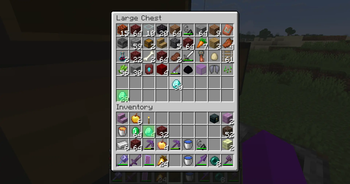
When you pick up an item with your cursor, every other occurrence of that item is covered with a translucent light-green overlay. Matching items are highlighted in both the open container and your own inventory.
Features
- Highlights every matching occurrence of the held item
- Highlights items in both the container and player inventory
- Works with the hotbar
- Activates automatically when an item is attached to the cursor
- Uses a subtle translucent light-green overlay
- Matches items by item type
- Fully client-side
- No commands, configuration or keybinds required
Supported Screens
Smart Item Highlight works with standard Minecraft container screens, including:
- Chests
- Double chests
- Barrels
- Shulker boxes
- Hoppers
- Dispensers
- Droppers
- Other standard inventory-based container screens
Support for modded storage screens may depend on how those screens are implemented.
Requirements
- Minecraft 26.2
- Fabric Loader
- Fabric API
The mod only needs to be installed on the player's client. It does not need to be installed on the server.
Installation
- Install Fabric Loader for Minecraft 26.2.
- Download and install Fabric API.
- Download the latest Smart Item Highlight
.jarfile. - Place the
.jarfile inside your Minecraftmodsfolder. - Launch Minecraft using the Fabric profile.
On Windows, the default Minecraft mods folder is usually:
%appdata%\.minecraft\mods
Usage
- Open a supported container.
- Pick up an item so it is attached to your cursor.
- Every other slot containing the same item will be highlighted.
- Place the item back into a slot to remove the highlights.
No setup is required.
Item Matching
Items are matched by their item type.
This means the mod currently ignores differences such as:
- Stack size
- Durability
- Custom names
- Enchantments
- Other item data
For example, holding one diamond pickaxe will highlight other diamond pickaxes, even when they have different durability or enchantments.
Building from source
More information on how to build the .jar file from source can be found on the github repository here.
Licence
This project is distributed under the licence included in the LICENSE file.
Credits
Smart Item Highlight was developed by @haittorrs (Github) with the assistance of AI tools.
- Edition: Minecraft Java
- File type: .jar
- Minecraft version listed: 26.2
- How to install: Install the matching mod loader (Forge, Fabric or NeoForge) for your Minecraft version. → Download the .jar. → Put it in the .minecraft/mods folder and launch that loader profile.
- Where to get it: Opens on Modrinth — not every file is mirrored on our own servers.
Install steps are the general flow for this file type — How to install Minecraft Java mods & modpacks walks through it step by step.
- Ships as smart-item-highlight-26.2-1.1.0.jar — drop this file into the mods folder
- Download size: 15 KB
- Download link checked 15 Oct 2026 — working
These come from our own check of the pack file, not from the source page.