
Simple HUD Utilities
Java mod listed for Minecraft 1.16–1.20. Downloads from the MC Java Mods app on Android.
I don't know my version or loader
END OF LIFE
Consider using an Simple Hud Enhanced instead
Adding this notice as of commit `5420a64d12e2738df9669c51b035e47e34876068` for the mod linked above
This mod is unlikely to receive future changes and has pending unsolved issues I couldn't get around to fixing/adding.
The mod linked above has more features and lots of unsolved bugs are already fixed. UX is pretty much the same and any feature it has over this one are toggleable if you want a more minimal experience.
Simple HUD Utilities Mod
A Mod that enhances the Game's HUD with some simple utilities like the following:
- HUD Features:
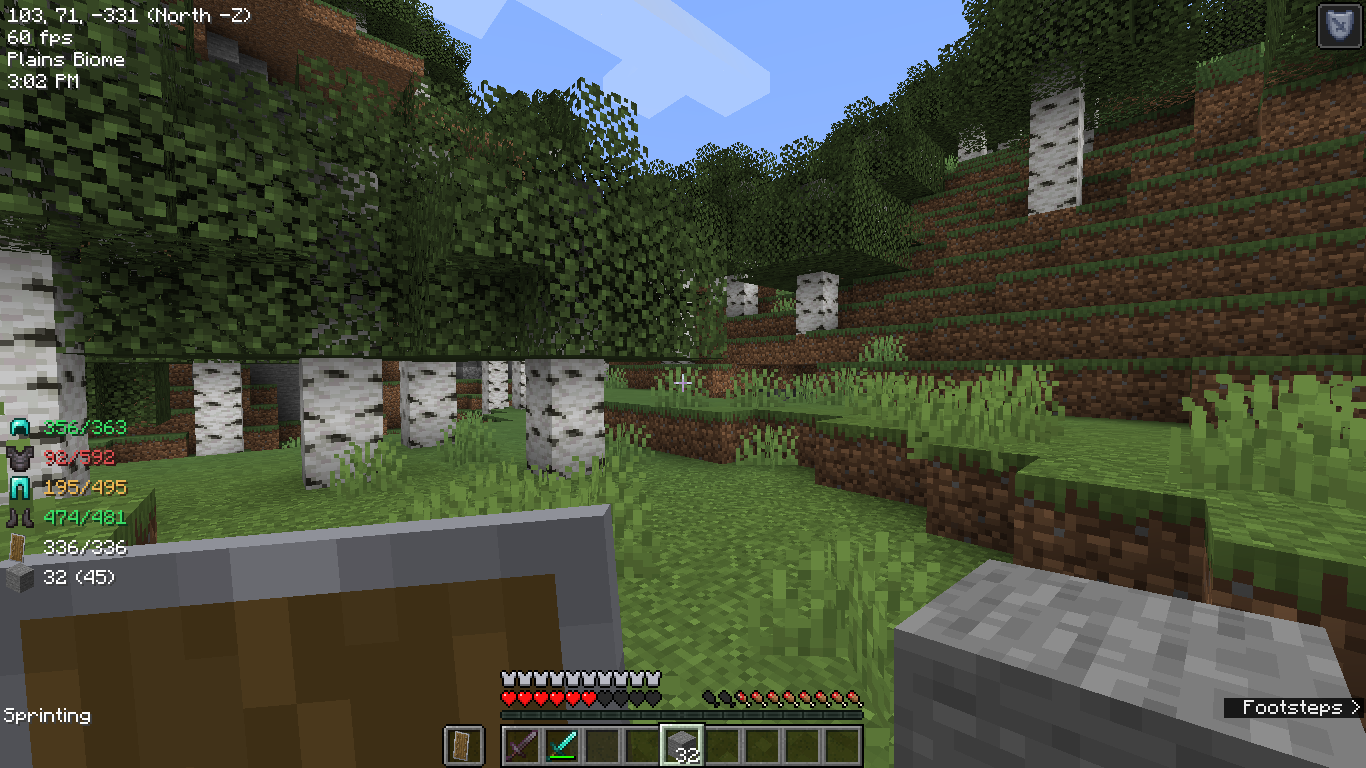
- Simplified coordinates that are available at all times on the screen (Example: 39, 64, 200 as X, Y, Z)
- Cardinal directions and which Coordinates are increasing/decreasing (Example: (East X+) when looking East, where the X coordinate is increasing)
- Current armour and hand items and their durabilities, available at all times on the screen
- Different colors based on how low the durability is
- Current Game time in AM/PM format
- Current sprinting status
- Current framerate
- Current Biome the player is on
- Toggle key (editable in Controls screen, default is 'k')
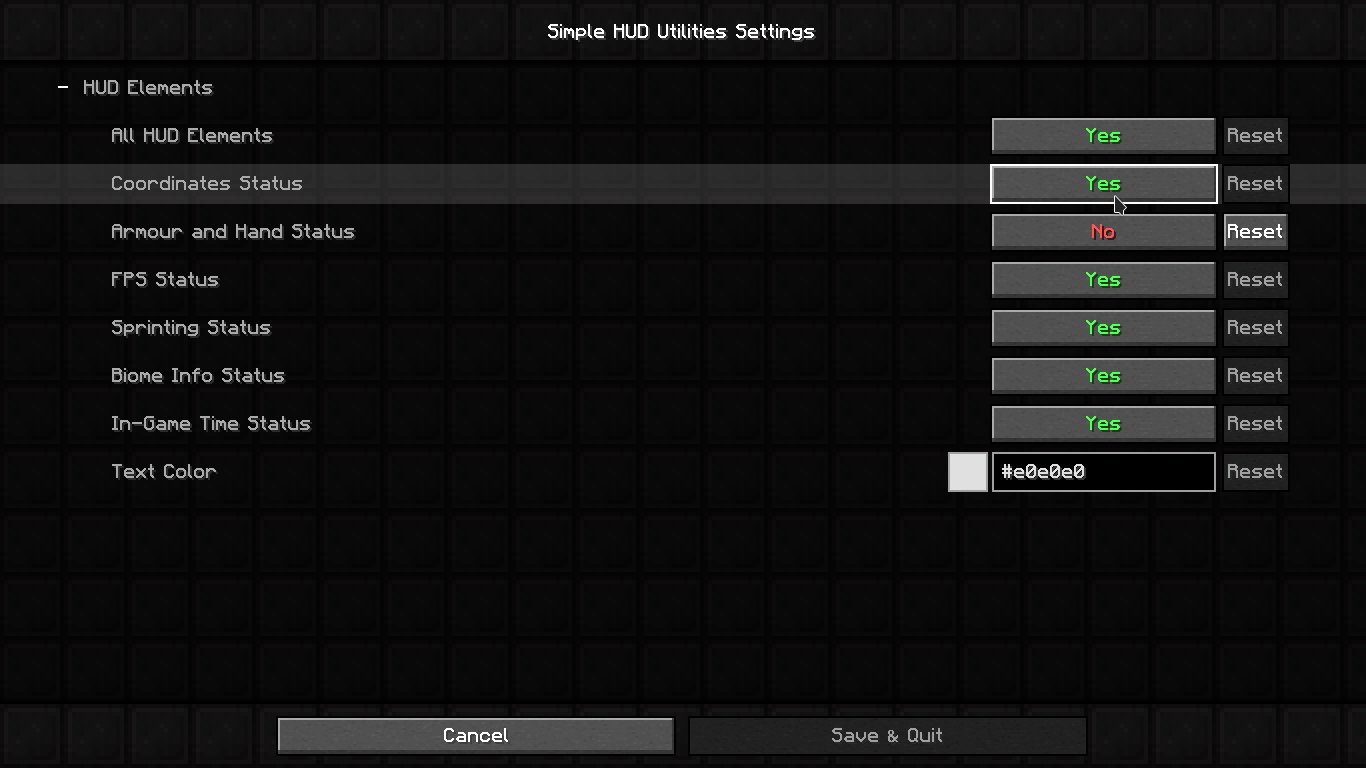
- Settings page and config file with Mod Menu
- Requires Mod Menu mod to open settings screen in-game
- Config file: .minecraft/config/simple_utilities.toml (does not require Mod Menu mod to use)
- Edition: Minecraft Java
- File type: .jar
- Minecraft versions listed: 1.20.6, 1.20.4, 1.20.1
- How to install: Install the matching mod loader (Forge, Fabric or NeoForge) for your Minecraft version. → Download the .jar. → Put it in the .minecraft/mods folder and launch that loader profile.
- Where to get it: Opens on CurseForge — not every file is mirrored on our own servers.
Install steps are the general flow for this file type — How to install Minecraft Java mods & modpacks walks through it step by step.
- Ships as simple-hud-utilities-2.1.3.jar — drop this file into the mods folder
- Download size: 725 KB
- Download link checked 14 Oct 2026 — working
These come from our own check of the pack file, not from the source page.