Castia Inventory Tools
I don't know my version or loader
A companion mod for CastiaMC players. Enhances your gameplay with inventory shortcuts, item tier highlighting, job earnings tracking, and more. Works on Forge, Fabric, and NeoForge.
▎ This mod is designed exclusively for the https://castiamc.com server. Features activate automatically when you connect.
Features
Item Tier Highlighting
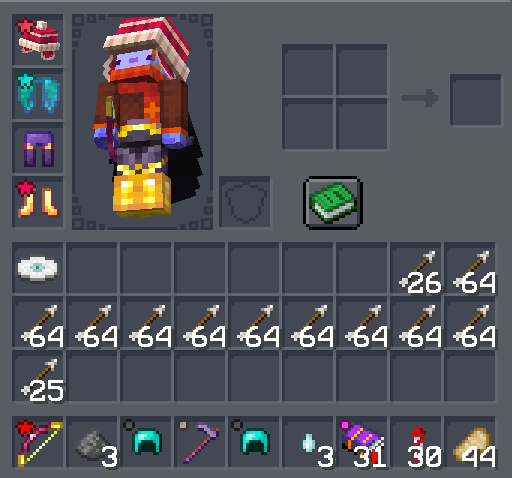
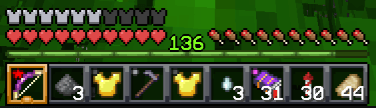
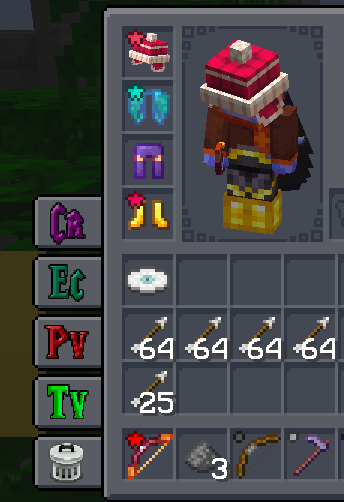
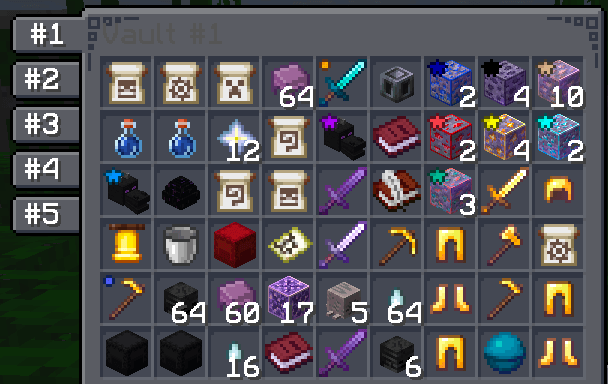
See item rarity at a glance! Colored tier icons appear on items in your hotbar, inventory, and containers — including inside InventoryHUD+ if you have it installed.
Each tier can be individually toggled on or off.
Quick Container Navigation
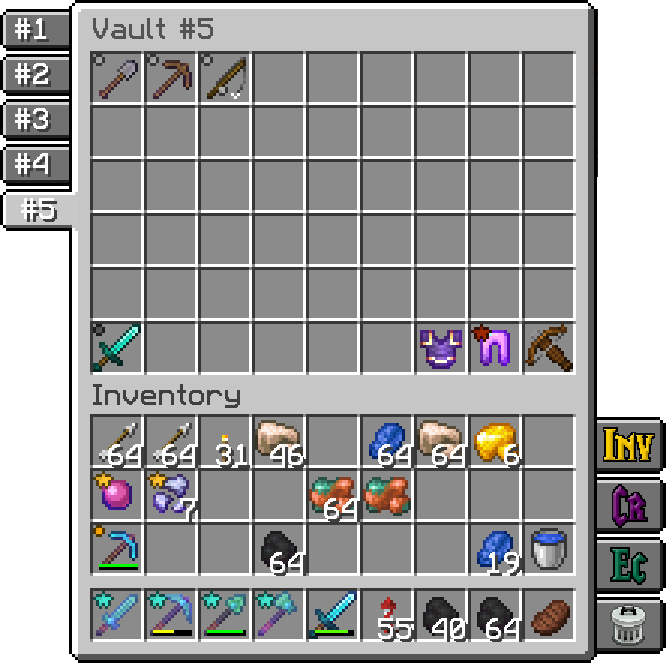
Access your most-used containers with one click. Buttons appear on the side of your inventory and container screens:
- Inventory · Crafting Table · Ender Chest · Trash
- Player Vaults — browse up to 6 vaults with paginated numbered buttons
- Town Vaults — same paginated navigation for town storage
Each button can be toggled individually. Choose whether buttons appear only on your inventory, on all container screens, or hidden entirely.
Homes GUI
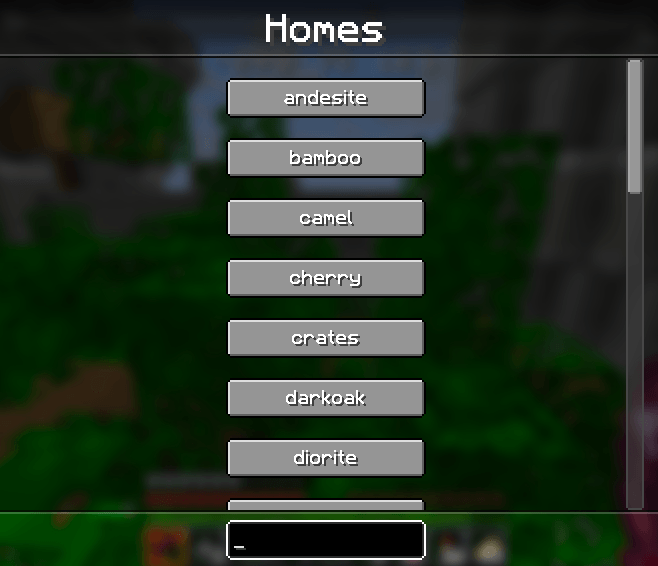
Press Y to open a searchable list of all your homes. Click any home to teleport instantly. Start typing to filter — press Enter to jump to the first match. Results are cached so reopening is instant.
Job Earnings Tracker
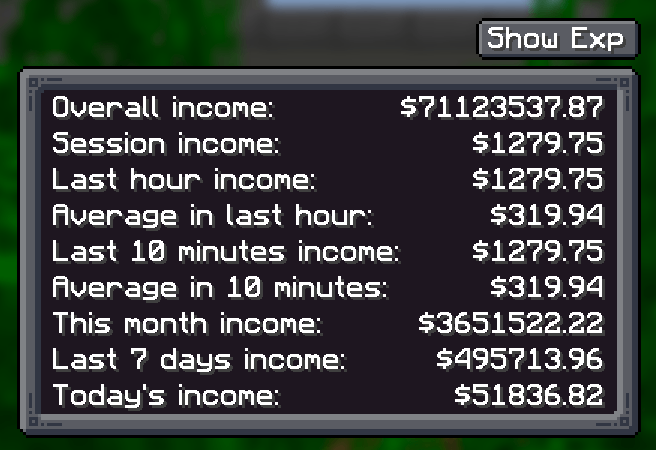
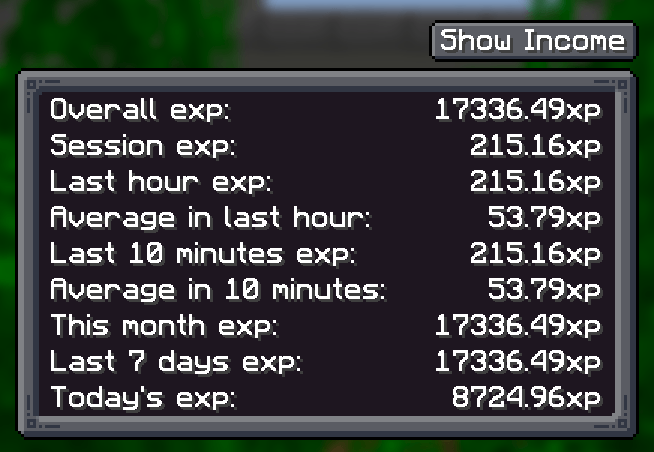
Press J to see how much you've earned. Tracks both money and experience across multiple time windows:
- Last hour · Last N minutes (configurable) · Session · Daily · Weekly · Monthly · Overall
Income message display is configurable — show in chat, action bar, or hide completely.
Emoji Buttons
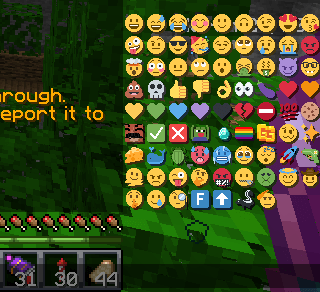
A compact grid of 48+ server emojis appears in the chat screen. Click to insert into your message, Shift+click to send immediately. Toggle on/off in settings.
Sound Controls
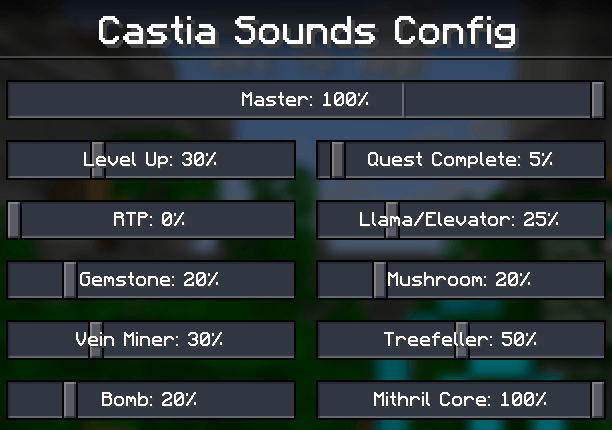
Fine-tune the volume of individual server sounds — Level Up, Quest Complete, RTP, Vein Miner, Treefeller, Gemstone, Bomb, Mithril Core, and more. Each has its own slider, plus a master volume control.
Command Keybindings
Quick keys for common server commands:
C- /craftR- /ec (ender chest)H- /h homeB- /backJ- Job Earnings sreenY- Homes GUIX- Toggle scoreboard sidebar[- Open config screenNumpad 0- Last opened Player VaultNumpad .- Last opened Town Vault(unbound)- /trash, /condense
All keybindings are fully rebindable in Minecraft's controls menu.
InventoryHUD+ Integration
If you use InventoryHUD+ mod, tier icons are rendered directly on its HUD display — supporting vertical, horizontal, and mini layouts.
Configuration
Press [ to open the config screen where you can customize:
- Which container buttons are visible
- Tier icon visibility (per tier)
- Emoji buttons on/off
- Job tracking time window and message routing
- Vault counts
- Server sound volumes
- Button placement mode
Made for the Castia community.
- Edition: Minecraft Java
- File type: .jar
- Minecraft versions listed: 1.21.8, 1.21.4, 1.21
- How to install: Install the matching mod loader (Forge, Fabric or NeoForge) for your Minecraft version. → Download the .jar. → Put it in the .minecraft/mods folder and launch that loader profile.
- Where to get it: Opens on CurseForge — not every file is mirrored on our own servers.
Install steps are the general flow for this file type — How to install Minecraft Java mods & modpacks walks through it step by step.
- Ships as castiainvtools.neo.1.21.8-3.0.0.jar — drop this file into the mods folder
- Download size: 386 KB
- Download link checked 24 Sept 2026 — working
These come from our own check of the pack file, not from the source page.