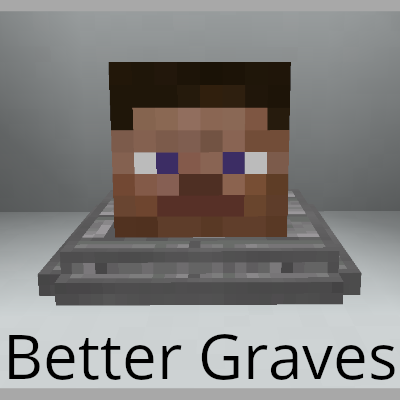
Better Graves
Java mod listed for Minecraft 1.16. Downloads from the MC Java Mods app on Android.
⬇ Download on CurseForgeThe author built this one for Minecraft 1.16–1.16.4 on Fabric. On other versions it may install and then do nothing.
Readme:
I've had to take a step back from most of my projects following the onslaught of several health issues. I'm looking for a new lead maintainer for Better Graves. If you think you'd like to handle this project for the foreseeable future, please make contributions to my repository.
This mod requires Fabric Loader and Fabric API. A Forge version is not planned.
This mod is mostly stable, but as with all gravestone mods, it is extremely difficult to account for all edge cases. Please report them if you find them!
Better Graves
Have you ever died and lost your items because you were too far away or got held up by something? Well no more! With Better Graves, your drops get placed into a grave block that only you can access!
Usage
Simply drop the .jar in your Fabric instance's mod folder and when you die, your inventory will be saved!
(The mod is nonfunctional if the game rule keepInventory is enabled.) What's more, is when you retrieve
your items, they will be placed back into your inventory in the same layout they dropped! To retrieve your
items, simply right click on the grave stone! Any inventory that you are carrying before accessing the grave
will first attempt to stack / fit into your grave inventory. Failing that, it'll drop at your feet.
Compatibility
- Built-in Trinkets support (Can be disabled / Does not require Trinkets to be installed)
- Also, mod developers can add their own integration if desired, using the API.
Video
Current inventory stacks with old inventory
For Mod Developers
An API is available as of 0.2.0-beta.1, it is still under development, so things might change. Create issues on Github if you need features not yet available!
- Edition: Minecraft Java
- File type: .jar
- Minecraft versions listed: 1.16.2, 1.16.1, 1.16.3
- How to install: Install the matching mod loader (Forge, Fabric or NeoForge) for your Minecraft version. → Download the .jar. → Put it in the .minecraft/mods folder and launch that loader profile.
- Where to get it: Opens on CurseForge — not every file is mirrored on our own servers.
Install steps are the general flow for this file type — How to install Minecraft Java mods & modpacks walks through it step by step.
- Ships as bettergraves-0.1.0-alpha.1.jar — drop this file into the mods folder
- Download size: 57 KB
- Download link checked 14 Oct 2026 — working
These come from our own check of the pack file, not from the source page.