
Urkaz Moon Tools
Java mod listed for Minecraft 1.16–1.21. Downloads from the MC Java Mods app on Android.
I don't know my version or loader
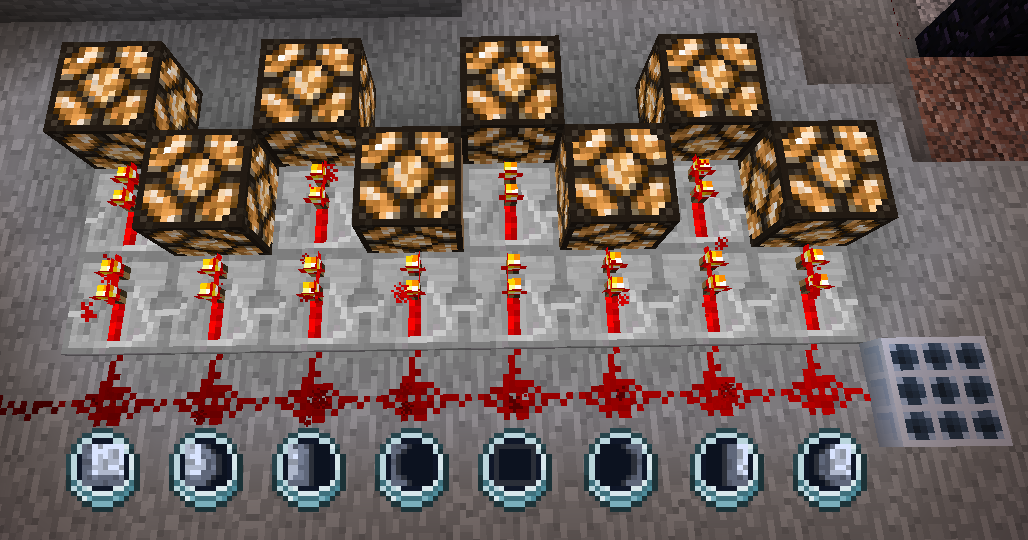
Urkaz Moon Tools
This mod adds one item and one block that helps to see and detect the current Moon Phase.
New items and blocks
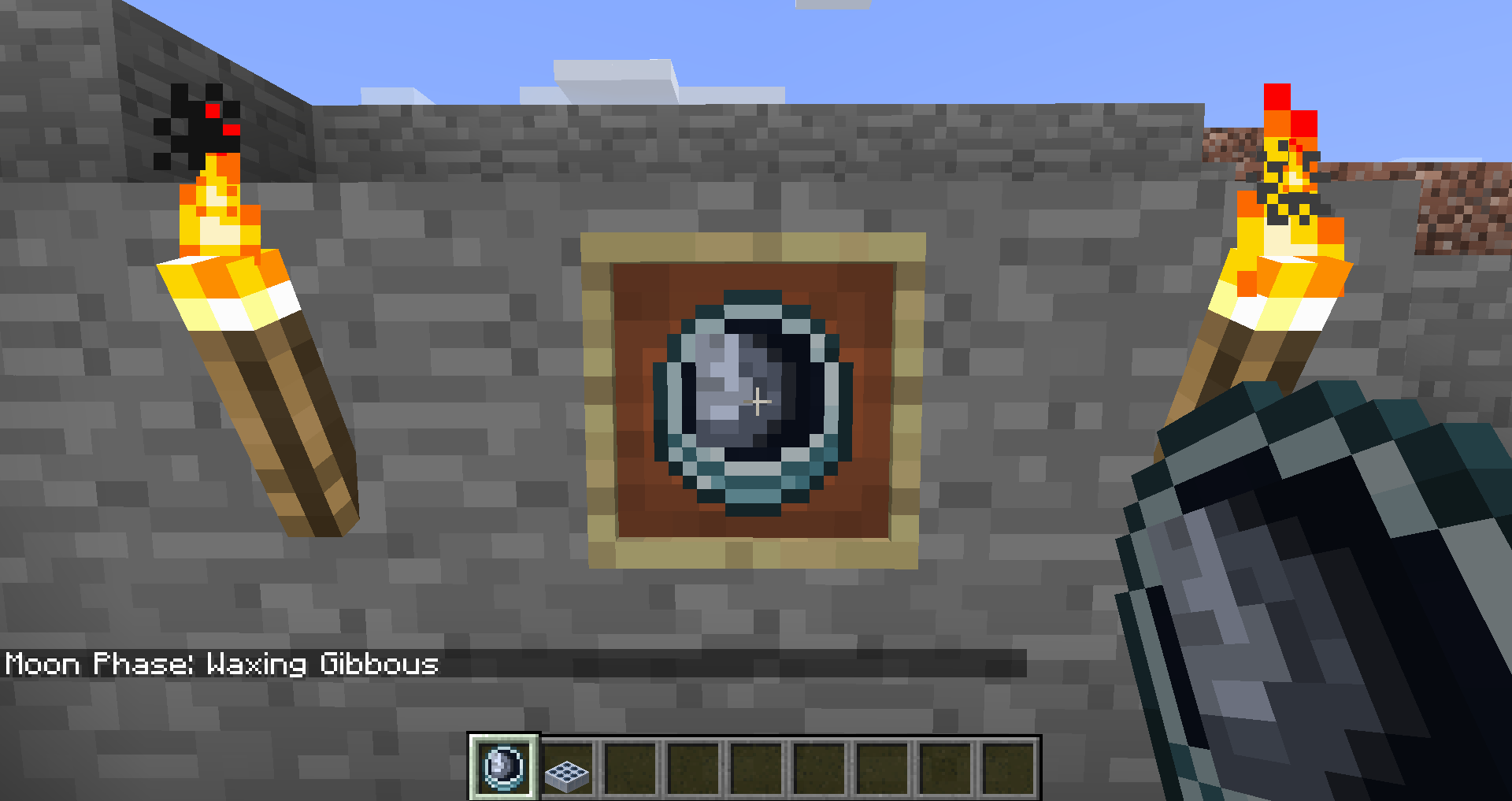
 Lunar Clock
This clock shows the current Moon phase. Right-clicking with it in the hand will display the name of the phase in the chat.
Recipe:
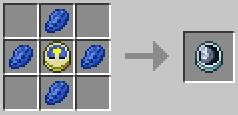
 Lunar Detector
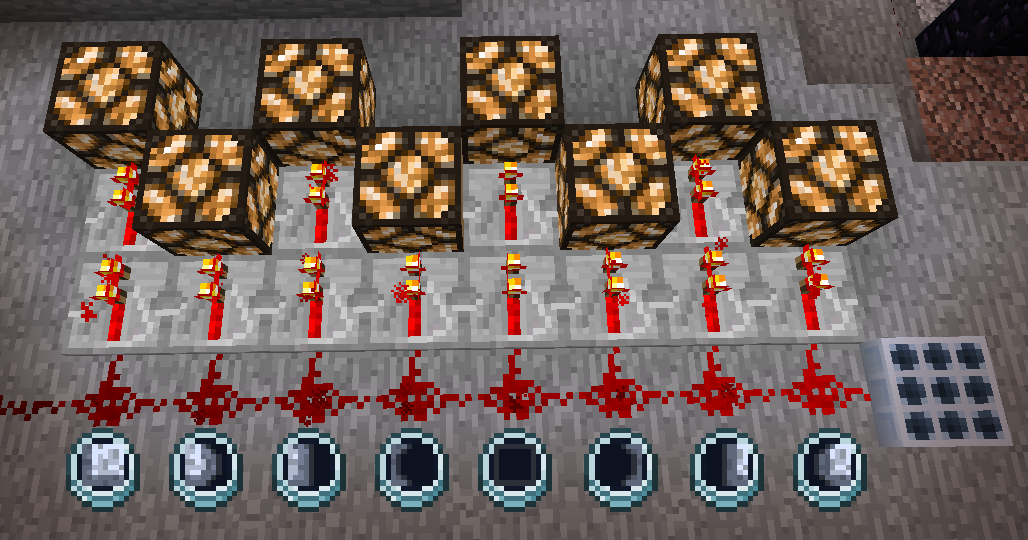
This block emits a redstone signal depending on the current Moon phase. The Lunar detector only works during the night, but in the mod settings you can make it work all day.
Recipe:
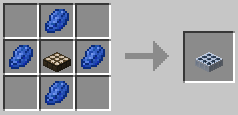
Redstone strength in blocks (default settings):
Mod compatibility
Compatible mods
- Enhanced Celestials: 1.16.5, 1.18.2, 1.19 - 1.19.4, 1.20.1, 1.21.1
- Lunar: 1.19.2, 1.20.1, 1.20.2, 1.20.4, 1.21.1
- Crimson Moon, 1.19 - 1.19.1
Functionality
The moon icon in the Lunar Clock will be tinted of the same color as the Moon.
In the mod settings, the strength of the Lunar Detector can be set to emit 9 Redstone units during any event.
Legacy Mod compatibility
Compatible mods
- Bloodmoon (1.12.2)
- Nyx (1.12.2)
Functionality
The moon icon in the Lunar Clock will become red during a Bloodmoon event or blue during the Harvestmoon.
 If both events appear to happen at the same time, the clock will display both at the same time (this may happen when playing with Both mods at the same time).
In the mod settings, the strength of the Lunar Detector can be set to emmit extra Redstone during Harvestmoon and Bloodmoon:
 Bloodmoon: 9 (if enabled in settings)
 Harvestmoon: 10 (if enabled in settings)
Dependencies
"Urkaz Moon Tools" requires the following mods to work:
Minecraft version 1.18.3 - 1.21.1
- Edition: Minecraft Java
- File type: .jar
- Minecraft versions listed: 1.21.1, 1.20.6, 1.20.2
- How to install: Install the matching mod loader (Forge, Fabric or NeoForge) for your Minecraft version. → Download the .jar. → Put it in the .minecraft/mods folder and launch that loader profile.
- Where to get it: Opens on CurseForge — not every file is mirrored on our own servers.
Install steps are the general flow for this file type — How to install Minecraft Java mods & modpacks walks through it step by step.
- Ships as UrkazMoonTools-neoforge-2.3.1-49.jar — drop this file into the mods folder
- Download size: 79 KB
- Download link checked 14 Oct 2026 — working
These come from our own check of the pack file, not from the source page.