
OptiForge
Java mod listed for Minecraft 1.16–1.17. Downloads from the MC Java Mods app on Android.
I don't know my version or loader
OptiForge
This mod can make OptiFine to be compatible with Forge. This is an alternative before OptiFine has been officially compatible with Forge.
This mod doesn't contain OptiFine itself.

How to Use
OptiForge-MC1.13.2: WIP
OptiForge-MC1.12.2: No plan
before 1.16.5: You just need to put OptiFine jar, OptiForge to mods folder, and enjoy the game!
Although OptiFine 1.15.2 has been compatible with forge since G1 pre14, OptiForge will be compatible new forge version faster, and there is an issue between OptiFine and other core mods which OptiForge fixed: https://github.com/cpw/modlauncher/issues/37
About reporting crash
I recommend installing MoreCrashInfo mod. This mod will print more useful information to crash reports, and these can help us locate errors faster.
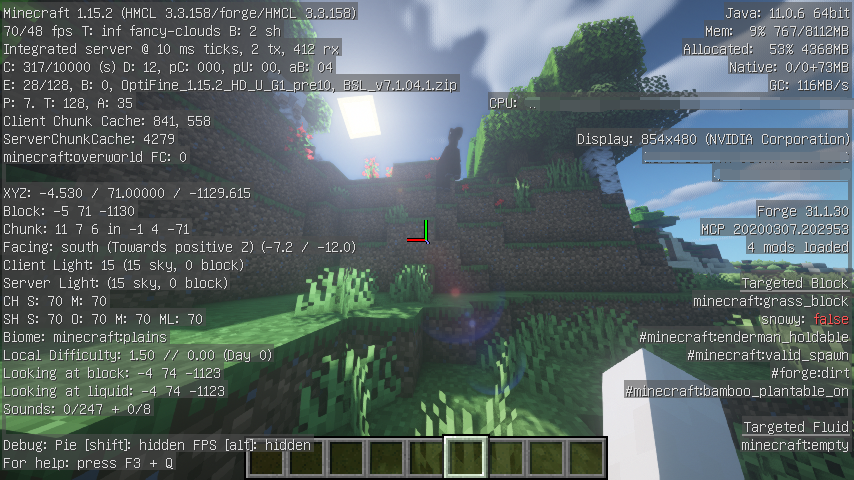
Screenshots
- Edition: Minecraft Java
- File type: .jar
- Minecraft versions listed: 1.17.1, 1.16.5, 1.16.4
- How to install: Install the matching mod loader (Forge, Fabric or NeoForge) for your Minecraft version. → Download the .jar. → Put it in the .minecraft/mods folder and launch that loader profile.
- Where to get it: Opens on CurseForge — not every file is mirrored on our own servers.
Install steps are the general flow for this file type — How to install Minecraft Java mods & modpacks walks through it step by step.
- Ships as OptiForge-MC1.17.1-0.1.1.jar — drop this file into the mods folder
- Download size: 43 KB
- Download link checked 14 Oct 2026 — working
These come from our own check of the pack file, not from the source page.