ModsJava
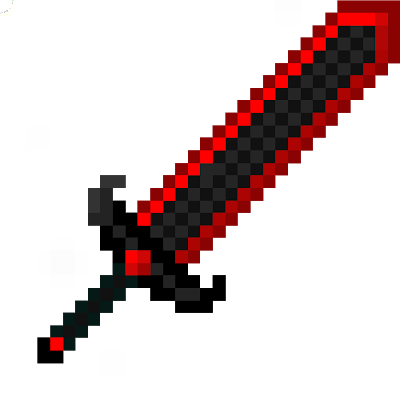
Block Swords
Minecraft Java mod. Downloads from the MC Java Mods app on Android.
⬇ Download on CurseForgeBlockSword
Warn: Block Sword will continue to update on: Click Here
Aviso: Block Sword continuará actualizándose en: Click Aquí
Click Here / Click Aquí : https://www.curseforge.com/minecraft/mc-mods/blocksword-x_tonimatasmc_x
Spanish / Español
Este mod agrega espadas de todo tipo pronto habra de todos los tipos de bloques e items de MineCraft.
English / Inglés
This mod adds swords of all kinds soon there will be all kinds of blocks and MineCraft elements.

Discord: https://discord.gg/TonimatasMC-Projects

Imágenes de recetas / Photos for recipes: HAGA CLIC AQUÍ / CLICK HERE

REVIEW / BLOCK SWORD
OLD REVIEW / BLOCK SWORD


YouTube
anguepro11 YouTube: [ https://www.youtube.com/channe/DJ_Guerra ]
X_TonimatasMC_X  YouTube: [ https: / /www.youtube.com/channel/TonimatasMC ]

MORE MODS
Más mods creados por / More mods created by: [ X_TonimatasMC_X: BlockPickaxe / CactusEspecial ]
Más mods creados po / More mods created by: [ anguepro11: Obsidian Tools And Armor  /  Emerald Tools And Armors ]

DISCORD
Discord: [ https://discord.gg/TonimatasMC ]
Quick facts
- Edition: Minecraft Java
- File type: .jar
- How to install: Install the matching mod loader (Forge, Fabric or NeoForge) for your Minecraft version. → Download the .jar. → Put it in the .minecraft/mods folder and launch that loader profile.
- Where to get it: Opens on CurseForge — not every file is mirrored on our own servers.
Install steps are the general flow for this file type — How to install Minecraft Java mods & modpacks walks through it step by step.
File checked by MCModsHub
- Ships as BlockSword+1.15.2+Bye BlockSword.jar — drop this file into the mods folder
- Download size: 136 KB
- Download link checked 24 Sept 2026 — working
These come from our own check of the pack file, not from the source page.