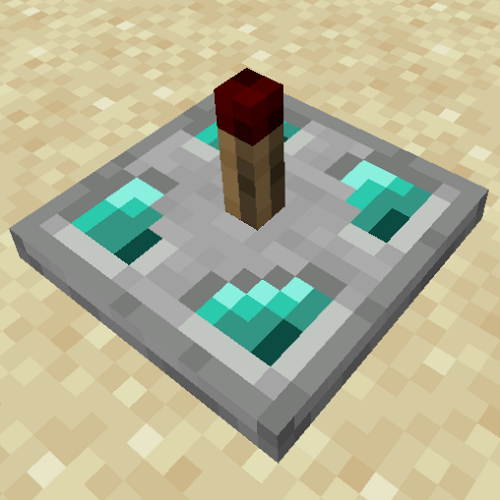
Wireless Redstone FE
Minecraft Java mod. Downloads from the MC Java Mods app on Android.
⬇ Download on CurseForgeWireless Redstone
This is a very simple mod that adds the ability to transmit redstone signals wirelessly between Redstone Transmitters and Redstone Receivers linked by a Linker.
Redstone Transmitter

Transmits the redstone signal (including strength) it receives to the frequency it's programmed to.
Redstone Receiver

Outputs any redstone signal (including strength) it receives from the frequency it's programmed to.
Linker

Allows for the programming of wireless blocks' (Transmitters and Receivers) frequency.
Multiple Transmitters/Receivers per Frequency
Redstone signals are transmitted on the frequency the Redstone Transmitter is set on and received by all Redstone Receivers also set to that frequency.
There is no restriction on the number of Transmitters or Receivers that can be set to a frequency. If multiple Transmitters are on the same frequency, the last Transmitter to have a change in redstone signal will be the active redstone signal on the frequency. The redstone signal strength on a frequency is whatever strength the last Transmitter with that frequency to have a change was.
Setting Frequencies with Linkers
Using a blank Linker on a wireless block (a Transmitter or Receiver) that doesn't have a frequency set will create a new frequency and set both the Linker and the wireless block to that new frequency.
Using a Linker that is set to a frequency on any wireless blocks will set the wireless block to that frequency.
Using a blank Linker on a wireless block with a set frequency will set the Linker to the wireless block's frequency.
Sneak+Right Clicking with a Linker in your hand will clear the Linker's frequency.
Additional Info
Right Clicking on a wireless block with an empty hand will tell you the frequency it is set to.
Linkers have a tooltip stating their frequency and providing usage info in game.
- Edition: Minecraft Java
- File type: .jar
- How to install: Install the matching mod loader (Forge, Fabric or NeoForge) for your Minecraft version. → Download the .jar. → Put it in the .minecraft/mods folder and launch that loader profile.
- Where to get it: Opens on CurseForge — not every file is mirrored on our own servers.
Install steps are the general flow for this file type — How to install Minecraft Java mods & modpacks walks through it step by step.
- Ships as wirelessredstone-1.14.4-0.1.0.jar — drop this file into the mods folder
- Download size: 38 KB
- Download link checked 14 Oct 2026 — working
These come from our own check of the pack file, not from the source page.