
Hyper Lighting Colored Light Core
Java mod listed for Minecraft 1.16–1.17. Downloads from the MC Java Mods app on Android.
I don't know my version or loader

Due to the new way Minecraft 1.17+ renders stuff, this mod is not possible past 1.16.5. This project will be removed in the future. You can also consider using SHIMMER instead for newer MC versions
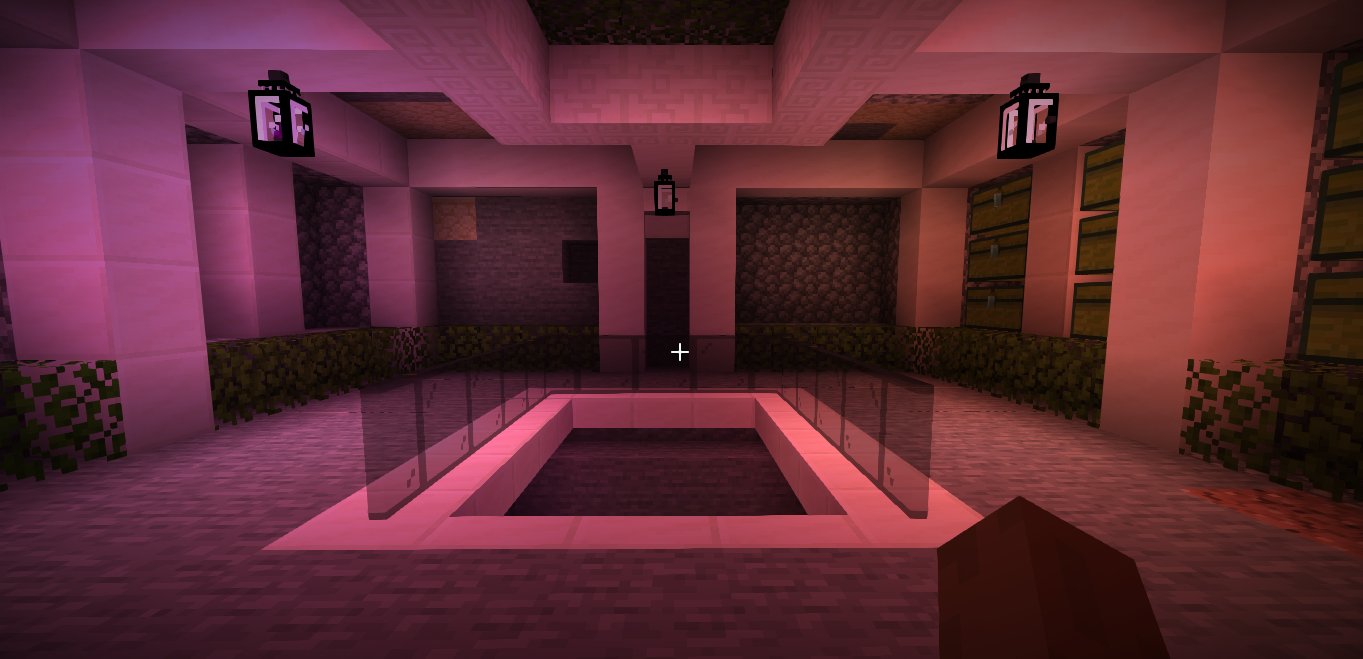
This mod is the API and Colored Lighting engine used by Hyper Lighting on Minecraft 1.14.4+. This mod doesn't do anything on it's own, but when used with Hyper Lighting or by other mods/resource packs it allows blocks/items/entities to emit colored light.
Preset packs
Preset packs that include default lights, visit https://github.com/hypherionmc/hyperlighting_core/tree/master/presetpacks
How to use this mod
Installation is simple. Just like any other forge mod, you download and place the mod in your Mods folder. After installation, the mod should show up in your mods list in Minecraft.
* WARNING: THIS IS A CLIENT SIDE ONLY MOD! DO NOT INSTALL IT ON YOUR SERVER! YOU HAVE BEEN WARNED! *
Configuration
This mod can be configured in two ways:
- * By using the in game config. Can be accessed by pressing the INSERT (Or be remapped to a key of your choice) key on your keyboard while in game.
- * By editing hypcore-client.toml in your minecraft directory under Configs.
Optifine support
NO! NO! AND AGAIN NO! This mod uses shaders and is therefore not compatible with optifine nor will it ever be.
* BUG REPORTS MADE ABOUT ISSUES RELATING TO OPTIFINE WILL BE CLOSED AND IGNORED! *
Troubleshooting
If you suspect this mod causes any issues with your game, you can help isolate it this way:
- * Disable Colored Lighting from the configuration either in game or the config file.
- * See if the issue you spotted persists. If no, then re-enable colored lighting and see if the issue appears again. If yes, then it probably isn't this mod, but try running the game without the mod just to be sure.
If you have found a bug, report it using the Issues tab above. The more detail you give, the quicker it will be to identify and fix bugs.
Other important information and notes
This mod should work on most GPU's. Basically, if your graphics card can run minecraft relatively lag free, it can run this mod. Some special cases may apply here
As mentioned before, this mod is NOT compatible with Optifine.
This is a CLIENT SIDE only mod.
* THIS IS A CORE MOD! IF YOU DO NOT TRUST OR LIKE COREMODS, DO NOT INSTALL THIS MOD! THE CHOICE IS YOURS! *
Known Issues
1) Entities do not flash red when being attacked or hurt. I am trying to figure this out and will fix it as soon as I find the cause - This should have been fixed by release time. If not, please log a bug report
2) Light leaks through blocks. This is something that is SUPER HARD to fix, and is probably something that will never be fixed. However, this may change in the future
3) Hit boxes are broken on 1.16.
4) Lights have random on/off glitches in 1.16
5) Fog rendering is broken 1.15/1.16

- Edition: Minecraft Java
- File type: .jar
- Minecraft versions listed: 1.16.5, 1.16.4, 1.17
- How to install: Install the matching mod loader (Forge, Fabric or NeoForge) for your Minecraft version. → Download the .jar. → Put it in the .minecraft/mods folder and launch that loader profile.
- Where to get it: Opens on CurseForge — not every file is mirrored on our own servers.
Install steps are the general flow for this file type — How to install Minecraft Java mods & modpacks walks through it step by step.
- Ships as HyperLightingColorCore-1.14.4-1.1.jar — drop this file into the mods folder
- Download size: 45 KB
- Download link checked 14 Oct 2026 — working
These come from our own check of the pack file, not from the source page.