ModsJava
Critical Orientation
Java mod listed for Minecraft 1.16–1.17. Downloads from the MC Java Mods app on Android.
I don't know my version or loader
Open the Minecraft launcher and look at the profile you play on — it names both, like fabric-loader-1.21.4. The version also shows in the bottom-right corner of the game's main menu.
No loader in the profile name? Then it's plain Minecraft, and these mods won't run — you need Fabric or NeoForge installed first.
Critical Orientation (Minecraft 1.17.x)
Available to download from Curseforge.
Built using Fabric Example Mod Template and made with the Fabric modding toolchain for Minecraft.
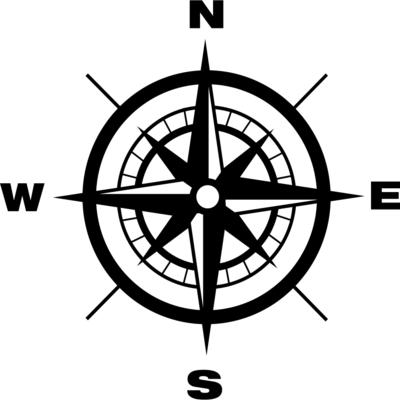
A Minecraft Mod that enables the user to perfectly place ice boats, by snapping the player facing direction to their closest cardinal point:
-
HUD Features:
- Snap to closest N NW W SW S SE E NE
Images

Installation
-
Install Fabric Loader on your Minecraft client
- Recommended to install with the MultiMC Minecraft client, which allows you to install Fabric in one click in the Minecraft instance settings
- Download latest Mod
.jarfrom Github or from Curseforge -
Put the downloaded Mod
.jarin the.minecraft/modsfolder- Or if you're using MultiMC, open the Minecraft instance settings you're using, and look for the option to add a Mod, then select the
.jarfile you downloaded
- Or if you're using MultiMC, open the Minecraft instance settings you're using, and look for the option to add a Mod, then select the
- Done!
Building from source
- Clone the project with
git clone https://github.com/bshuler/critical-orientation.git - Cd into the project's directory
cd critical-orientation - Run
./gradlew buildto build the.jar -
Built Mod
.jarfiles will be located atbuild/libs- Example:
build/libs/critical-orientation-1.0.0.jar - This will be the Mod
.jarfile you can put in your.minecraft/modsfolder
- Example:
Planned features
- No additional
FAQ
-
Does this Mod work on versions below 1.15?
- No, it might work on 1.14 with some changes, but not anything below 1.14, since this Mod is made with Fabric, which only supports Minecraft 1.14 and above.
Quick facts
- Edition: Minecraft Java
- File type: .jar
- Minecraft versions listed: 1.17.1, 1.17, 1.16.1
- How to install: Install the matching mod loader (Forge, Fabric or NeoForge) for your Minecraft version. → Download the .jar. → Put it in the .minecraft/mods folder and launch that loader profile.
- Where to get it: Opens on CurseForge — not every file is mirrored on our own servers.
Install steps are the general flow for this file type — How to install Minecraft Java mods & modpacks walks through it step by step.
File checked by MCModsHub
- Ships as critical-orientation-1.0.0.jar — drop this file into the mods folder
- Download size: 127 KB
- Download link checked 14 Oct 2026 — working
These come from our own check of the pack file, not from the source page.