
Last Played Logger
Java mod listed for Minecraft 1.16–1.21. Downloads from the MC Java Mods app on Android.
I don't know my version or loader

Version 3.X.X
For older versions of the mod, check the wiki.
This mod logs the last date a player was online/logged in into a Google spreadsheet.
It's a utility mod to help you moderate your whitelist.
It only works on the server side and won't work on the client side.
You need a server to play with friends? You don't know how to set up one? Just rent an already configured server!

Click on the picture above, select a plan (with recommended at least 6 GB),
use my code agent to get 25% off your first month and enjoy playing with your friends!
Support
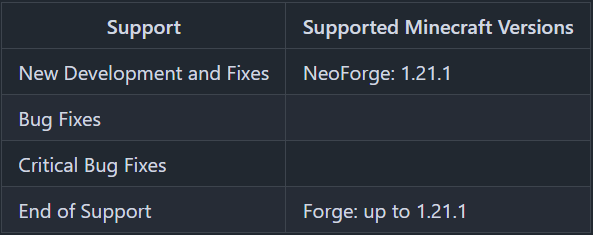
Minecraft versions, for which the mod is not released, are not supported.
You can find a text version here.
Server Config
The config file can be found in the "serverconfig" folder in the "world" folder and is named "last_played_logger-server.toml". The name of the world folder is set for servers in the "server.properties" file.
- active
Shall the mod be active or not? - spreadsheetID
ID of the Spreadsheet. - tab_name
Name of the spreadsheet tab.
Wonder how do you get these data? Read the "How to configure the mod".
How to configure the mod
Enable the Google Sheets API
First, you have to enable the "Google Sheets API" on https://developers.google.com/sheets/api/quickstart/java#enable_the_api and click onto the "Enable the API" button.
Create a folder named "last_played_logger" next to the "config" folder.
Next you have to go to https://developers.google.com/sheets/api/quickstart/java#authorize_credentials_for_a_desktop_application and follow the steps to create credentials, that the "Last Played Logger" uses to change the Google Spreadsheet.
Save the credentials.json in the "last_played_logger" folder.
How to set up the spreadsheet
You can copy this Example Spreadsheet to use it with the "Last Played Logger".
For that, you have to click "File" > "Make a copy".
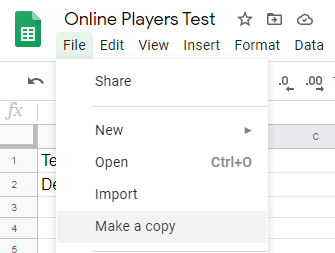
In the copy window, you give it a name and click "OK".
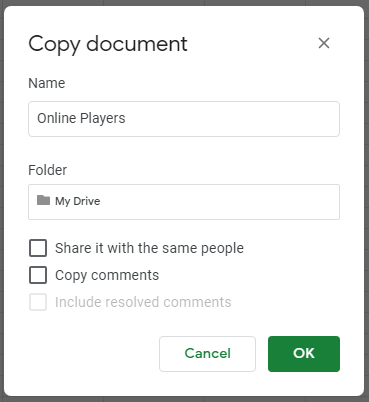
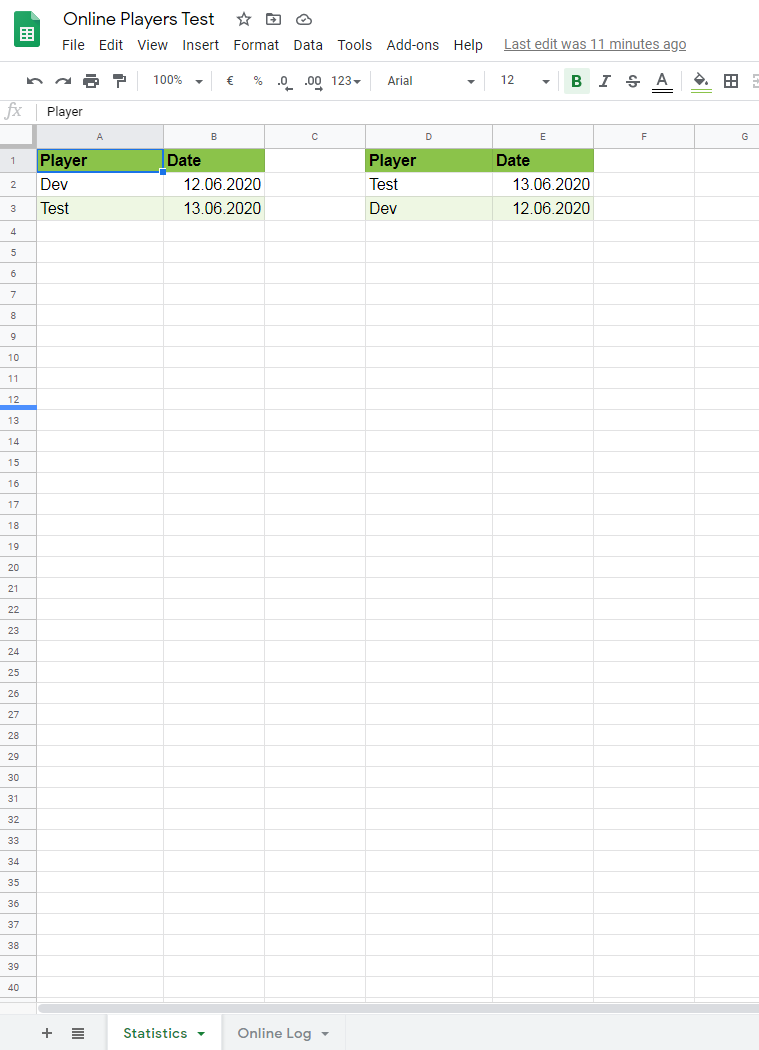
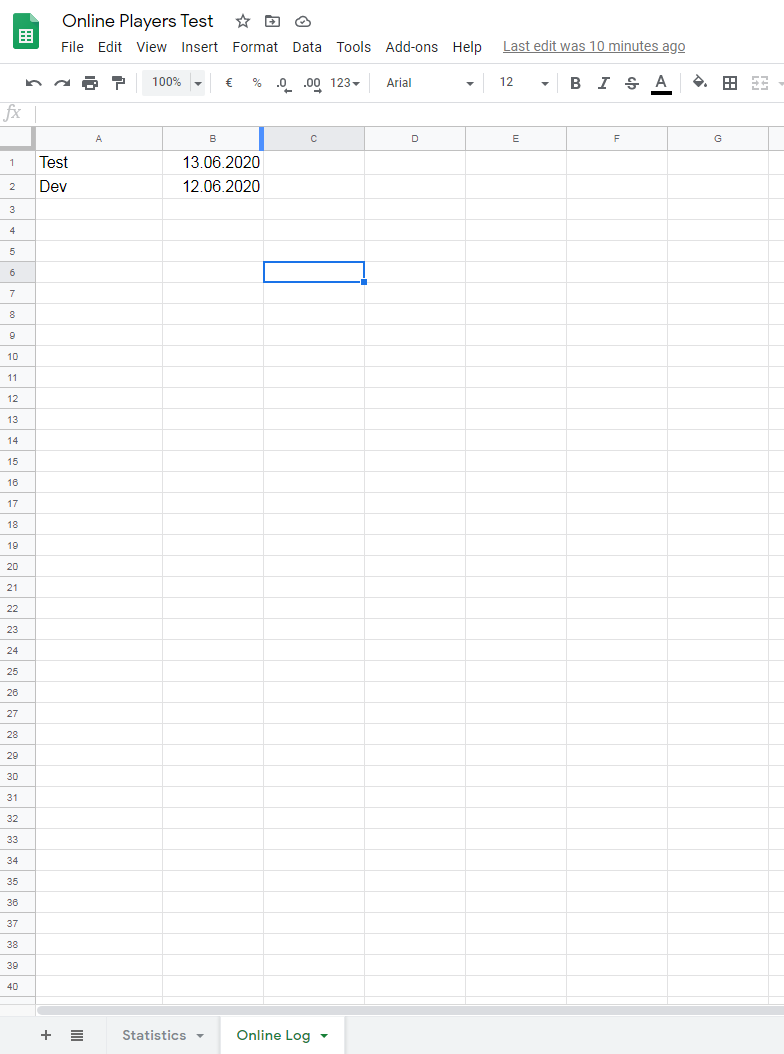
This "Example Spreadsheet" has two tabs.
In the "Online Log" tab, the "Last Played Logger" adds lines for every player joining the server. For players already joint the server, only the date will be updated.
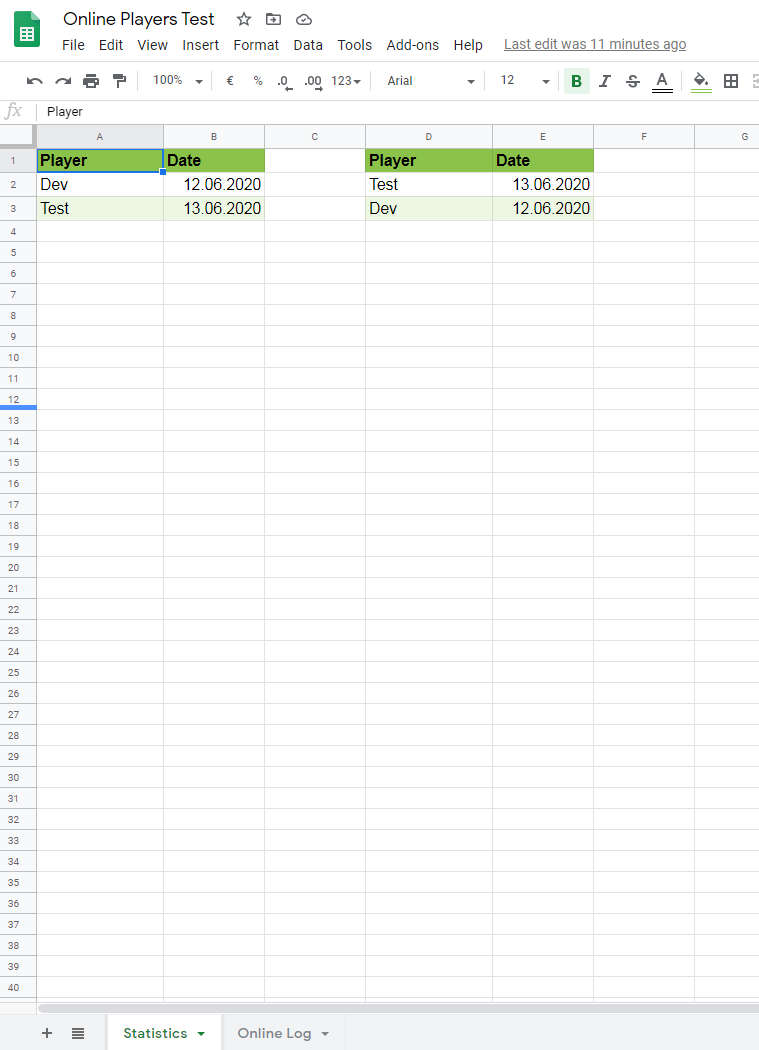
In the "Statistics" tab, you have two lists. The left list shows all players sorted by name and the right list shows all players sorted by the date. The player last online is the first player in this list.
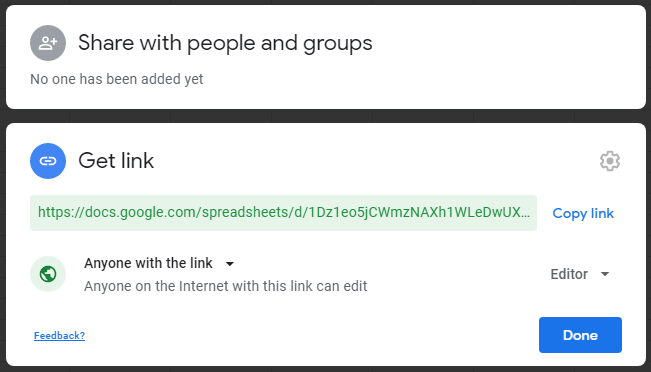
For the mod it's needed, that the spreadsheet is shared. For that you have to click onto the "Share" button.
In the Share window you have to select "Get Link" and on the right side of "Anyone with the link" you have to select "Editor".
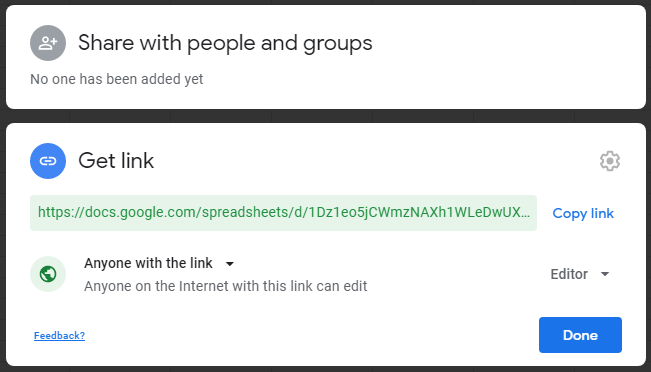
In the config, you now have to set "active" to "true" and set the "tab_name". In this example the "tab_name" has to be "Online Log".
From the URL, you have to extract the spreadsheet ID. In this example, the spreadsheet ID is "1dcoWy1ZOCEzf9wSqpsd731MKr8rBsazUVuUYafF4nzA".

What is to do on the first launch
When you have finished the config and done all previous steps, it gets to the first launch and the authentication of the server/mod.
Important: The first launch of the server has to be on your local desktop pc. During the following steps don't stop the server.
After you launched the server and a player joined, you find in the log a link with the following lines:
Please open the following address in your browser:
*https://accounts.google.com/o/oauth2/auth?access_type=offline&client_id=…*
*Attempting to open that address in the default browser now…*
Maybe the link is opened by your default browser automatically. If not, copy the link to your browser and open it.
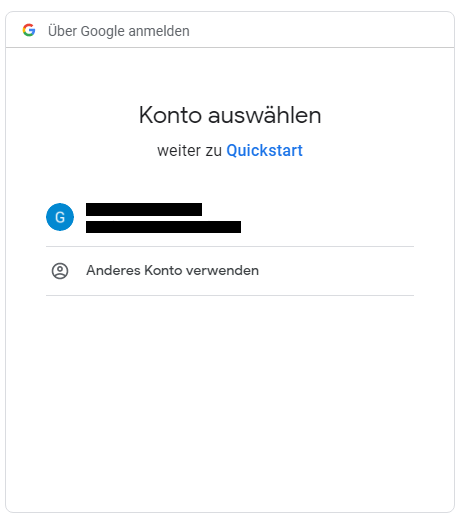
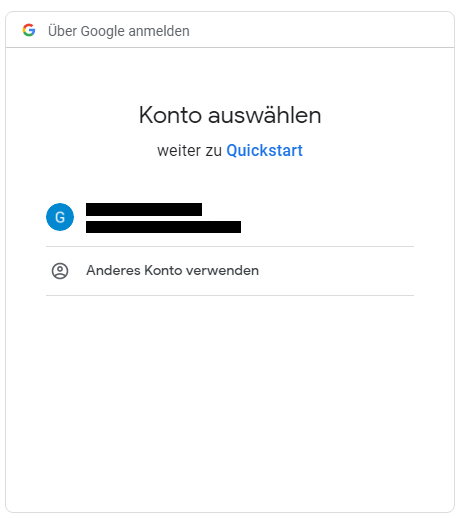
It opens a website where you have to choose the Google account, from the owner of the spreadsheet.
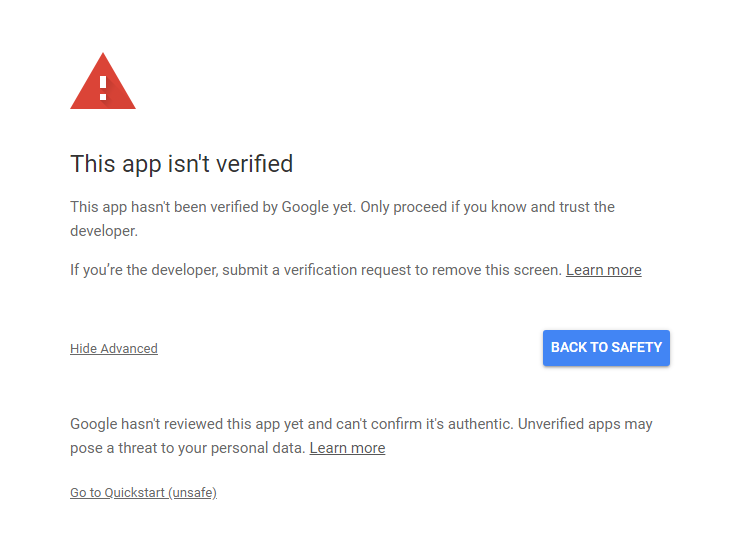
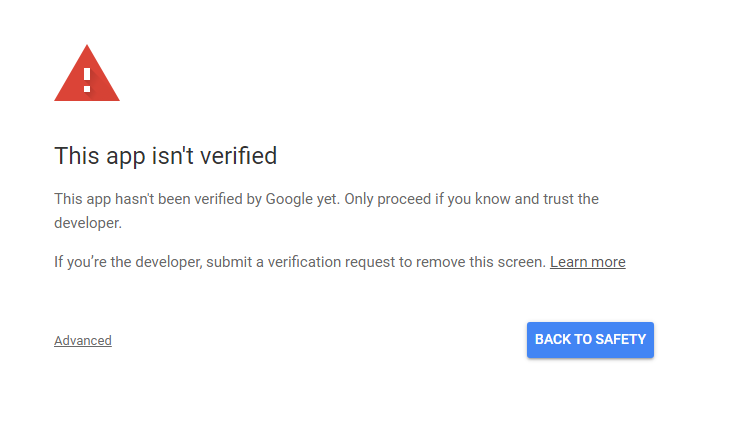
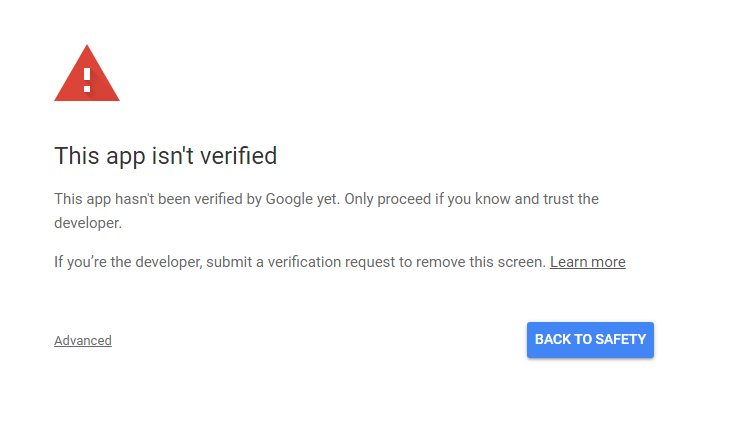
Next, there opens a warning because your project on which the application is running is not verified. You can ignore the warning and click "Advanced".
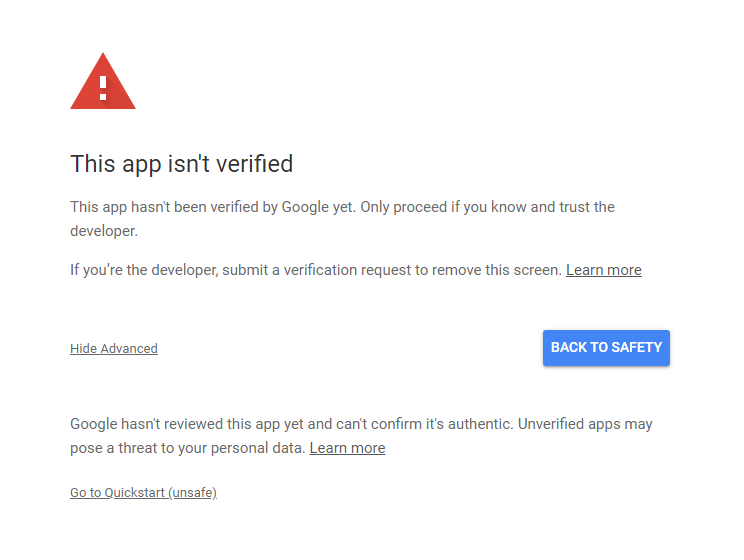
Next, you click on "Go to Quickstart"
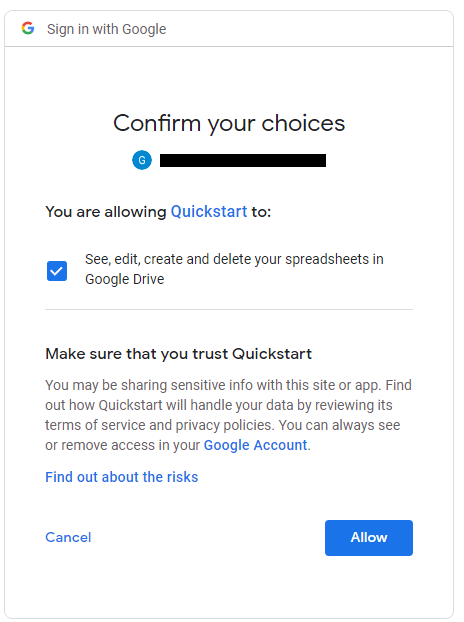
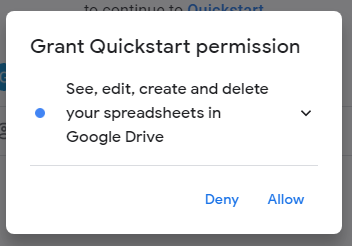
After that, a permission request is showing up, that wants to access your spreadsheets. "Allow" clicking will grant this permission.
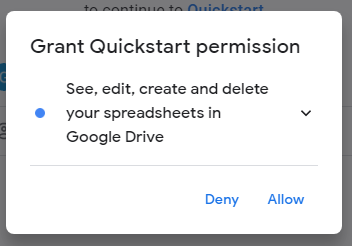
This permission request has to be confirmed.
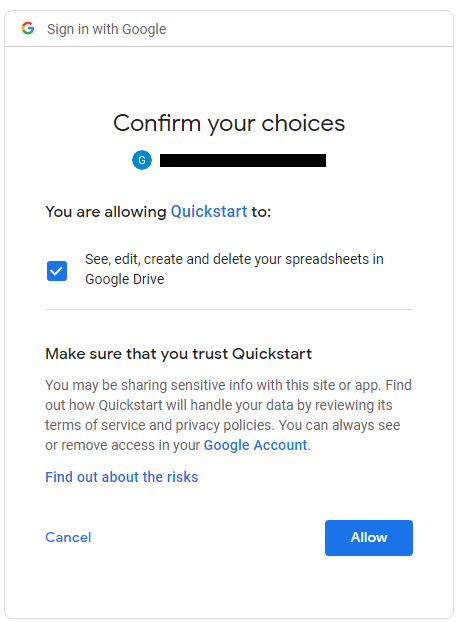
If you grant the permission and confirmed it, the "Last Played Logger" will work and add players to your spreadsheet.
If you want to enlarge the formatted area, here is a tutorial: https://spreadsheetpoint.com/color-alternate-rows-google-sheets/
Thanks for the logo to Muse31.
You can use this mod in non-commercial modpacks without asking.
You can find more mods from me on CurseForge and Modrinth.

- Edition: Minecraft Java
- File type: .jar
- Minecraft versions listed: 1.21.1, 1.21.8, 1.21.5
- How to install: Install the matching mod loader (Forge, Fabric or NeoForge) for your Minecraft version. → Download the .jar. → Put it in the .minecraft/mods folder and launch that loader profile.
- Where to get it: Opens on CurseForge — not every file is mirrored on our own servers.
Install steps are the general flow for this file type — How to install Minecraft Java mods & modpacks walks through it step by step.
- Ships as LastPlayedLogger-1.21.1-2.0.1.jar — drop this file into the mods folder
- Download size: 1.4 MB
- Download link checked 14 Oct 2026 — working
These come from our own check of the pack file, not from the source page.