Filters Reborn
Java mod listed for Minecraft 1.16. Downloads from the MC Java Mods app on Android.
⬇ Download on CurseForgeThe author built this one for Minecraft 1.16.1 on Forge. On other versions it may install and then do nothing.
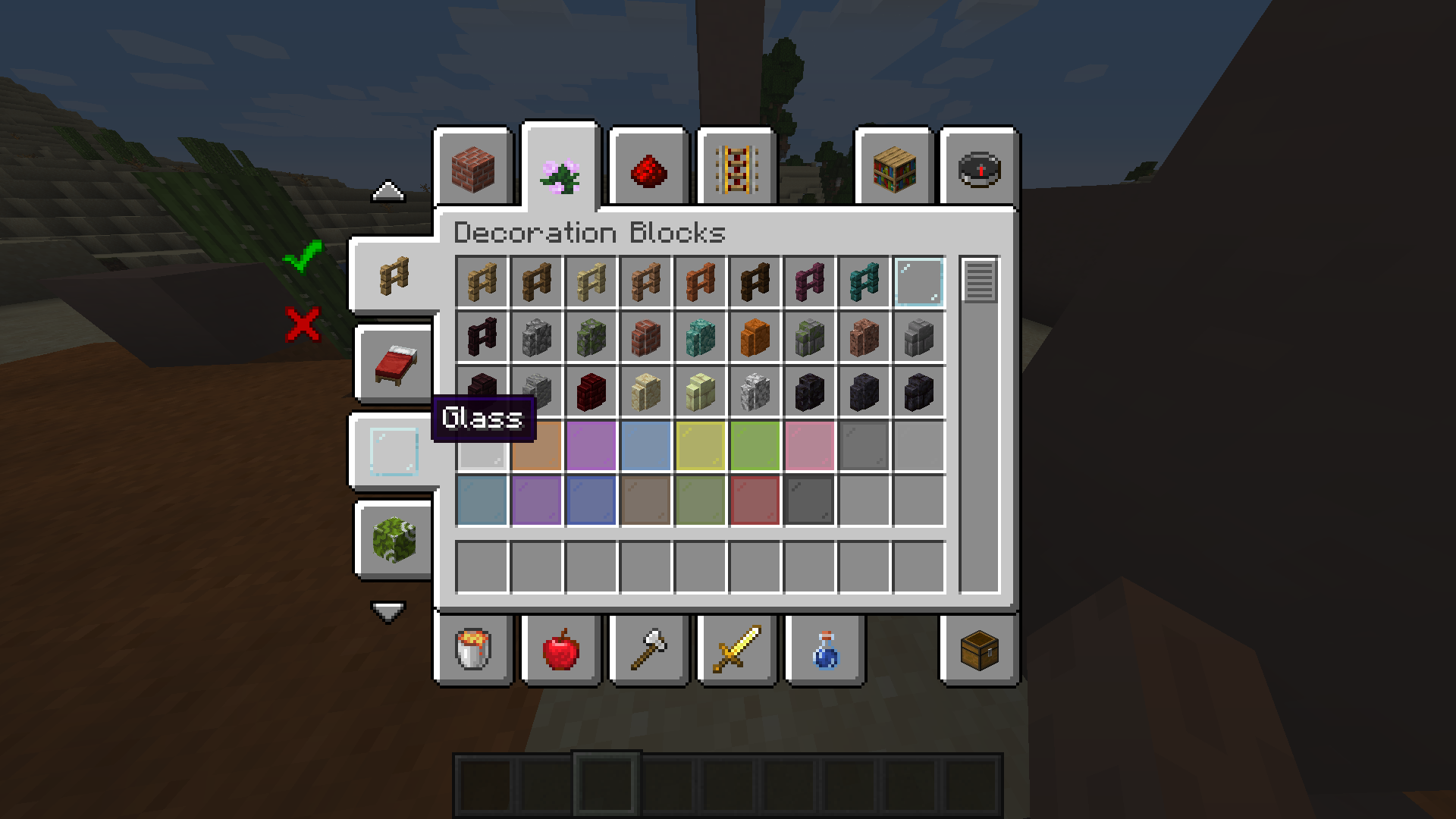
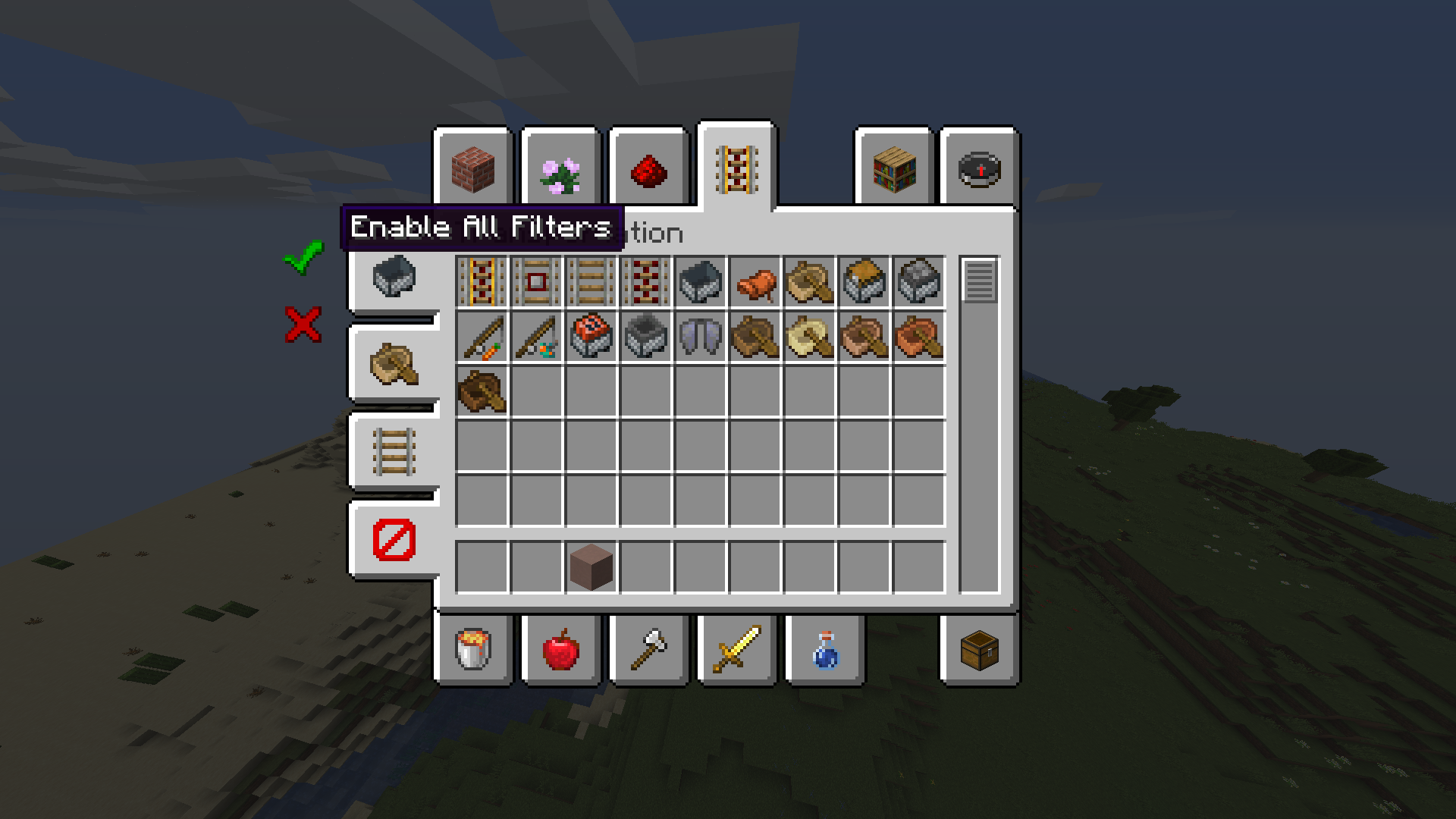
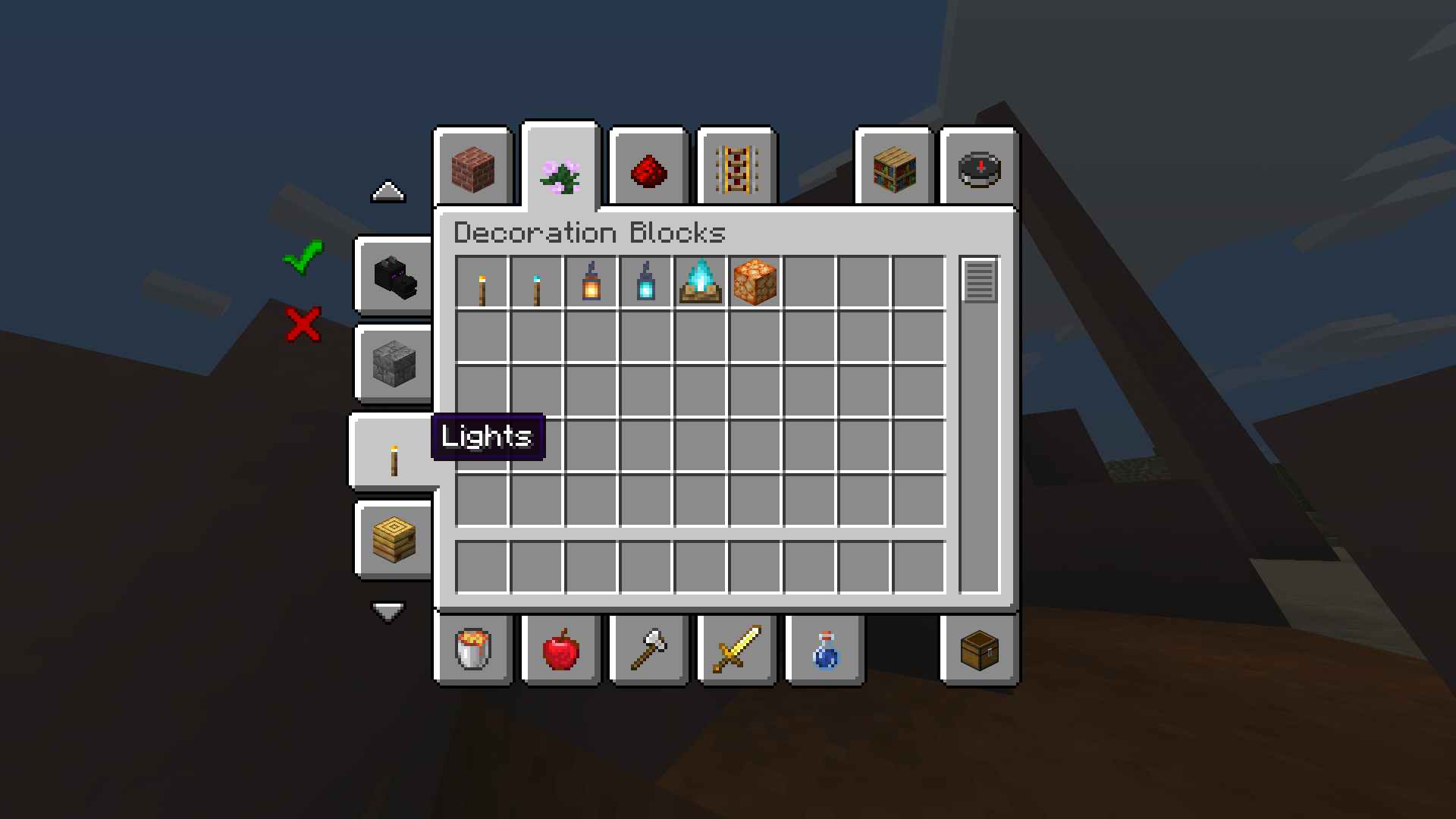
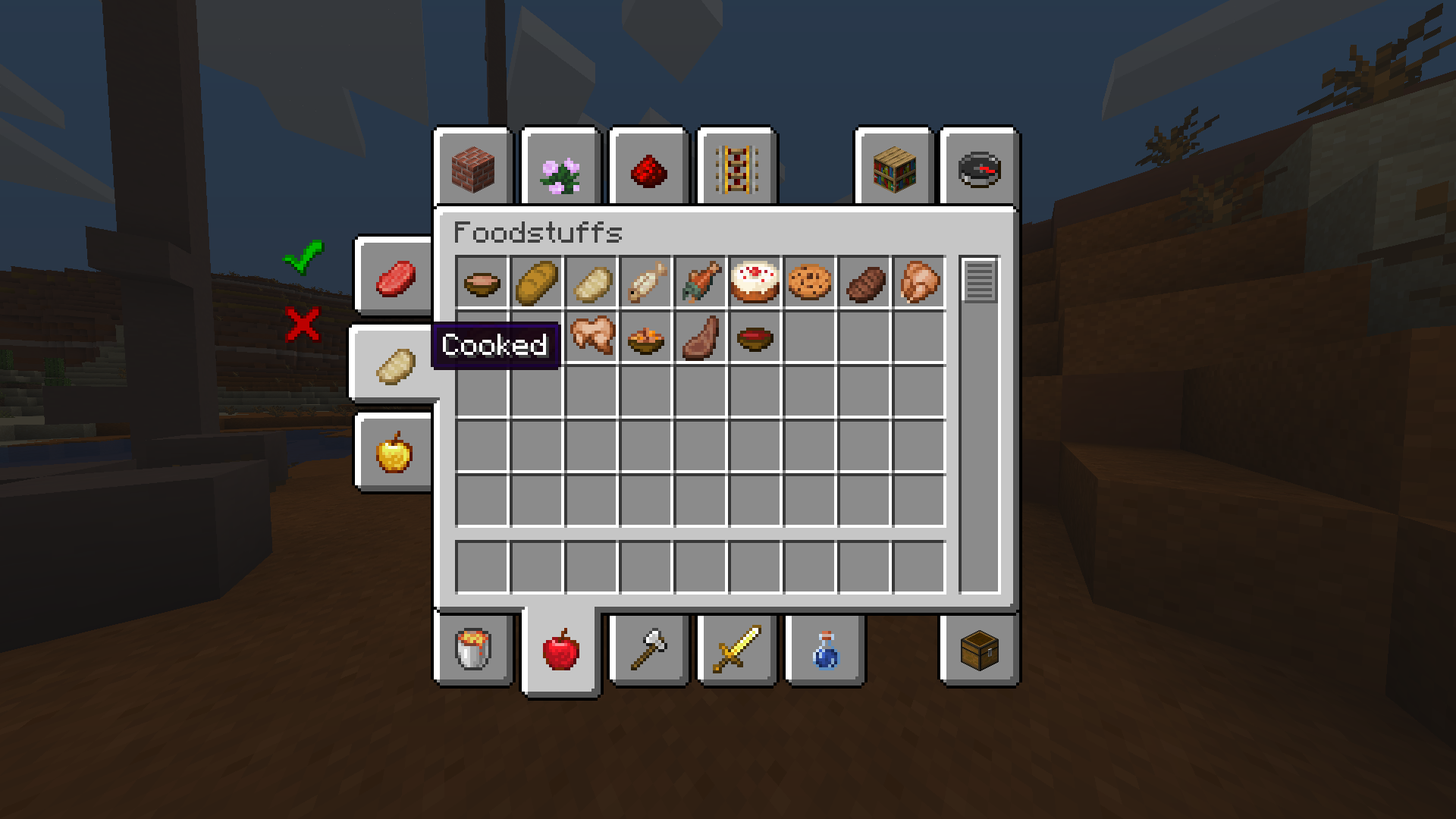

Filters Reborn
📖 About:
Filters Reborn is a continuation of the Filters Mod originally by MrCrayfish:
Filters introduces filters into the Creative GUI based on tags introduced in Minecraft 1.13. Although creative groups exist, some contain hundreds of items which can make it difficult to locate a specific item. Filters makes it easy to find an item by adding new filter tabs to the left side of the creative screen that allow you to limit the items shown based on the category they fall under. It also uses the new Minecraft tags which makes it easily for players to change them around easily using a resource pack. Mod developers get access to register custom filters for their own mod.. Originally this filter system was an exclusive to MrCrayfish's Furniture Mod however he decided to make it not only a seperate mod because of it's useful functionality.
© Credits:
All Credits of this mod and parts of this description go to MrCrayfish!
✅ Features:
- Pre-configured filters for vanilla creative tabs
- Support to override tags via resource packs
👨💻 Developers:
If you are a developer and want to add filters reborn support to your own mod, add this to your build.gradle file:
repositories {
maven {
url = "https://www.cursemaven.com"
}
// [....OTHER REPOSITORIES SUCH AS JEI...]
}
dependencies {
// [..... OTHER DEPENDENCIES ...]
compile fg.deobf("curse.maven:fm-397288:FILE_ID")
}
Replace FILE ID with one of the following id's:
- 1.16.X: 3026863
- Edition: Minecraft Java
- File type: .jar
- Minecraft version listed: 1.16.1
- How to install: Install the matching mod loader (Forge, Fabric or NeoForge) for your Minecraft version. → Download the .jar. → Put it in the .minecraft/mods folder and launch that loader profile.
- Where to get it: Opens on CurseForge — not every file is mirrored on our own servers.
Install steps are the general flow for this file type — How to install Minecraft Java mods & modpacks walks through it step by step.
- Ships as filters_reborn-1.0.1-1.16.1.jar — drop this file into the mods folder
- Download size: 51 KB
- Download link checked 14 Oct 2026 — working
These come from our own check of the pack file, not from the source page.