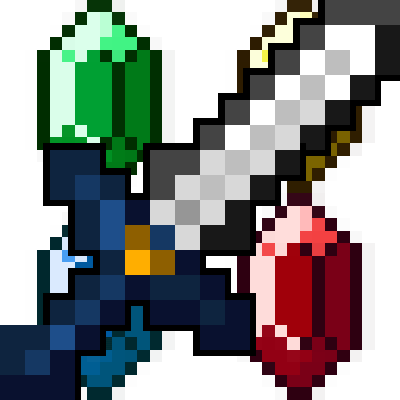
The Legend Of Zelda Mod
Minecraft Java mod. Downloads from the MC Java Mods app on Android.
⬇ Download on CurseForgeWHATS IN THE MOD
Added Enemies such as Bokoblins, Blue Chuchus, Red Chuchus, and Gorons.
Also added Goron biomes.
Adds a blue tree biome to the game.
Adds Green/Blue/Red/Yellow/Purple/Orange/Silver Rupees.
Adds Link Armor.
Adds Goron Armor.
Adds Zora Armor.
Adds Master Sword.
HOW TO GET RUPEES
Killing Animals/Mobs will give Green or Blue Rupees.
Breaking Grass will give Blue or Green Rupees.
HOW TO GET OTHER LEVELS OF RUPEES
5 green rupees into 1 Blue Rupee.
2 Blue Rupees into 1 Red Rupee.
2 Red Rupees into 1 Yellow Rupee.
2 Yellow Rupees into 1 Purple Rupee.
2 Purple Rupees into 1 Orange Rupee.
2 Orange Rupees into 1 Silver Rupee.
HOW TO GET THE MASTER SWORD
The master sword can be crafted using 2 silver rupees and 1 diamond in a crafting table.
HOW TO GET LINK ARMOR
Silver Rupees in the formation of any piece of armor in the game.
HOW TO GET GORON ARMOR
Link armor surrounded by Red Chuchu Jelly
HOW TO GET ZORA ARMOR
Link armor surrounded by Blue Chuchu Jellly
- Edition: Minecraft Java
- File type: .jar
- How to install: Install the matching mod loader (Forge, Fabric or NeoForge) for your Minecraft version. → Download the .jar. → Put it in the .minecraft/mods folder and launch that loader profile.
- Where to get it: Opens on CurseForge — not every file is mirrored on our own servers.
Install steps are the general flow for this file type — How to install Minecraft Java mods & modpacks walks through it step by step.
- Ships as TheLegendOfZeldaModV1.0.jar — drop this file into the mods folder
- Download size: 178 KB
- Download link checked 14 Oct 2026 — working
These come from our own check of the pack file, not from the source page.