Better FPS Graph
Java mod listed for Minecraft 1.16. Downloads from the MC Java Mods app on Android.
⬇ Download on CurseForgeThe author built this one for Minecraft 1.16–1.16.3 on Forge. On other versions it may install and then do nothing.
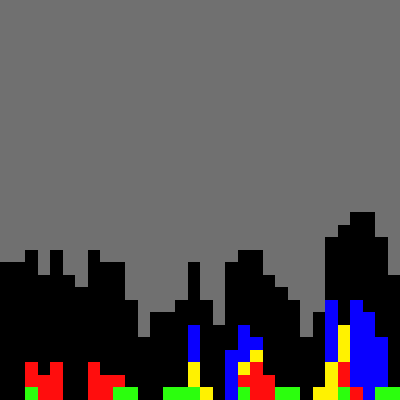
What this mod does, is it makes the FPS graph show what's causing the lag, through the usage of colors. This is useful for debugging laggy mods, that have added integration for this.
Icon is an example of what it might look like.
Green represents the render time of the graph itself, black is unknown, the rest of the colors are up to the devs.
Implementation:
buildscript {
    repositories {
        ...
        maven { url "https://plugins.gradle.org/m2/" }
    }
    dependencies {
        ...
        classpath "com.wynprice.cursemaven:CurseMaven:2.1.4"
    }
}
apply plugin: "com.wynprice.cursemaven"
dependencies {
 ...

 compile fg.deobf("curse.maven:better-fps-graph:[version_file_id]")
}
- Edition: Minecraft Java
- File type: .jar
- Minecraft versions listed: 1.16.3, 1.16.1, 1.16
- How to install: Install the matching mod loader (Forge, Fabric or NeoForge) for your Minecraft version. → Download the .jar. → Put it in the .minecraft/mods folder and launch that loader profile.
- Where to get it: Opens on CurseForge — not every file is mirrored on our own servers.
Install steps are the general flow for this file type — How to install Minecraft Java mods & modpacks walks through it step by step.
- Ships as better_fps_graph-1.16.jar — drop this file into the mods folder
- Download size: 13 KB
- Download link checked 14 Oct 2026 — working
These come from our own check of the pack file, not from the source page.