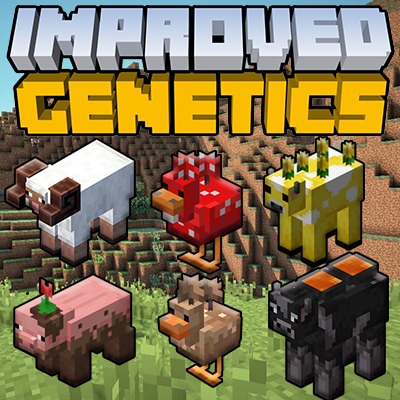
Improved Genetics
Java mod listed for Minecraft 1.16–1.21. Downloads from the MC Java Mods app on Android.
This mod basically adding DNA mechanic for every Living Entity and let users to create modified offsprings for their entities via custom machines.
I don't know my version or loader
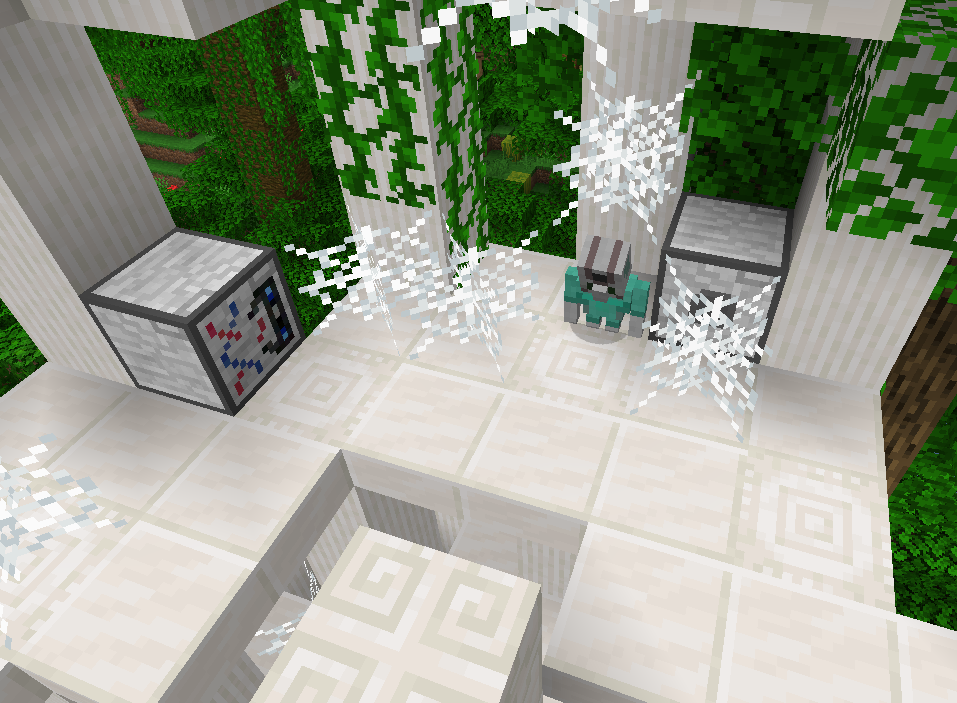
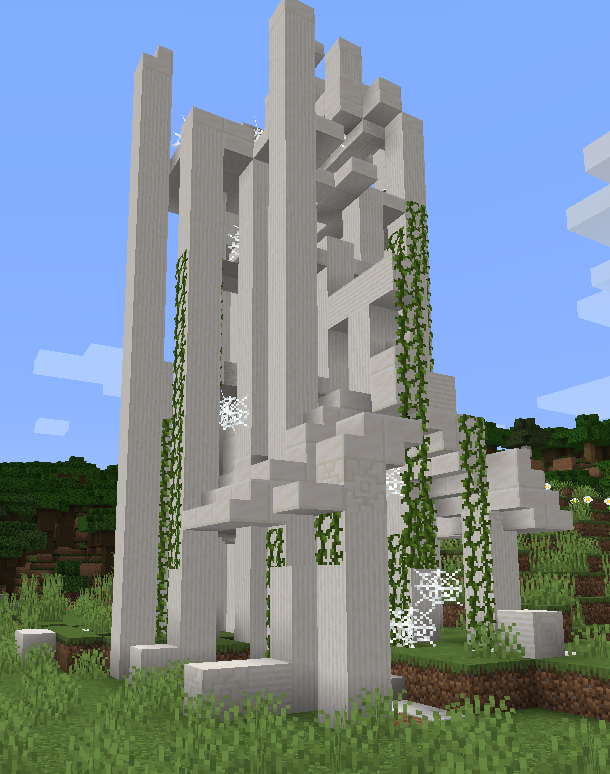
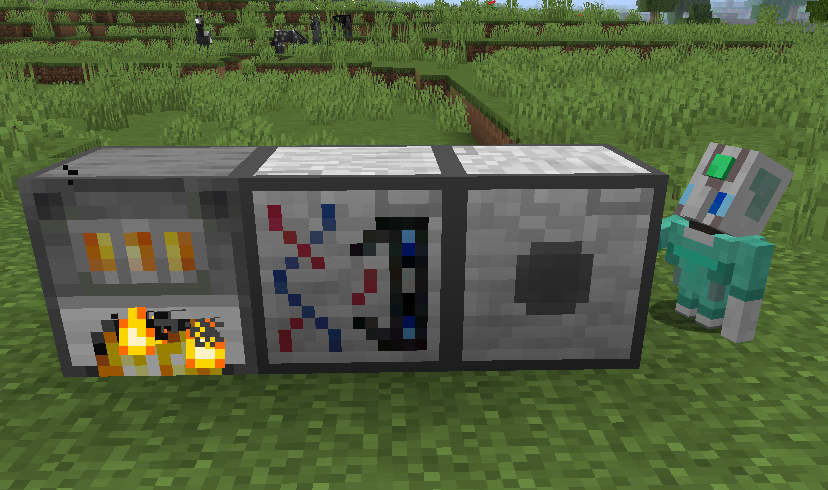
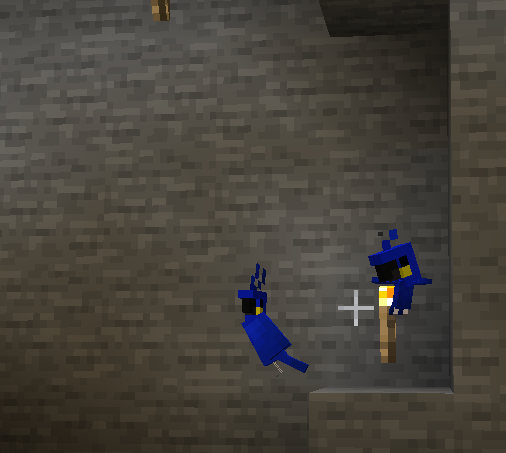

This mod adds a full DNA mechanic for living entities, letting you create modified offspring through a set of custom machines. It also introduces several new mobs and features inspired by Minecraft Earth.
🌍 Translations:
- English (default)
- Turkish: CreepSkeet
- Russian: kazmurenko
- Polish, Portuguese (BR), Spanish, Arabic, Chinese (Simplified): machine-translated with AI*
*The AI-assisted translations may contain mistakes. Corrections are very welcome!
🧪 DNA Mechanic
Every entity carries genetic values that define it: max health, movement speed, drop counts, appearance, and more. The only way to reveal an entity's genes is to extract and analyze its DNA. With the DNA Editor you can customize your own creatures, or you can clone them directly with the Cloning Machine. To customize a trait, you first need to find the specific gene that controls it.
🌱 Breeding
Breeding is a core part of the mod. Since you can't find every gene in nature, you need to breed species to push their genes further. (The Health Multiplier and Speed Modifier genes are the clearest example of this.)
🧫 DNA & Genes
Genes fall into two groups: core genes and additional genes. Core genes exist on every living entity. Additional genes are specific to certain entity types.
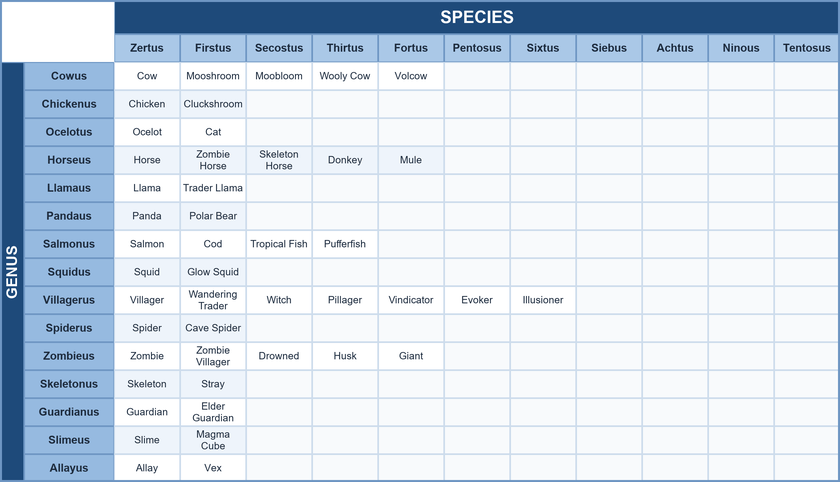
Any mob not listed in this page has just one species. For example, a Rabbit is always Rabbitus Zertus; there is no Rabbitus Firstus.
🧬 Core Genes
Genus Genus is the base of the DNA and cannot be changed. All entities have a scientific name made of a genus and a species. For example, a sheep's scientific name is Sheepus Zertus. If you want a Cowus genus DNA, you must get it from an entity that belongs to the Cowus genus: a Cow, Mooshroom, Moobloom, or Volcow.
Species Species determines an entity's identity. Genus and species are interrelated. By editing DNA you can change the species of the offspring, but never its genus. Consider a DNA with genus Cowus and species Zertus: because its species is Zertus, it's a vanilla Cow. Change the species from Zertus to Firstus and that same Cow DNA will produce a Mooshroom.
Health Multiplier An integer that determines an entity's maximum health. For example, a sheep's default max health is 8. If its Health Multiplier is 11, its max health becomes Default Max Health × 11/10 = 8 × 11/10 = 8.8 (10% more health than a standard sheep). In nature, Health Multiplier ranges from 8 to 12; through breeding this range widens to 6 to 20. To calculate the offspring's Health Multiplier, the average of the parents' values is taken and then multiplied by either 0.9 or 1.1 (50% each). Any decimal part is discarded. Example: Parent A = 12 and Parent B = 12. The offspring has a 50% chance of ((12 + 12)/2) × 0.9 = 10.8 → 10, or a 50% chance of ((12 + 12)/2) × 1.1 = 13.2 → 13. A Health Multiplier of 13 can't be found in nature, only obtained through breeding.
Speed Modifier An integer that increases or decreases movement speed. For example, a Chicken's default movement speed is 0.25. If its Speed Modifier is +2, its speed becomes Default Speed + Speed Modifier/100 = 0.25 + 2/100 = 0.252. In nature, Speed Modifier ranges from -2 to +2; through breeding it extends to -5 to +5. To calculate the offspring's Speed Modifier, the average of the parents' values is taken, then there is a 33% chance it is increased by 1, decreased by 1, or left unchanged. Any decimal part is discarded. Example: Parent A = -2 and Parent B = -2. The offspring has a 33% chance of ((-2-2)/2) = -2, or ((-2-2)/2) + 1 = -1, or ((-2-2)/2) - 1 = -3. A Speed Modifier of -3 can't be found in nature, only obtained through breeding.
Drop Multiplier An integer that determines drop counts. It's either 1 (default) or 2 (very rare). A Drop Multiplier of 2 doubles the entity's drops (great for mob farms). Drop Multiplier only affects death loot.
Can Breed Determines whether the entity is able to breed at all.
🧬 Additional Genes
- Variant: Determines the skin of the entity. Exists on parrots, rabbits, horses, llamas, cows, sheep, frogs, and more.
- Normal Max Health: Exists on horse, llama, donkey, mule, zombie horse, skeleton horse, and trader llama. Because these mobs use vanilla health inheritance, this gene stores the base value used to calculate the offspring's health. The Health Multiplier is applied on top of this value.
- Normal Speed: Same mobs as above. Stores the base movement speed used for offspring calculation; the Speed Modifier is applied on top of it.
- Jump Strength: Same mobs as above. Stores the base jump strength used for offspring calculation.
- Strength: Present on creepers and llamas. On llamas it sets the number of chest slots; on creepers it sets the explosion radius. The default vanilla creeper strength is 2, and in nature you'll only find creepers with a strength of 2. To change a creeper's explosion radius, take a different strength gene from a llama.
- Main Gene: Stores a panda's main gene. Also present on polar bears (same genus) but has no effect there.
- Hidden Gene: Stores a panda's hidden gene. Also present on polar bears (same genus) but has no effect there.
- Markings: Affects horse markings, sheep fur types (not color), tropical fish patterns, and more.
- Size: Determines the size of tropical fish.
- Color: Affects the color of dyeable entities such as sheep, goats (this mod makes goats dyeable), and the pattern color of tropical fish.
- Horned: Present on goats, sheep, and llamas. Determines whether the mob has horns (true/false). Only goats carry the "true" gene in nature; add it to a sheep or llama to make a horned sheep or horned llama.
- Exotic: Present on chickens only (true/false). A newborn chicken has a ~0.3% (1 in 333) chance to be exotic. The Exotic gene is inherited only through seed breeding; eggs never pass it on. An exotic chicken has a crest and tail, like the fancy chicken from Minecraft Earth.
🐃 Mobs
New mobs and new vanilla variants are listed below. Not every possible combination is shown; there are far too many, so explore and discover the rest yourself!
Sheep
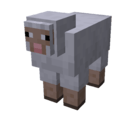
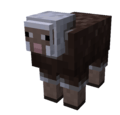
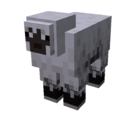
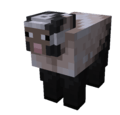
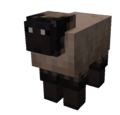
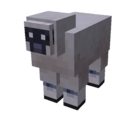
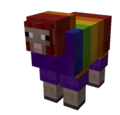
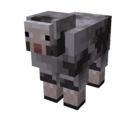
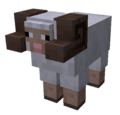
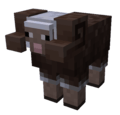
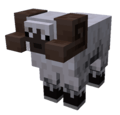
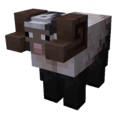
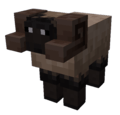
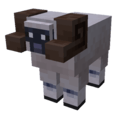
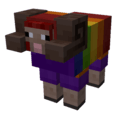
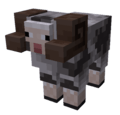
Sheep have 4 additional genes. By combining them you can create 8 × 8 × 16 × 2 = 2048 unique sheep!
- Variant: the sheep's skin variant. Range: [0-7]
- Markings: the fur variant. Range: [0-7]
- Color: the sheep's color; works even when the sheep has a fur variant. Range: [0-15]
- Horned: whether it has horns. [true, false]
For reference:
- Vanilla Sheep (Variant: 0, Markings: 0)
- Flecked Sheep (Variant: 1, Markings: 1)
- Fuzzy Sheep (Variant: 2, Markings: 2)
- Inky Sheep (Variant: 3, Markings: 3)
- Long Nosed Sheep (Variant: 4, Markings: 4)
- Patched Sheep (Variant: 5, Markings: 5)
- Rainbow Sheep (Variant: 6, Markings: 6)
- Rocky Sheep (Variant: 7, Markings: 7)
- Example combination: a Flecked sheep with the Fuzzy fur pattern (Variant: 1, Markings: 2). To make it pink, add a Color: 6 gene.
⚠️ Dropped wool color is defined by the Color gene; fur marking genes don't affect wool color.
⚔️ Horned sheep are not harmless. A horned sheep defends itself: when attacked it becomes enraged, alerts nearby sheep, and rams its target with its horns, chasing down players and mobs alike. Breed or edit horns onto your sheep at your own risk.
Drops:
- Normal sheep drops, plus 2 horns if the sheep is horned.
Cow
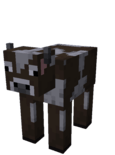
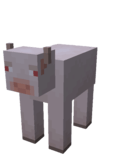
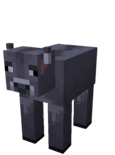
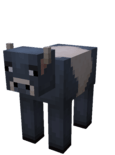
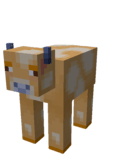
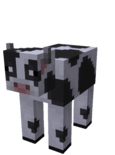
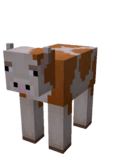
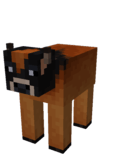
There are several cow variants (Variant: 0-7).
Moobloom
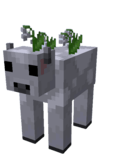
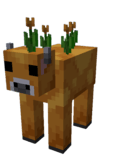
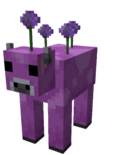
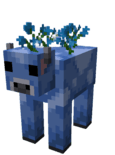
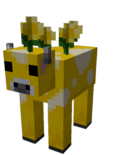
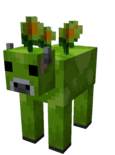
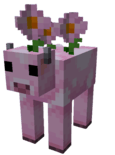
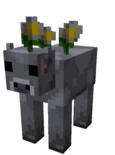
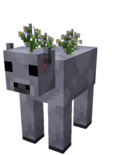
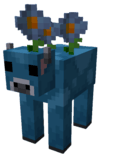
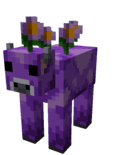
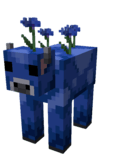
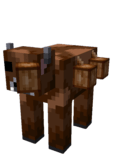
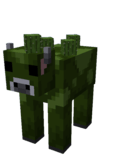
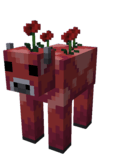
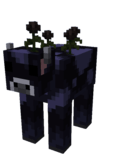
Variants 0-15. Spawns rarely in forest biomes, and can be obtained more easily by editing a cow's DNA. You can shear mooblooms (they drop a variant flower and regrow it when they eat grass). They leave a trail of their variant flowers as they walk. Right-click one with an empty bowl to milk a suspicious stew carrying the effect of that variant's flower. Bees pollinate mooblooms just like flowers and follow them around while doing so. When lightning strikes a moobloom, its variant shifts to the next one. In nature, variants 12 (Brown), 13 (Green), 14 (Red), and 15 (Black) don't spawn; they can only be obtained through the lightning-strike transformation.
Drops:
- 0-2 Leather
- 1-3 Raw Beef
- 0-1 Variant Flower
Wooly Cow
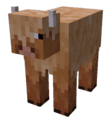
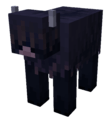
Variants 0-1. Aside from being shearable, the Wooly Cow behaves exactly like a normal cow.
Volcow
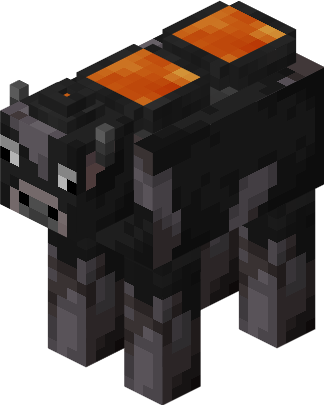
A new cow type that produces lava. Spawns rarely in Crimson and Warped Forests. It carries two small volcanoes on its back, each holding half a bucket of lava. When both are full, right-click it with an empty bucket to take a bucket of lava. It refills its volcanoes by eating grass (like a sheep), and needs to eat twice to fill up completely. When full, its lava glows in the dark. Volcows are fire-immune, and because they're so heavy they take reduced knockback. Right-click with an empty bowl to milk a suspicious stew that grants Fire Resistance (5s).
Drops:
- 0-2 Basalt
Chicken


Exotic: True


Variants 0-7, each available in normal and Exotic forms. Exotic genes are not inherited by laying eggs, but can be passed on through breeding with seeds. Every variant lays its matching variant egg.
Cluckshroom
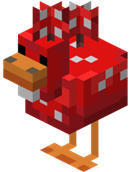
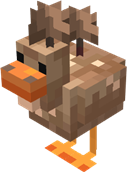
Variants 0-1. Doesn't spawn naturally; only obtainable by editing a chicken's DNA. Cluckshrooms seek out dark areas; caught in direct sunlight, a cluckshroom panics and runs around wildly until it's back in shade. Shear it like a mooshroom to make it drop mushrooms of its variant (red/brown) and revert to a normal chicken. They leave a trail of their mushrooms as they walk, and lay mushroomed eggs (red/brown). Throwing a mushroomed egg at an entity that has a mushroom form triggers a metamorphosis matching the egg's type.
Drops:
- Mushroom
- Raw Chicken
- Feather
Pig


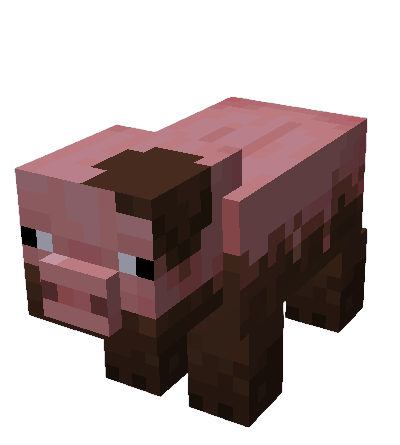
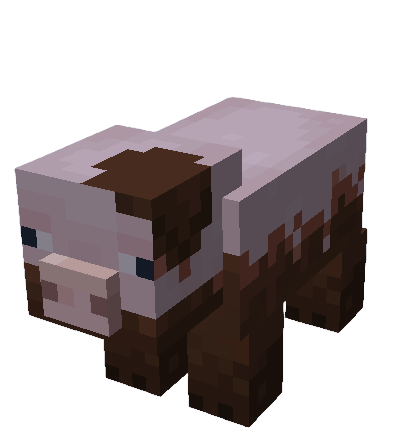
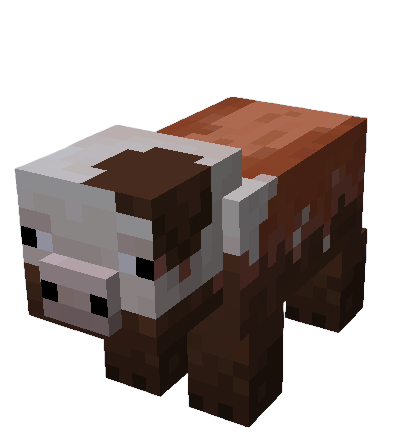
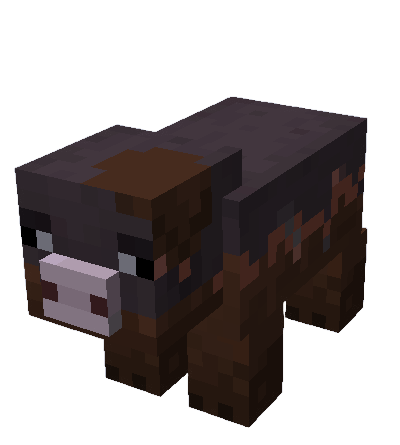
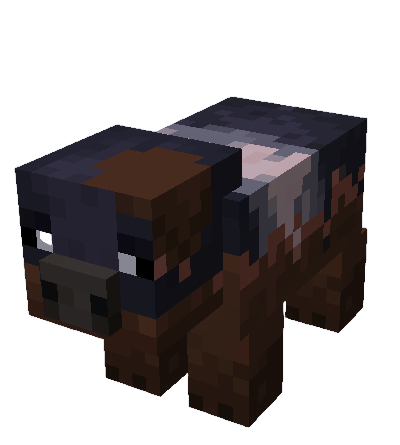
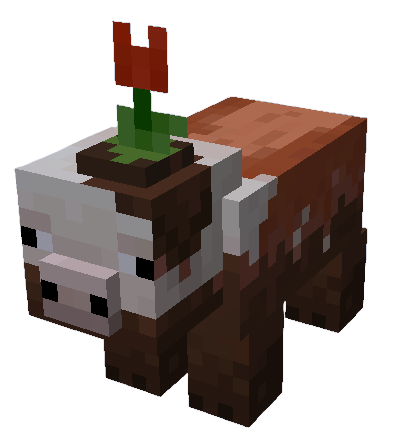
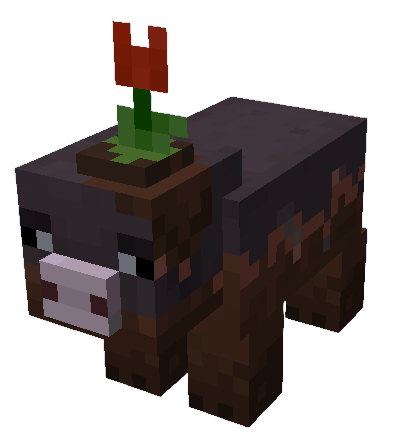
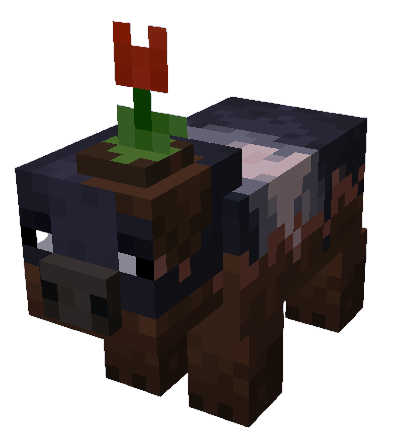
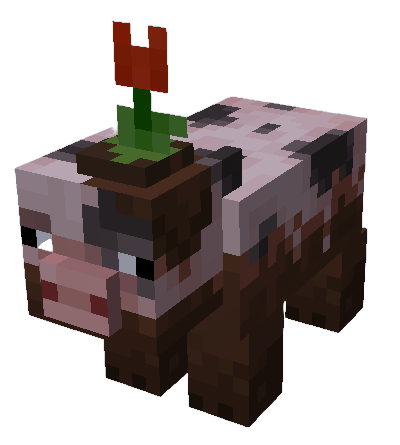
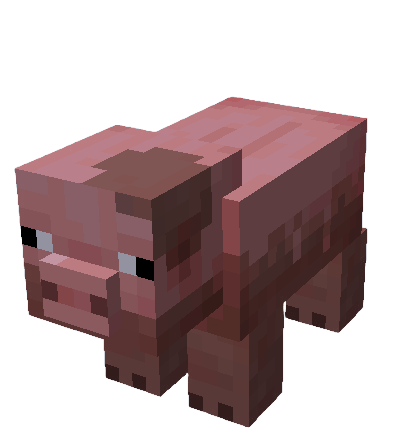
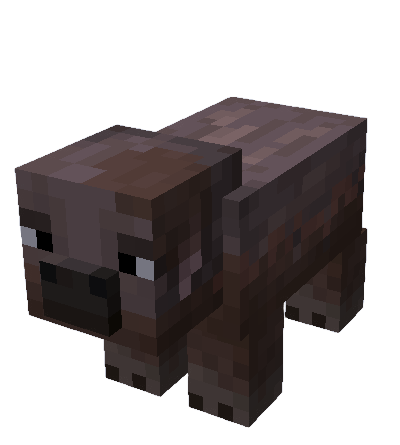
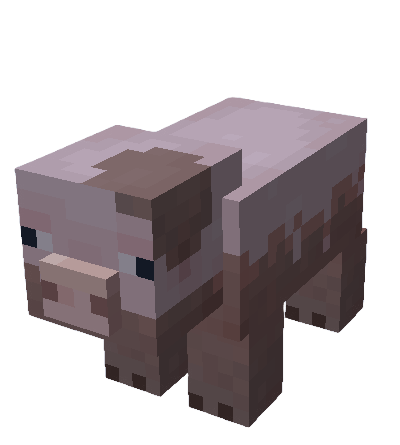
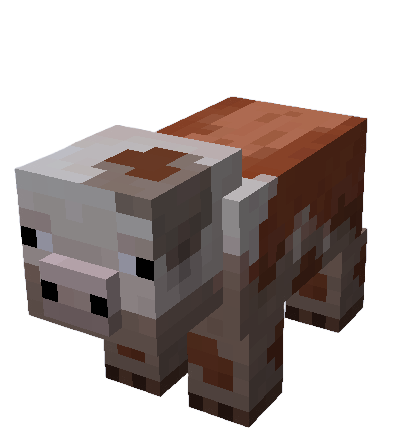
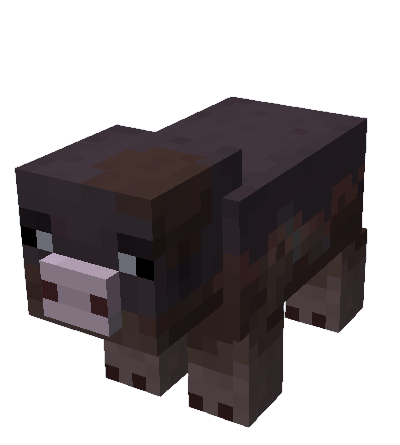
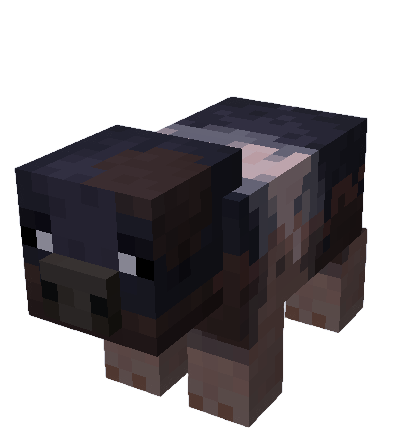
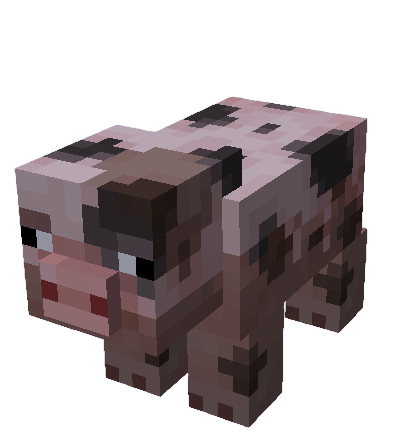
Variants 0-6. See Mud below for muddy pig behavior.
Muddy States:
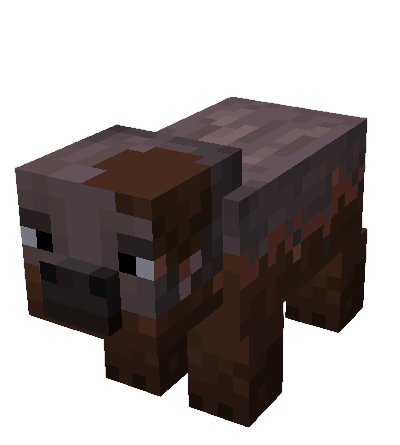
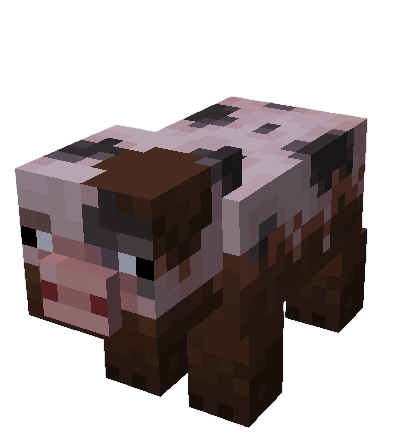
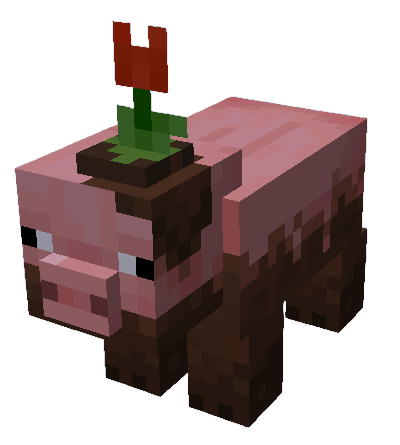
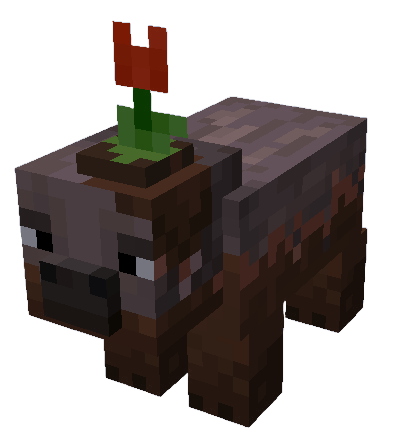
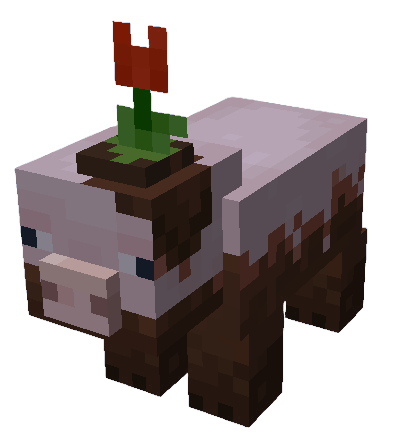
Dried States:
🟤 Mud (fluid)
Poured from a Bucket of Mud, mud is a thick fluid that doesn't generate naturally. It's dense and slows anything wading through it, fogs your view heavily while you're submerged, and drips from ledges. Pouring mud onto lava (or lava onto mud) turns it into dirt.
When pigs see mud, they run into it and cover themselves. Each pig variant has its own muddy version, and muddy pigs have a chance to sprout a flower on their head. Muddy pigs move faster than dry or normal pigs. Left out of the mud for a while they dry off, and touching water washes them clean.
Llama
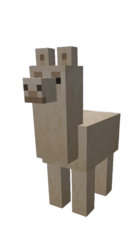
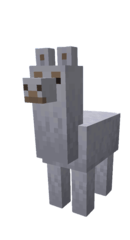
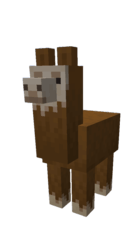
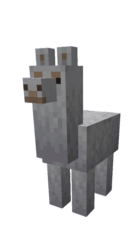
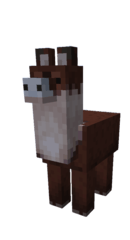
Horned: True
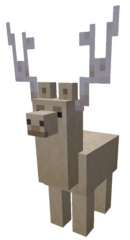
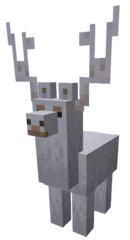
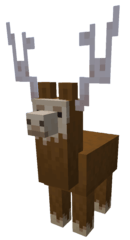
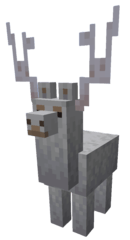
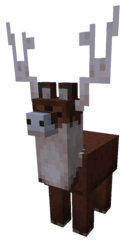
Variants 0-4, each also available with Horned: True. The same variants apply to trader llamas. Horned genes come from goats and can be applied to llama offspring through DNA editing; horned llamas don't spawn naturally.
Baby Parrot


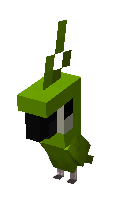

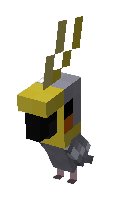
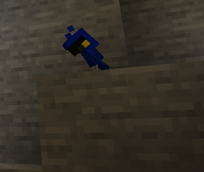
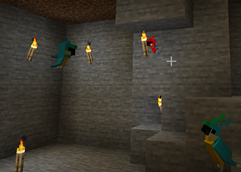
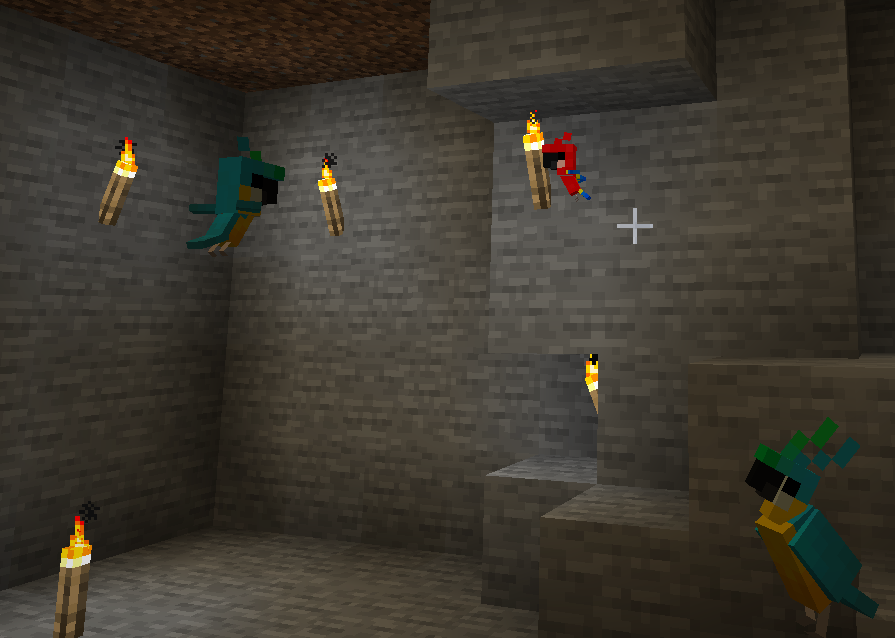
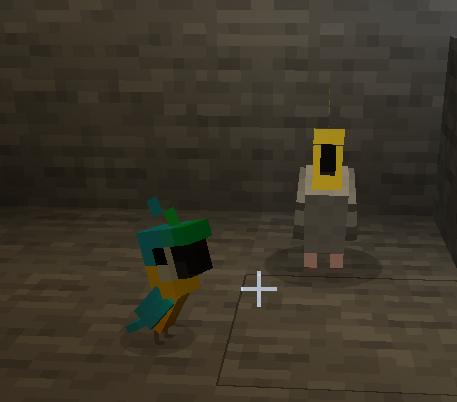
Parrots are now breedable: feed them apples to breed.
Genebot


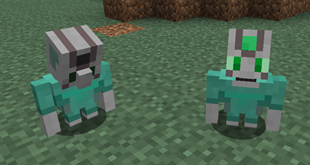
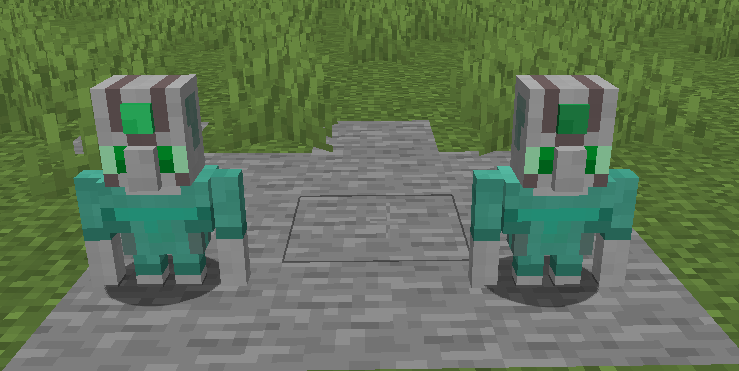
Genebots are mysterious technician robots found only in Lab Ruins, in a deactivated state. They run on emeralds: right-click one with an emerald to activate it and have it follow your commands. An active Genebot can be deactivated by right-clicking it with a knife, dropping its emerald. Once deactivated you no longer own it, and whoever feeds it an emerald next becomes its owner.
Genebots are required to activate Connection Blocks for the DNA Editor. To connect a Genebot to a Connection Block, give it a connection card holding a valid position (sneak + right-click to hand over a card), then right-click to issue the connect command.
DNA Editor Setup:
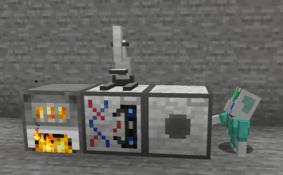
Genebots can also automate cell extraction with a microscope: give the Genebot a microscope card (holding the input, output, and microscope positions) and issue the command.
💬 Reading a Genebot: A working Genebot shows a chat bubble above its head displaying what it currently needs or is doing: a required item, a question mark when it's stuck or waiting, and so on. Watch the bubble to diagnose a stalled automation setup.
An idle Genebot (no command) has a darker emerald; once you give it a command the emerald brightens. If a Genebot holds a card, sneak + right-click with an empty hand to remove it. As robots, Genebots cannot breed and have no DNA.
Drops:
- If it was activated, it drops its emerald.
- If it holds a card, it drops that too.
📖 How-To Guides
🔬 Extracting Animal Cells (manual)
- Right-click a creature with a Knife to collect a Creature Sample.
- Combine the sample with Microscope Slides to make Microscope Slides with Sample (each holds 1 to 4 cells).
- Place a Microscope and attach a Small Lens (right-click the microscope with the lens).
- Put the slides into the microscope's slot and open its GUI. While holding Pasteur Pipette and Petri Dish, click a cell to collect an Animal Cell.
- Repeat until the sample runs out. The Animal Cell is now ready for a Cloning Machine (to clone) or a DNA Extractor (to pull its DNA).
🤖 Automating Extraction with a Genebot
- Build the station: an input chest stocked with Microscope Slides with Sample and Pasteur Pipette and Petri Dish, a Microscope, and an output chest.
- Make a Microscope Card: right-click the input chest, sneak + right-click the output chest, then right-click the microscope to store all three positions.
- Activate a Genebot with an emerald, sneak + right-click it with the card, then right-click to issue the command.
- The Genebot fetches slides and pipettes, works the microscope, and drops the finished Animal Cells into the output chest. If it stalls, check its chat bubble; it shows exactly what it needs.
💉 Items
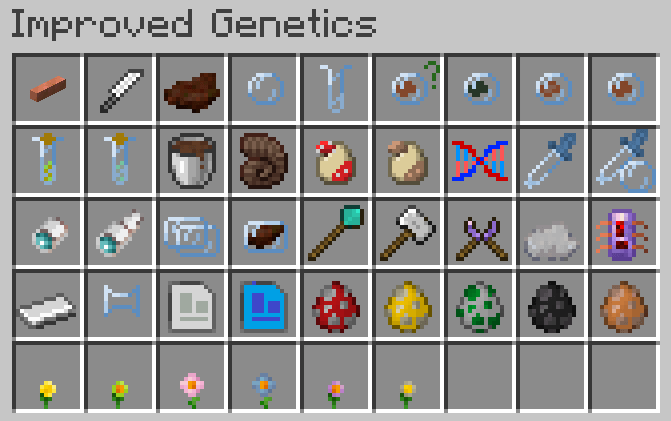
- Copper Wire: Transfers energy (FE) across a self-healing network. It both pulls power from adjacent generators/batteries and pushes it to machines, so it works with any FE mod (Mekanism, Thermal, etc.). Networks rebuild automatically as you place, break, or reload wires, leaving no ghost connections behind. ⚡ Warning: while transmitting power, wires spark and go live: touching an energized wire electrocutes any living creature, with damage scaling to how much energy is flowing, and heavy loads throw you off. (Genebots are immune; they're built for it.)
- Knife: A handy tool for collecting creature samples from entities on right-click. You can't sample a Genebot; right-clicking an active one just drops its emerald and deactivates it.
- Creature Sample: A piece of a creature, dropped when you right-click an entity with a Knife. Put it in Microscope Slides, then extract an animal cell from it using a small-lens microscope.
- Petri Dish: A basic lab tool needed by some machines and crafting recipes.
- Test Tube: A basic lab tool needed by some machines and crafting recipes.
- Unknown Animal Cell: Not implemented yet.
- Dead Cell: Not implemented yet.
- Empty Animal Cell: An Animal Cell without DNA. Obtained from the DNA Extractor after extracting an Animal Cell's DNA. The DNA Injector needs it to inject DNA into.
- Animal Cell: Needed to extract DNA. Obtained from a small-lens microscope when extracting a cell from a Microscope Slide with Sample. Can also be used in the Cloning Machine to clone entities.
- DNA: Can't be edited directly in the DNA Editor; analyze it in the Analyzer first. It can be used directly in a DNA Injector to inject into an empty animal cell.
- Analyzed DNA: A prepared version of DNA, ready for the high-tech DNA Editor. You can read its genes straight from the tooltip. Also usable in a DNA Injector.
- Bucket of Mud: Mud makes pigs muddy. Mud doesn't generate naturally, but you can craft a Bucket of Mud. (See the Mud section above for the fluid's behavior.)
- Horn: Drops from horned sheep. You can play it!
- Red Mushroomed Egg: Laid by red cluckshrooms. Thrown at an entity that has a mushroom form, it triggers a red-type metamorphosis and applies some effects.
- Brown Mushroomed Egg: Laid by brown cluckshrooms. Thrown at an entity that has a mushroom form, it triggers a brown-type metamorphosis and applies some effects.
- Gene: Stores a specific genetic trait such as speed, strength, or infertility.
- Pasteur Pipette: A basic lab tool needed by some machines and crafting recipes.
- Pasteur Pipette and Petri Dish: Used to collect an animal cell in the microscope GUI.
- Small Lens: Attach it to a microscope to extract animal cells. You can't edit DNA with this lens.
- Big Lens: Attach it to a microscope in a DNA Editor setup to edit DNA. You can't extract animal cells with this lens.
- Microscope Slides: Put a creature sample onto slides to be able to extract animal cells.
- Microscope Slides with Sample: Ready to use under a small-lens microscope. Each sample contains 1 to 4 animal cells. Once all cells are collected nothing else happens, so don't store depleted samples next to full ones or you'll wonder why a sample is empty.
- Glass Cutter: Tool for crafting lenses from glass.
- Hammer: Tool for crafting iron plates.
- Wire Cutter: Tool for crafting copper wire.
- Silicon: Crafting ingredient for plastic-based products like the Pasteur Pipette. Obtained by smelting nether quartz.
- Circuit: Crafting ingredient for Genebot cards.
- Iron Plate: Crafting ingredient for several recipes.
- Lens: Crafted with a Glass Cutter. A crafting ingredient for the Big Lens and Small Lens.
- Connection Card: Right-click a Connection Block to store its position. Sneak + right-click a Genebot to hand it the card. With the card in hand, right-click the Genebot to issue the connect command, or sneak + right-click with an empty hand to take the card back. (If the stored position is no longer valid, the Genebot won't attempt to connect.)
- Microscope Card: Right-click an input storage block, sneak + right-click an output storage block, and right-click a microscope to store all three positions. Sneak + right-click a Genebot to hand it the card. With the card in hand, right-click to issue the command, or sneak + right-click with an empty hand to take it back.
- Spawn Eggs: Spawn eggs for Cluckshroom, Moobloom, Genebot, Volcow, and Wooly Cow.
- Flowers: Basic flowers, some from Minecraft Earth and some added to give certain variant colors a matching flower.
⚙️ Machines
This mod adds several blocks for modifying and cloning creatures. All machines (and copper wires) use FE and interoperate both ways with other FE mods: power them from any FE generator, or use the Generator and wires to feed other mods' machines.
Generator
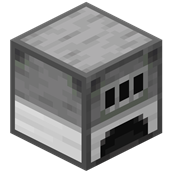
A basic energy producer that burns coal, charcoal, and coal blocks. It outputs energy from its left side.
Microscope
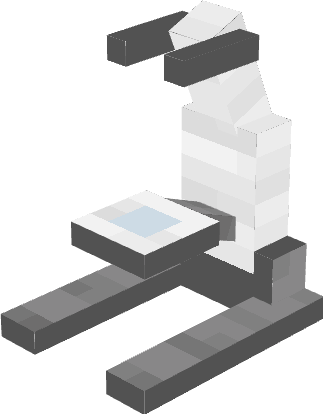
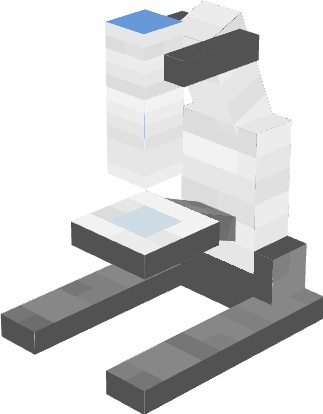
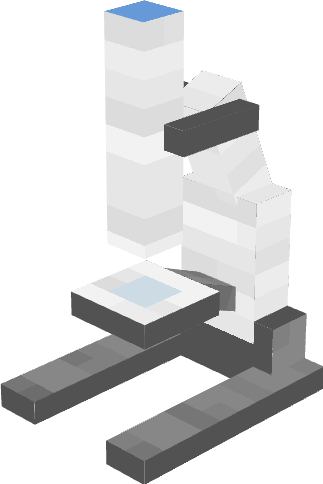
The Cell Extractor was replaced by the Microscope. With a small lens attached, it extracts animal cells: click a cell while holding "Pasteur Pipette and Petri Dish" in the microscope GUI. For a DNA Editor setup, place a big-lens microscope on top of the DNA Editor to enable editing. A big-lens microscope can't be used on its own. Right-click a microscope with a lens to attach it; sneak + right-click to detach.
DNA Extractor
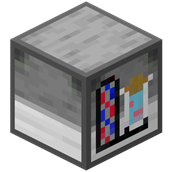
Extracts DNA from an animal cell into a test tube, consuming a DNA Extraction Solution each time.
Analyzer
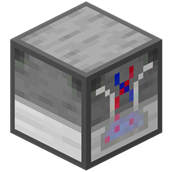
Analyzes DNA from the DNA Extractor and prepares it for use in the DNA Editor.
DNA Editor

Cannot be crafted; found only in Lab Ruins. Used to edit and customize analyzed DNA. It needs enough power, an activated Connection Block on its right side, and a big-lens microscope on top. If any of these are missing, it won't work.
Connection Block

Essential for the DNA Editor. Cannot be crafted; found only in Lab Ruins. To activate it: store its position with a connection card, hand the card to a Genebot, and give the connect command. ⚡ When powered/connected, blue veins pulse across its surface.
DNA Injector

Injects DNA (analyzed or not) into an Empty Animal Cell, preparing it for the Cloning Machine.
Cloning Machine

Requires a Tank on top to function; it uses the tank to grow an offspring from an Animal Cell. DNA editing isn't required to clone; you can clone directly from an animal cell extracted with a microscope.
Tank

A subpart of the Cloning Machine that protects and nurtures the embryo in its amniotic fluid.
🏛️ Structures
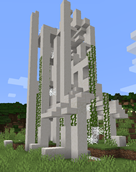
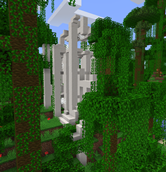
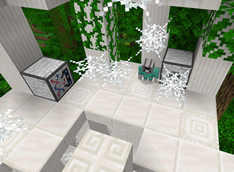
Lab Ruins These abandoned labs have a story, but you'll learn it when Improved Genetics V2: Prehistoric Update releases. They are the only place to obtain the DNA Editor, Connection Block, and Genebots.
Special Thanks
- Bullet_Phobia: for some assets
- FeastofWinds: for structures
Made by CreepSkeet
- Edition: Minecraft Java
- File type: .jar
- Minecraft versions listed: 1.21.1, 1.16.5, 1.16
- How to install: Install the matching mod loader (Forge, Fabric or NeoForge) for your Minecraft version. → Download the .jar. → Put it in the .minecraft/mods folder and launch that loader profile.
- Where to get it: Opens on CurseForge — not every file is mirrored on our own servers.
Install steps are the general flow for this file type — How to install Minecraft Java mods & modpacks walks through it step by step.
- Ships as improved_genetics-0.7.1.jar — drop this file into the mods folder
- Download size: 776 KB
- Download link checked 14 Oct 2026 — working
These come from our own check of the pack file, not from the source page.