Audio Cassettes
Java mod listed for Minecraft 1.16–1.20. Downloads from the MC Java Mods app on Android.
I don't know my version or loader
Finally! An update!
1.20.1 game version is now supported.
This mod adds audio cassettes – an item that can store multiple tracks:
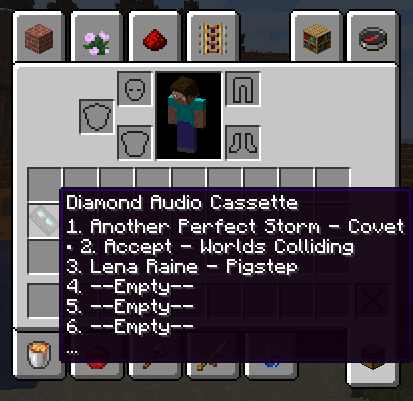
There are three types of audio cassettes:
- Iron audio cassette
- Golden audio cassette
- Diamond audio cassette
The differences between audio cassettes types are only in the maximum number of songs and recording speed in Tape Deck.
Audio cassettes can be used in cassette players, to listen your music you will need a non-empty audio cassette and any cassette player.
There are two types of cassette players:
• Walkman
• Boom Box
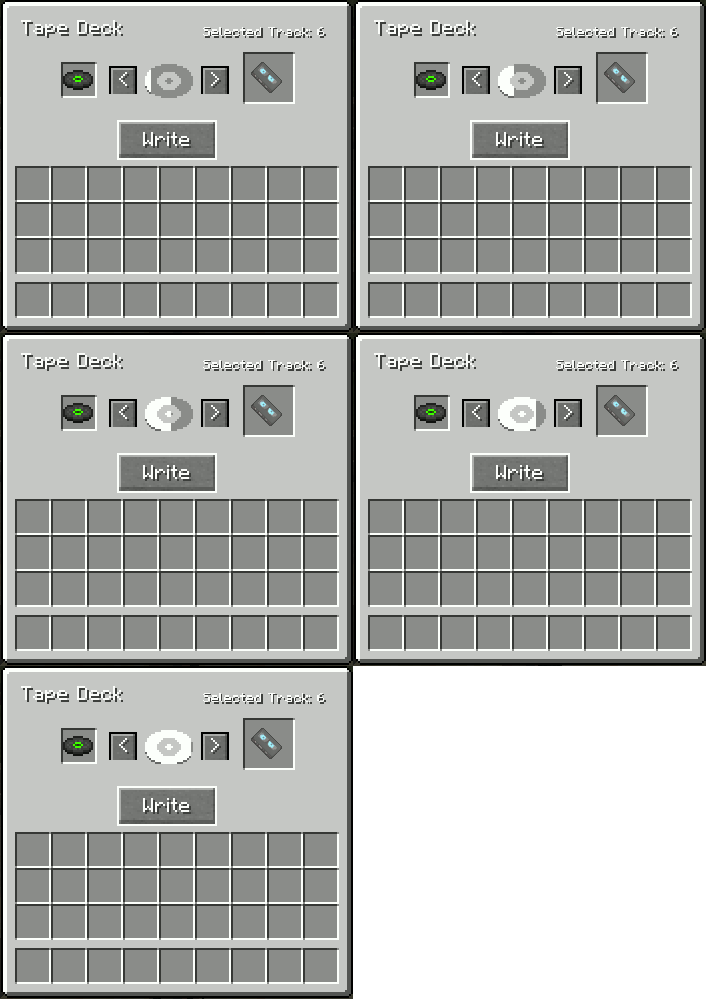
This mod doesn’t add music to the game, it’s just takes existing music from music discs. So you will need to get some music discs and then copy tracks from discs to the audio cassette by using Tape deck.

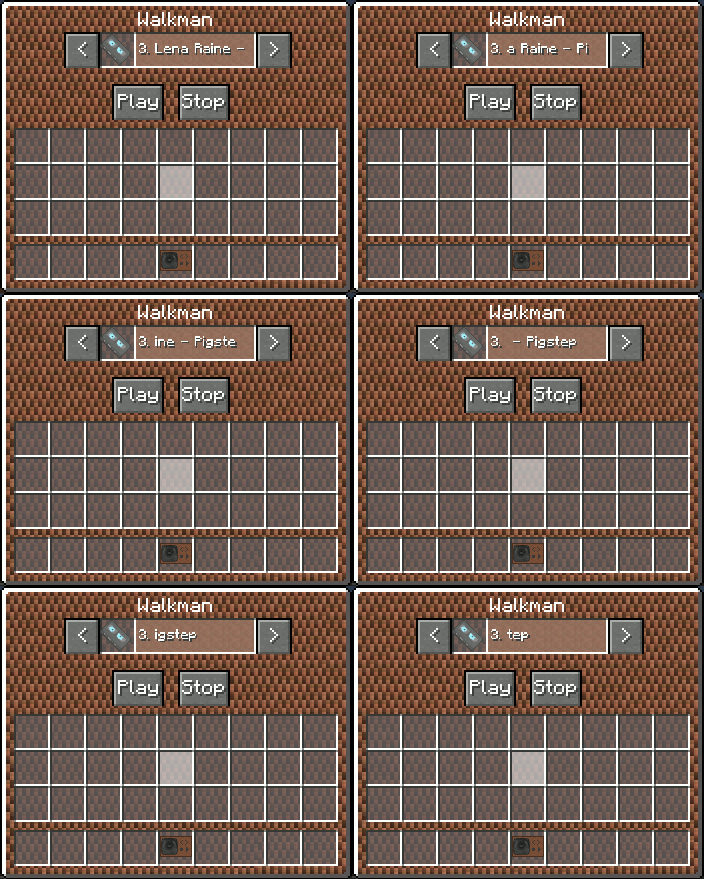
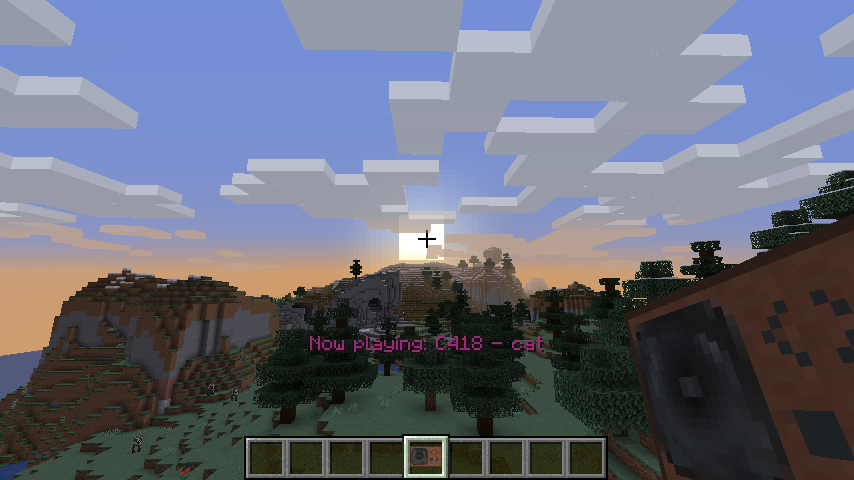
Unlike the boom box, walkman is a portable cassette player, that allow you to listen your music everywhere! Just put written audiocassette in it and click play. Now whatever you go just keep the walkman in your inventory to listen your music.

Crafts:
Tape deck:
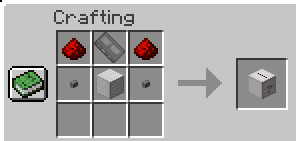
- redstone x2
- cassette frame x1
- iron block x1
- stone button x2
Cassette frame:

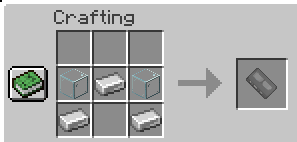
- glass x2
- iron ingot x3
Magnetic tape:

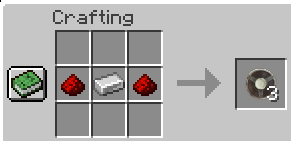
- iron ingot x1
- redstone x2
Iron audio cassette:

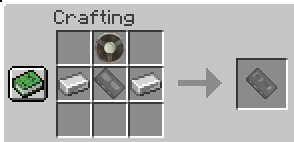
- iron ingot x2
- magnetic tape x1
- cassette frame x1
Golden audio cassette:

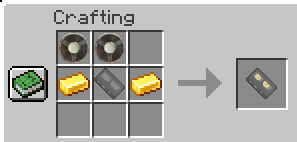
- gold ingot x2
- magnetic tape x2
- cassette frame x1
Diamond audio cassette:

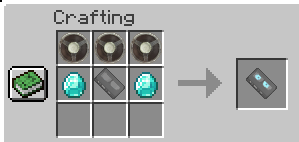
- diamond x2
- magnetic tape x3
- cassette frame x1
BoomBox:

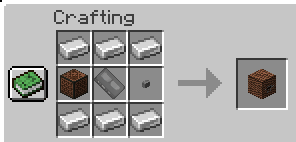
- iron ingot x6
- cassette frame x1
- stone button x1
- note block x1
Walkman:

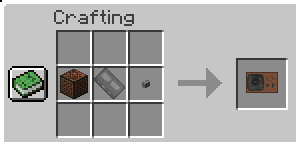
- cassette frame x1
- stone button x1
- note block x1
This mod is best used in conjunction with MCDJ or any other mod adding custom music discs
- Edition: Minecraft Java
- File type: .jar
- Minecraft versions listed: 1.20.1, 1.16.5, 1.16.4
- How to install: Install the matching mod loader (Forge, Fabric or NeoForge) for your Minecraft version. → Download the .jar. → Put it in the .minecraft/mods folder and launch that loader profile.
- Where to get it: Opens on CurseForge — not every file is mirrored on our own servers.
Install steps are the general flow for this file type — How to install Minecraft Java mods & modpacks walks through it step by step.
- Ships as Audio Cassettes-1.12.2-1.1.jar — drop this file into the mods folder
- Download size: 200 KB
- Download link checked 24 Sept 2026 — working
These come from our own check of the pack file, not from the source page.