LavaSponge
Java mod listed for Minecraft 1.16–1.21. Downloads from the MC Java Mods app on Android.
I don't know my version or loader
Description
What began as a throwaway joke, became a mod.
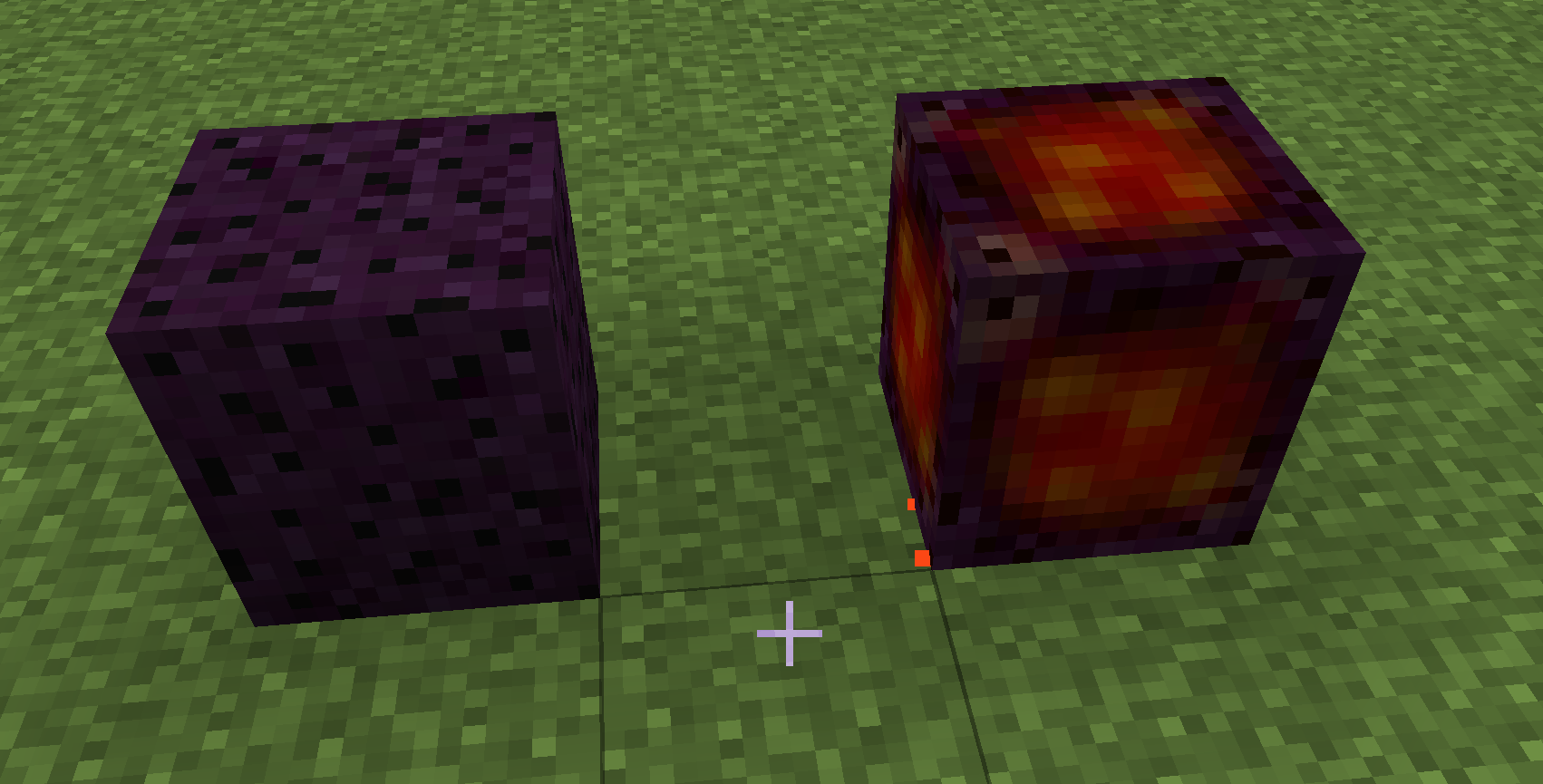
The lava sponge is like a sponge, but for Lava
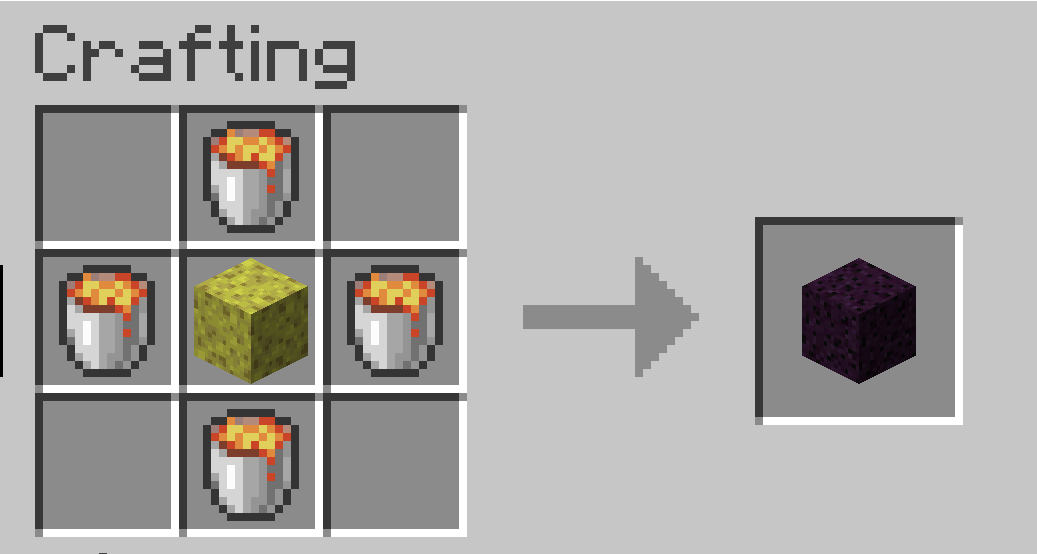
Crafting
Crafted with a sponge and 4 buckets of lava
Place it in lava to have it suck up the lava.
It will then give off light.
Cool it down by surrounding it by at least 5 blocks of ice, or use it as fuel in a furnace.
ModPacks
Please use it in your modpacks. Do it
No need to ask just use it :)
Change Log
1.0.0
Initial releases for 1.16.2, 1.16.3, 1.15
1.0.1
Update to Recommended Forge for 1.16.3 (ETA - 14/11/2020 1.16.1 and 1.16.2)
Add feature that Hot Lava Sponges will not burn in Lava - Ala Netherite Tools (Not in 1.15.2 version).
1.0.2
- First Version for 1.16.4
- fix Water being placeable in the nether via HotLavaSponge
- Ice doesn't have to be placed first now (can place HotSponge then place the ice)
1.1.1
- Versions for 1.17.1 and 1.18.1
- Fixes a bug where the sponge wasn't working on flowing lava
- Adds a tool tip for the Hot Sponge (back ported to 1.16.5)
1.1.2+1.1.3
- Fixes a bug where recipe type is passed as a null value (and contains doesn't like nulls...
1.1.6
- Add World Generation to Lava Sponges - They should now be found in the nether, adjacent to lava, in Magma Blocks.
- Config added to turn on or off world gen, plus the size of the vein plus the amount (Defaults: true, 1, 100)
1.1.7
- Support for 1.19.2/1.19.3
- Remove world gen from 1.19 versions (Documentation is obtuse and I can't be bothered to figure it out :p)
- Added as a drop from Piglins and Zombie Piglins (5%) and Piglin Brutes (50%)
- Add a crafting recipe for Hot -> Cold in a crafting grid - Surround a Hot Sponge with Ice in a crafting grid to get cold sponge back This causes a dupe bug...removed for now
- Edition: Minecraft Java
- File type: .jar
- Minecraft versions listed: 1.21, 1.19.3, 1.19.4
- How to install: Install the matching mod loader (Forge, Fabric or NeoForge) for your Minecraft version. → Download the .jar. → Put it in the .minecraft/mods folder and launch that loader profile.
- Where to get it: Opens on CurseForge — not every file is mirrored on our own servers.
Install steps are the general flow for this file type — How to install Minecraft Java mods & modpacks walks through it step by step.
- Ships as lavasponge-1.1.0-1.17.1.jar — drop this file into the mods folder
- Download size: 19 KB
- Download link checked 14 Oct 2026 — working
These come from our own check of the pack file, not from the source page.