Project Skyblock
Java mod listed for Minecraft 1.16. Downloads from the MC Java Mods app on Android.
⬇ Download on CurseForgeThe author built this one for Minecraft 1.16.3–1.16.4 on Forge. On other versions it may install and then do nothing.
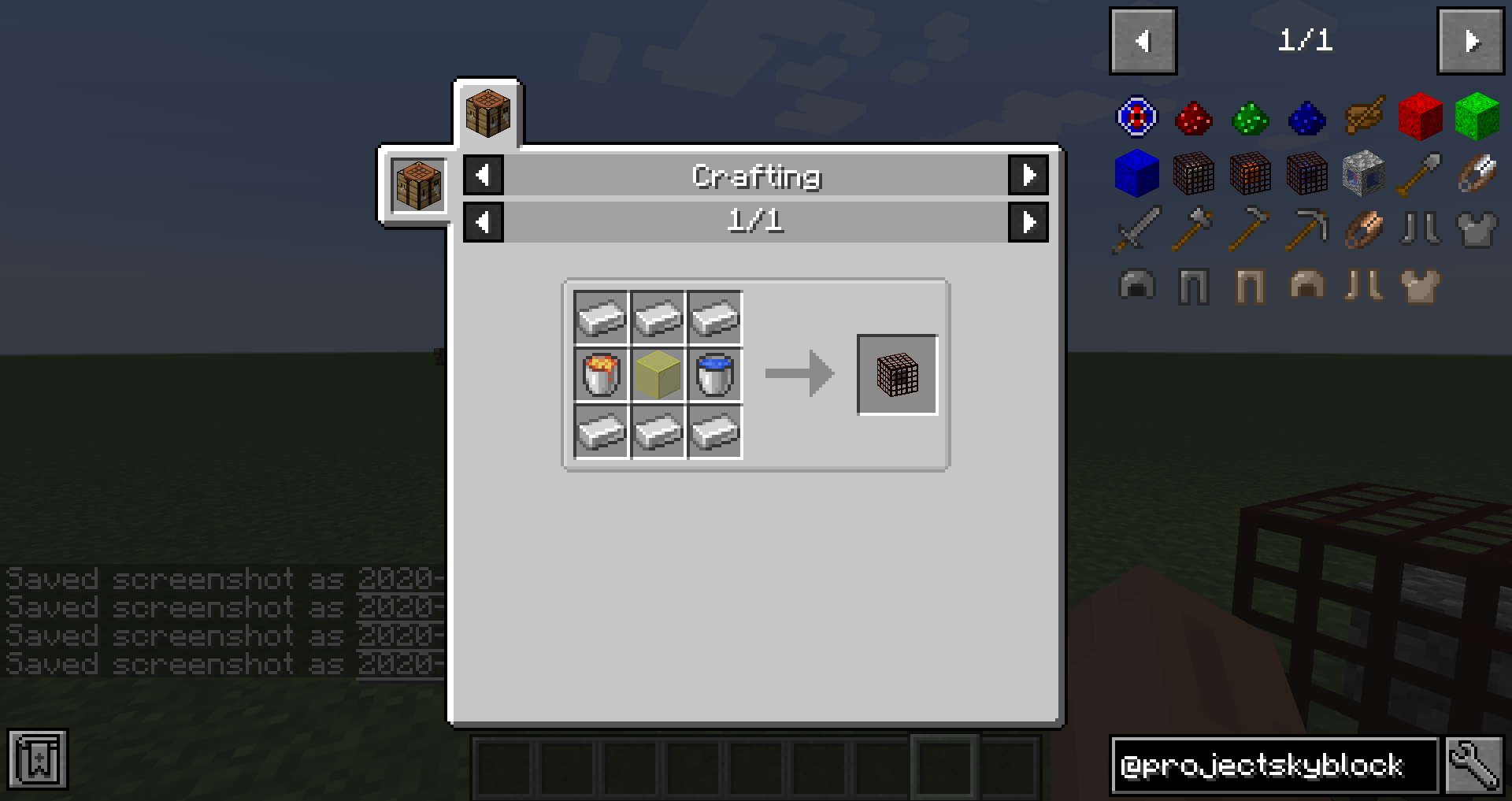
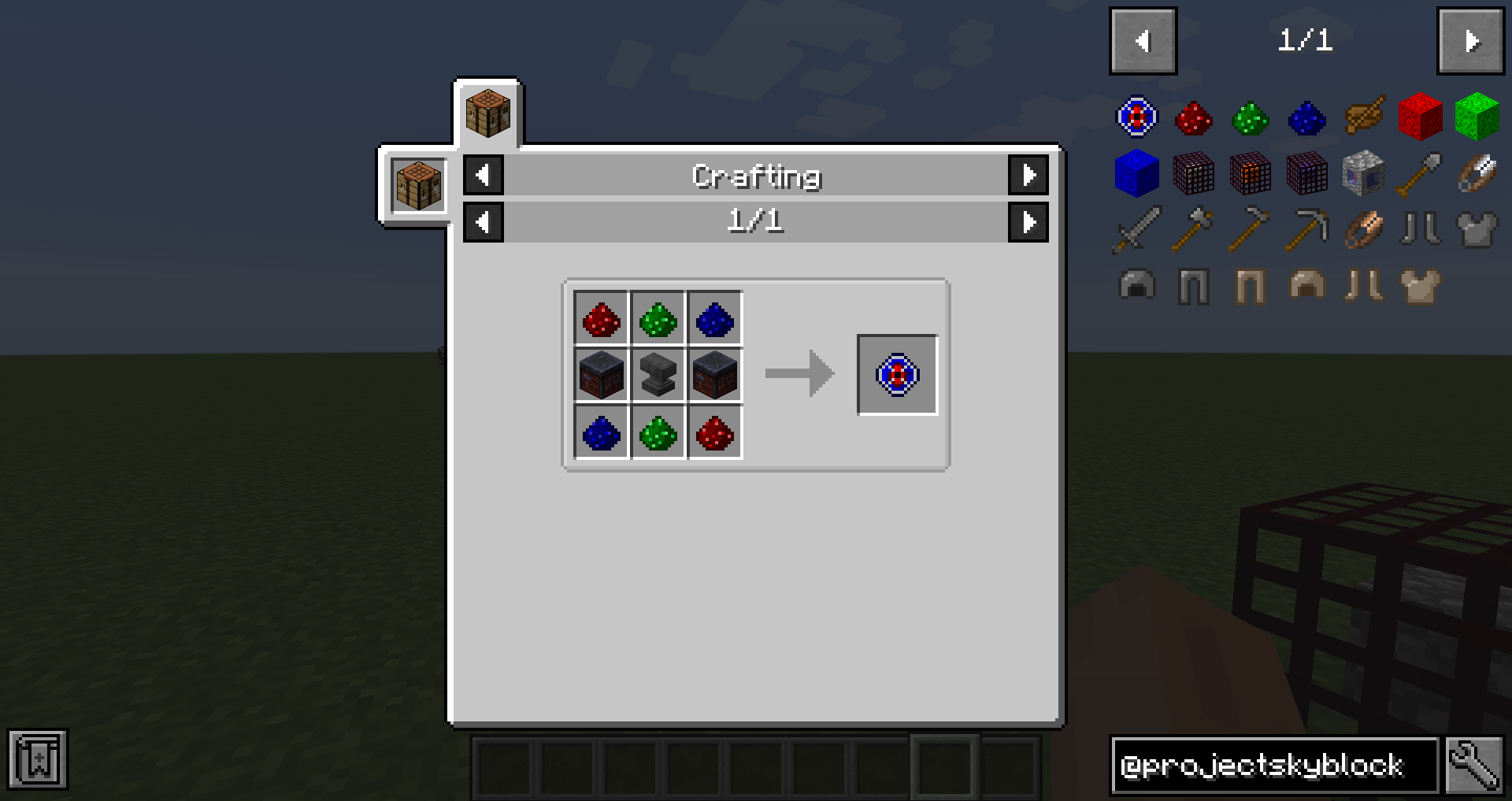
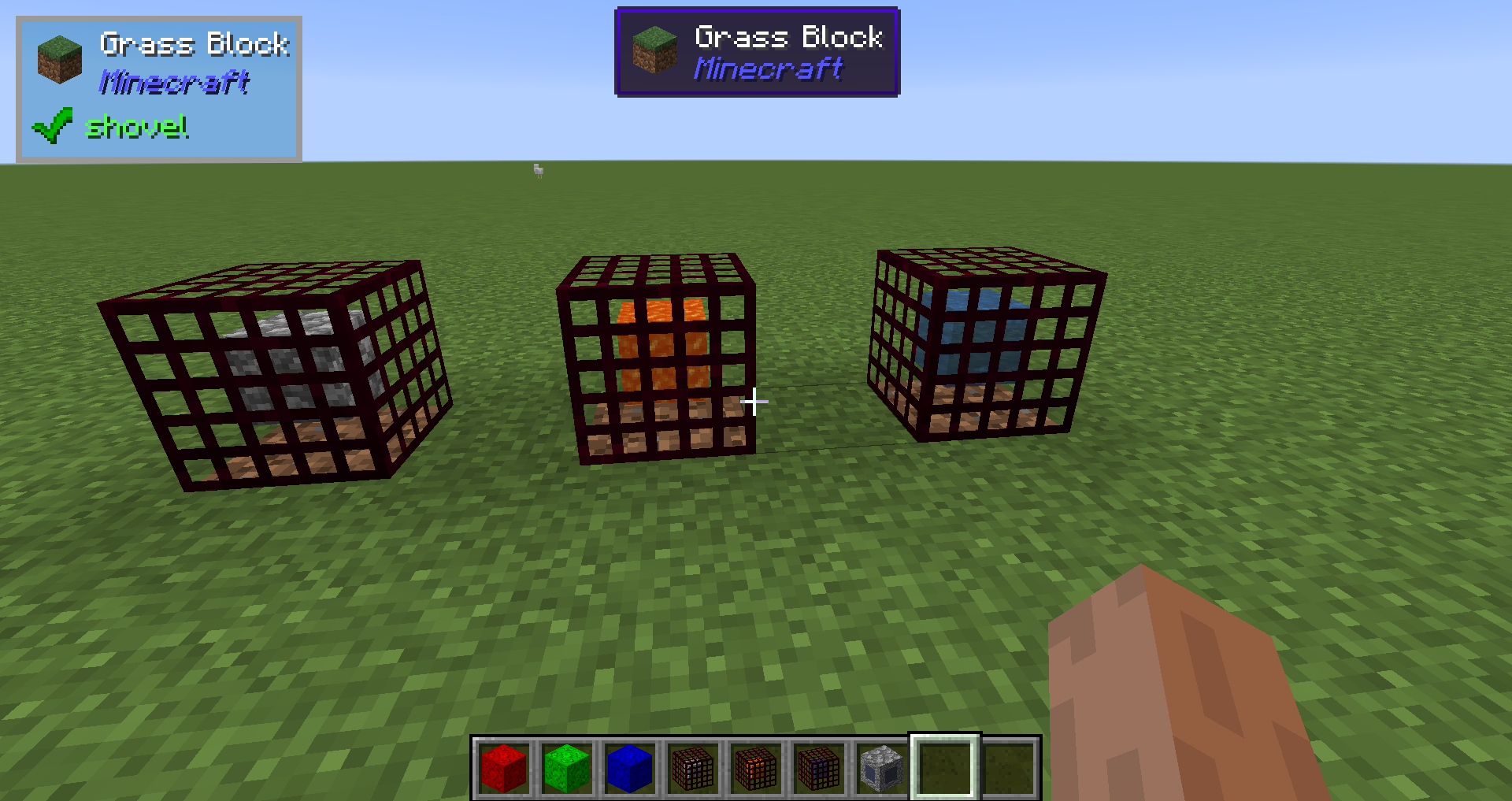
Project Skyblock by Raziel23x
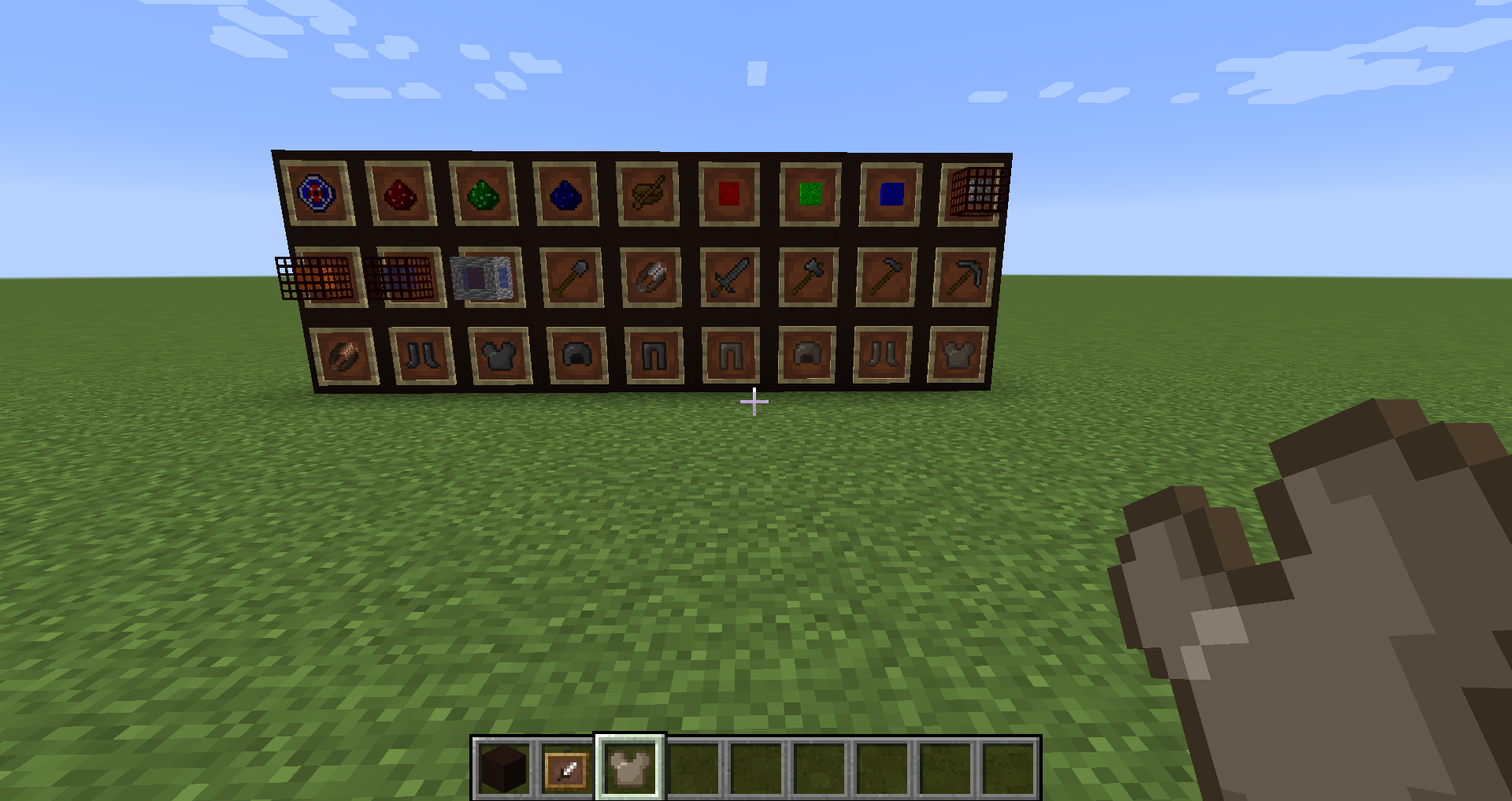
This is a tie in mod that does a few things that are not done with Gardens of Glass but does not necessary need GOG to work that adds new items and in the future add new void worlds to explore as well as the nether as a void world. This mod add many missing vanilla recipes that should of been in vanilla but are missing
Crafting Recipes
- Paper Recipe has been added to Bamboo
- Blocks of clay can be crafted back into balls of clay
- Crying Obsidian Recipe
- The ability to craft flint out of gravel
- slimeball recipe
- made glowstone blocks to be able to be crafted back into dust
- The ability to turn all blocks types of Quartz back into Quartz
- the ability to turn blocks of nether wart back into nether wart plants
- Turn Wool back into string
Horse armor Recipes
- Saddle Recipe
- Iron Horse Armor Recipe
- Golden Horse Armor Recipe
- Diamond Horse Armor Recipe
Seed Recipes
- Beetroot Seeds
- Wheat seeds
Campfire Recipes
- Turn sticks into torches using campfires
Smoker Recipe
- Turn Rotten Flesh into Leather
WOODEN ARMOR
- Wooden Chestplate
- Wooden Helmet
- Wooden Leggings
- Wooden Boots
WOODEN TOOLS
- Wooden Shears
FLINT TOOLS
- Flint Sword
- Flint Pickaxe
- Flint Axe
- Flint Shovel
- Flint Shears
- Flint Hoe
FLINT ARMOR
- Flint Chestplate
- Flint Helmet
- Flint Leggings
- Flint Boots
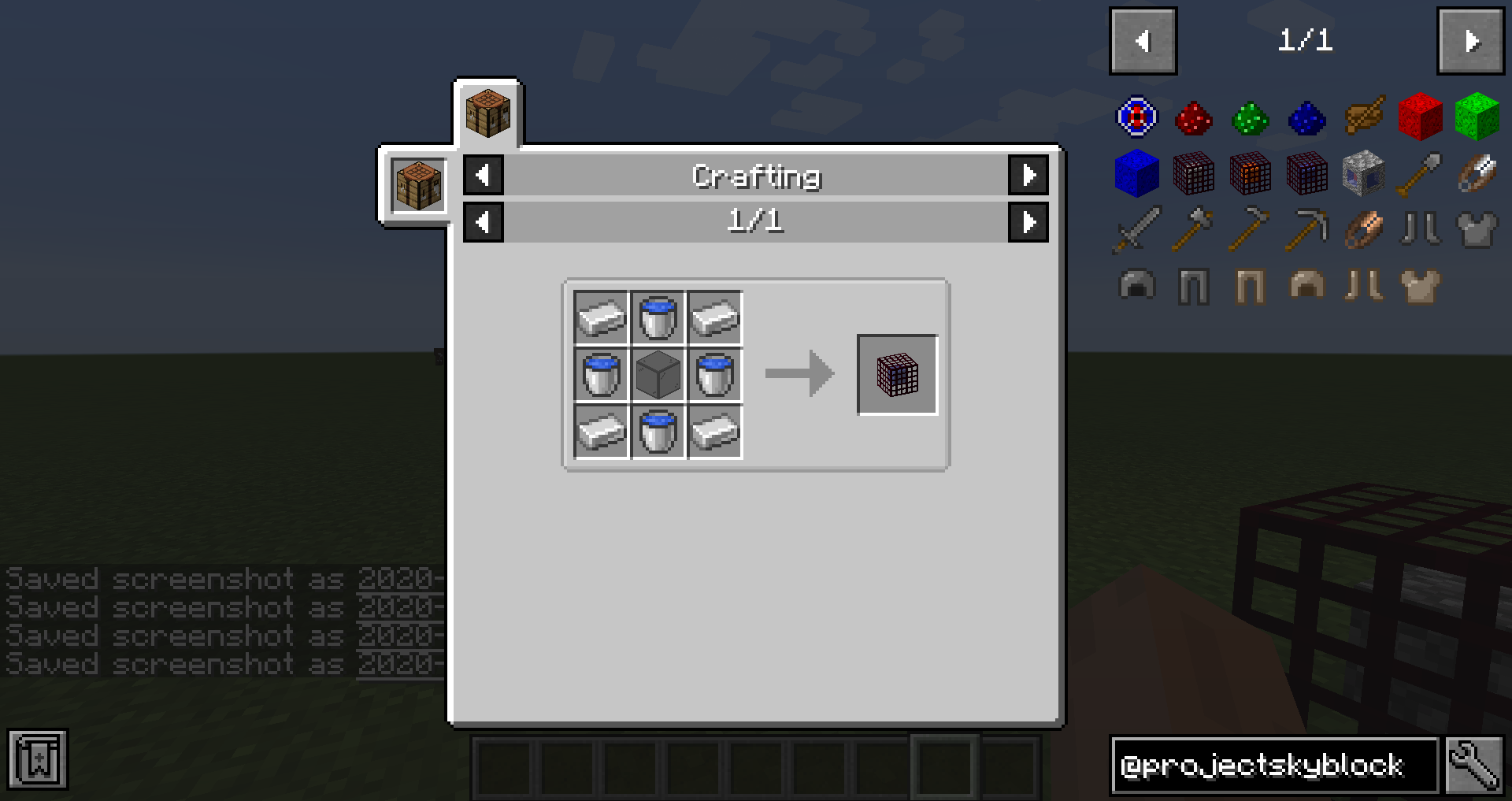
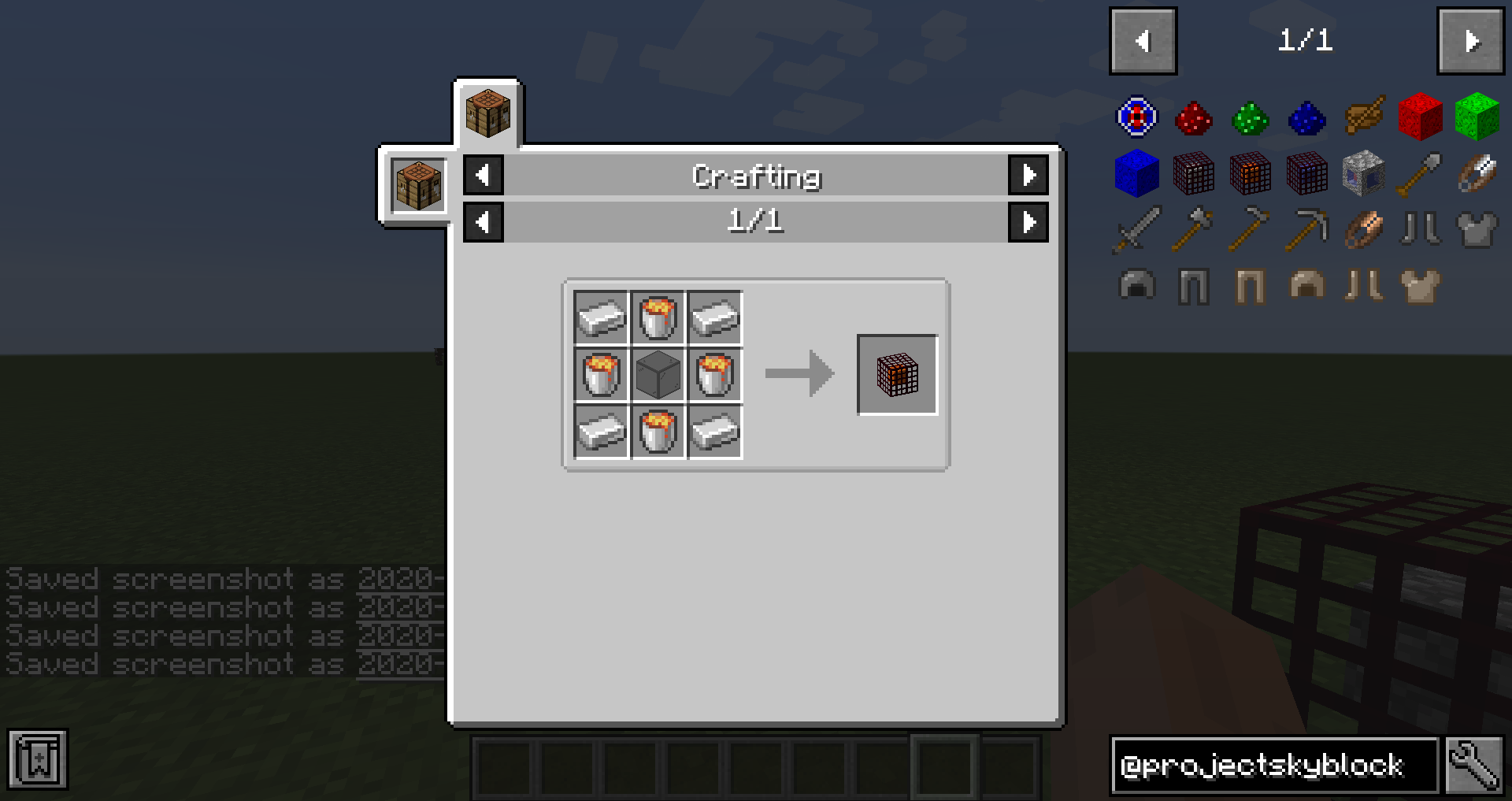
Resource Generators
- Cobblestone Generator
- Lava Generator
- Water Generator
- Clay Generator
- Endstone Generator
- Gravel Generator
- Netherrack Generator
- Obsidian Generator
- Quartz Generator
- Red Sand Generator
- Sand Generator
- Soul Sand Generator
MISC ITEMS
- Repair Gem
NEW CRAFTING MATERIALS
- Red Reagent
- Block of Red Reagent
- Green Reagent
- Block of Green Reagent
- Blue Reagent
- Block of Blue Reagent
- Mixing Bowl
TODO
- Void world generation for the nether and possibly the Ender Dragon area
- More Recipe changes to make resource gathering to work with Gardens of Glass
YOU CAN USE THIS MOD IN ANY MODPACK
JUST DO THE RIGHT THING AND GIVE CREDIT
For Players
Project Skyblock may be downloaded from any of the following sites:
For Developers
Source installation information for modders
This code follows the Minecraft Forge installation methodology. It will apply some small patches to the vanilla MCP source code, giving you and it access to some of the data and functions you need to build a successful mod.
Note also that the patches are built against "unrenamed" MCP source code (aka srgnames) - this means that you will not be able to read them directly against normal code.
Source pack installation information:
Standalone source installation
See the Forge Documentation online for more detailed instructions: http://mcforge.readthedocs.io/en/latest/gettingstarted/
Step 1: Open your command-line and browse to the folder where you extracted the zip file.
Step 2: You're left with a choice.
If you prefer to use Eclipse:
1. Run the following command: "gradlew genEclipseRuns" (./gradlew genEclipseRuns if you are on Mac/Linux)
2. Open Eclipse, Import > Existing Gradle Project > Select Folder
or run "gradlew eclipse" to generate the project.
(Current Issue)
4. Open Project > Run/Debug Settings > Edit runClient and runServer > Environment
5. Edit MOD_CLASSES to show [modid]%%[Path]; 2 times rather then the generated 4.
If you prefer to use IntelliJ:
1. Open IDEA, and import project.
2. Select your build.gradle file and have it import.
3. Run the following command: "gradlew genIntellijRuns" (./gradlew genIntellijRuns if you are on Mac/Linux)
4. Refresh the Gradle Project in IDEA if required.
If at any point you are missing libraries in your IDE, or you've run into problems you can run "gradlew --refresh-dependencies" to refresh the local cache. "gradlew clean" to reset everything {this does not affect your code} and then start the processs again.
Should it still not work,
Refer to #ForgeGradle on EsperNet for more information about the gradle environment.
or the Forge Project Discord discord.gg/UvedJ9m
Forge source installation
MinecraftForge ships with this code and installs it as part of the forge installation process, no further action is required on your part.
LexManos' Install Video
https://www.youtube.com/watch?v=8VEdtQLuLO0&feature=youtu.be
For more details update more often refer to the Forge Forums: http://www.minecraftforge.net/forum/index.php/topic,14048.0.html
Building
Project-Skyblock is built using gradle. To build Project-Skyblock. These commands should be enough to get you started:
``` git clone https://github.com/raziel23x/Project-Skyblock
cd Project-Skyblock
./gradlew build - Linux
gradlew build - Windows
```
For development, the ./gradle idea command will setup a multi-module project for IntelliJ with Project Skyblock
Reporting Bugs
When reporting bugs, always include the version number of the mod. If you're reporting a crash, include your client or server log depending on where the crash occurred.
- Edition: Minecraft Java
- File type: .jar
- Minecraft versions listed: 1.16.3, 1.16.4
- How to install: Install the matching mod loader (Forge, Fabric or NeoForge) for your Minecraft version. → Download the .jar. → Put it in the .minecraft/mods folder and launch that loader profile.
- Where to get it: Opens on CurseForge — not every file is mirrored on our own servers.
Install steps are the general flow for this file type — How to install Minecraft Java mods & modpacks walks through it step by step.
- Ships as ProjectSkyblock-1.16.3-1.0.0.jar — drop this file into the mods folder
- Download size: 15 KB
- Download link checked 14 Oct 2026 — working
These come from our own check of the pack file, not from the source page.