Personal Player Dimensions
Java mod listed for Minecraft 1.20–1.21. Downloads from the MC Java Mods app on Android.
I don't know my version or loader
IMPORTANT: As of 1.20.1 this mod REQUIRES the Infiniverse mod, available here: https://www.curseforge.com/minecraft/mc-mods/infiniverse
Note: If you get an error when loading from PPD, consider upgrading your 1.20.1 version to 47.3.22 at a minimum.
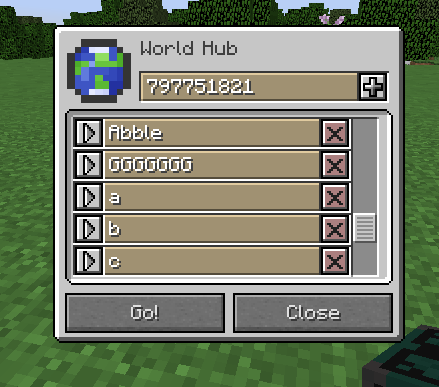
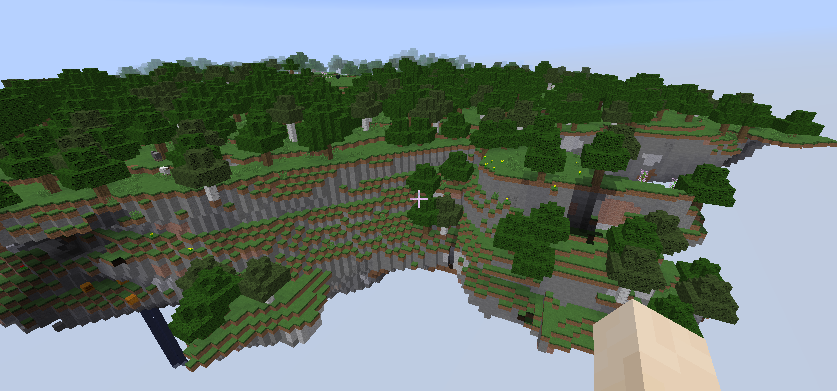
Every player on a server will spawn into their own personal floating island dimension, with a limited max size. It's a nice place! But you're stuck there until you craft a World Hub using a Diamond, an Ender Pearl, a block of coal, and 6 iron ingots.
With a World Hub, the whole 'World' is opened up to you. You can head to Dimension 0 (the Overworld), or any other players dimensions if they give you their code (found by inputting 'Home' into a World Hub, saving it, and then selecting it again using the selection arrow.)
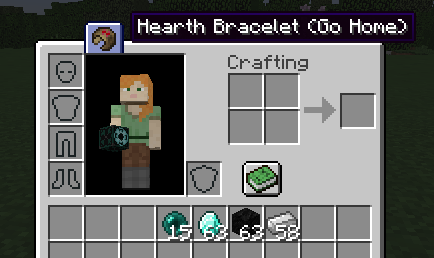
You can teleport back home at any time by clicking on the Hearth Bracelet in the top of your inventory screen.
Allows for relocation of the default Entry Point of a PPD using the World Hub placement. The World Hub can be placed without updating the Entry Point by sneak-placing the block.
As of 1.20.1-0.4.0, this mod supports a configuration file! This will be expanded further in future 1.21 versions.
Default values are as follows: #How many blocks within a dimension a player should be allowed to move and build. Does not affect world generation in any way. It is not recommended to lower this below 384. Negative values disable this feature. (Server authoritative.) "Movement Limit Range (Blocks)" = 384 #How many seconds from initiating a PPD teleport should a player be delayed. 0 or less disables the delay entirely. (Server authoritative) "Teleport Delay (s)" = 5 #Whether or not the players default spawn point should be within their own PPD or not. (Server authoritative) "Default to PPD Spawn" = true
Only use this mod with newly generated worlds! Only use this mod with Cheats Enabled! Until the mod is more stable, I can't guarantee a bugfree experience.
Known Issues:
None
Special thanks to eclipseisoffline for their LGPL Fabric mod, dimensionleveldata, which helped me tremendously to fix the residual issues with spawn positions, weather, and time in the PPD dimensions for 1.20.1 and higher versions. The NeoForge fork of their mod (for LGPL purposes) can be found here, and you can support eclipseisoffline here.
- Edition: Minecraft Java
- File type: .jar
- Minecraft versions listed: 1.20.1, 1.21.1
- How to install: Install the matching mod loader (Forge, Fabric or NeoForge) for your Minecraft version. → Download the .jar. → Put it in the .minecraft/mods folder and launch that loader profile.
- Where to get it: Opens on CurseForge — not every file is mirrored on our own servers.
Install steps are the general flow for this file type — How to install Minecraft Java mods & modpacks walks through it step by step.
- Ships as PPD-1.12.2-0.7.0.jar — drop this file into the mods folder
- Download size: 119 KB
- Download link checked 14 Oct 2026 — working
These come from our own check of the pack file, not from the source page.