Dungeons & Diabolism
Java modpack listed for Minecraft 1.16. Downloads from the MC Java Mods app on Android.
⬇ Download on CurseForgeThe author built this one for Minecraft 1.16.5 on Forge. On other versions it may install and then do nothing.
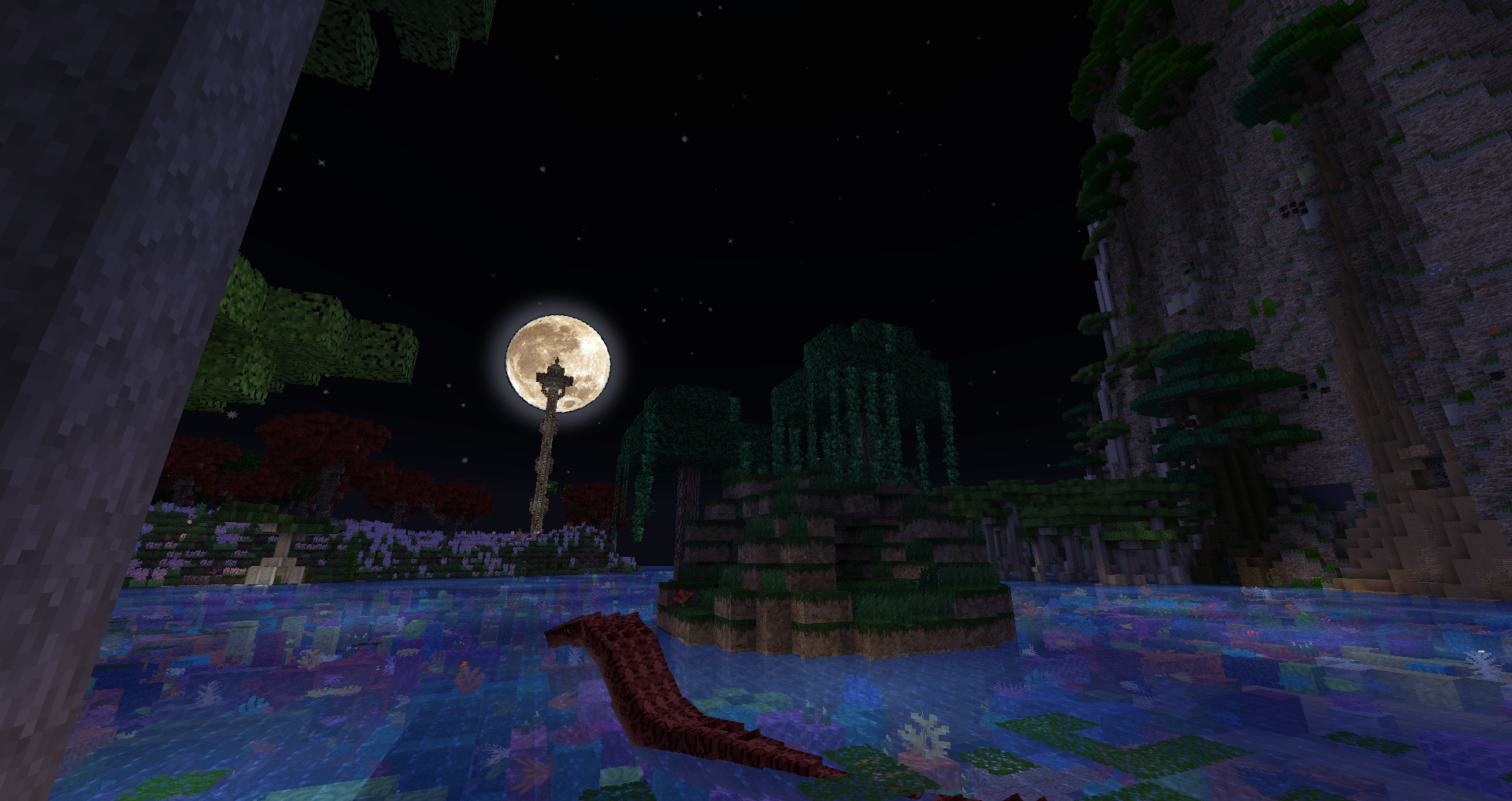

This is the full version of the modpack. The more performance friendly version can be found here: https://www.curseforge.com/minecraft/modpacks/dungeons-diabolism-lite
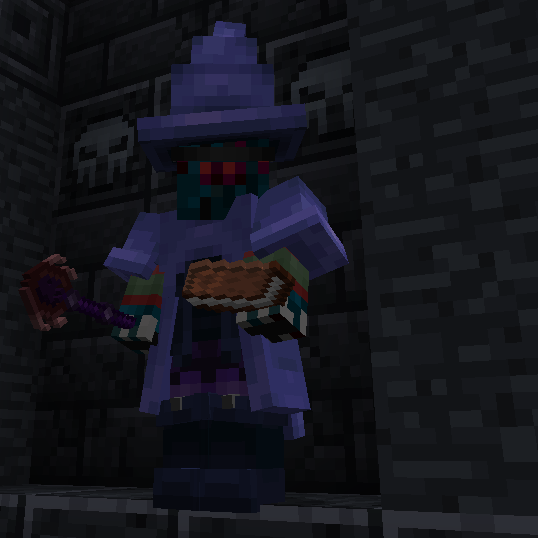
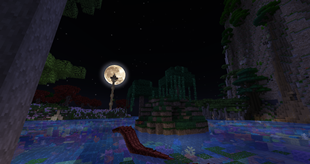
Dungeons & Diabolism presents an immersive world, primarily focused on various types of magic, sorcery, demonic rituals and foreboding dungeons. The biomes, world gen, variety of creatures, as well as some additional dimensions provide a rich fantasy feel and rewards exploration with a huge number of sights, experiences, and loot . The tech mods included are chosen to satisfy the mechanical aspirations of tech minded players without feeling to futuristic or out of place in the world. Build a giant mechanical contraption in the morning, and summon demons in the evening to do your bidding! Conquer a huge dungeon while wielding powerful weapons, or by casting destructive spells! Tame a dragon! All this and much, much, more!
----------------------------------------------------------------------------------------------------------------------------------------------------------------------------------------------------------------------------------------------------------------------------------------------------------------------------------------------------------------------------------------------------------------------------------

----------------------------------------------------------------------------------------------------------------------------------------------------------------------------------------------------------------------------------------------------------------------------------------------------------------------------------------------------------------------------------------------------------------------------------








"The most powerful forces work in the shadows. Unseen, unheard, and unknowable. Yet they shape and move the world around us."
- Abnormals Core (by TeamAbnormals)
- AI Improvements (by DarkGuardsman)
- Architectury API (Forge) (by shedaniel)
- AttributeFix (by DarkhaxDev)
- AutoRegLib (by Vazkii)
- Bookshelf (by DarkhaxDev)
- Caelus API (Forge) (by TheIllusiveC4)
- Citadel (by alex1the1666)
- Cloth Config API (Forge) (by shedaniel)
- CoFH Core (by TeamCoFH)
- Collective (by Serilum)
- CreativeCore (by CreativeMD)
- Curios API (Forge) (by TheIllusiveC4)
- Cyclops Core (by kroeser)
- DataPack Anvil (by Sirttas)
- Decorative Blocks (by stohun)
- Decorative Blocks modded compat (by Evo_934)
- Default Options (by BlayTheNinth)
- Entity Culling (by meldexun)
- FastWorkbench (by Shadows_of_Fire)
- ForgeEndertech (by EnderLanky)
- GeckoLib (by ThanosGecko)
- iChunUtil (by ohaiiChun)
- JAOPCA (by TheLMiffy1111)
- JEI Integration (by SnowShock35)
- Just Enough Items (JEI) (by mezz)
- Just Enough Resources (JER) (by way2muchnoise)
- Lazy DataFixerUpper(LazyDFU) [FORGE] (by Corgi_Taco)
- Looot (by Commoble)
- Mapper Base (by Mapper)
- mGui (by mickelus)
- MixinBootstrap (by LX_Gaming)
- MoreVanillaLib (by MelanX)
- NetherPortalFix (by BlayTheNinth)
- ObserverLib (by HellFirePvP)
- Patchouli (by Vazkii)
- Placebo (by Shadows_of_Fire)
- RandomPatches (Forge) (by TheRandomLabs)
- ShetiPhianCore (by ShetiPhian)
- Spawner Bug Fix (by MacTso)
- Structure Gel API (by ModdingLegacy)
- TenshiLib (by flemmli97)
- Valhelsia Core (by ValhelsiaTeam)
- YUNG's API (Forge) (by YUNGNICKYOUNG)

- Allocate at least 5 gigs of ram (Client).
- Reset controls to default. The pack is shipped with each mods default controls active which results in conflicts. Resetting default will load my custom control set up. Your changes in control settings will not be over written by updates.
- "N" will toggle tree chopping. I recommend turning it off in the beginning until you have an axe.
- Mobs have a 1 in 1000 chance to spawn with the ability to steal from your chests. Basically the feature is disabled, but non zero for the lols.
The following java arguments improve performance dramatically
Client: -Xmx6g -Xms6g -XX:+UseG1GC -Dsun.rmi.dgc.server.gcInterval=2147483646 -XX:+UnlockExperimentalVMOptions -XX:G1NewSizePercent=20 -XX:G1ReservePercent=20 -XX:MaxGCPauseMillis=50 -XX:G1HeapRegionSize=32M
Server:
Use these flags exactly (Copy Paste ofc), only changing Xmx and Xms. These flags work and scale accordingly to any size of memory, even 500MB but 1.15+ will not do well with such low memory…)
java -Xms10G -Xmx10G -XX:+UseG1GC -XX:+ParallelRefProcEnabled -XX:MaxGCPauseMillis=200 -XX:+UnlockExperimentalVMOptions -XX:+DisableExplicitGC -XX:+AlwaysPreTouch -XX:G1NewSizePercent=30 -XX:G1MaxNewSizePercent=40 -XX:G1HeapRegionSize=8M -XX:G1ReservePercent=20 -XX:G1HeapWastePercent=5 -XX:G1MixedGCCountTarget=4 -XX:InitiatingHeapOccupancyPercent=15 -XX:G1MixedGCLiveThresholdPercent=90 -XX:G1RSetUpdatingPauseTimePercent=5 -XX:SurvivorRatio=32 -XX:+PerfDisableSharedMem -XX:MaxTenuringThreshold=1 -Dusing.aikars.flags=https://mcflags.emc.gs -Daikars.new.flags=true
</aside>
- If you are using paper on your server, include the following argument: -jar paperclip.jar nogui
- Bisect Hosting clients need only click on "Startup Parameters" from the panel, and click on "Aikars Recommended JFM Fags" to automaticaly load these settings.
If you use Optifine disable Smooth World for better performance with Immersive Portals
Suggested Resource Pack Battered Old Stuff by ozBillo, because its amoizing, and contributes a lot to the ambiance. (Best with Optifine)
 -------------------------------------------------------------------------------------------------------------------------------------------------------------------------------------------------------------------------------------------------------------------------------------------------------------------------------------------------------------------------------------------------------------------------------
- Edition: Minecraft Java
- File type: .jar
- Minecraft version listed: 1.16.5
- How to install: Install the matching mod loader (Forge, Fabric or NeoForge) for your Minecraft version. → Download the .jar. → Put it in the .minecraft/mods folder and launch that loader profile.
- Where to get it: Opens on CurseForge — not every file is mirrored on our own servers.
Install steps are the general flow for this file type — How to install Minecraft Java mods & modpacks walks through it step by step.
- Downloads as Dungeons Diabolism 2.0.7-2.0.7.zip
- Download size: 673 KB
- Download link checked 14 Oct 2026 — working
These come from our own check of the pack file, not from the source page.