
IMPORTANT : This mod is still Beta version. Because of this, I recommend you to backup your world data before installing this mod. I can't take no responsibility if a problem occurs.
Have you ever thought about something like below?
“I’m tired of mowing a lot of grass with a bucket of water.”
“I want to save time when mowing the grass.”
“I want to make mowing more fun.”
If you think such above, this mod will much with you.
This is a simple mod to add a grass(etc.) mowing tool.
But this is the first mod I made, so if you are not satisfied, I apologize to you.
<Currently, this mod support Japanese and English.>
For Japanese page : https://muralnotes.com/jmt-mod/
Feature
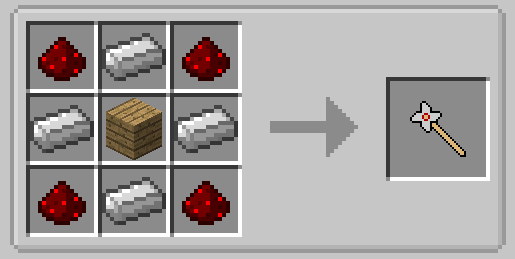
This mod adds a mowing tool that named “Mower”.
The tool have two features below.
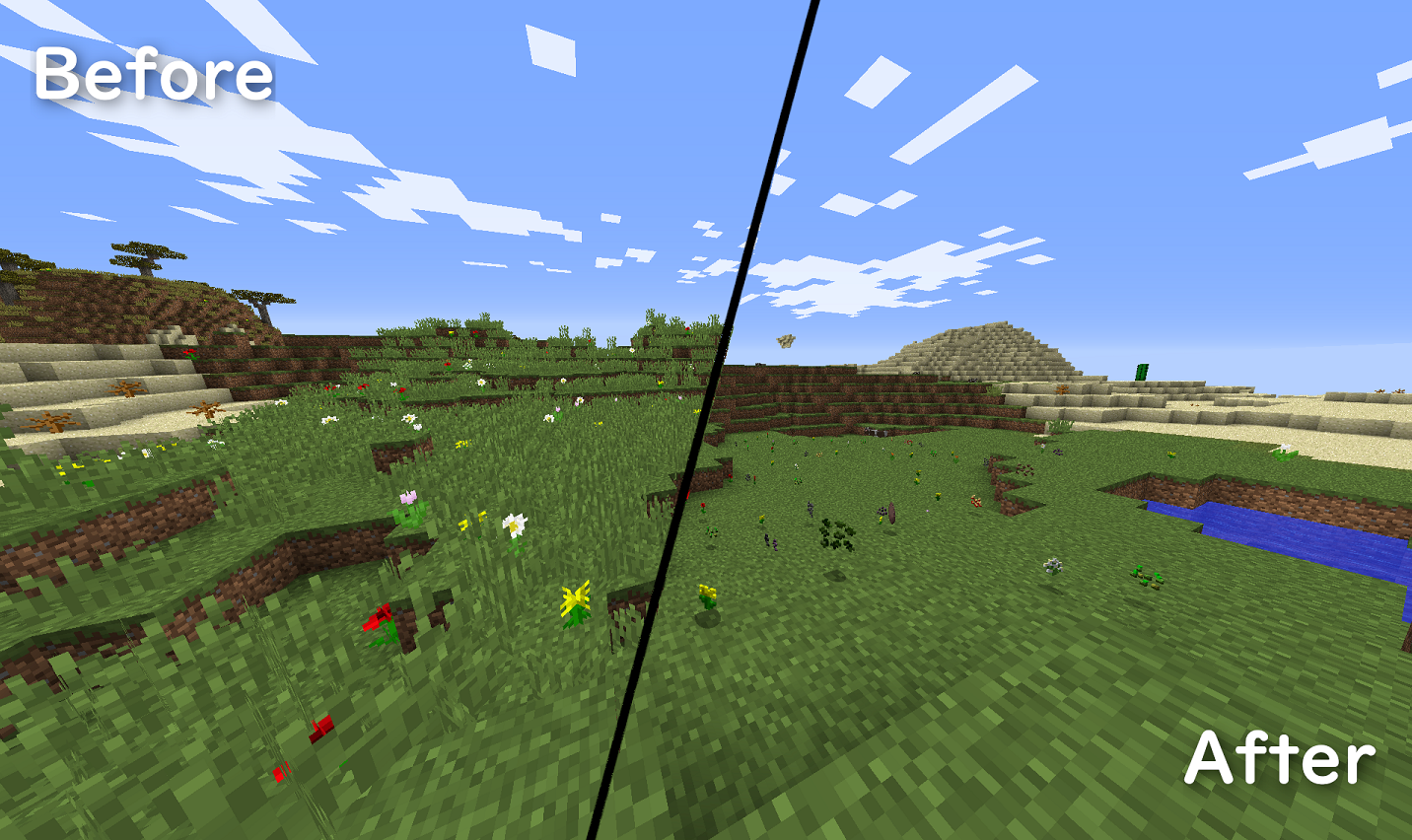
- Mow : Right click to mow the following block in front of a player. Grasses, flowers, mushrooms, grown-up crops and vines.
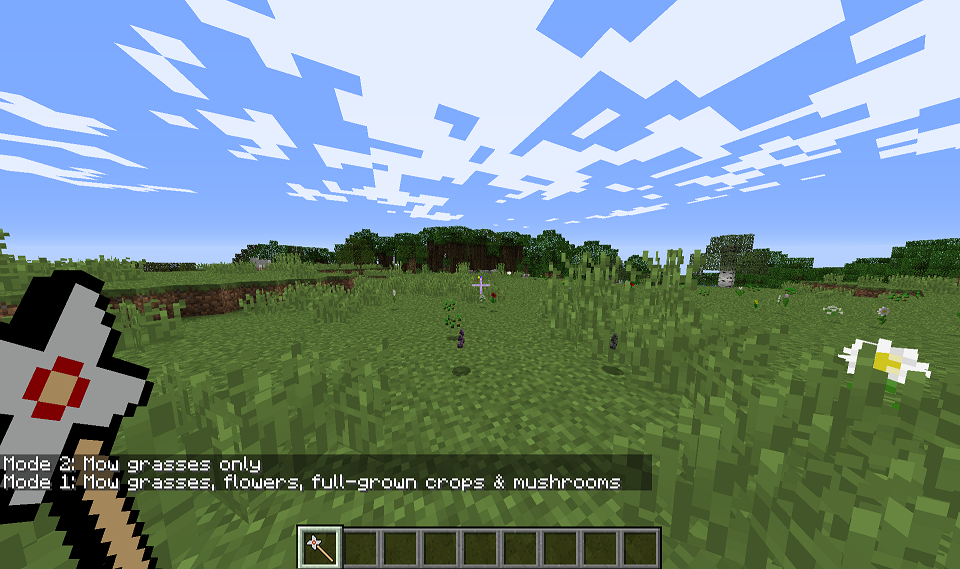
- Mode switching : The tool have two modes below. You can switch these mode by left click air direction.
- Mode1 : Mow grasses, flowers, mushrooms, grown-up crops and vines.
- Mode2 : Mow grasses only.
Q&A
- Is this mod for client?
- Yes. I don’t test this mod on a server yet.
- I want to translate the content of this mod.
- Thank you. I would appreciate it if you could send “Issue” include the content of translate on GitHub.
- May I include this mod to my modpack?
- Thank you. Currently I admit that. But if you do so, I would be grateful if you would tell me your modpack on the comment section.
- I want this mod for newer version of Minecraft.
- If I got many request such that, I will make it, maybe.
- I have an issue/bug/crash. What should I do?
- I am sorry for causing trouble. Could you send the description of the trouble to “Issue” of GitHub.
Known Issues
- When the player uses Mower toward water, a noise occurs.
- I am sorry for causing trouble. Could you send the description of the trouble to “Issue” of GitHub.
- Edition: Minecraft Java
- File type: .jar
- How to install: Install the matching mod loader (Forge, Fabric or NeoForge) for your Minecraft version. → Download the .jar. → Put it in the .minecraft/mods folder and launch that loader profile.
- Where to get it: Opens on CurseForge — not every file is mirrored on our own servers.
Install steps are the general flow for this file type — How to install Minecraft Java mods & modpacks walks through it step by step.
- Ships as JustMowingTool-1.0B.jar — drop this file into the mods folder
- Download size: 15 KB
- Download link checked 24 Sept 2026 — working
These come from our own check of the pack file, not from the source page.