Fogger
Minecraft Java mod. Downloads from the MC Java Mods app on Android.
⬇ Download on CurseForge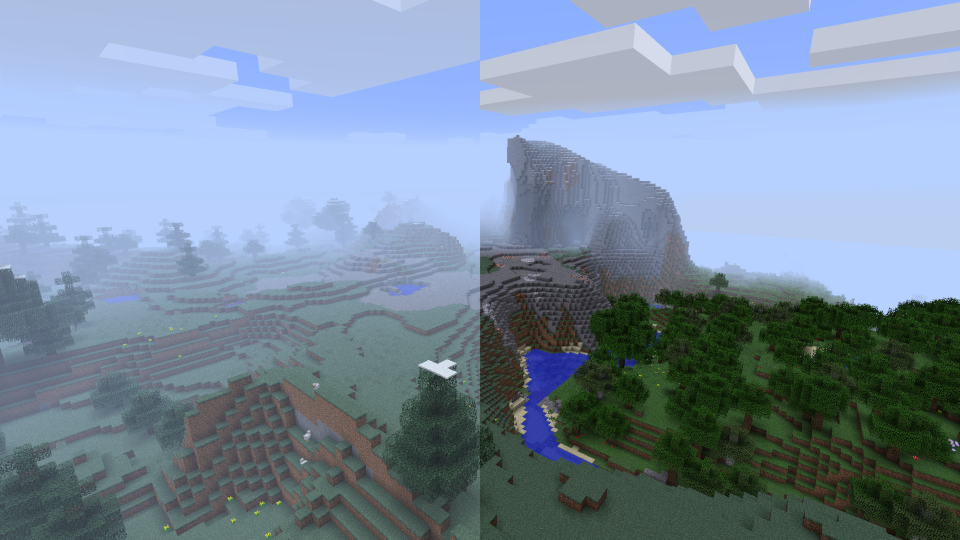
Fogger is currently for version 1.12.2 only.
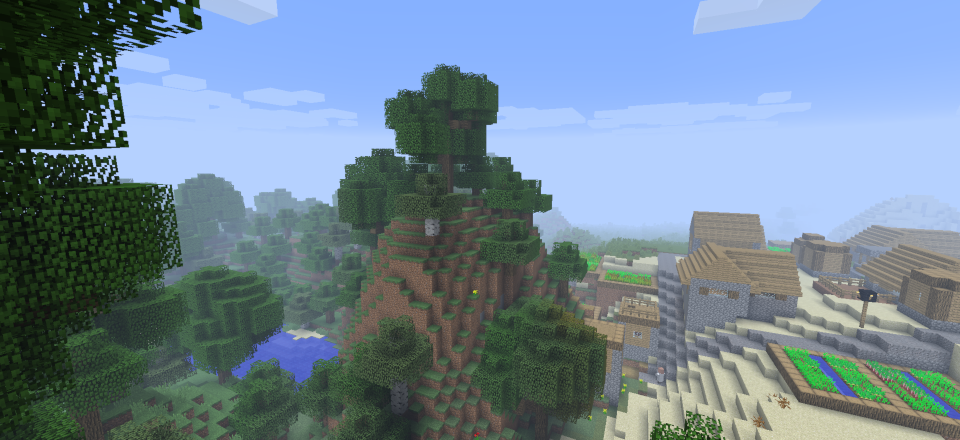
This mod will give you the ability to change where the fog starts and where it ends. This setting can be changed for every biome and corresponding world's y-level.. It is also possible to apply a Global Fog that works biome independent.
How it works
Wiki Page
Mod Compatibility
I am not aware of any incompatibility. This mod works as intended with Optifine, Phosphor, HardcoreDarkness, SereneSeasons, let me know via comment section down below if theres a conflict with any more known mod.
It does work with shaders. However Optifine gives u an option over fast fog and fancy fog and for some reason some shaders are locked on fast fog setting.
Overrides
- DynamicSurroundings ( Only fog oriented systems. )
Fog Colors & Optifine Recommendation
It is highly Recommended to use this mod alongside Optifine and Resourcepacks that support biome dependent fog colors introduced by Optifine build in MCPacher.
Optifine does Colors so well that i don't plan to implement that logic myself into the mod.
There will be a link in future to such Resourcepack crated by myself.
Soon
- I plan to expend this idea and give possibility to change these values depending on the current world weather, time.
The config file generated in past mod versions might not work with current mod version please regenerate the config file if required.
- Edition: Minecraft Java
- File type: .jar
- How to install: Install the matching mod loader (Forge, Fabric or NeoForge) for your Minecraft version. → Download the .jar. → Put it in the .minecraft/mods folder and launch that loader profile.
- Where to get it: Opens on CurseForge — not every file is mirrored on our own servers.
Install steps are the general flow for this file type — How to install Minecraft Java mods & modpacks walks through it step by step.
- Ships as fogger-1.12.2-1.1.0.0.jar — drop this file into the mods folder
- Download size: 13 KB
- Download link checked 14 Oct 2026 — working
These come from our own check of the pack file, not from the source page.