
ModsJava
The Warp Mod - Fabric
Java mod listed for Minecraft 1.16–1.19. Downloads from the MC Java Mods app on Android.
I don't know my version or loader
Open the Minecraft launcher and look at the profile you play on — it names both, like fabric-loader-1.21.4. The version also shows in the bottom-right corner of the game's main menu.
No loader in the profile name? Then it's plain Minecraft, and these mods won't run — you need Fabric or NeoForge installed first.
Description
It allows teleporting to various warps, This mod does NOT need to be installed client-side.
Clientside
This mod can now be installed purely serverside, purely clientside, or for the best experience installed on both.
Waypoints
Warps can now show in game via waypoints. 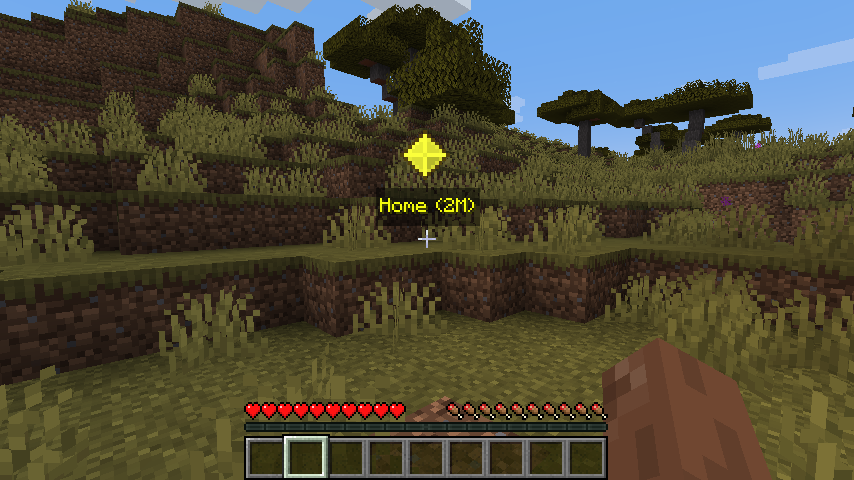
Keybindings
| Key | Name | Description |
|---|---|---|
| B | Create Warp | This will open a quick create UI |
| U | Open Warps Menu | This will open a warp list UI |

Warp Menu
This is a menu to show a list of all of your warps, remove, edit and teleport to them. 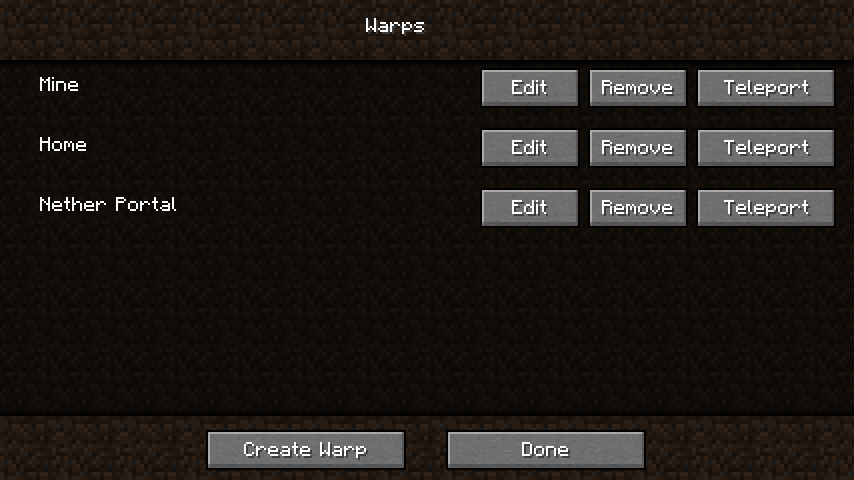
Edit/Create Warp Screen
This is the menu that will allow you to create and edit your warps 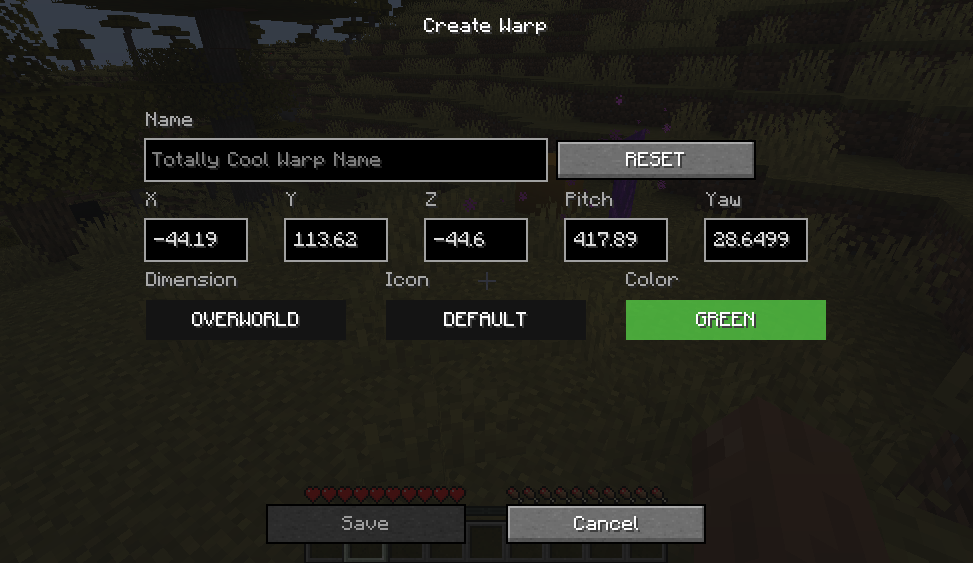
Serverside
Commands
/warp set <name>- creates a warp/warp list- lists all warps created/warp back- when you teleport using warp a "warp back" is automatically created./warp random [<max>] [<min>]- randomly teleports the player using the max and min. by default max is 500 and min is 25 blocks away./warp rename <old> <new> [<overwrite>]- renames the old warp name to new warp name, if new warp exists overwrite will overwrite it./warp <name>- Teleports you to that warp point./warp spawn- Teleports you to spawn/warp remove <name>- removes warp
FAQ:
- Can I use this in a modpack
- Yes, you are more than welcome to add this to your modpack.
- If I have an error where is the best place to vocalize.
- Posting in the Issues section would be the easiest way for me to notice, but I do read and reply to all comments.
Video
Quick facts
- Edition: Minecraft Java
- File type: .jar
- Minecraft versions listed: 1.19.4, 1.18.2, 1.18.1
- How to install: Install the matching mod loader (Forge, Fabric or NeoForge) for your Minecraft version. → Download the .jar. → Put it in the .minecraft/mods folder and launch that loader profile.
- Where to get it: Opens on CurseForge — not every file is mirrored on our own servers.
Install steps are the general flow for this file type — How to install Minecraft Java mods & modpacks walks through it step by step.
File checked by MCModsHub
- Ships as warpmod-fabric-1.16.5-0.0.1.jar — drop this file into the mods folder
- Download size: 706 KB
- Download link checked 24 Nov 2026 — working
These come from our own check of the pack file, not from the source page.