
HUD Quiver
Java mod listed for Minecraft 1.16. Downloads from the MC Java Mods app on Android.
I don't know my version or loader

Please ask before putting in a modpack, and please do not fork or port this mod without asking first!
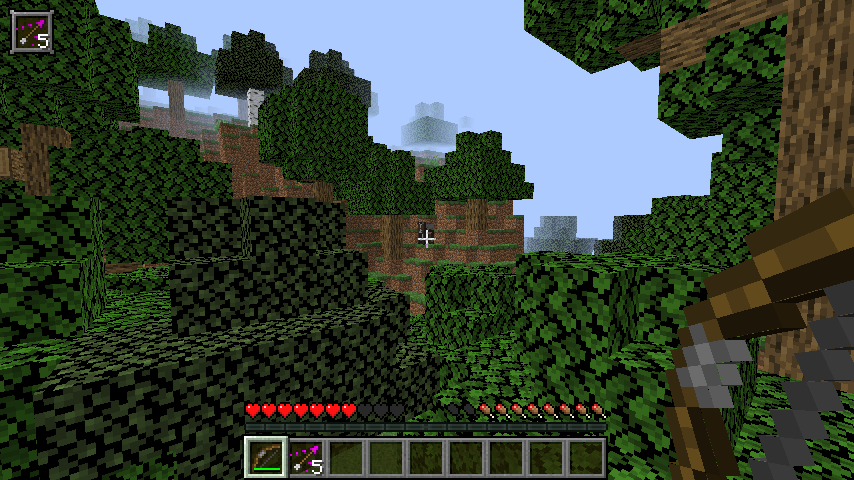
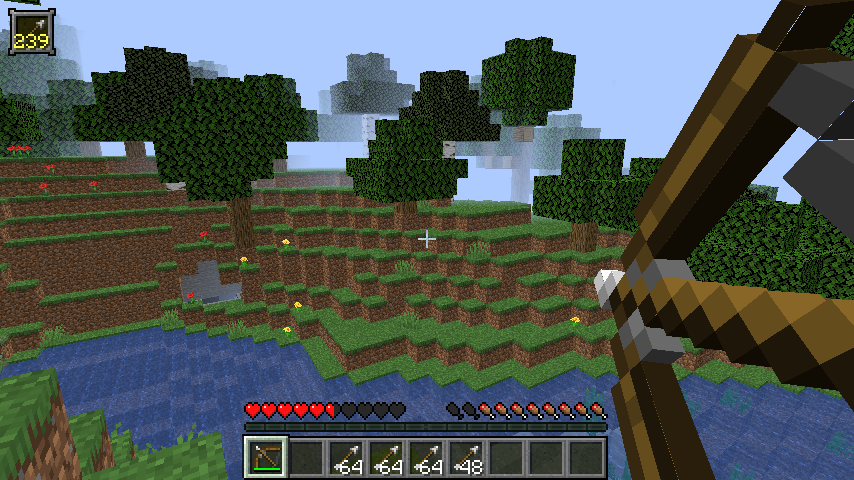
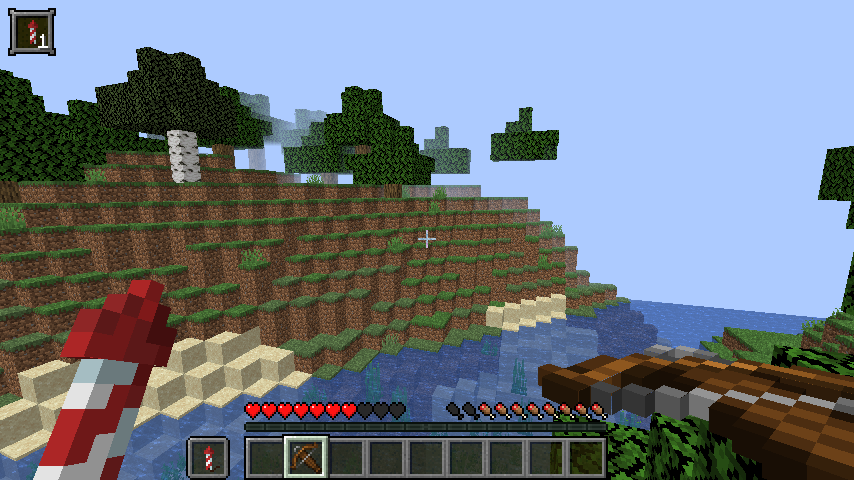
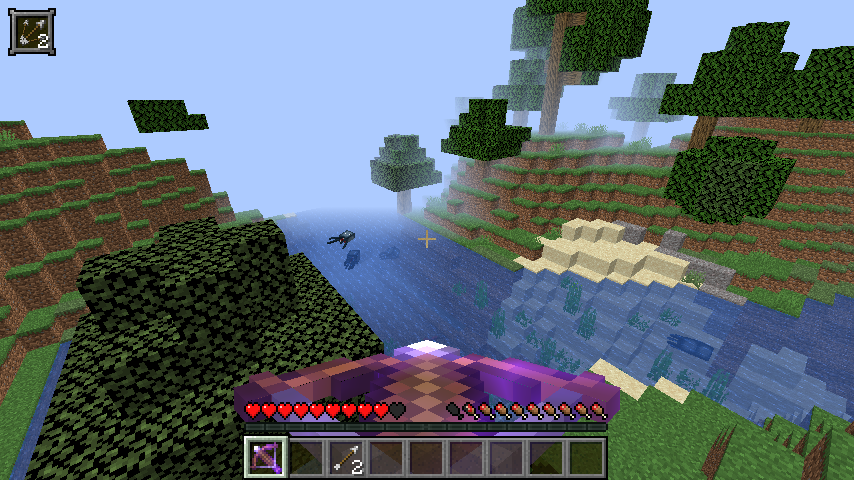
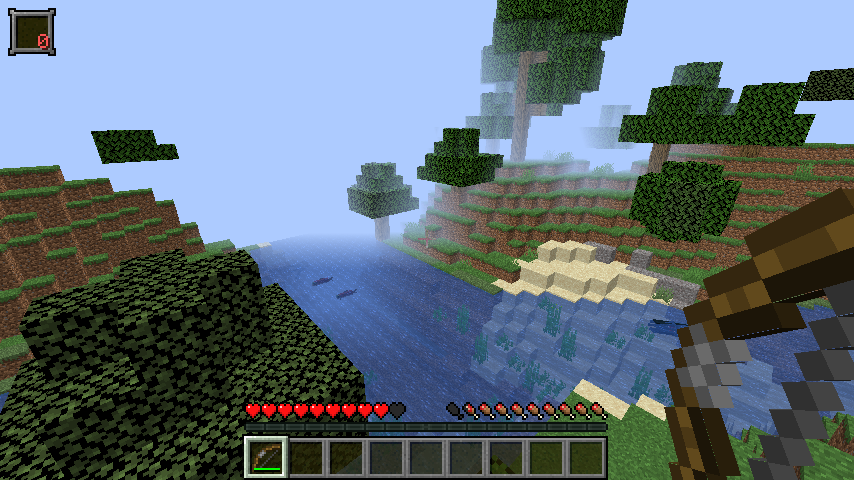
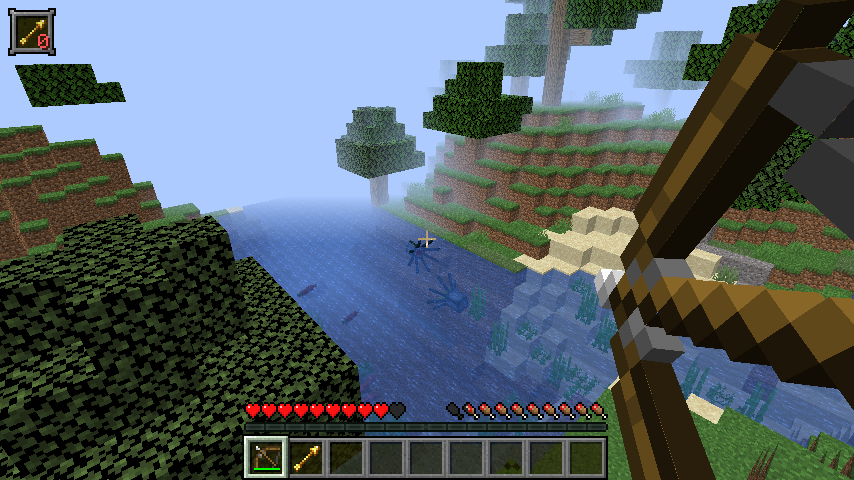
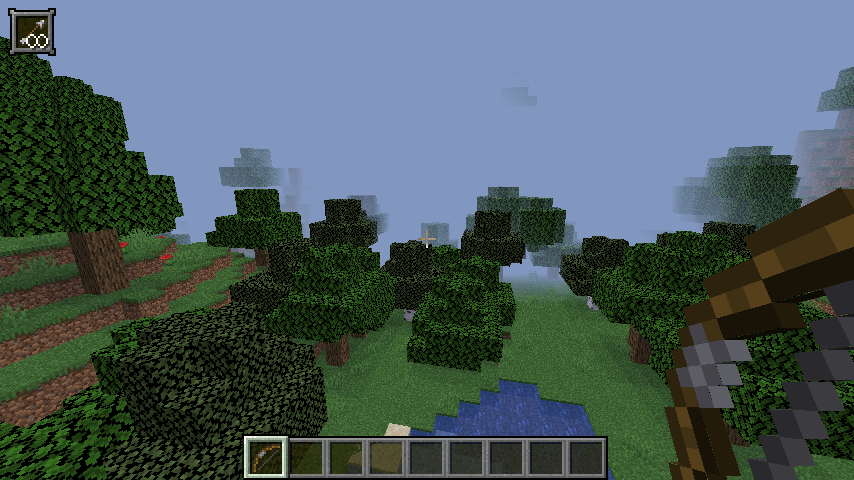
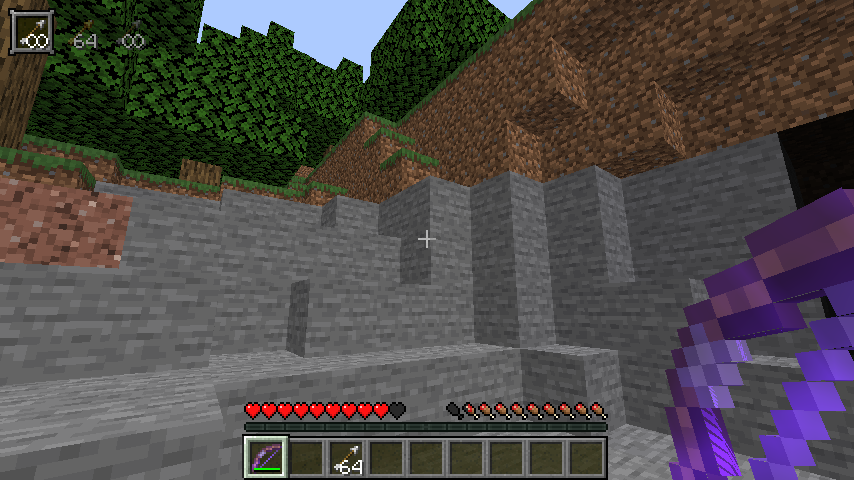
HUD Quiver is a simple mod that shows you your arrows when you're holding a bow or a crossbow. It will display which arrows will be expended first, and then which ones will be used next going left to right in the upper-left corner of the screen. This also works with fireworks for crossbows.
It will also display the quantity of arrows, and any arrows that are the same will be shown as a single stack (i.e. if you have two stacks of 64 arrows right next to each other it will display as one stack of 128 arrows). If you're in creative mode or you're using a bow with infinity (and the arrow supports it, tipped arrows cannot be used infinitely) it will display with an infinity symbol instead.
I guess the mod's name is a little deceiving, as there's no "quiver", per se, but it's still useful if you wanna know exactly how many arrows you have and you don't want to open up your inventory in the heat of battle.
This mod only works client side and will have no effect on the server.
There is a config file that lets you toggle whether or not the HUD Quiver animates in and out of place, whether or not it should still show if you're not holding a bow or crossbow, and its left and top margins.
Be on the lookout for patches in the future!
This works in theory with most mods that add new arrows, and it works guaranteed with
Archer's Paradox
Apetheosis
(If you want to support me just check out some of the links below! Feel free to leave comments, questions, concerns, or suggestions. To make an official request please go to the issues page.)
https://www.patreon.com/fallOut015
https://www.youtube.com/channel/UCUMz86erxAe1Opvs1hdWbwQ/videos
https://www.twitch.tv/fallout015
https://www.teepublic.com/user/fallout015
https://www.redbubble.com/people/fallOut015/shop?asc=u&ref=account-nav-dropdown
fallOut015.aternos.me
- Edition: Minecraft Java
- File type: .jar
- Minecraft versions listed: 1.16.5, 1.16.4
- How to install: Install the matching mod loader (Forge, Fabric or NeoForge) for your Minecraft version. → Download the .jar. → Put it in the .minecraft/mods folder and launch that loader profile.
- Where to get it: Opens on CurseForge — not every file is mirrored on our own servers.
Install steps are the general flow for this file type — How to install Minecraft Java mods & modpacks walks through it step by step.
- Ships as hud_quiver-1.1.1.jar — drop this file into the mods folder
- Download size: 23 KB
- Download link checked 25 Nov 2026 — working
These come from our own check of the pack file, not from the source page.