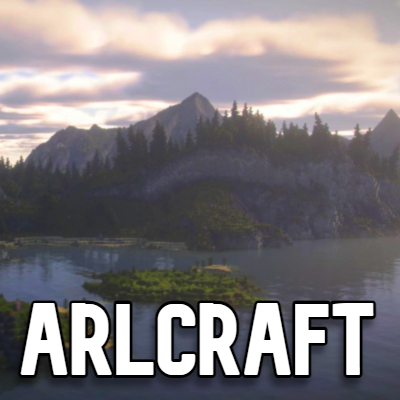
ARLCraft
Java modpack listed for Minecraft 1.16. Downloads from the MC Java Mods app on Android.
⬇ Download on CurseForgeThe author built this one for Minecraft 1.16.5 on Forge. On other versions it may install and then do nothing.

WELCOME to ARLCraft
Welcome to ARLCraft (Actual Real Life Minecraft). This new 1.16.5 ARLCraft has many realistic features, mobs, nether, end, and more. The goal of the game is to either explore the world or beat it. You will come into the world finding yourself surrounded by realistic mods. I am open for comments and suggestions to make this Modpack better. This was also heavily inspired by RLCraft.
Tips to start
- Find flint to create flint shards.
- Get sticks to make a flint knife.
- Make fiber string from plant fiber to make your flint axe.
- Cut down a tree and make planks with the axe in your crafting table.
- Make a flint or wooden pickaxe to mine cobble.
- Explore different and new biomes with many mobs, ruins and dungeons.
- Find a cave and explore the new generations and mineshafts.
- Start exploring the nether and end to beat the game.
- Have fun.
Still updating mods for more realistic gameplay. Also, I'm going to upload a tutorial guide video on this new mod pack.
- Edition: Minecraft Java
- File type: .jar
- Minecraft version listed: 1.16.5
- How to install: Install the matching mod loader (Forge, Fabric or NeoForge) for your Minecraft version. → Download the .jar. → Put it in the .minecraft/mods folder and launch that loader profile.
- Where to get it: Opens on CurseForge — not every file is mirrored on our own servers.
Install steps are the general flow for this file type — How to install Minecraft Java mods & modpacks walks through it step by step.
- Downloads as ARLCraft-1.4.1.zip
- Download size: 1.2 MB
- Download link checked 24 Sept 2026 — working
These come from our own check of the pack file, not from the source page.