
CurseMods
Java mod listed for Minecraft 1.16. Downloads from the MC Java Mods app on Android.
A one click installer for any CurseForge mod. It automatically manages installing a mod and any of its dependencies, as well as checking for game version…
⬇ Download on CurseForgeThe author built this one for Minecraft 1.16.4–1.16.5 on Fabric. On other versions it may install and then do nothing.
CurseMods
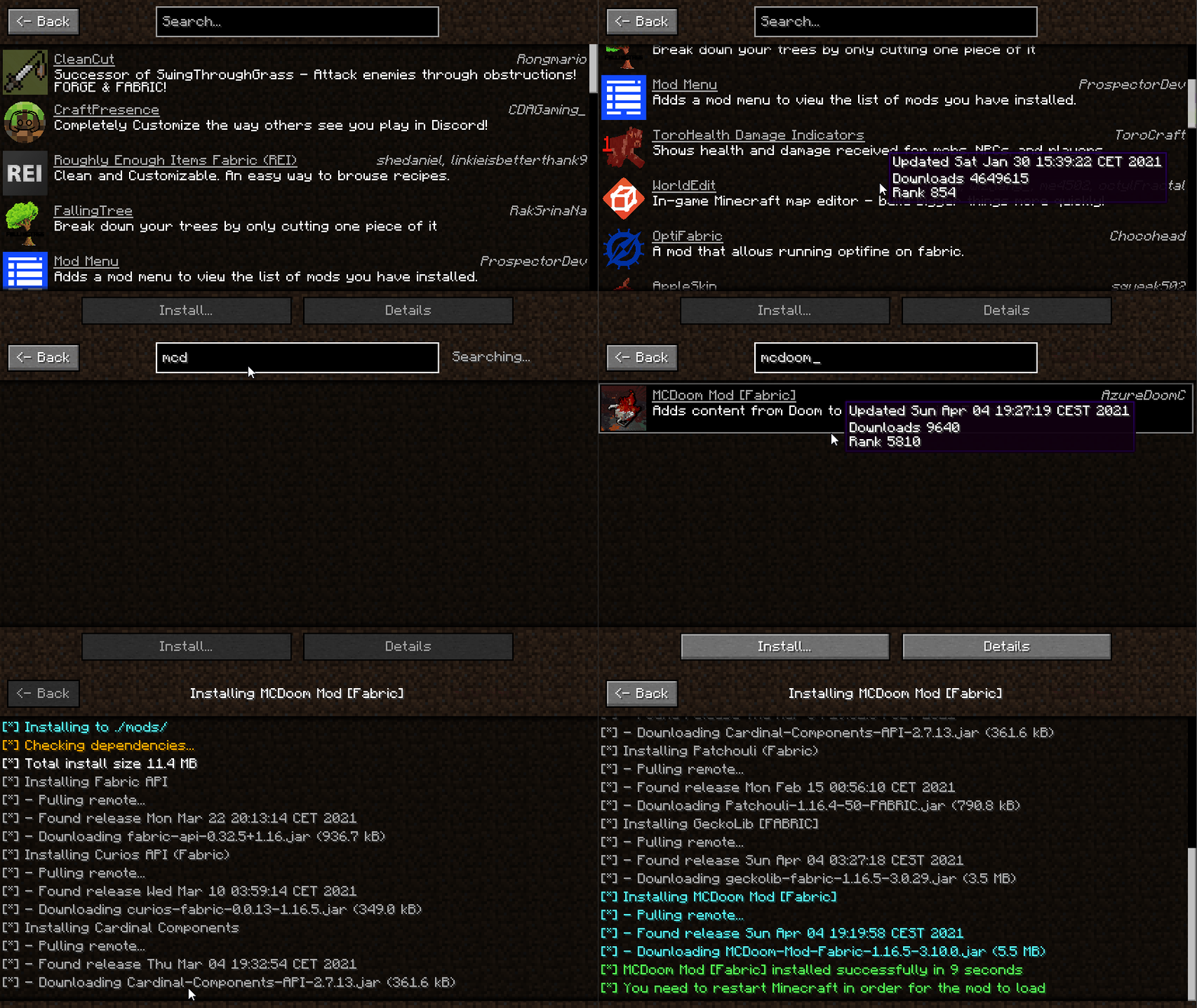
A one click installer for any CurseForge mod. It automatically manages installing a mod and any of its dependencies, as well as checking for game version & mod loader compatibility. All data is fetched in real-time from CurseForge.
Usage
To open the UI press the O key in-game. This keybind can be changed in the Minecraft keybinding settings.
Installed mods show up as green in the mod list, you can also double click a mod in the list to
open the CurseForge page for it in your browser.
Features
- Automatic dependency management
- Automatic version/loader compatibility verification
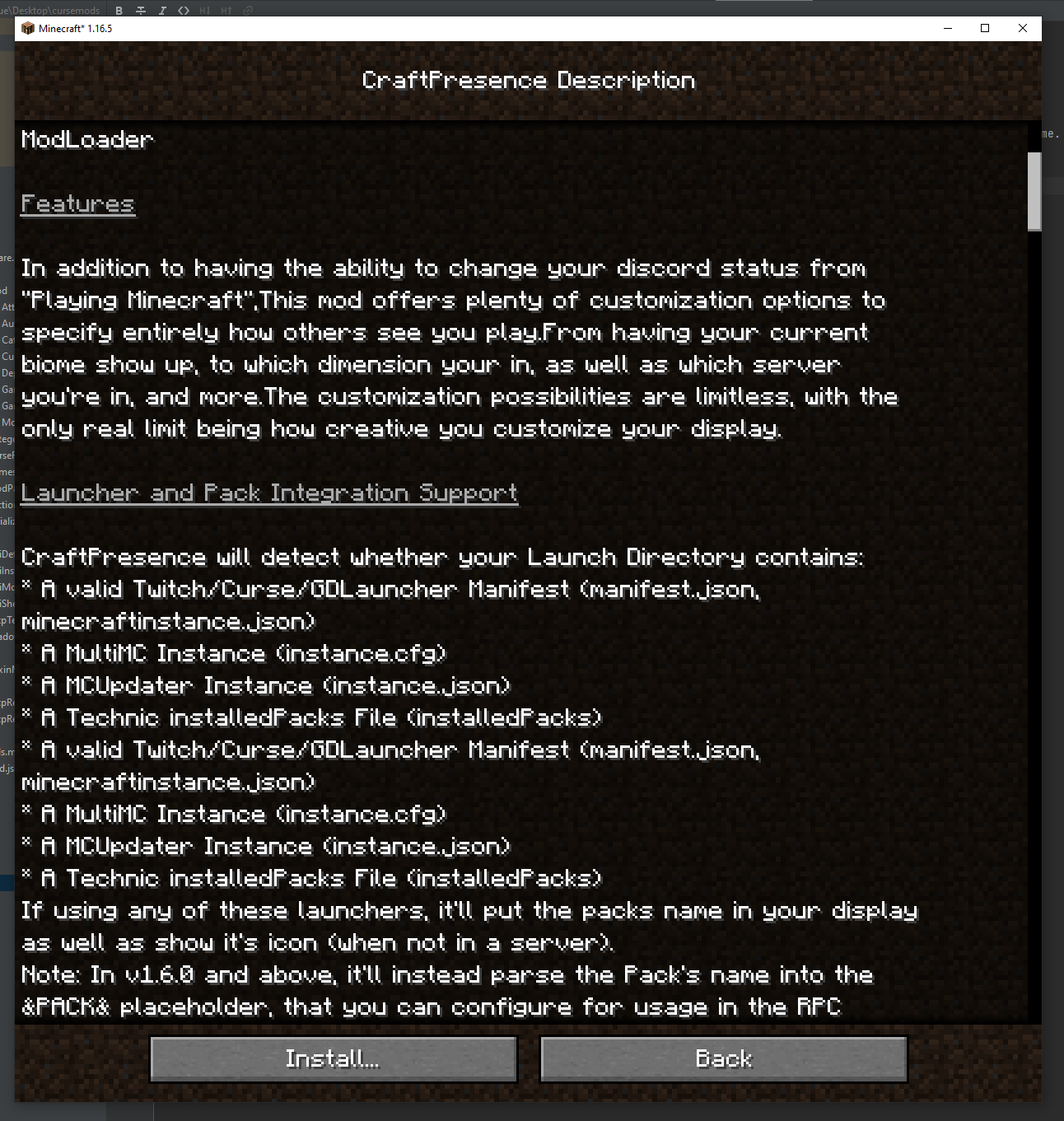
- Full mod descriptions (Rendered from the html version)
- Shows author, summary, and download count
- Automatically calculates total space needed to install (Including dependencies)
- Avoids duplicate mod installations and dependencies
Demos


- Edition: Minecraft Java
- File type: .jar
- Minecraft versions listed: 1.16.5, 1.16.4
- How to install: Install the matching mod loader (Forge, Fabric or NeoForge) for your Minecraft version. → Download the .jar. → Put it in the .minecraft/mods folder and launch that loader profile.
- Where to get it: Opens on CurseForge — not every file is mirrored on our own servers.
Install steps are the general flow for this file type — How to install Minecraft Java mods & modpacks walks through it step by step.
- Ships as cursemods-1.0.0-fabric.jar — drop this file into the mods folder
- Download size: 360 KB
- Download link checked 14 Oct 2026 — working
These come from our own check of the pack file, not from the source page.