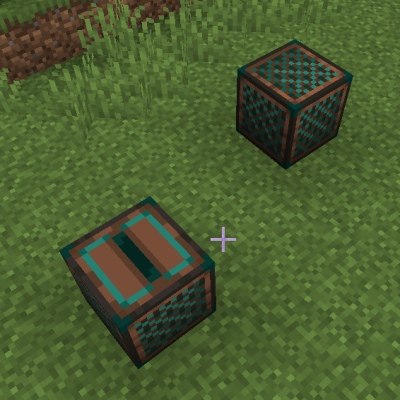
Wireless Speakers
Java mod listed for Minecraft 1.16–1.21. Downloads from the MC Java Mods app on Android.
I don't know my version or loader
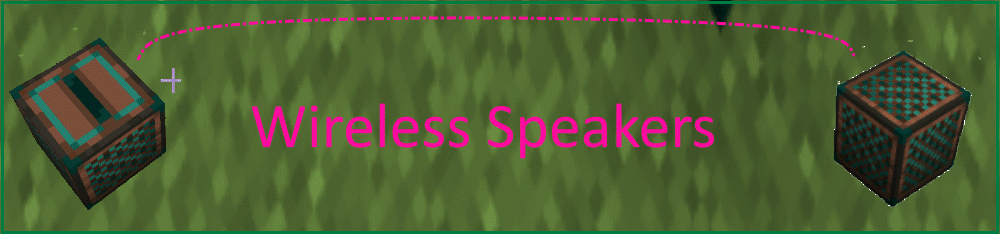
This mod adds recipes for wireless jukebox and and wireless speakers to minecraft. The recipe is a jukebox plus an ender pearl and a noteblock plus an ender pearl. Right-Click the wireless speakers on a wireless jukebox to link them to the wireless jukebox.
You can start a song in the wireless jukebox and it plays in up to three wireless speakers elsewhere. They need to be loaded to get the signal to play and you can have overlapping sets of speakers (the speakers are tied to a particular wireless jukebox). The music disc is not held in the wireless jukebox.
The limit of 1 Jukebox and 3 speakers for a particular song starting is a hard limit of a particular client.
There is also a hard limit of 8 music streaming events for a particular client at one time. This includes the normal game music so.
When these limits are reached, the sound doesn't stream and issues a warning.
Extra Features!
Wireless Jukeboxes form an ender link with music discs and do not need to store the physical music disc.
If the wireless jukebox is on a glow stone block, it will play the song every morning. Daylight Sensor works for minecraft 18.1 and 18.2.
If the wireless jukebox is on a coal block, it will play every evening. Inverted Daylight Sensor works for minecraft 18.1 and 18.2
You can right-click a music disc on a jukebox to save the song ID and then "Sneak-Click" with an empty hand to stop the song while the song ID is retained. You can use this to set up morning and evening Songs.
Light shines thru Wireless Jukeboxes. They do not block light.
As of 18.1, juke boxes and speakers can be separately configured to shine at light levels 0 to 15.
Goals
Backport new feature to 1.16.5
Add an optional light show.
Mod Patron
This mod is Supported by Averse Thule so it can be downloaded on alternative modloaders. Check out his "HomeBrew" Mod! It is a lot of fun to play.

- Edition: Minecraft Java
- File type: .jar
- Minecraft versions listed: 1.21.1, 1.20.1, 1.20
- How to install: Install the matching mod loader (Forge, Fabric or NeoForge) for your Minecraft version. → Download the .jar. → Put it in the .minecraft/mods folder and launch that loader profile.
- Where to get it: Opens on CurseForge — not every file is mirrored on our own servers.
Install steps are the general flow for this file type — How to install Minecraft Java mods & modpacks walks through it step by step.
- Ships as wirelessspeakers-1.21.1-52.1.1.jar — drop this file into the mods folder
- Download size: 56 KB
- Download link checked 14 Oct 2026 — working
These come from our own check of the pack file, not from the source page.