
Sticky Hopper
Java mod listed for Minecraft 1.16–1.18. Downloads from the MC Java Mods app on Android.
This project is now on Modrinth . Sticky Hopper > Minecraft Fabric mod allowing hoppers to be sticky! Based on an original idea by Aurelien_Sama (FR)…
I don't know my version or loader


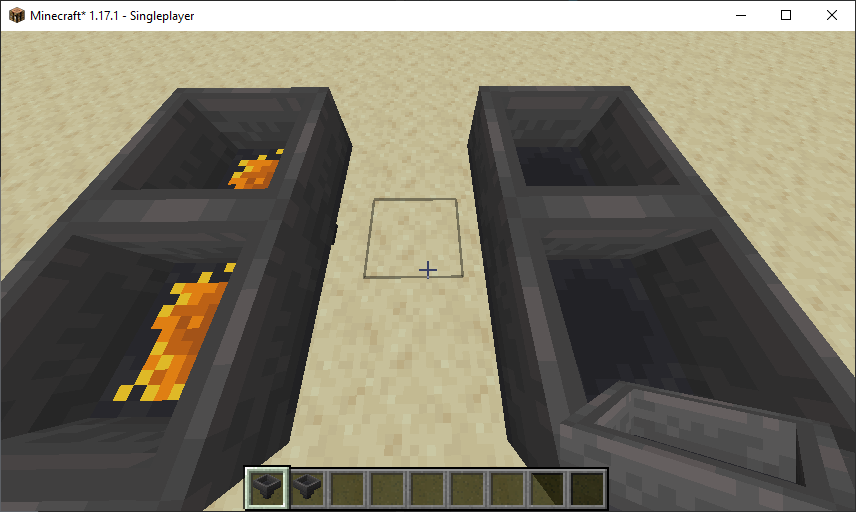
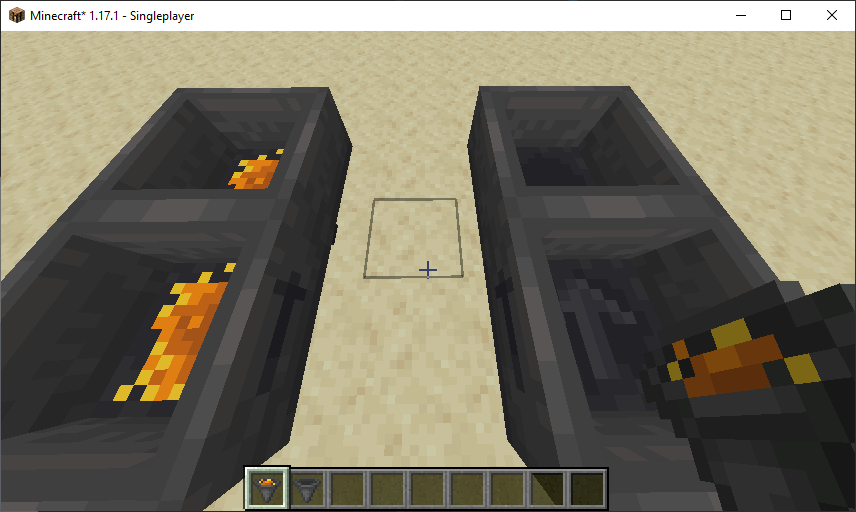
This project is now on Modrinth.
Sticky Hopper
> Minecraft Fabric mod allowing hoppers to be sticky!
Based on an original idea by Aurelien_Sama (FR), and its prototype coded by ShoukaSeikyo.
Features
Basic
Sticky Hopper — which is obviously a new block added by this mod — simply never empties completely, but retains a single item in each of its inventory slots instead.
It has been designed to be used as a filter. Simple, small, sliceable, redstone-less filter!
Comparators checking for Sticky Hopper content ignore all items which are in a single copy per inventory slot.
But as soon as there is a second item in a slot, they are counted as 2/64 (or 2/16, or whatever the maximum stack is for this type of item), not as 1/63 nor 1/64...
If there are single items in other slots, they are still ignored though.
Non-stackable items are always ignored by Comparators as there can't be more than one in a slot, by all means.
Please note that the time to transfer a stack of items through a line of Sticky Hoppers is the same as for normal Hoppers (8 game ticks per transfer).
But since Sticky Hoppers keep one item each, they do not actually transfer anything until the second (same) item, so they may seem slower at first.
Advanced
Since version 3.0, for Minecraft ≥ 1.17.1, it is possible to filter non-stackable items!
This is a customizable option that is disabled by default.
Indeed, the initial idea behind this Hopper is to have a vanilla-friendly behavior, and, I think you'll agree, adding the ability of sorting non-stackable items is quite overkill!
Usage
This feature, when enabled, takes advantage of the fact that a Sticky Hopper keeps items in its inventory.
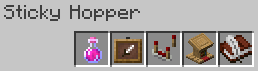
To filter out a non-stackable item, the inventory must be filled with a single copy of specific items (the "recipe").
By default, this recipe uses a Book and Quill (or a Written Book) that can set filtering conditions, in addition to customizable global permissions.
The recipe is also customizable, and the book can be ignored so only global permissions would be used.
For instance, you can configure this recipe:
To use the book, write keywords on its first page. They are case-sensitive, and of course, also customizable!
By default, write "Durability" to allow items with different durability to match and be sorted with each other,
"Enchantment" so items with different enchantments are grouped,
"Potion" to be able to group some potions together (see the 1st note below),
and finally write "Name" to group items with different names.
If the book is empty, none of those differences will be grouped.
(Other NBTs are not compared, regardless of the permissions and conditions given in the book.)
Notes:
- Short and long potions of the same type are named the same.
So grouping potions with the "Potion" condition but not with "Name" will allow you to only sort these short and long ones together.
Use "Potion" and "Name" to group all Potions together, but also all Splash Potions in another group, and Lingering Potions in a 3rd one. - The Sticky Hopper must be able to insert the item into an inventory (another Hopper, a Chest, a Dropper...) to accept the transfer, a Hopper placed below will not be able to pick up anything unless the Sticky Hopper points toward it.
- New incoming stackable items present in the recipe will be ignored by this Hopper.
Customization
To activate this feature, you have to edit the config/sticky_hopper.toml file.
On a single player session, you can also use Mod Menu.
Here are all the available options, with their default values:
[general]
nsif_enabled = false
[recipe]
nsif_slot1 = "item"
nsif_slot2 = "minecraft:item_frame"
nsif_slot3 = "minecraft:comparator"
nsif_slot4 = "minecraft:lectern"
nsif_slot5 = "book"
[permissions]
nsif_allows_diff_durability = true
nsif_allows_diff_enchantment = true
nsif_allows_diff_potion_effect = true
nsif_allows_diff_name = true
[book]
nsif_durability_keyword = "Durability"
nsif_enchantments_keyword = "Enchantment"
nsif_potion_effect_keyword = "Potion"
nsif_name_keyword = "Name"
The recipe needs one slot to be set to "item", whereas "book" is optional. The other slots need valid items identifiers.
The permissions define either which keywords can be used in the book, or the conditions always enabled for all Sticky Hoppers.
The book keywords must contain at least one letter, otherwise the default ones would be used.
Craft
A Honey Bottle on top of a normal Hopper. That's it! ¯\_(ツ)_/¯
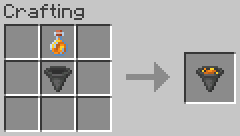
Of course, it gives the empty Glass Bottle back!
It is also possible to clean up a Sticky Hopper, just place a Snowball on top of it.
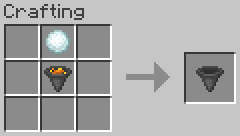
Didn't you know that snow cleans honey much better than a water bucket? The legend says that it is because the latter is not stackable!
Server-Side Only
Since version 3.0a, for Minecraft ≥ 1.17.1, this mod exists in a server-side only version!
You can find it under the Additional Files section of the Files tab.
It basically works the same way as the default client/server version, except that it does not add a new block with its texture and title, but use default Hoppers instead.
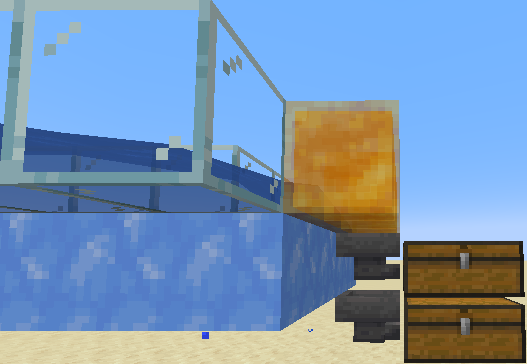
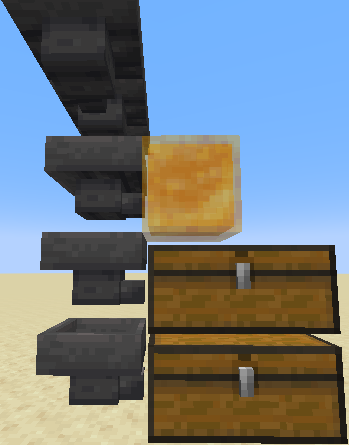
To be able to act as "Sticky Hoppers", they must be directed into a Honey Block, or to have a Honey Block on top of (a column of) them.
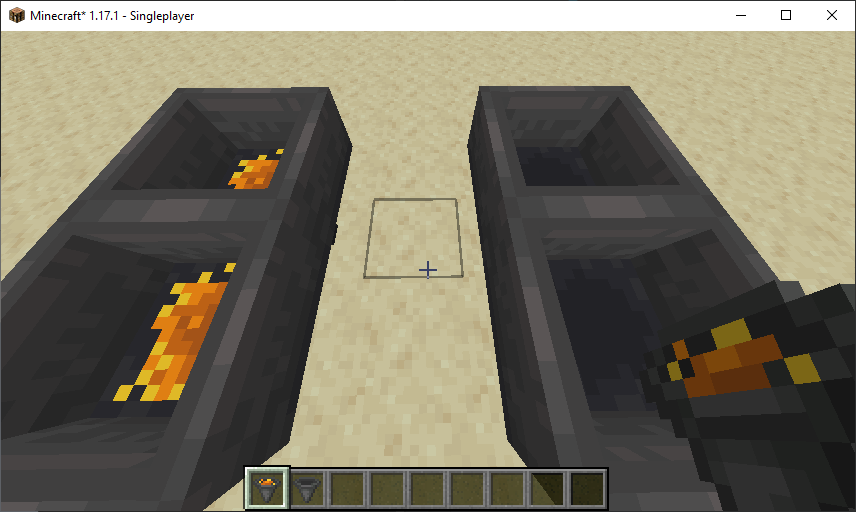
Here are screenshots showing some basic examples with one or more server-side only Sticky Hoppers:
You cannot use Mod Menu to edit the configuration of this version of the mod, so if you are interested in filtering non-stackable items I recommend you setting it up using the default client/server version of the mod, then bringing its configuration file to your server!
However, you'll still need Cloth Config (see below) for the server to start!
Installation
As the default client/server version adds a new block, if you want to use it on a server, clients should have it too, so they can see and craft the Sticky Hopper.
Otherwise you can use the server-side only version.
The minimum requirements are, of course, the Fabric launcher and the Fabric API, and also the Cloth Config mod, and to copy the ".jar" file into your mods folder.
(For default Windows installations, after running the game with the Fabric launcher at least once, just copy / paste this into the path bar of any Explorer window to open the mod folder: %appdata%\.minecraft\mods — and press Enter.)
Miscellaneous
This mod is translated in English and French, including the customization menu.
You are free to use this mod in any modpacks you'd make.
This mod works without conflict with my other mod "Speedy Hopper", but of course you won't be able to craft a "Fast Sticky Hopper", so you'll have to make choices and design your contraptions accordingly!
I don't plan to adapt it for another modloader than Fabric.
Please take a look at the current issues board, and also at the interesting ideas and suggestions I've received, to see what is likely to happen sooner or later!
Hope you'll find this mod usefull! ♥ Also, feel free to take a look at my other mods!
Versions
3.0b - Corrections of texts for Mod Menu (Client/Server version)
3.0a - (≥ 1.17.1) Improves the functionality of the sorting book - This is also the first release of the server-side only version!
3.0 - (≥ 1.17.1) Adding the ability to filter non-stackable items
2.3 - (≥ 1.17) Bugfix: Pickaxe tag added, so it's possible to mine Sticky Hoppers
2.2 - Cleaning craft simplified
2.1 - Non-stackable items can finally be retained (but not filtered); Clean up craft added
2.0 - Comparators management; Transfer cooldown bugfix
1.0 - Initial project with operational Sticky Hoppers
Known Incompatibilities
- Lithium (≥ 1.17 only):
Hoppers optimisations added in Lithium make Sticky Hoppers act like normal Hoppers!
I may work on this problem at some point... In the meantime, my mod disables these optimizations for Minecraft 1.17.1 (if you are using it for 1.17, just addmixin.block.hopper=falsein "config/lithium.properties" yourself). - Vanilla Tweaks - Resource Packs:
I've found two Vanilla Tweaks resource packs that have small compatibility issues, due to the change in texture of the Sticky Hoppers.
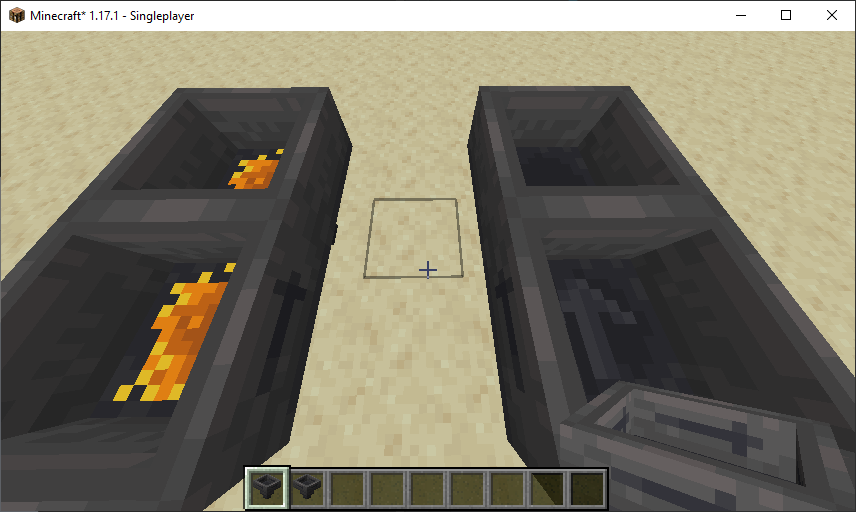
=> Directional Hoppers normally displays an arrow inside the hopper if it is not pointing down. It does not appear in Sticky Hoppers because of the texture of the honey.
=> 3D Items, more annoying, changes the model used for items (in the hotbar, in the hand, and also for items dropped on the ground), and unfortunately the honey texture does not appear at all.
Here are screenshots to illustrate those issues (without resource packs, with Directional Hoppers, and with 3D Items):
- Edition: Minecraft Java
- File type: .jar
- Minecraft versions listed: 1.18, 1.17.1, 1.16.5
- How to install: Install the matching mod loader (Forge, Fabric or NeoForge) for your Minecraft version. → Download the .jar. → Put it in the .minecraft/mods folder and launch that loader profile.
- Where to get it: Opens on CurseForge — not every file is mirrored on our own servers.
Install steps are the general flow for this file type — How to install Minecraft Java mods & modpacks walks through it step by step.
- Ships as stickyhopper-3.0a-1.17.1.jar — drop this file into the mods folder
- Download size: 47 KB
- Download link checked 14 Oct 2026 — working
These come from our own check of the pack file, not from the source page.