
Dungeon based Spawners
Java mod listed for Minecraft 1.16. Downloads from the MC Java Mods app on Android.
⬇ Download on CurseForgeThe author built this one for Minecraft 1.16.5 on Forge. On other versions it may install and then do nothing.
Only needed on server.
This mod adds the following features:
- Breaking a spawner will not destroy the block, it will deactivate it for the player who tried to. If other players are around, the spawner will work until they also deactivate it.
- Deactivating a spawner have a chance to add a random bad effect to the player. The probability of getting a bad effect when deactivating spawner is configurable. The effects and probabilities of each one are configurable. The duration, the max lvl of the effect and the probabilities of the levels are also configurable.
Deactivating spawner and getting poison for doing so.
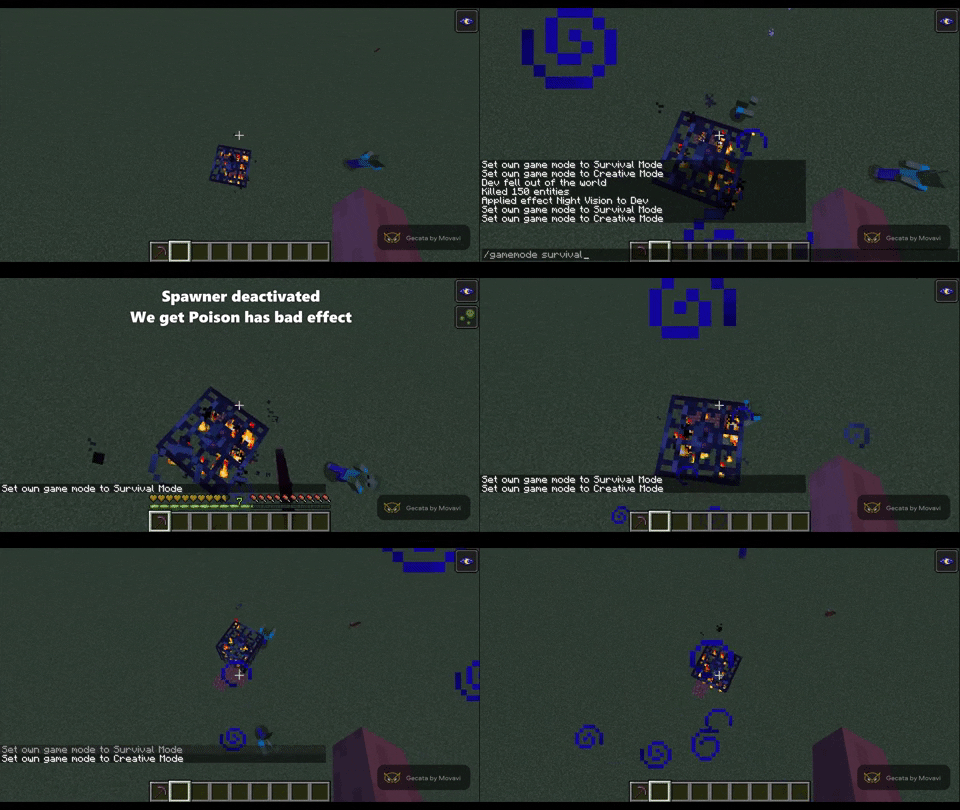
- To destroy the block you have to break the spawner using a wooden pickaxe while shifting. (Destroying the block also deletes the data saved about the spawner). You can configure wether you have to use an item, which item and wether you have to be shifting to break the spawner.
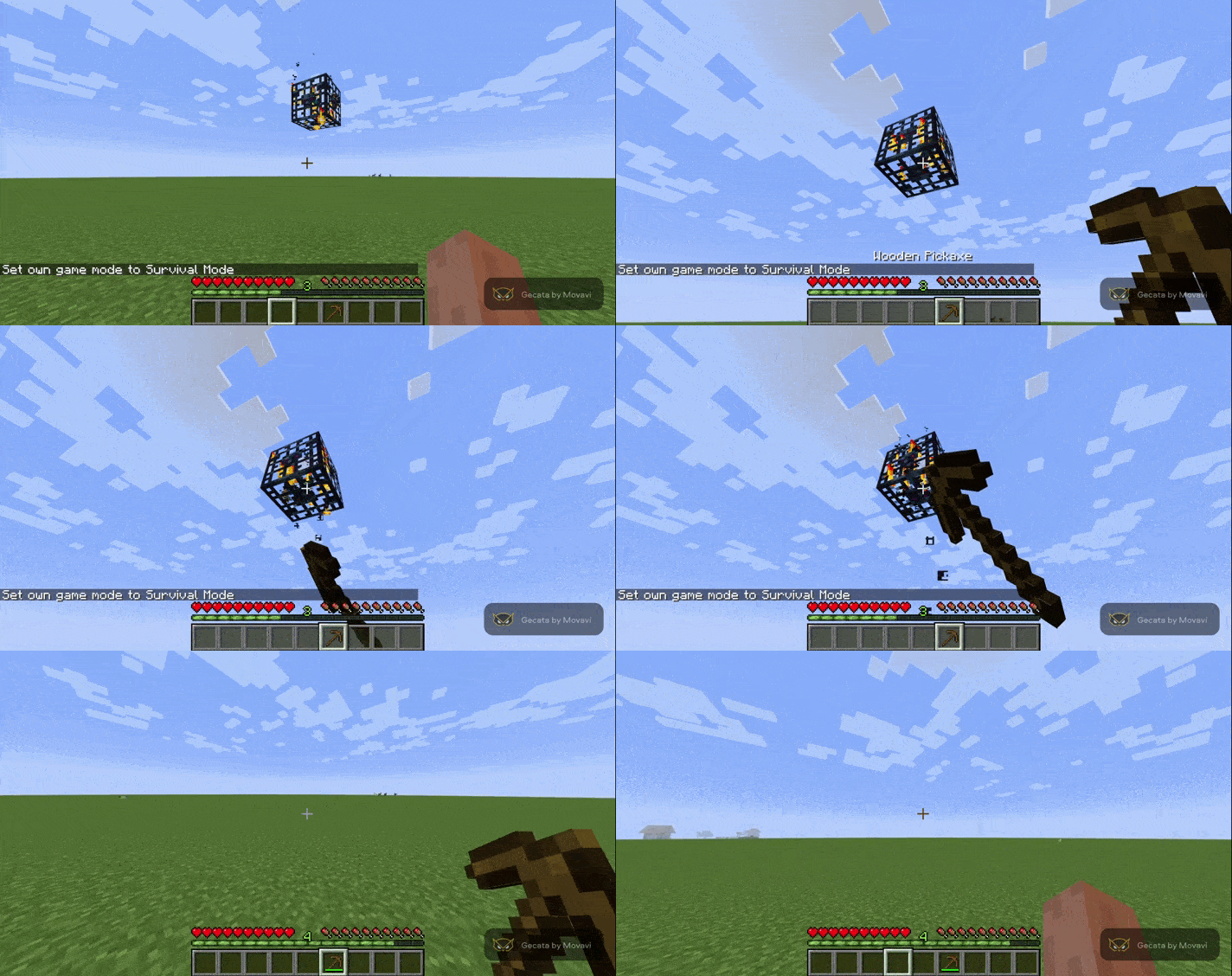
- You can't place any light block like torches or glowstone blocks around a spawner. It depends on the light level the block emits. You can configure how far you can place light blocks (You set the maximum light lvl allowed next to the spawner).
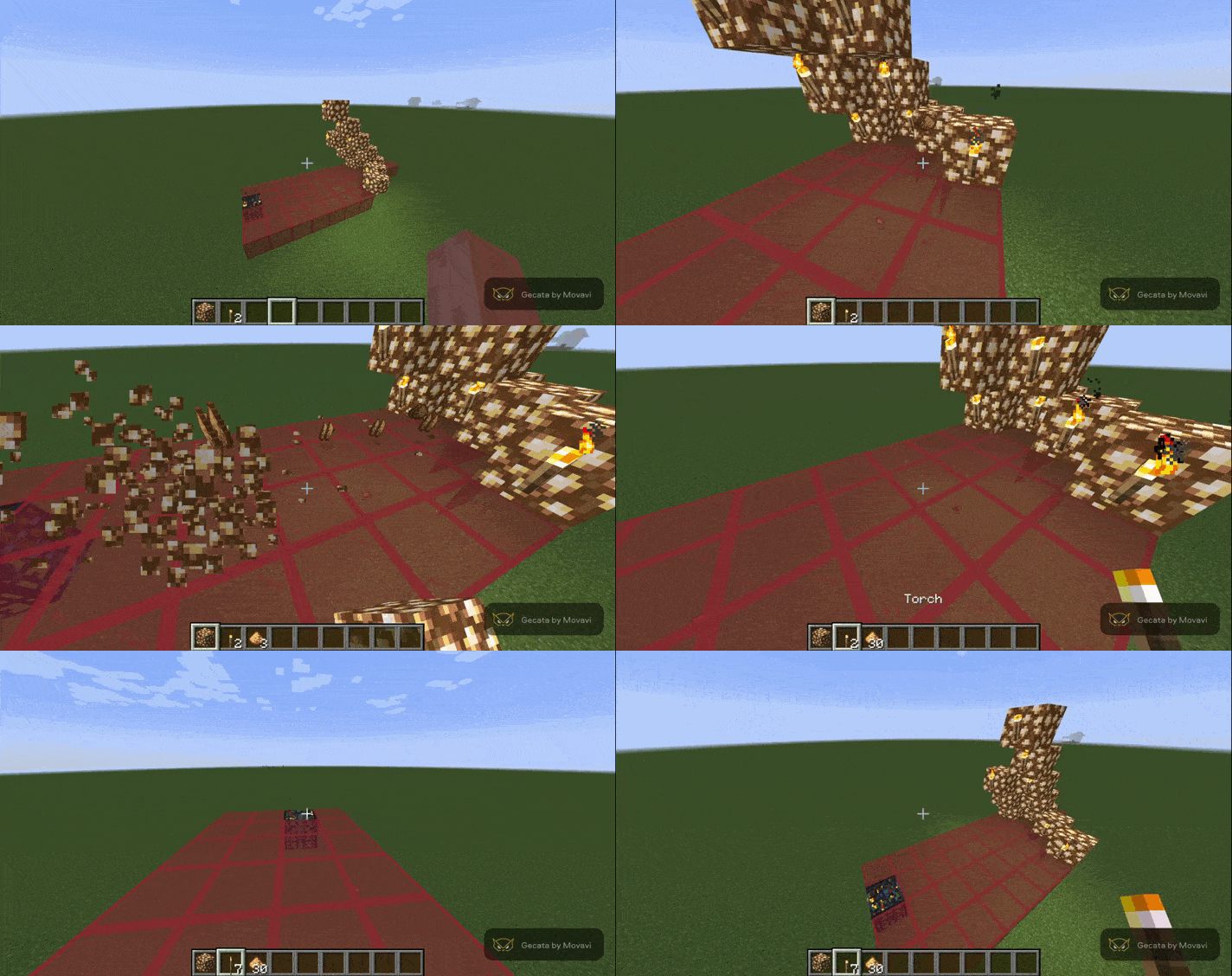
- Breaking a spawner in creative will delete the data it stores about the players, reseting it.
NEW: Added config. You can now configure almost everything this mod provides. Also added a way to get the id of an item (usefull for config). For that you must send a message in game with just "id" while having the item in your main hand. (The message will only show for you).
I recommend using this mod with Lootr
This mod with Lootr make dungeons and the like playable by any new player that aproach them, so that new players don't have to explore 10000 blocks to find new dungeons.
- Edition: Minecraft Java
- File type: .jar
- Minecraft version listed: 1.16.5
- How to install: Install the matching mod loader (Forge, Fabric or NeoForge) for your Minecraft version. → Download the .jar. → Put it in the .minecraft/mods folder and launch that loader profile.
- Where to get it: Opens on CurseForge — not every file is mirrored on our own servers.
Install steps are the general flow for this file type — How to install Minecraft Java mods & modpacks walks through it step by step.
- Ships as dungeonbasedspawners-1.1.jar — drop this file into the mods folder
- Download size: 12 KB
- Download link checked 14 Oct 2026 — working
These come from our own check of the pack file, not from the source page.