
ModsJava
Expert Mode
Java mod listed for Minecraft 1.16–1.19. Downloads from the MC Java Mods app on Android.
⬇ Download on CurseForgeThe author built this one for Minecraft 1.16.5 on Forge. On other versions it may install and then do nothing.
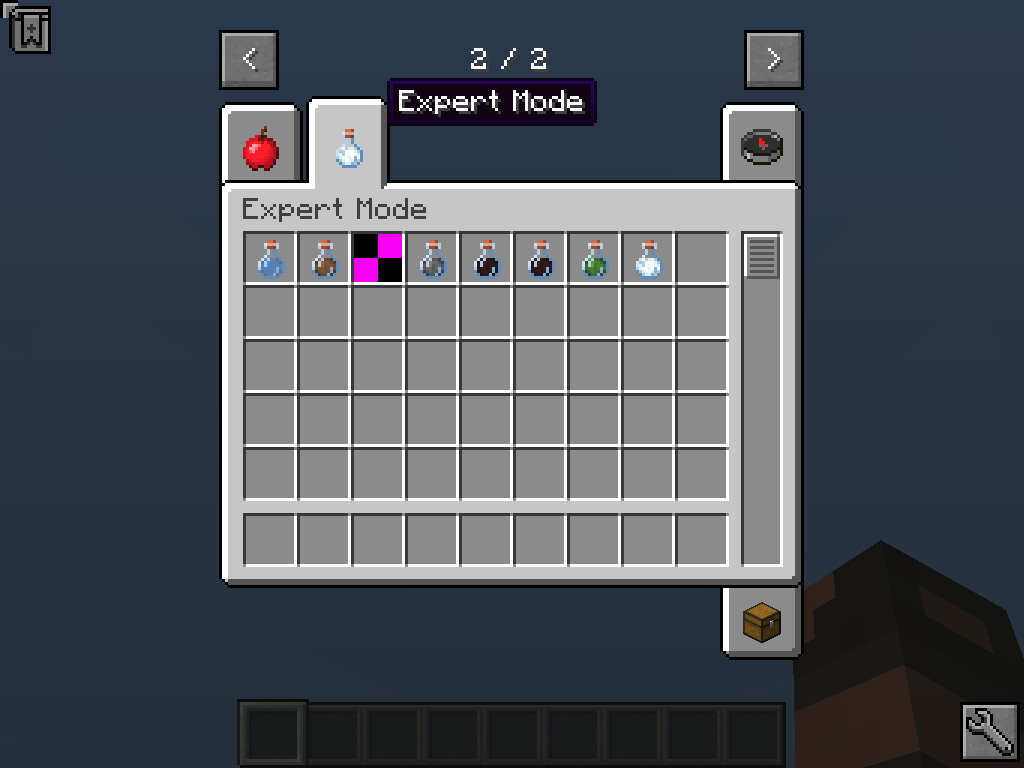
Expert Mode is intended to provide an increased challenge to the average survival playthrough.
[Video]
Features:
- Most options are configurable through a common config file and in game using the /expertmode command and enabling/disabling features on a per world basis from there.
- Make some negative potion effects last indefinitely until either the player characer dies or uses an antidote to clear the effect.
- Burning lasts indefinitely or until the flames are extinguished. A new extinguish potion has been added to clear fire in places like the nether.
- Increased explosion damage.
- Added new versions of the protection enchantments that swap out in place of the vanilla variants.
- Monsters can spawn with increased health.
- Monsters at night can receive a damage and protection bonus.
- Guardians are now more dangerous.
- Environmental damages have been increased.
- Added new curses to armor.
- Added new bleeding effect.
- Added new wounded effect.
- Added new infection effect.
- The wither boss now applies effects to the player during the fight and will despawn if the player is out of range.
- Milk buckets removing negative effects is disabled and has been replaced with antidotes and milk bottles.
- Bonus Features: (disabled by default)
- Instant Death Mode: Any damage will kill the player.
- Exploding Mobs Mode: Any mob that is killed will explode.
- Disable XP from dropping.
I would recommend you play on difficulty HARD.
More features are planned!
Pertaining to modpacks:
You are free to use the mod however you would like.
Get In Contact:

Quick facts
- Edition: Minecraft Java
- File type: .jar
- Minecraft versions listed: 1.19.2, 1.18.2, 1.17.1
- How to install: Install the matching mod loader (Forge, Fabric or NeoForge) for your Minecraft version. → Download the .jar. → Put it in the .minecraft/mods folder and launch that loader profile.
- Where to get it: Opens on CurseForge — not every file is mirrored on our own servers.
Install steps are the general flow for this file type — How to install Minecraft Java mods & modpacks walks through it step by step.
File checked by MCModsHub
- Ships as Expert Mode 1.16.5 v0.1.jar — drop this file into the mods folder
- Download size: 33 KB
- Download link checked 4 Nov 2026 — working
These come from our own check of the pack file, not from the source page.