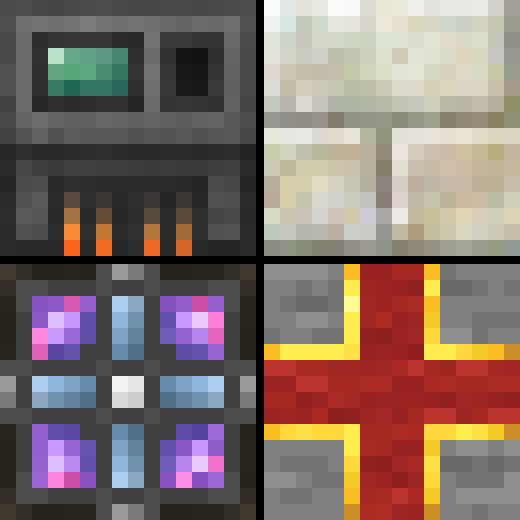
Biomaticraft
Java modpack listed for Minecraft 1.16. Downloads from the MC Java Mods app on Android.
A beginner-friendly, progression-based modpack, focused around Mekanism, Botania, AE2 and Mystical Agriculture.
⬇ Download on CurseForgeThe author built this one for Minecraft 1.16.5 on Forge. On other versions it may install and then do nothing.
Welcome to Biomaticraft!
Biomaticraft is a beginner-friendly, smaller modpack focused around a few big mods and aided by smaller ones. Nevertheless, it is also meant to be a fun pack for more experienced modpack players.
The modpack is progression-based. This means that you cannot do everything from the start. Minecraft itself is progression-based: In order to mine diamond ore, you will first need an iron pickaxe. Or, in this modpack, you will need to make a Metallurgic Infuser (from Mekanism) to unlock many other things - the Nether, Botania's manasteel, Mystical Agriculture's prosperity ingots, you get the idea.
Biomaticraft is aimed at being a good first modpack, while still being interesting for modpack veterans. As such, there are few new mobs, only one new boss (Botania's Gaia Guardian), and no new biomes or dimensions (if you don't count AE2's spatial storage, that is). Instead, focus is on filling vanilla content gaps (variant bookshelves yay), building Mekanism or Botania constructions, maybe end up having an entirely automated resource production, utilizing Mystical Agriculture, Botany Pots and AE2. Or alternatively, you can explore the huge and wonderful caves, or find one of the many vanilla structure variants added by Repurposed Structures.
The modpack is fully customized. 128 advancements guide you through your game, worldgen has been slightly adjusted, chicken finally have just as many hitpoints as a bee, potions are disabled (with a few exceptions), and many recipes have changed.
Multiplayer is fully supported and will certainly spice up the pack a bit!
Notable Mods
- Mekanism by bradyaidanc - Probably the most important mod of this pack, adds in a wide variety of machines and high-tech equipment
- Mekanism: Generators by bradyaidanc - Mekanism addon that holds everything that produces power
- Mekanism: Tools by bradyaidanc - Adds tools made from the various Mekanism materials.
- Botania by Vazkii - A tech mod that utilizes flowers and mana. Sounds weird and looks a bit like a magic mod at first, but is incredibly awesome.
- Applied Energistics 2 by AlgorithmX2 - AE2 for short. Tech mod that adds a fancy and practical way to store your items, called an ME System.
- Mystical Agriculture by BlakeBr0 - Magic/tech mod that adds in resource crops.
- CC: Tweaked by SquidDev - Tech mod that adds in computers (CC stands for ComputerCraft) that can be programmed using the Lua programming language.
- Security Craft by Geforce132 - Tech mod that adds lots of different utility blocks to protect your house against mobs and players alike.
- Chisels & Bits by AlgorithmX2 - Mod that allows you to break down blocks into single pixels, for detailed building.
- Waystones by BlayTheNinth - Magic mod that allows for teleportation between multiple activated waystones.
- Industrial Foregoing by Buuz135 - Tech mod that adds some neat machines, such as block breakers and placers.
- YUNG's Better Caves by YUNGNICKYOUNG - Worldgen mod that replaces vanilla caves with massive underground cave systems.
- Repurposed Structures (Forge) by telepathicgrunt - Mod that generates many variants of vanilla structures in the world, such as mansions in other wood types, or nether villages and outposts.
- Just Enough Items (JEI) by mezz - Recipe lookup mod.
- Quark by Vazkii - Mod that adds a little bit of everything.
- Cyclic by Lothrazar - Mod that adds a variety of random features, many of which are tech-related.
Requirements
- Minecraft 1.16.5
- Forge 36.1.0 or newer
- 6+ GB of RAM allocated
How to play
After coming to the main menu (yes, it is supposed to look that weird), make a new world. Add a seed if you want, leave everything else at its default values, and hit Create New World.
Start out as you usually would. Get wood, make crafting table, get stone, go search for iron. You will note the advancements pretty much telling you what's next. One of the first things you will wanna do is make a Metallurgic Infuser and a Heat Generator. Put them back to back and make some steel. It's not that hard.
From then, I'll leave it to you. Note that guide books such as the Lexica Botania have been disabled, due to inconsistencies with the modpack, so Google will help.
Play with F3+H off (you will see the durability anyway), and don't mess with the video settings too much. They're perfectly balanced, as all things should be.
Bugs
You encountered a bug? Well, nobody is perfect, and definitely not me. Please put it on GitHub. Thank you.
If you struggle to get specific things done, you need support, or if you just wanna chat, feel free to join my Discord server! https://discord.gg/GM6XSqM
- Edition: Minecraft Java
- File type: .jar
- Minecraft version listed: 1.16.5
- How to install: Install the matching mod loader (Forge, Fabric or NeoForge) for your Minecraft version. → Download the .jar. → Put it in the .minecraft/mods folder and launch that loader profile.
- Where to get it: Opens on CurseForge — not every file is mirrored on our own servers.
Install steps are the general flow for this file type — How to install Minecraft Java mods & modpacks walks through it step by step.
- Downloads as Biomaticraft-1.16.5-0.4.zip
- Download size: 11.4 MB
- Download link checked 14 Oct 2026 — working
These come from our own check of the pack file, not from the source page.