PixelmonCommandDrops
Minecraft Java mod. Downloads from the MC Java Mods app on Android.
⬇ Download on CurseForgeThis mod is quite flexible with how you can customize the drops and if you get creative enough you can add some cool things as drops to the tier drop lists. It tracks the counts of how many times each player has claimed the drop, and you can have it run different commands/display messages each time the player receives the drop.
Example of possible uses:
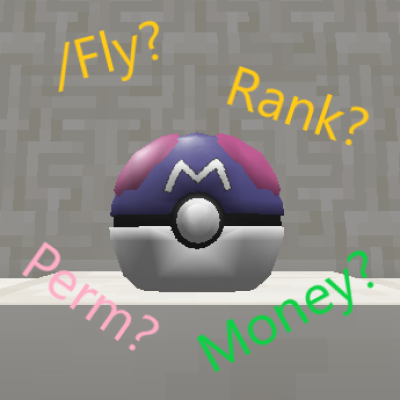
- Give the player a Permission / Items / Money
- Every time the Player receives the drop, increment the amount of sethomes the Player can use.
- Upgrade the Players rank
- Give the player the ability to fly after receiving the drop 10 times
Features:
- Ability to add runnable commands as drops to the default Pokeloot Tiers 1-3, by editing the config. There are pre-made examples in the config to show how to set up your your own drops.
Requirements:
A Forge server with PixelmonReforged and SpongeForge installed.
This sidemod was made for game version 1.12.2 and only tested on version 8.2.0 of PixelmonReforged.
Installation:
First you need to download PixelmonCommandDrops.
Next open your server folder, navigate to the mods folder and place PixelmonCommandDrops there. Now all that's left to do is start your server, and edit the drops in the config to your liking!
Commands:
/commanddrops
Get a list of commands
Aliases: /cdrops
Required Permissions:
pixelmoncommanddrops.command.base
/commanddrops reload
Reloads the config and applies all changes made to it in-game.
Aliases: /cdrops reload
Required Permissions:
pixelmoncommanddrops.command.base
pixelmoncommanddrops.command.reload
/commanddrops list
Get a list of all Command Drops
Aliases: /cdrops list
Required Permissions:
pixelmoncommanddrops.command.base
pixelmoncommanddrops.command.list
/commanddrops reset <drop> [player]
Resets drop counter of a specific drop for all players, or a specific player
Aliases: /cdrops reset <drop> [player]
Required Permissions:
pixelmoncommanddrops.command.base
pixelmoncommanddrops.command.reset
/commanddrops resetall [player]
Resets drop counters of all drops for all players, or a specific player
Aliases: /cdrops resetall [player]
Required Permissions:
pixelmoncommanddrops.command.base
pixelmoncommanddrops.command.resetall
Permissions:
pixelmoncommanddrops.command.base (Players with this permission will be able to use /cdrops)
pixelmoncommanddrops.command.reload (Players with this permission will be able to use /cdrops reload)
pixelmoncommanddrops.command.list (Players with this permission will be able to use /cdrops list)
pixelmoncommanddrops.command.reset (Players with this permission will be able to use /cdrops reset)
pixelmoncommanddrops.command.resetall (Players with this permission will be able to use /cdrops resetall)
- Edition: Minecraft Java
- File type: .jar
- How to install: Install the matching mod loader (Forge, Fabric or NeoForge) for your Minecraft version. → Download the .jar. → Put it in the .minecraft/mods folder and launch that loader profile.
- Where to get it: Opens on CurseForge — not every file is mirrored on our own servers.
Install steps are the general flow for this file type — How to install Minecraft Java mods & modpacks walks through it step by step.
- Ships as PixelmonCommandDrops-1.0.0.jar — drop this file into the mods folder
- Download size: 32 KB
- Download link checked 14 Oct 2026 — working
These come from our own check of the pack file, not from the source page.